
Draftgoblin
Draftgoblin is an unofficial terminal draft assistant for MTG Arena Quick Drafts. It reads Arena's local Player.log, recognizes each pack and pick, and ranks the available cards while you draft. When the draft is complete, it also suggests a 40-card deck from your pool.
Draftgoblin is read-only: it does not write to, inject into, or automate MTG Arena. Card details come from Scryfall and draft statistics come from 17Lands.
Screenshots
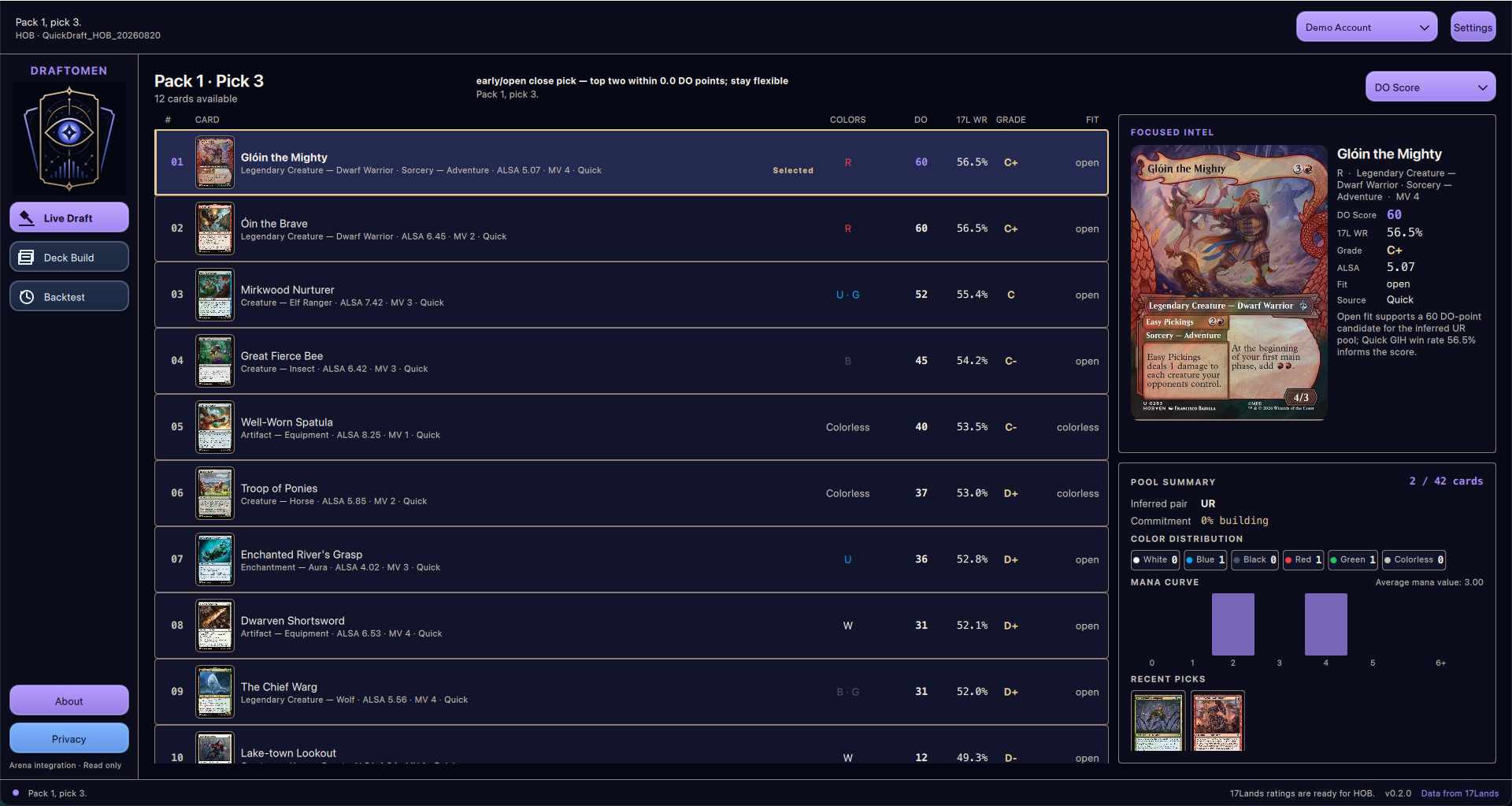
Live pick recommendations
Cards are ranked in real time, with the raw 17Lands win rate and grade shown alongside Draftgoblin's pool-aware score.
Suggested deck
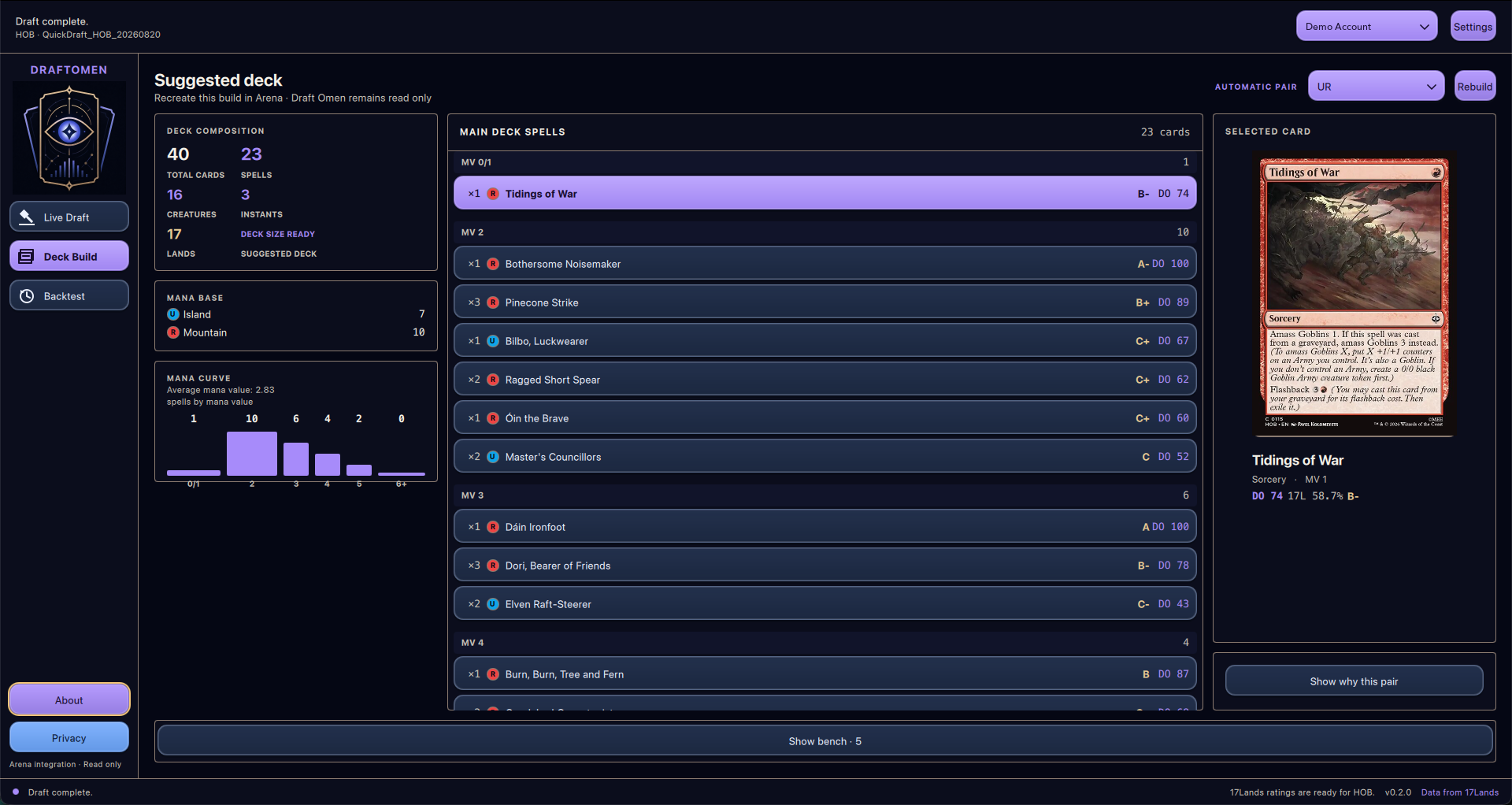
At the end of the draft, Draftgoblin selects a color pair, spells, and mana base for a 40-card build.
How recommendations work
Draftgoblin keeps the data behind every recommendation visible instead of presenting a black-box pick order:
- 17Lands ratings: each card shows its Games-in-Hand win rate (
17L WR) and a 17Lands-style grade. Quick Draft data is preferred; Premier Draft data is used as a fallback when Quick Draft samples are missing or too small. - DG Score: the default 0-100 ranking normalizes 17Lands win rates across the set. A card without a reliable sample starts from a neutral score of 50, adjusted by its Average Last Seen At (
ALSA) when available. - Color fit: early picks stay open. From pick 6 onward, scores gradually favor the colors supported by the drafted pool; from pick 16, on-color cards receive the full bonus and off-color cards the full penalty. Strong picks influence the inferred color pair more than filler.
- Close early picks: when two cards have similar scores, set- and format-specific 17Lands color-pair win rates can break the tie without forcing an early commitment.
- Conservative splashing: an
A-range, single-pip card can be marked as a visible third-color splash when it is materially better than the on-color choices and the pool can support its mana. Draftgoblin limits this to one extra color and two cards. - Transparent alternatives: press
sto compare rankings by DG Score, raw 17Lands win rate, ALSA, or mana value. The interface also identifies neutral-prior and Premier-fallback rows. - Deck suggestion: the builder evaluates two-color pairs using card quality and 17Lands pair performance, then chooses spells and lands while considering creatures, curve, colored mana requirements, and cached 17Lands deck-structure targets when available.
DG Score is the default because it performed better than raw 17Lands win rate in Draftgoblin's offline pick benchmarks. It is still guidance rather than a perfect pick order: public statistics reflect the decks, players, and contexts in which cards were played.
For the complete methodology, see pick scoring, benchmarking, and the deck builder.
How to use it
Draftgoblin requires uv, which provides the required Python runtime and installs the command in an isolated environment.
1. Install
Install uv with Homebrew on macOS:
brew install uv
Or with WinGet on Windows:
winget install --id=astral-sh.uv -e
Then install Draftgoblin:
uv tool install draftgoblin
2. Enable Arena logs
In MTG Arena, open Settings → Account, enable Detailed Logs (Plugin Support), and restart Arena.
3. Prepare card data
Run this once after installation, and again when you want fresh card metadata:
draftgoblin refresh-data
4. Start drafting
Start Draftgoblin before entering a Quick Draft:
draftgoblin watch
The app detects the set and follows the draft automatically. If 17Lands ratings are not cached for that set, it offers to download them. Use the arrow keys or j/k to browse cards, s to change the ranking, b to open the current build, c to configure the view and optional splash recommendations, and q to quit.
Draftgoblin uses the standard Arena log location on macOS and Windows. If your log is elsewhere, pass it explicitly:
draftgoblin watch --log-path /path/to/Player.log
Upgrade later with:
uv tool upgrade draftgoblin
Live recommendations currently support Quick Draft. Windows support is best-effort; Linux can be used only by pointing --log-path to an Arena log inside Wine or Proton.
Local draft audit data
Live TUI and watch --plain sessions keep an independent, append-only JSONL
audit log for every draft under
~/.draftgoblin/audit/drafts/<account-id>/<draft-id>.jsonl. Each record includes
the offered pack, pool snapshot, ratings source, scoring configuration, complete
candidate calculations, splash eligibility and mana-source reasoning, all
supported rankings, the recommendation visible when the pick was made, and the
card actually chosen. Stable record IDs prevent
startup scans and log rotation from rewriting prior evidence.
Offline replay and backtest commands do not write audit records. For the schema
and retention details, see draft audit logging.
Branding and compliance
Draftgoblin is not affiliated with, sponsored by, approved by, or endorsed by Wizards of the Coast, Scryfall, or 17Lands.
Draftgoblin is unofficial Fan Content permitted under the Fan Content Policy. Not approved/endorsed by Wizards. Portions of the materials used are property of Wizards of the Coast. ©Wizards of the Coast LLC. Card data from Scryfall and 17Lands; neither service endorses this tool.
1 maintainer

Metadata
1 maintainer
Release files for draftgoblin 0.2.0
For a detailed explanation of source distributions (sdists) and built distributions (wheels), please see the package formats documentation.
Source distribution (sdist)
| File | Size | Uploaded | |
|---|---|---|---|
| draftgoblin-0.2.0.tar.gz | 177.7 kB | Details |
Built distribution (wheel)
| File | Interpreter | ABI | Platform | Reset |
|---|---|---|---|---|
| draftgoblin-0.2.0-py3-none-any.whl | Python 3 | none | any | Details |
Total release size: 318.3 kB
Release files / draftgoblin-0.2.0.tar.gz
| Download URL | draftgoblin-0.2.0.tar.gz |
|---|---|
| Size | 177.7 kB |
| Tags | Source |
|
SHA-256 checksum How to use checksums |
2621adef1f715a821216165465b66c0a203590f2a3b6046b717ab500ec1366c1
|
|
BLAKE2b-256 checksum How to use checksums |
64066d957b8fdf99b08cd3fe6a72d612b61437fb2d8d99acb246618e40fb3bad
|
| Upload date | |
|
Uploaded using Trusted Publishing? What is trusted publishing? |
Yes |
| Uploaded via |
uv/0.11.32 {"installer":{"name":"uv","version":"0.11.32","subcommand":["publish"]},"python":null,"implementation":{"name":null,"version":null},"distro":{"name":"Ubuntu","version":"24.04","id":"noble","libc":null},"system":{"name":null,"release":null},"cpu":null,"openssl_version":null,"setuptools_version":null,"rustc_version":null,"ci":true}
|
Release files / draftgoblin-0.2.0-py3-none-any.whl
| Download URL | draftgoblin-0.2.0-py3-none-any.whl |
|---|---|
| Size | 140.7 kB |
| Tags | Python 3 |
|
SHA-256 checksum How to use checksums |
56814df6dfb3d0284b2a76d55df5f44128ffaccf2298d76cc814c25ec1470dbc
|
|
BLAKE2b-256 checksum How to use checksums |
942b480f44e3aabeb4ad99be5dfa9cea2426289a94a7ebed2c7da423dcd9c90b
|
| Upload date | |
|
Uploaded using Trusted Publishing? What is trusted publishing? |
Yes |
| Uploaded via |
uv/0.11.32 {"installer":{"name":"uv","version":"0.11.32","subcommand":["publish"]},"python":null,"implementation":{"name":null,"version":null},"distro":{"name":"Ubuntu","version":"24.04","id":"noble","libc":null},"system":{"name":null,"release":null},"cpu":null,"openssl_version":null,"setuptools_version":null,"rustc_version":null,"ci":true}
|














