
Make your Python output dramatic 🎭




The dramatic module includes utilities which cause all text output to display character-by-character (it prints dramatically).

Note: This project is based on a Python Morsels exercise. If you're working on that exercise right now, please don't look at the source code for this! 😉

Usage 🥁
The dramatic module is available on PyPI.
You can install it with pip:
$ python3 -m pip install dramatic
There are four primary ways to use the utilities in the dramatic module:
- As a context manager that temporarily makes output display dramatically
- As a decorator that temporarily makes output display dramatically
- Using a
dramatic.start()function that makes output display dramatically - Using a
dramatic.printfunction to display specific text dramatically
Dramatic Context Manager 🚪
The dramatic.output context manager will temporarily cause all standard output and standard error to display dramatically:
import dramatic

def main():
    print("This function prints")

with dramatic.output:
    main()
To change the printing speed from the default of 75 characters per second to another value (30 characters per second in this case) use the at_speed method:
import dramatic

def main():
    print("This function prints")

with dramatic.output.at_speed(30):
    main()
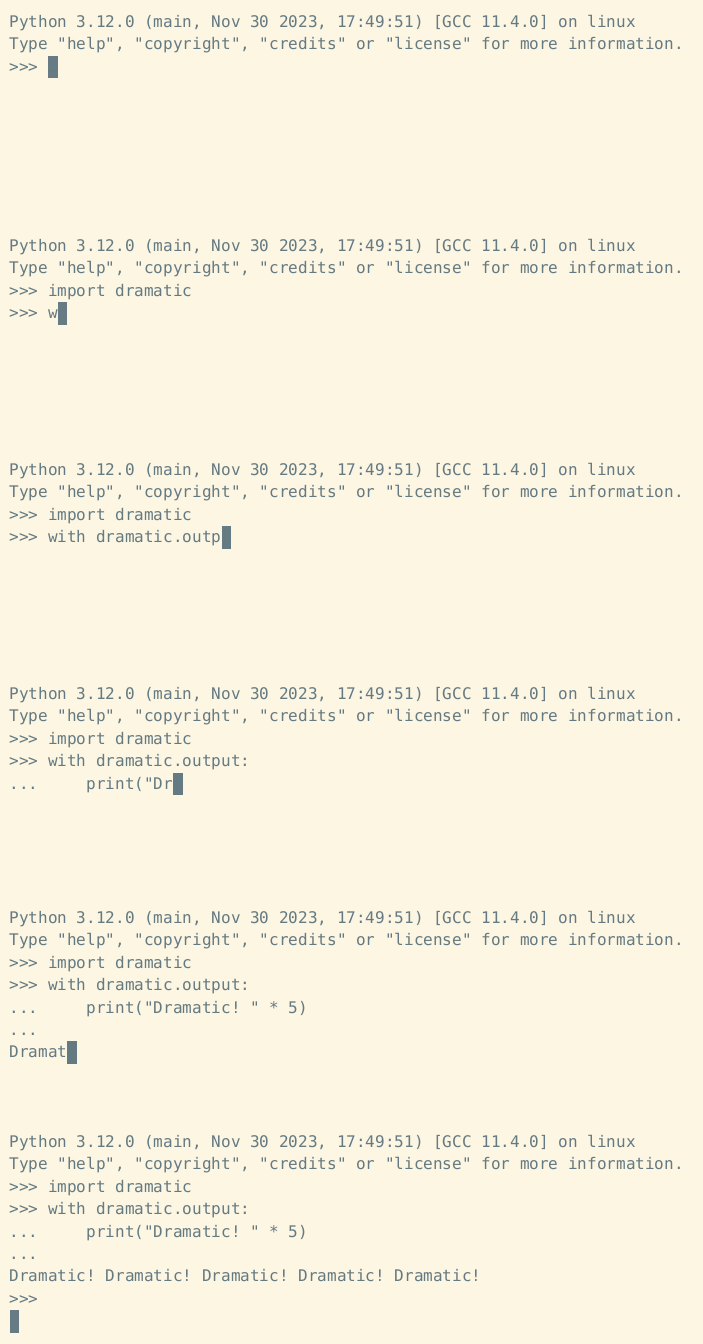
Example context manager usage:
Dramatic Decorator 🎀
The dramatic.output decorator will cause all standard output and standard error to display dramatically while the decorated function is running:
import dramatic

@dramatic.output
def main():
    print("This function prints")

main()
The at_speed method works as a decorator as well:
import dramatic

@dramatic.output.at_speed(30)
def main():
    print("This function prints")

main()
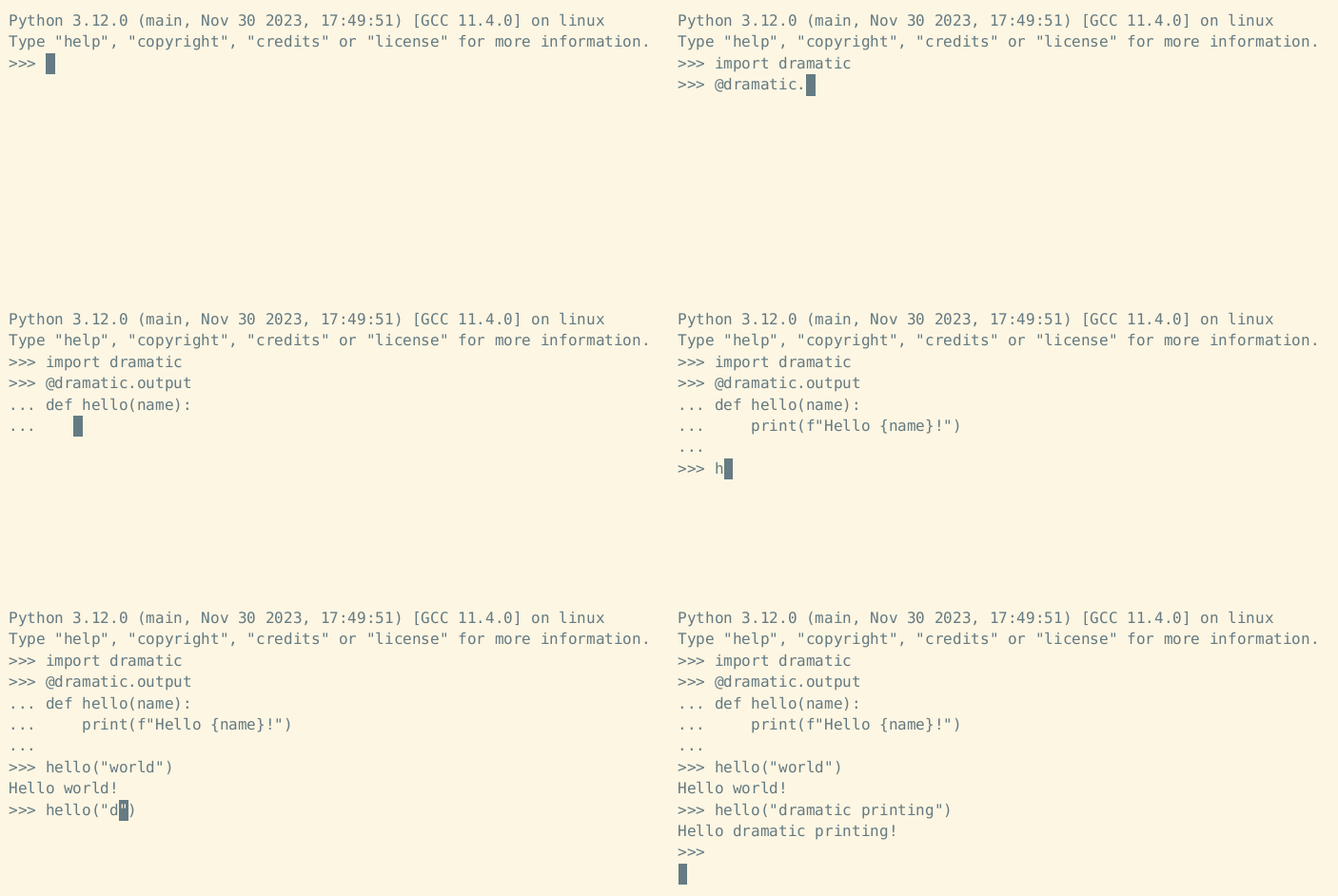
Example decorator usage:
Manually Starting and Stopping 🔧
Instead of enabling dramatic printing temporarily with a context manager or decorator, the dramatic.start function may be used to enable dramatic printing:
import dramatic

def main():
    print("This function prints")

dramatic.start()
main()
The speed keyword argument may be used to change the printing speed (in characters per second):
import dramatic

def main():
    print("This function prints")

dramatic.start(speed=30)
main()
To make only standard output dramatic (but not standard error) pass stderr=False to start:
import dramatic

def main():
    print("This function prints")

dramatic.start(stderr=False)
main()
To disable dramatic printing, the dramatic.stop function may be used.
Here's an example context manager that uses both dramatic.start and dramatic.stop:
import dramatic


class CustomContextManager:
    def __enter__(self):
        print("Printing will become dramatic now")
        dramatic.start()
    def __exit__(self):
        dramatic.stop()
        print("Dramatic printing has stopped")
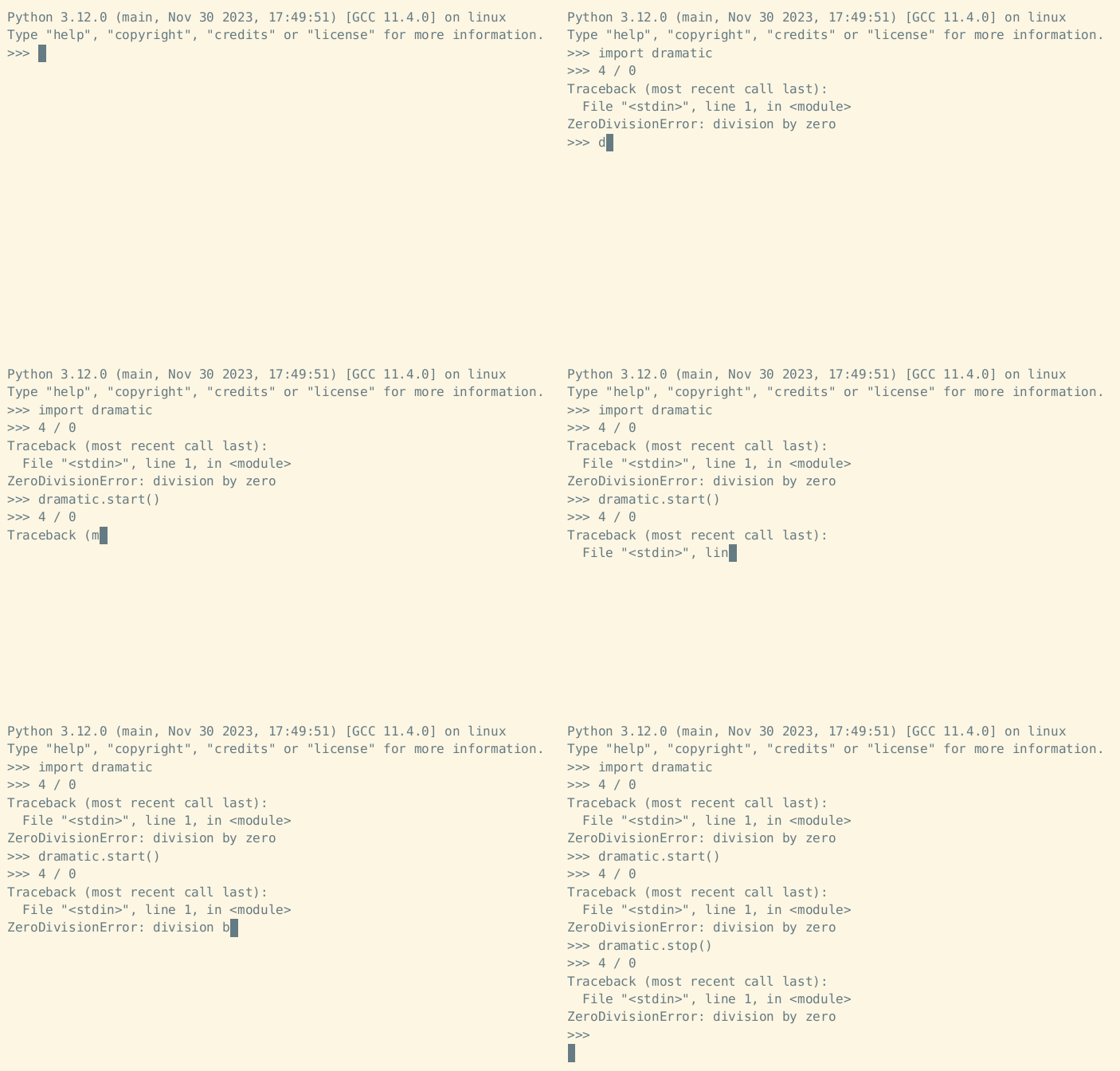
Example start and stop usage:
Dramatic Print 🖨️
The dramatic.print function acts just like the built-in print function, but it prints dramatically:
import dramatic
dramatic.print("This will print some text dramatically")
Dramatic Interpreter ⌨️
To start a dramatic Python REPL:
$ python3 -m dramatic
>>>

To dramatically run a Python module:
$ python3 -m dramatic -m this
To dramatically run a Python file:
$ python3 -m dramatic hello_world.py
The dramatic module also accepts a --speed argument to set the characters printed per second.
In this example we're increasing the speed from 75 characters-per-second to 120:

Maximum Drama (Use With Caution ⚠️)
Want to make your Python interpreter dramatic by default?
Run the dramatic module as a script with the --max-drama argument to modify Python so that all your Python programs will print dramatically:
$ python3 -m dramatic --max-drama
This will cause all Python programs to run dramatically.
Running --min-drama will undo this operation.
Are you sure? [y/N]
Example:

If the drama is too much, run the module again with the argument --min-drama to undo:
$ python3 -m dramatic --min-drama
Deleted file /home/trey/.local/lib/python3.12/site-packages/dramatic.pth
Deleted file /home/trey/.local/lib/python3.12/site-packages/_dramatic.py
No drama.
Example:

This even works if you don't have the dramatic module installed.
Just download dramatic.py and run it with --max-drama!
To disable the drama, you'll need to run python3 -m _dramatic --min-drama (note the _ before dramatic).
Warning: using --max-drama is probably a bad idea.
Use with caution.
Other Features ✨
Other features of note:
- Pressing
Ctrl-Cwhile text is printing dramatically will cause the remaining text to print immediately. - Dramatic printing is automatically disabled when the output stream is piped to a file (e.g.
python3 my_script.py > output.txt)
Credits 💖
This package was inspired by the dramatic print Python Morsels exercise, which was partially inspired by Brandon Rhodes' adventure Python port (which displays its text at 1200 baud).
1 maintainer

Release files for dramatic 0.5.0
For a detailed explanation of source distributions (sdists) and built distributions (wheels), please see the package formats documentation.
Source distribution (sdist)
| File | Size | Uploaded | |
|---|---|---|---|
| dramatic-0.5.0.tar.gz | 2.4 MB | Details |
Built distribution (wheel)
| File | Interpreter | ABI | Platform | Reset |
|---|---|---|---|---|
| dramatic-0.5.0-py3-none-any.whl | Python 3 | none | any | Details |
Total release size: 2.4 MB
Release files / dramatic-0.5.0.tar.gz
| Download URL | dramatic-0.5.0.tar.gz |
|---|---|
| Size | 2.4 MB |
| Tags | Source |
|
SHA-256 checksum How to use checksums |
83114b482a857c8f507e48b082ea77919ee3a934640c9b7f5dff2130a071dd11
|
|
BLAKE2b-256 checksum How to use checksums |
654e715058f54f6f99124e68306d5a0589d758239c1f51c257840a44dee04d25
|
| Upload date | |
|
Uploaded using Trusted Publishing? What is trusted publishing? |
No |
| Uploaded via |
python-httpx/0.28.1
|
Release files / dramatic-0.5.0-py3-none-any.whl
| Download URL | dramatic-0.5.0-py3-none-any.whl |
|---|---|
| Size | 6.4 kB |
| Tags | Python 3 |
|
SHA-256 checksum How to use checksums |
93f93fd852a8c5f7b8203114245e462c2448e2842780b1948e5ae76f9163a773
|
|
BLAKE2b-256 checksum How to use checksums |
5dc3410cce70157bd2ffca7cd1c78372c0b3ada16053d1785c745575933bfded
|
| Upload date | |
|
Uploaded using Trusted Publishing? What is trusted publishing? |
No |
| Uploaded via |
python-httpx/0.28.1
|














