
Drawbook
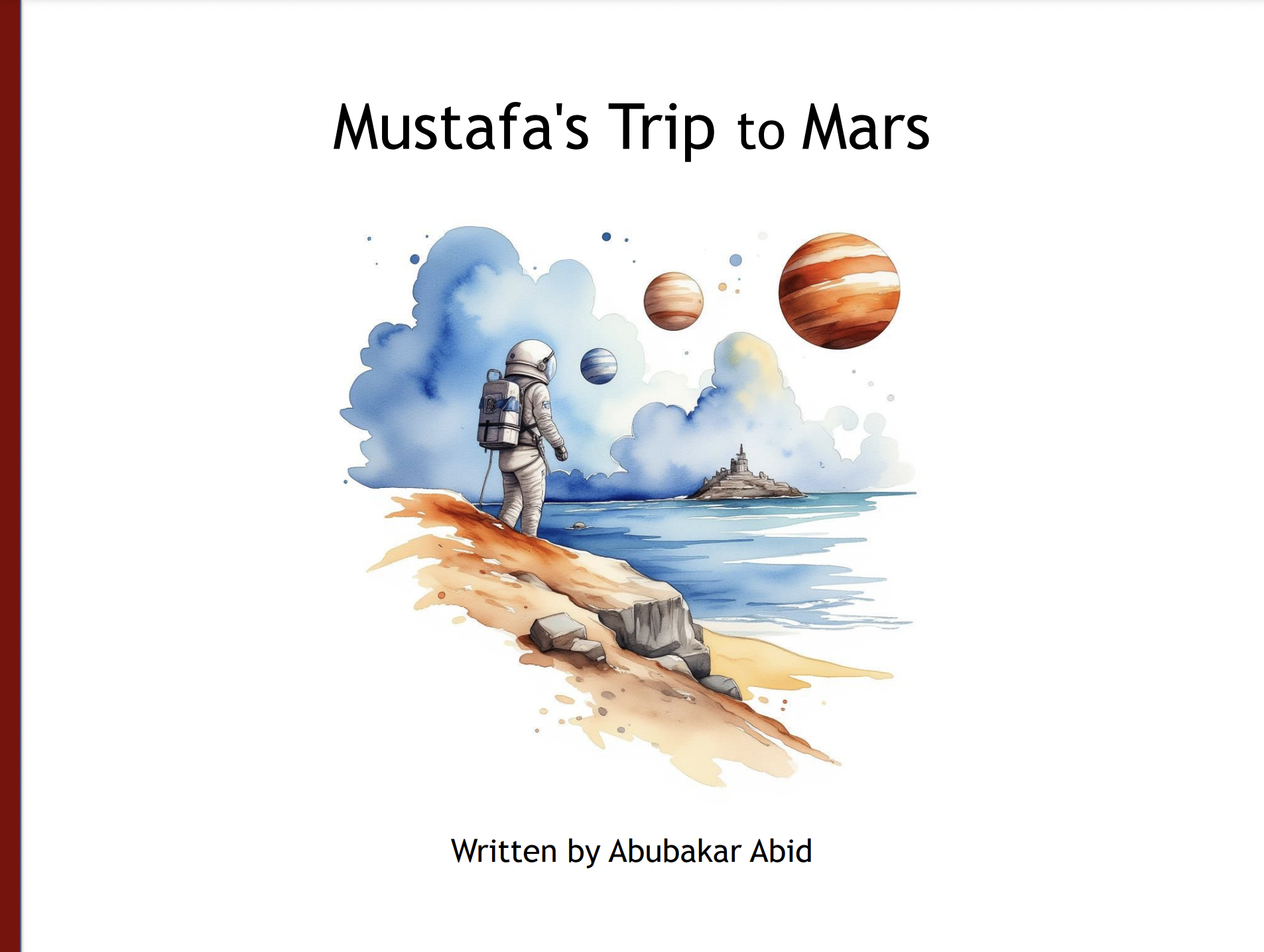
drawbook is a Python library that helps you create illustrated children's books using AI. It leverages image generation AI models to generate watercolor-style illustrations corresponding to text that you have written and then exports them to a PowerPoint / Slides file that you can further edit.
Features
- AI-Generated Illustrations: Automatically create watercolor illustrations based on the text you provide.
- Create Illustrations Programmatically or with a User-Firendly UI: Create illustrations with a single line of Python --
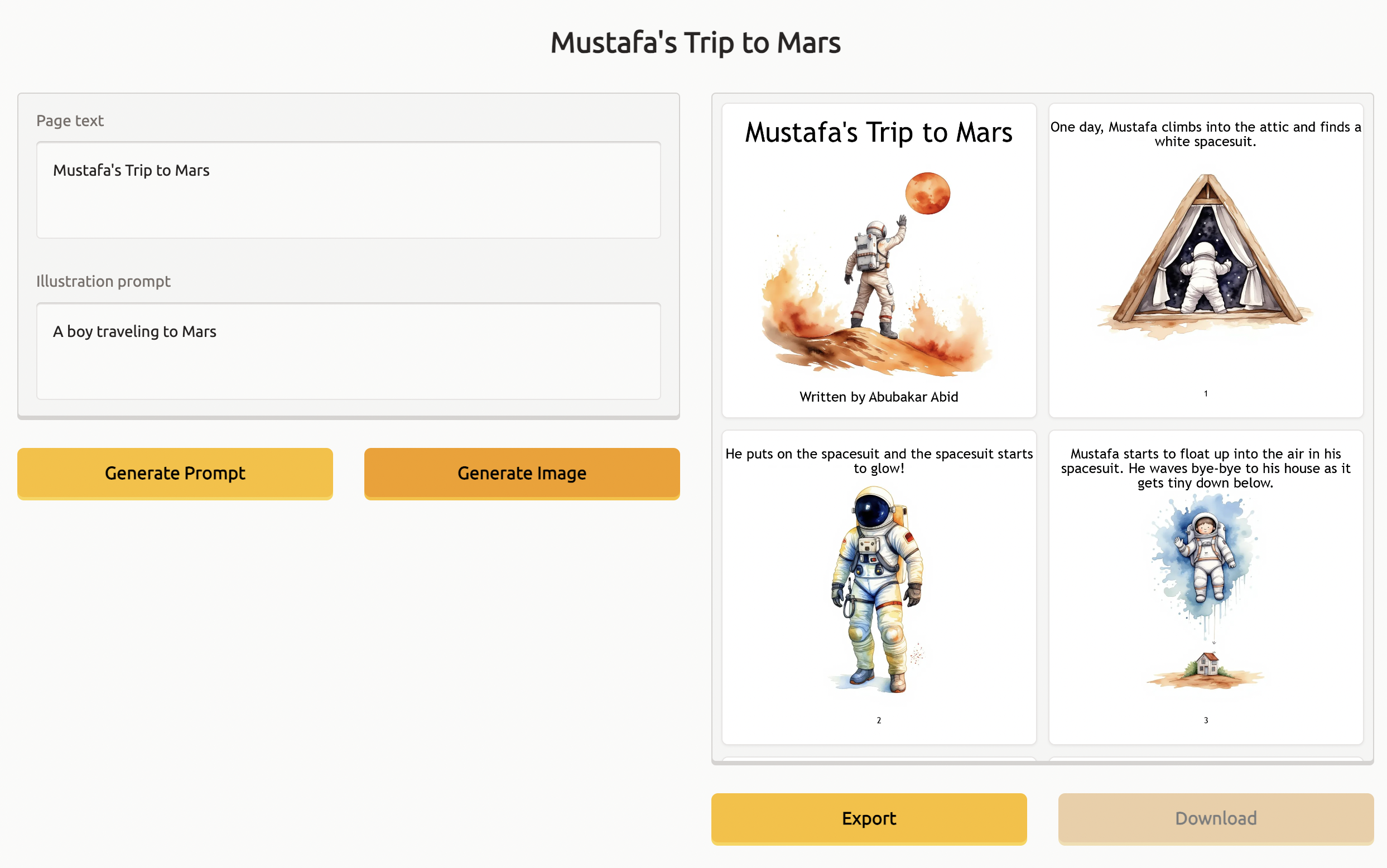
book.illustrate()--, or a open up a Gradio UI in your browser --book.preview()-- to have more fine-grained control over the illustrations. - Start Quickly, Refine Later: Export your illustrations a presentation (PowerPoint/Google Slides) that serves as a starting point - you can then change the layouts, images, and text to perfect your final design.
- Free: This project uses the free Hugging Face Inference API to generate illustrations. We strongly recommend having a Hugging Face Pro account so that you do not get rate-limited.
Prerequisites
- Python 3.10+
- Hugging Face Pro membership (strongly recommended, as this project uses the free Hugging Face Inference API)
Installation
To install Drawbook, use pip:
pip install drawbook
Usage
Here’s how you can create an illustrated book using Drawbook in a few lines of Python:
from drawbook import Book

book = Book(title="Mustafa's Trip to Mars", pages=[
    "One day, Mustafa climbs into the attic and finds a white spacesuit.",
    "He puts on the spacesuit and the spacesuit starts to glow!",
    "Mustafa starts to float up into the air in his spacesuit. He waves bye-bye to his house as it gets tiny down below.",
    "The stars look like tiny lights all around him. His spacesuit flies fast past the moon and the sun.",
    "Mustafa lands on Mars. The landing makes a big crater in the Martian surface.",
    "Mustafa explores Mars in his spacesuit. He meets a Martian and waves hello to him.",
    "Mustafa and the Martian play with toys on Mars. They have a great time together!",
], author="Abubakar Abid")

book.illustrate()  # Generates illustrations for every page

book.export("Mustafas_Trip_To_Mars.pptx")
When you run the code above, Drawbook will generate a PowerPoint file (Mustafas_Trip_To_Mars.pptx) that contains:
- Text content formatted across multiple slides.
- AI-generated watercolor illustrations that match the content of each page.
Preview & Refine
If you'd like to regenerate the illustrations on any specific page, simply run:
book.preview()
This will launch a Gradio demo that lets you see the prompt used to create each illustration. You can edit the prompt and keep re-generating images until you have a great series of illustrations for your book. Once you're down, just click "Export" and then "Download" to get your exported slides.
Contributing
Contributions to drawbook are welcome! If you have ideas for new features or improvements, feel free to submit an issue or pull request on the GitHub repository.
License
Drawbook is open-source software licensed under the MIT License.
Version
The current version can be found in version.txt in the root directory, or accessed programmatically via:
1 maintainer

Metadata
1 maintainer
Release files for drawbook 0.3.2
For a detailed explanation of source distributions (sdists) and built distributions (wheels), please see the package formats documentation.
Source distribution (sdist)
| File | Size | Uploaded | |
|---|---|---|---|
| drawbook-0.3.2.tar.gz | 2.7 kB | Details |
Built distribution (wheel)
| File | Interpreter | ABI | Platform | Reset |
|---|---|---|---|---|
| drawbook-0.3.2-py3-none-any.whl | Python 3 | none | any | Details |
Total release size: 5.4 kB
Release files / drawbook-0.3.2.tar.gz
| Download URL | drawbook-0.3.2.tar.gz |
|---|---|
| Size | 2.7 kB |
| Tags | Source |
|
SHA-256 checksum How to use checksums |
25f9e34e9aa63d5ac4d6c5ae3d51e17611af46dbc89ad84d6af2e87c4bfbcd26
|
|
BLAKE2b-256 checksum How to use checksums |
5c9f402db1d1e6b8fee42d98f7f4c3c3b05ed1658cb579704e93b66f3f98afc4
|
| Upload date | |
|
Uploaded using Trusted Publishing? What is trusted publishing? |
No |
| Uploaded via |
twine/5.1.1 CPython/3.12.7
|
Release files / drawbook-0.3.2-py3-none-any.whl
| Download URL | drawbook-0.3.2-py3-none-any.whl |
|---|---|
| Size | 2.7 kB |
| Tags | Python 3 |
|
SHA-256 checksum How to use checksums |
86ccf23c701c726495daea03c468b66da97fd15f82ff9ef54ed53443cf904229
|
|
BLAKE2b-256 checksum How to use checksums |
d4bb2303f85a98f576ef0f03b613d94d7f0dc614ff1ee336344282d0481e0bc9
|
| Upload date | |
|
Uploaded using Trusted Publishing? What is trusted publishing? |
No |
| Uploaded via |
twine/5.1.1 CPython/3.12.7
|














