
A minimalistic CLI tool for diagrams-as-code

Project description
Drawn ✨
Drawn is a really minimalistic and lightweight CLI tool for diagrams-as-code – It helps you generatebeautiful system diagrams from simple text notation! 🚀
Example
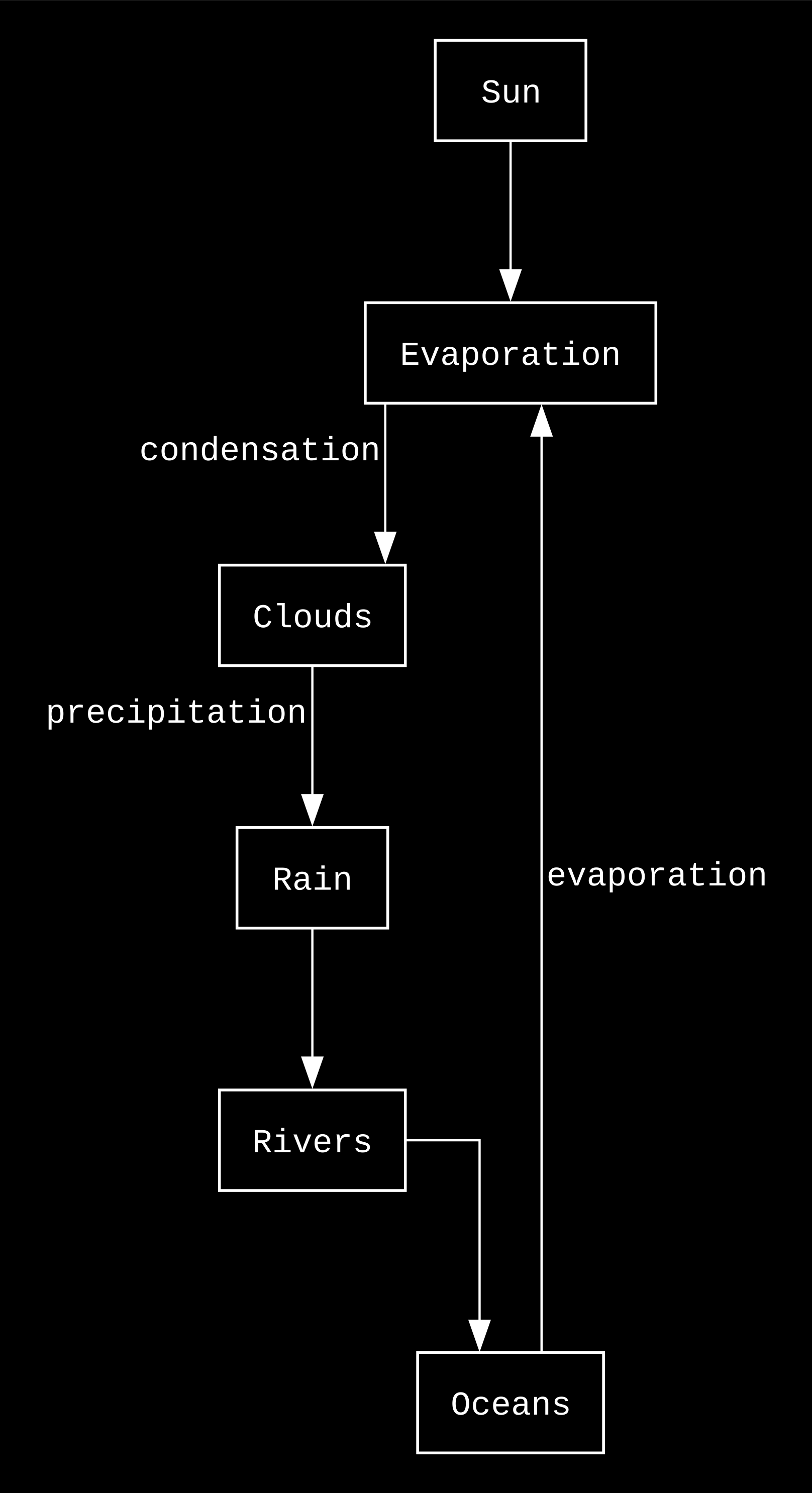
From this simple code:
Sun --> Evaporation
Evaporation -(condensation)-> Clouds
Clouds -(precipitation)-> Rain
Rain --> Rivers
Rivers --> Oceans
Oceans -(evaporation)-> Evaporation
To this diagram:
What's Inside?
Features
- Simple arrow syntax -
A --> B --> C - Multi-line support - Handle complex flows
- Branching flows - One node to multiple destinations
- Professional output - High-quality SVG/PNG via Graphviz
- Fast rendering - Instant feedback
- Test coverage - Reliable and maintainable
- Inline configuration - Simple directives using % prefix
Philosophy
- Simple over complex - Minimal syntax that anyone can learn
- Fast feedback - From idea to diagram in 30 seconds
- Git-friendly - Text-based diagrams that version well
- Opinionated - Simple and consistent styling
- Advanced configuration - Customise every aspect of the diagram if required.
Quick Start
Installation
Prerequisites
Drawn requires Graphviz to be installed on your system:
# macOS
brew install graphviz

# Ubuntu/Debian
sudo apt-get install graphviz

# Windows
# Download and install from: https://graphviz.org/download/
Install from PyPI (Recommended)
# Install the latest stable version
pip install drawn-cli

# Create your first diagram
echo "API --> Server --> DB" > flow.drawn
drawn flow.drawn
Install from Source
# Clone the repo
git clone git@github.com:parthivrmenon/drawn.git
cd drawn

# Install the package
pip install .
Development Installation
# Clone the repo for development
git clone git@github.com:parthivrmenon/drawn.git
cd drawn

# Install dependencies (optional, for full package install)
pip install -e .

# Or run directly without installation
python -m drawn.cli <file_path>
Usage
# Basic usage
echo "API --> Server --> DB" > flow.drawn
drawn flow.drawn
Configuration
You can configure your diagrams using simple directives with a % prefix:
Basic Configuration
% output_file: filename      # Output filename (default: flow)
% output_format: svg|png|pdf # Output format (default: svg)
% comment: My Diagram        # Title for the diagram (default: Flow)
For advanced configuration options, see Advanced Configuration.
Themes
Drawn supports three built-in themes that control the visual styling of your diagrams:
% theme: light    # Black on white (default)
% theme: dark     # White on black
% theme: matrix   # Bright green terminal aesthetic
Examples
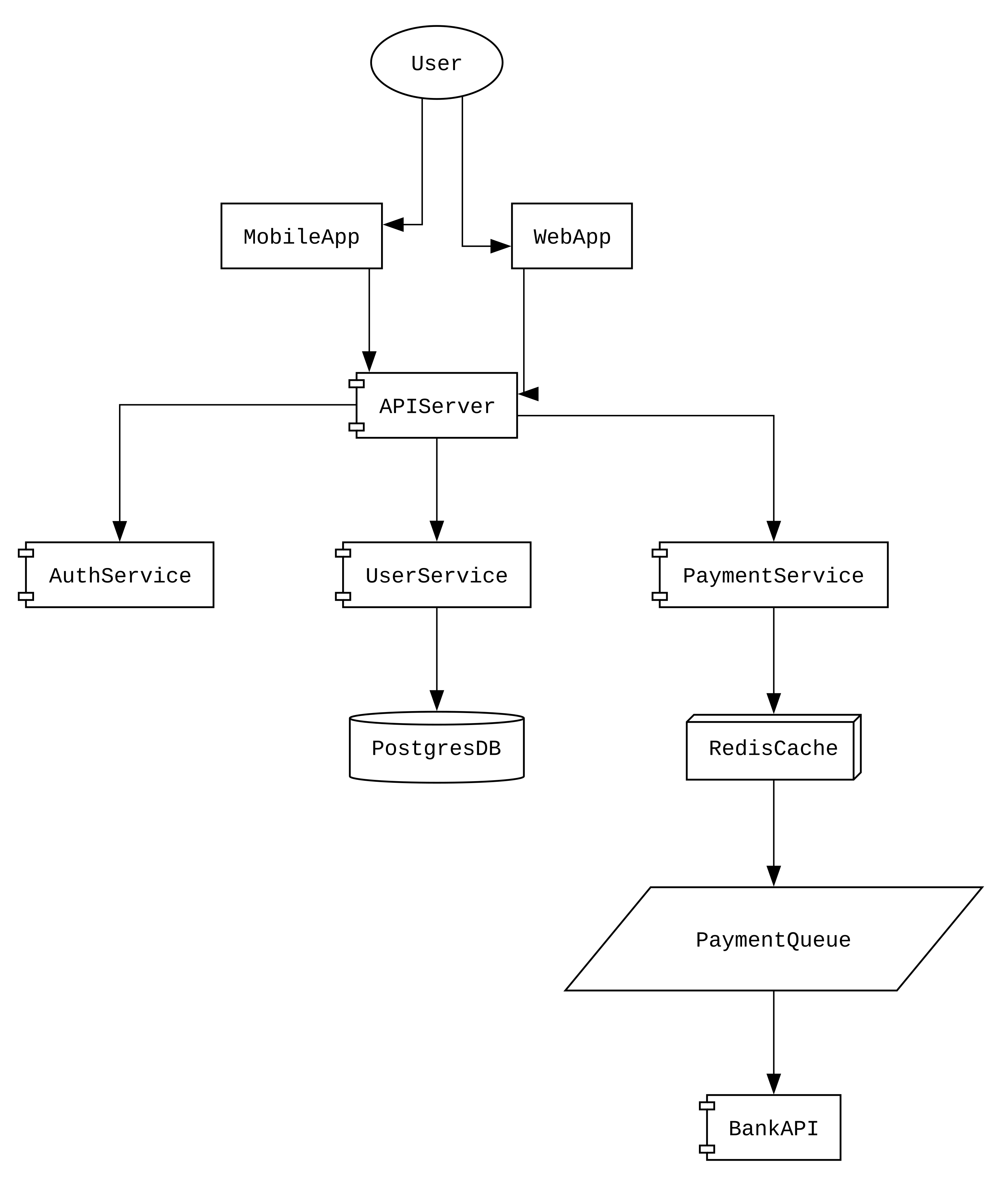
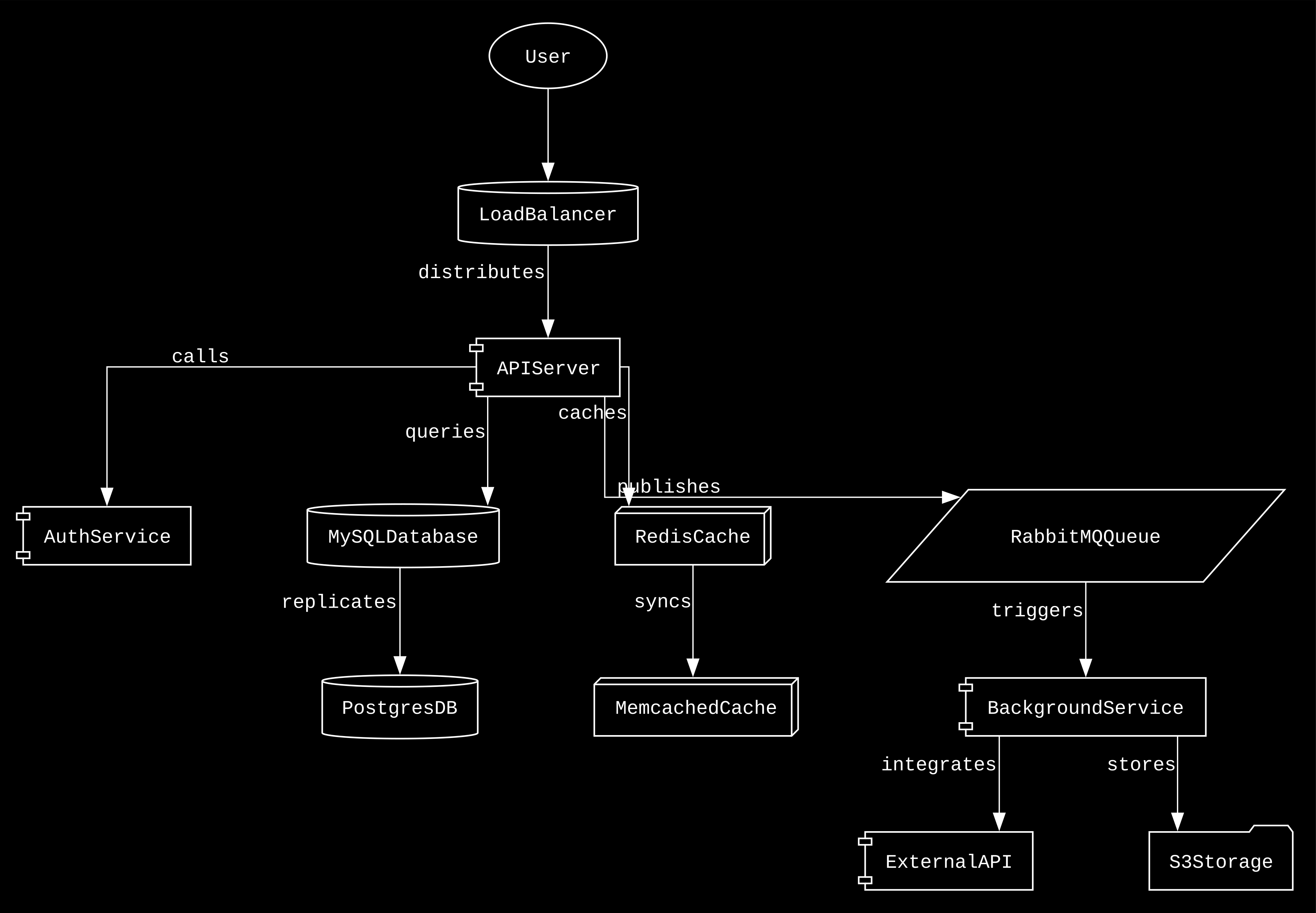
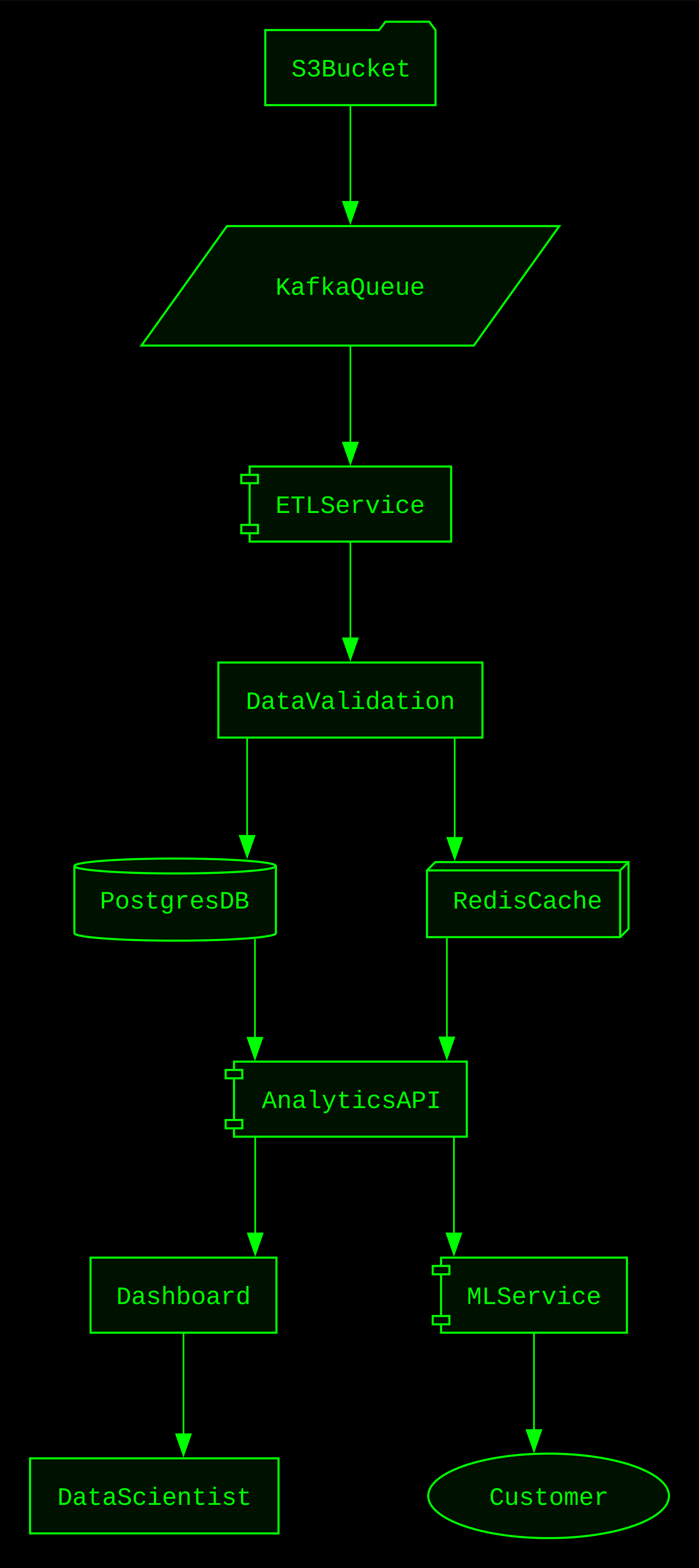
Available Themes:
light- Black text on white background (default)dark- White text on black backgroundmatrix- Bright green text on black background with terminal styling
Testing
{{ ... }}
Run all tests
python -m pytest tests/
Run tests with verbose output
python -m pytest tests/ -v
Advanced Configuration
Graph Attributes
% graph_bgcolor: transparent  # Background color (default: transparent)
% graph_dpi: 300             # Resolution in DPI (default: 300)
% graph_rankdir: TB          # Direction: TB (top-bottom), LR (left-right) (default: TB)
% graph_splines: ortho       # Line style: ortho, curved, etc. (default: ortho)
% graph_pad: 0.2             # Padding around the graph (default: 0.2)
% graph_nodesep: 1           # Horizontal separation between nodes (default: 1)
% graph_ranksep: 0.8         # Vertical separation between nodes (default: 0.8)
Node Attributes
% node_fontname: Courier     # Font for node labels (default: Courier)
% node_shape: box            # Node shape: box, circle, ellipse, etc. (default: box)
% node_style: filled         # Node style: filled, dashed, etc. (default: filled)
% node_fillcolor: transparent # Fill color for nodes (default: transparent)
% node_color: black          # Border color for nodes (default: black)
% node_margin: 0.15,0.1      # Margin inside nodes (default: 0.15,0.1)
Edge Attributes
{{ ... }}
% edge_fontsize: 12          # Font size for edge labels (default: 12)
% edge_fontcolor: white      # Font color for edge labels (default: white)
% edge_color: white          # Edge line color (default: white)
% edge_arrowhead: normal     # Arrow style: normal, vee, dot, etc. (default: normal)
% edge_penwidth: 0.8         # Edge line thickness (default: 0.8)
Auto-Shapes
Drawn automatically selects appropriate node shapes based on node names to improve diagram readability:
% auto_shapes: true     # Enable automatic shape selection (default: true)
% auto_shapes: false    # Disable automatic shape selection
Shape Mappings:
- Databases (
db,database,sql,postgres,mysql) →cylinder - Caches (
cache,redis,memcached) →box3d - Queues (
queue,kafka,rabbitmq) →parallelogram - Storage (
storage,bucket,s3) →folder - Components (
api,service,server) →component - Users (
user,customer) →ellipse - Default (all others) →
box
Release history Release notifications | RSS feed


Download files
Download the file for your platform. If you're not sure which to choose, learn more about installing packages.
Source Distribution
Built Distribution
Filter files by name, interpreter, ABI, and platform.
If you're not sure about the file name format, learn more about wheel file names.
Copy a direct link to the current filters
File details
Details for the file drawn_cli-0.1.1.tar.gz.
File metadata
- Download URL: drawn_cli-0.1.1.tar.gz
- Upload date:
- Size: 13.0 kB
- Tags: Source
- Uploaded using Trusted Publishing? No
- Uploaded via: twine/6.2.0 CPython/3.13.0
File hashes
| Algorithm | Hash digest | |
|---|---|---|
| SHA256 |
b17d78a2f4c2b0a032a953eb829fd4f325097096d95d40447edfcce69eca70f2
|
|
| MD5 |
7cb5c10bd6cf0b89346030d871767ff0
|
|
| BLAKE2b-256 |
9216dacb55c9c9297e94be00e96feed579115a4ae6f9b4691e34eb6447c72a0f
|
File details
Details for the file drawn_cli-0.1.1-py3-none-any.whl.
File metadata
- Download URL: drawn_cli-0.1.1-py3-none-any.whl
- Upload date:
- Size: 9.5 kB
- Tags: Python 3
- Uploaded using Trusted Publishing? No
- Uploaded via: twine/6.2.0 CPython/3.13.0
File hashes
| Algorithm | Hash digest | |
|---|---|---|
| SHA256 |
e1d337fee09aa193bfdc31de01236c32b2bc528a18cc9e3ebd5a03f46250566b
|
|
| MD5 |
3aa8e85940d8cf55b4c3d62d30afe81d
|
|
| BLAKE2b-256 |
1d05fe17e1891d5baff4a56ffa5bff9be3a3a74d1317c722beb369ec69c7447e
|






