
drawtonomy-cr
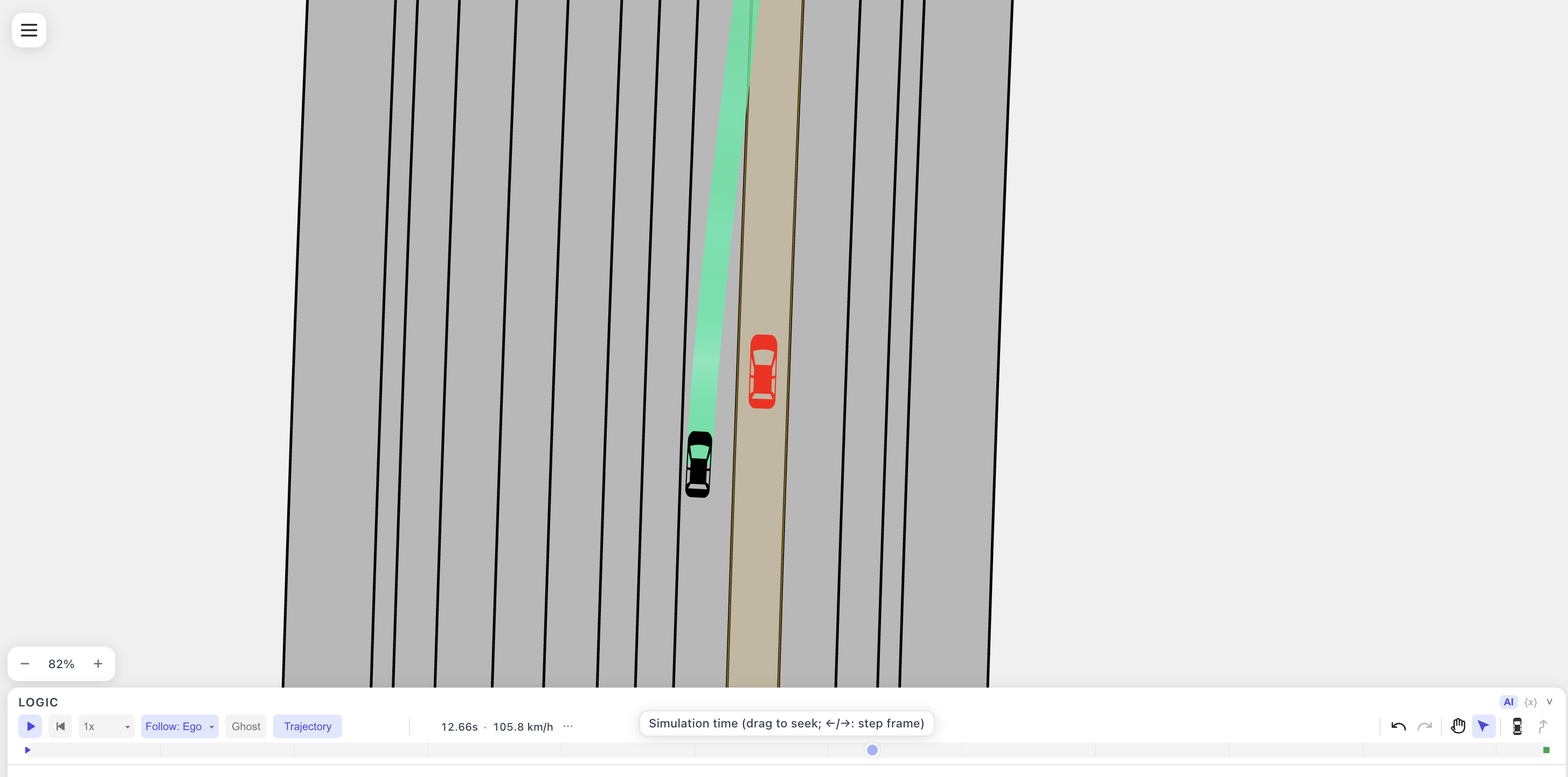
CommonRoad connector for drawtonomy. Bring your own planner.
scenario.xml  (CommonRoad 2020a, exported from drawtonomy)
      |
      v
[your planner]  -- required --> solution.xml   (CommonRoadSolution, commonroad-io)
      |
      +-- optional --> solution.planning-trace.json   (drawtonomy_cr.trace.TraceWriter)
      |
      v (drawtonomy-cr post-processes)
solution.verdict.json   (drawtonomy-verdict/1, the official checker's 7 verdicts)
The solution XML is the only required file. Everything else is optional: replay and drawtonomy's own collision badge work without them.
Install
pip install drawtonomy-commonroad                 # TraceWriter and `open`
pip install "drawtonomy-commonroad[checker]"      # + verdict, needs Linux x86_64
pip install "drawtonomy-commonroad[boundary]"     # + the road boundary check
The [boundary] extra adds Shewchuk's Triangle, which boundary_collision
triangulates the road with. It is not a default dependency because Triangle is
free for non-commercial use but needs the author's permission for commercial use.
Without it boundary_collision is reported as SKIP rather than FAIL and the other
six checks still run.
drawtonomy-cr verdict
drawtonomy-cr verdict scenario.xml solution.xml [-o out.json]
Runs the same seven tests the official valid_solution runs, in the same order
(solved_all_problems, goal_reached, starts_at_correct_state,
obstacle_collision, boundary_collision, ego_collision, solution_feasible),
one by one, and writes the result as a
drawtonomy-verdict/1 sidecar next to the solution (<solution stem>.verdict.json
when -o is omitted). Drop it into drawtonomy together with the solution to see
PASS / FAIL badges, the colliding time steps and the obstacle involved.
Exit codes: 0 when the sidecar was written (a FAIL verdict lives inside the JSON,
it is not an error), 3 when the checker is not installed.
The sidecar also records scenarioFingerprint and solutionFingerprint:
sha256: plus 64 lowercase hex digits over each input, read as UTF-8 with one
leading BOM removed and CRLF or CR turned into LF. They let the app confirm that
the files you loaded are the files that were checked; it shows Checker
unchecked for a verdict that has none. They identify content, not authenticity,
so re-run the checker after editing an input rather than copying a fingerprint
across.
Format: docs/verdict-sidecar.md.
drawtonomy_cr.trace.TraceWriter
A planning trace records what the planner intended at every replanning cycle, not just the trajectory it ended up driving. Only the planner's author can produce one, so it is a library, not a command.
from drawtonomy_cr.trace import TraceWriter

w = TraceWriter(dt=0.1, vehicle=dict(length=4.508, width=1.61, refToCenter=1.4227,
                                     type="BMW_320i"))
for cycle in my_planner_loop():
    w.plan(t=cycle.t, states=cycle.trajectory)   # one entry per replanning cycle
w.driven(executed_states)                        # what the ego actually drove
w.write("solution.planning-trace.json", solution="solution.xml")
vehicle is the body the planner planned with. Only length, width and
refToCenter are used; type is a free label shown in the replay tooltip. Use
whatever body your planner uses, or omit vehicle to fall back to the size the ego
was drawn with.
states accepts commonroad-io State objects and plain
{"x":, "y":, "orientation":, "v":, "time_step":} dicts alike.
write() verifies two identities before writing anything: driven matches the
solution's trajectory within 1e-6 m, and each plan's executed head matches driven
at the same time steps. A failure raises instead of writing a trace that would
replay differently from the solution it claims to describe.
Format: docs/planning-trace-format.md.
drawtonomy-cr open
drawtonomy-cr open ./results # a directory, or the scenario XML inside it
Sniffs the directory for the four files by content (<commonRoad,
<CommonRoadSolution, drawtonomy-verdict/1, drawtonomy-planning-trace-v1),
computes the verdict if it is missing and the checker is installed, serves the
directory on http://127.0.0.1:<port>, prints the drawtonomy URL and opens it.
solution: planner_solution.xml
serving /home/me/results at http://127.0.0.1:53101
https://drawtonomy.com/?open=http%3A%2F%2F127.0.0.1%3A53101%2Fscenario.xml&solution=planner_solution.xml
Open the URL in Chrome or Firefox (Safari blocks http://127.0.0.1 from an https page).
Watching for changes. Press Ctrl+C to stop.
Then it watches: rerun your planner and the open tab reloads the solution,
verdict and trace on its own (the scenario is not reloaded, the drawing is
drawtonomy's side). The page subscribes to /events (Server-Sent Events); the
CLI waits until a file's size and mtime hold still for 500 ms so a half-written
solution is never served. A verdict the CLI computed is recomputed after every
solution change; a verdict you placed yourself is never touched, so when only the
solution changes the page drops the old checker result (it belonged to the previous
solution) and shows it again once your verdict file is updated.
Only 127.0.0.1 is bound, only GET / HEAD / OPTIONS are answered, only the
served directory is reachable (.. and absolute paths give 404), and
Access-Control-Allow-Origin names one origin, never *.
| flag | |
|---|---|
--solution / --verdict / --trace |
override the sniffed pick |
--port N |
fixed port (default: a free one) |
--no-browser |
print the URL without opening a browser |
--copy |
print the file paths instead of serving them, for browsers that block http://127.0.0.1 from an https page (Safari); drop those files onto drawtonomy.com |
--app-origin URL |
the origin allowed to read the files (default https://drawtonomy.com) |
Without the checker there is simply no verdict: one line says so and the scenario opens with drawtonomy's own collision badge.
Protocol: docs/open-server-protocol.md.
Examples
examples/idm_planner/ is a one-file planner written for this package: the ego
follows the centreline of its starting lanelet and IDM car-following sets its
speed, with commonroad-io and numpy as the only dependencies. It is the smallest
thing that can be connected, and its README explains the two modes it ships with.
examples/reactive_planner/ connects commonroad-reactive-planner end to end.
Both are examples: replace the planner half with yours and keep the hand-off half.
Open the results in your browser
The output of both examples is committed under tests/fixtures/, and drawtonomy
can open a CommonRoad file straight from GitHub through the ?open= URL
parameter, with the solution's trace and verdict named next to it. Nothing to
install:
| example | scenario | result | open |
|---|---|---|---|
| reactive planner | cut-in (cutin_commonroad.xml) |
PASS 7/7 | open |
IDM planner, idm mode |
straight road (straight_commonroad.xml) |
FAIL, starts one step after the initial state (6/7) | open |
IDM planner, naive mode |
straight road | FAIL, obstacle collision at 3.7 s (5/7) | open |
| reactive planner | cut-in as OpenSCENARIO (esmini cut-in.xosc) |
PASS 7/7 | open |
The URL is ?open=<GitHub file URL>&trace=<file>&verdict=<file>, with the
companions relative to the opened file. A solution without a trace goes in
&solution=<file> instead. See tests/fixtures/ATTRIBUTION.md
for where each fixture comes from.
The last row opens the same planner result on the OpenSCENARIO original the
CommonRoad scenario was converted from. A trace is not tied to CommonRoad: it
says which actor it drives, and drawtonomy matches that against the scene.
Address the track by "role": "ego" for a CommonRoad scenario (a planning
problem is the ego, so it carries no name) and by "name": "<entity>" for an
OpenSCENARIO one ("Ego" here). cutin_openscenario.planning-trace.json is
planner_solution.planning-trace.json with that one field changed. Companions
in another repository are given as full GitHub URLs, as that row does.
Contract documents
| document | what it specifies |
|---|---|
docs/verdict-sidecar.md |
the drawtonomy-verdict/1 sidecar written by drawtonomy-cr verdict |
docs/planning-trace-format.md |
the drawtonomy-planning-trace-v1 file written by TraceWriter |
docs/open-server-protocol.md |
what drawtonomy-cr open serves, the URL it prints, and the /events stream |
Development
pip install "drawtonomy-commonroad[test]"
pytest
Tests that need the official checker are skipped where it cannot be installed, so the suite runs everywhere. No Node toolchain is involved.
When the checker cannot be installed
If the [checker] extra cannot be installed on your machine, run the verdict step
in a Linux x86_64 container:
docker run --rm --platform linux/amd64 -v "$PWD:/work" -w /work python:3.11 sh -c \
  'pip install "drawtonomy-commonroad[checker]" &&
   drawtonomy-cr verdict scenario.xml planner_solution.xml'
Without the checker, drawtonomy-cr verdict exits with code 3 and one line saying
so, and drawtonomy-cr open serves the scenario without a verdict. open keeps
watching for the verdict file under its expected name, so writing it from a
container after open has started makes it appear in the tab.
License
Apache-2.0. See LICENSE.
1 maintainer

Metadata
1 maintainer
Release files for drawtonomy-commonroad 0.2.0
For a detailed explanation of source distributions (sdists) and built distributions (wheels), please see the package formats documentation.
Source distribution (sdist)
| File | Size | Uploaded | |
|---|---|---|---|
| drawtonomy_commonroad-0.2.0.tar.gz | 399.3 kB | Details |
Built distribution (wheel)
| File | Interpreter | ABI | Platform | Reset |
|---|---|---|---|---|
| drawtonomy_commonroad-0.2.0-py3-none-any.whl | Python 3 | none | any | Details |
Total release size: 436.1 kB
Release files / drawtonomy_commonroad-0.2.0.tar.gz
| Download URL | drawtonomy_commonroad-0.2.0.tar.gz |
|---|---|
| Size | 399.3 kB |
| Tags | Source |
|
SHA-256 checksum How to use checksums |
08e4fad922e6c53471aec1e7b24cac053f65119a222fb3842f99bad738533d00
|
|
BLAKE2b-256 checksum How to use checksums |
cf4c73bfc6d14c81e7c4d71a73e464ca17a8bd240b4f8986998aa5967d0a8d77
|
| Upload date | |
|
Uploaded using Trusted Publishing? What is trusted publishing? |
Yes |
| Uploaded via |
twine/7.0.0 CPython/3.13.14
|
Provenance
Provenance describes where a file came from. On PyPI, provenance is shared via attestations, which provide a verifiable record of the build or publishing details. View details, limitations and caveats.


PyPI Publish Attestation
PyPI verified that this artifact, at this checksum, originated from the publisher listed below.
Signed by GitHub Actions, verified by PyPI on Sep 18, 2026.
Transparency logRelease files / drawtonomy_commonroad-0.2.0-py3-none-any.whl
| Download URL | drawtonomy_commonroad-0.2.0-py3-none-any.whl |
|---|---|
| Size | 36.8 kB |
| Tags | Python 3 |
|
SHA-256 checksum How to use checksums |
1aadcd5d68965e3f6e5866c0c98c5e9c92ae3baab68b53c9806292c37eb15cf5
|
|
BLAKE2b-256 checksum How to use checksums |
41a4a6b75c6c5ce4c1a17fcc4929d54a6abcecb42d59e3dad52170963a2d3a34
|
| Upload date | |
|
Uploaded using Trusted Publishing? What is trusted publishing? |
Yes |
| Uploaded via |
twine/7.0.0 CPython/3.13.14
|
Provenance
Provenance describes where a file came from. On PyPI, provenance is shared via attestations, which provide a verifiable record of the build or publishing details. View details, limitations and caveats.
PyPI Publish Attestation
PyPI verified that this artifact, at this checksum, originated from the publisher listed below.
Signed by GitHub Actions, verified by PyPI on Sep 18, 2026.
Transparency log













