
dreamscale-i2rt
Dreamscale Labs' maintained build of the I2RT Python API, published to PyPI so the YAM driver installs like any other package:
pip install dreamscale-i2rt
It installs the same i2rt import package, so it replaces an upstream i2rt install in the same
environment rather than sitting beside it. The core install is what YAM arm control needs; the
Flow Base, gamepad, visualisation, GPIO and script dependencies are extras
(flow-base, gamepad, viz, gpio, scripts, or all).
This is a fork. I2RT Robotics wrote the original code under the MIT licence; see LICENSE.
Releases are tagged v<version> and published from publish.yml.
I2RT Python API
A Python client library for interacting with I2RT products — designed for learning-based robotics, teleoperation, and real-world deployment.
📚 Full documentation: doc.i2rt.com
Features
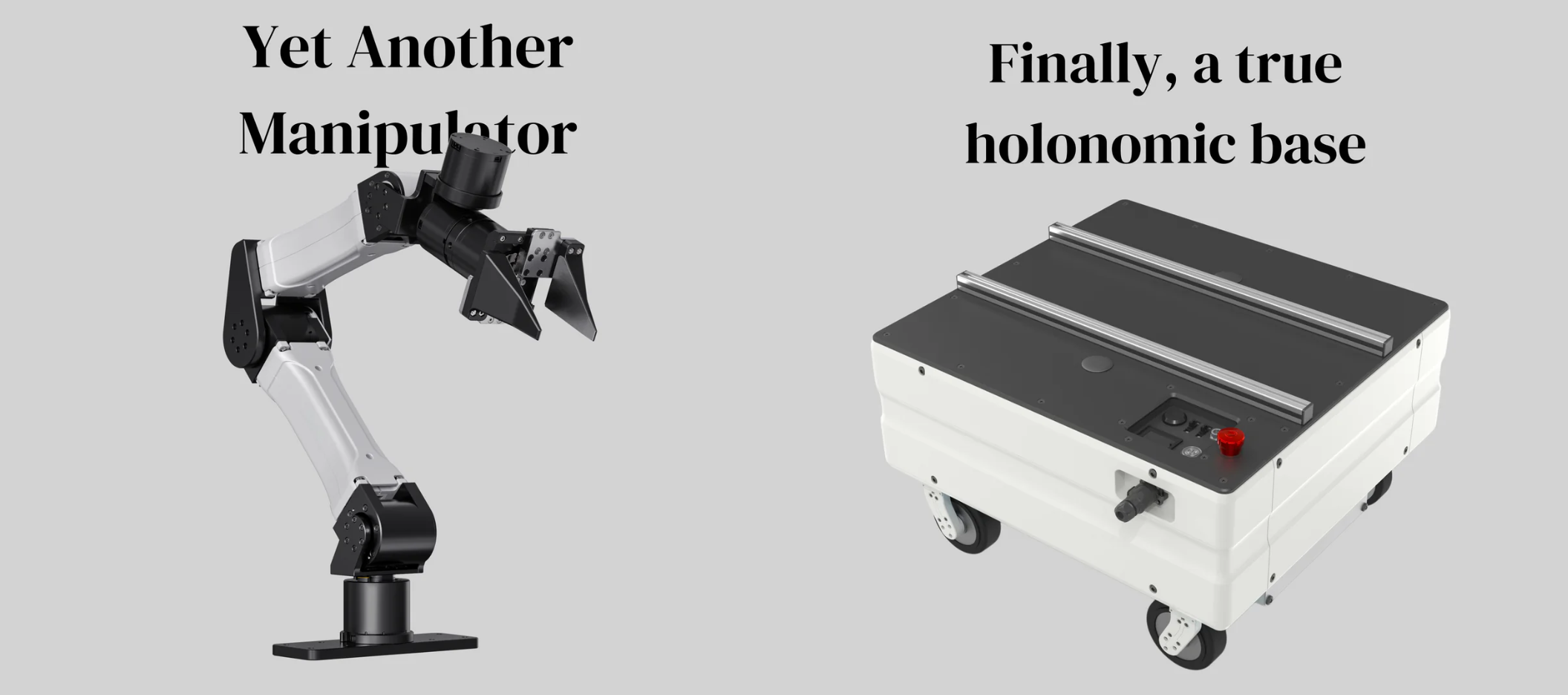
- Plug-and-play Python interface for YAM arms and Flow Base
- Real-time robot control via CAN bus (DM series motors)
- MuJoCo gravity compensation, simulation, and URDF/MJCF models
- Gripper force control and auto-calibration
- Bimanual teleoperation and trajectory record & replay
- Policy-deployment ready — works with standard robot learning pipelines
Installation
git clone https://github.com/i2rt-robotics/i2rt.git && cd i2rt
curl -LsSf https://astral.sh/uv/install.sh | sh
source $HOME/.local/bin/env
uv venv --python 3.11
source .venv/bin/activate
sudo apt update
sudo apt install build-essential python3-dev linux-headers-$(uname -r)
uv pip install -e .
CAN Bus Setup
# Check detected CAN devices
ls -l /sys/class/net/can*

# Bring up interface at 1 Mbit/s
sudo ip link set can0 up type can bitrate 1000000

# Auto-enable on boot
sudo sh devices/install_devices.sh

# Reset unresponsive adapter
sh scripts/reset_all_can.sh
YAM Arm
Zero-gravity mode
python i2rt/robots/motor_chain_robot.py --channel can0 --gripper linear_4310
Python API
from i2rt.robots.get_robot import get_yam_robot
from i2rt.robots.utils import GripperType
import numpy as np

robot = get_yam_robot(channel="can0", gripper_type=GripperType.LINEAR_4310)

# Read joint positions (radians)
q = robot.get_joint_pos()   # shape: (6,)

# Command a target configuration
robot.command_joint_pos(np.zeros(6))
Leader-follower teleoperation
# Follower arm
python examples/minimum_gello/minimum_gello.py --gripper linear_4310 --mode follower --can-channel can0 --bilateral-kp 0.2

# Leader arm (teaching handle)
python examples/minimum_gello/minimum_gello.py --gripper yam_teaching_handle --mode leader --can-channel can1 --bilateral-kp 0.2
- Top button (press once): enable synchronisation — follower tracks leader
- Top button (press again): disable synchronisation
--bilateral-kpcontrols resistance felt on the leader (0.1–0.2 recommended)
To inspect leader arm output:
python scripts/run_yam_leader.py --channel $CAN_CHANNEL
MuJoCo visualiser
python examples/minimum_gello/minimum_gello.py --mode visualizer_local
Gripper Types
| Gripper | Motor | Notes |
|---|---|---|
crank_4310 |
DM4310 | Zero-linkage crank — minimises gripper width |
linear_3507 |
DM3507 | Lightweight linear; start closed or run calibration |
linear_4310 |
DM4310 | Standard linear; slightly more force than 3507 |
yam_teaching_handle |
— | Leader arm handle with trigger + 2 buttons. |
The linear grippers require calibration because their motor travels more than 2π radians over the full stroke — either start with the gripper fully closed, or run the calibration routine.
Flow Base
# Joystick demo
python i2rt/flow_base/flow_base_controller.py
from i2rt.flow_base.flow_base_client import FlowBaseClient

client = FlowBaseClient(host="172.6.2.20")
client.set_target_velocity([0.1, 0.0, 0.0], frame="local")
Examples
| Example | Location |
|---|---|
| Bimanual lead-follower | examples/bimanual_lead_follower/ |
| Record & replay trajectory | examples/record_replay_trajectory/ |
| Single motor PD control | examples/single_motor_position_pd_control/ |
| MuJoCo control interface | examples/control_with_mujoco/ |
Advanced: Motor Configuration
Safety timeout
The factory default is a 400 ms timeout — motors enter damping mode if no command is received within 400 ms.
# Disable timeout (advanced users only — run twice)
python i2rt/motor_config_tool/set_timeout.py --channel can0
python i2rt/motor_config_tool/set_timeout.py --channel can0

# Re-enable timeout
python i2rt/motor_config_tool/set_timeout.py --channel can0 --timeout
⚠️ Without the timeout, a failed gravity-compensation loop can produce uncontrolled torque. If you disable it, always initialise with a PD target:
robot = get_yam_robot(channel="can0", zero_gravity_mode=False)
Zero motor offsets
python i2rt/motor_config_tool/set_zero.py --channel can0 --motor_id 1
Run for each motor ID (1–6 for a standard YAM).
Contributing
Pull requests welcome. Open an issue to request examples or report bugs.
License
MIT License — see LICENSE.
Support
- Email: support@i2rt.com
- Sales: sales@i2rt.com
Acknowledgments
1 maintainer

Metadata
1 maintainer
Release files for dreamscale-i2rt 1.1.2.post1
For a detailed explanation of source distributions (sdists) and built distributions (wheels), please see the package formats documentation.
Source distribution (sdist)
| File | Size | Uploaded | |
|---|---|---|---|
| dreamscale_i2rt-1.1.2.post1.tar.gz | 11.0 MB | Details |
Built distribution (wheel)
| File | Interpreter | ABI | Platform | Reset |
|---|---|---|---|---|
| dreamscale_i2rt-1.1.2.post1-py3-none-any.whl | Python 3 | none | any | Details |
Total release size: 22.1 MB
Release files / dreamscale_i2rt-1.1.2.post1.tar.gz
| Download URL | dreamscale_i2rt-1.1.2.post1.tar.gz |
|---|---|
| Size | 11.0 MB |
| Tags | Source |
|
SHA-256 checksum How to use checksums |
fcede9b6cb8ea6c4c0a9cbbcf69f2048be2b8491f0c2dd261636b1ffb2242164
|
|
BLAKE2b-256 checksum How to use checksums |
ec778220979930d22e9485f6085f5aed3bce049fefcf638b6d3c45ede6893c77
|
| Upload date | |
|
Uploaded using Trusted Publishing? What is trusted publishing? |
Yes |
| Uploaded via |
uv/0.13.0 {"installer":{"name":"uv","version":"0.13.0","subcommand":["publish"]},"python":null,"implementation":{"name":null,"version":null},"distro":{"name":"Ubuntu","version":"24.04","id":"noble","libc":null},"system":{"name":null,"release":null},"cpu":null,"openssl_version":null,"setuptools_version":null,"rustc_version":null,"ci":true}
|
Release files / dreamscale_i2rt-1.1.2.post1-py3-none-any.whl
| Download URL | dreamscale_i2rt-1.1.2.post1-py3-none-any.whl |
|---|---|
| Size | 11.1 MB |
| Tags | Python 3 |
|
SHA-256 checksum How to use checksums |
3ced1f0beb2c086fa78aa4a907d6526d5e003b565dd3b08c1338021b65c03b2d
|
|
BLAKE2b-256 checksum How to use checksums |
955abd70cc2781d66d82ce62b27e53f2d723265f6d845be6006c56e7bb7975b9
|
| Upload date | |
|
Uploaded using Trusted Publishing? What is trusted publishing? |
Yes |
| Uploaded via |
uv/0.13.0 {"installer":{"name":"uv","version":"0.13.0","subcommand":["publish"]},"python":null,"implementation":{"name":null,"version":null},"distro":{"name":"Ubuntu","version":"24.04","id":"noble","libc":null},"system":{"name":null,"release":null},"cpu":null,"openssl_version":null,"setuptools_version":null,"rustc_version":null,"ci":true}
|














