
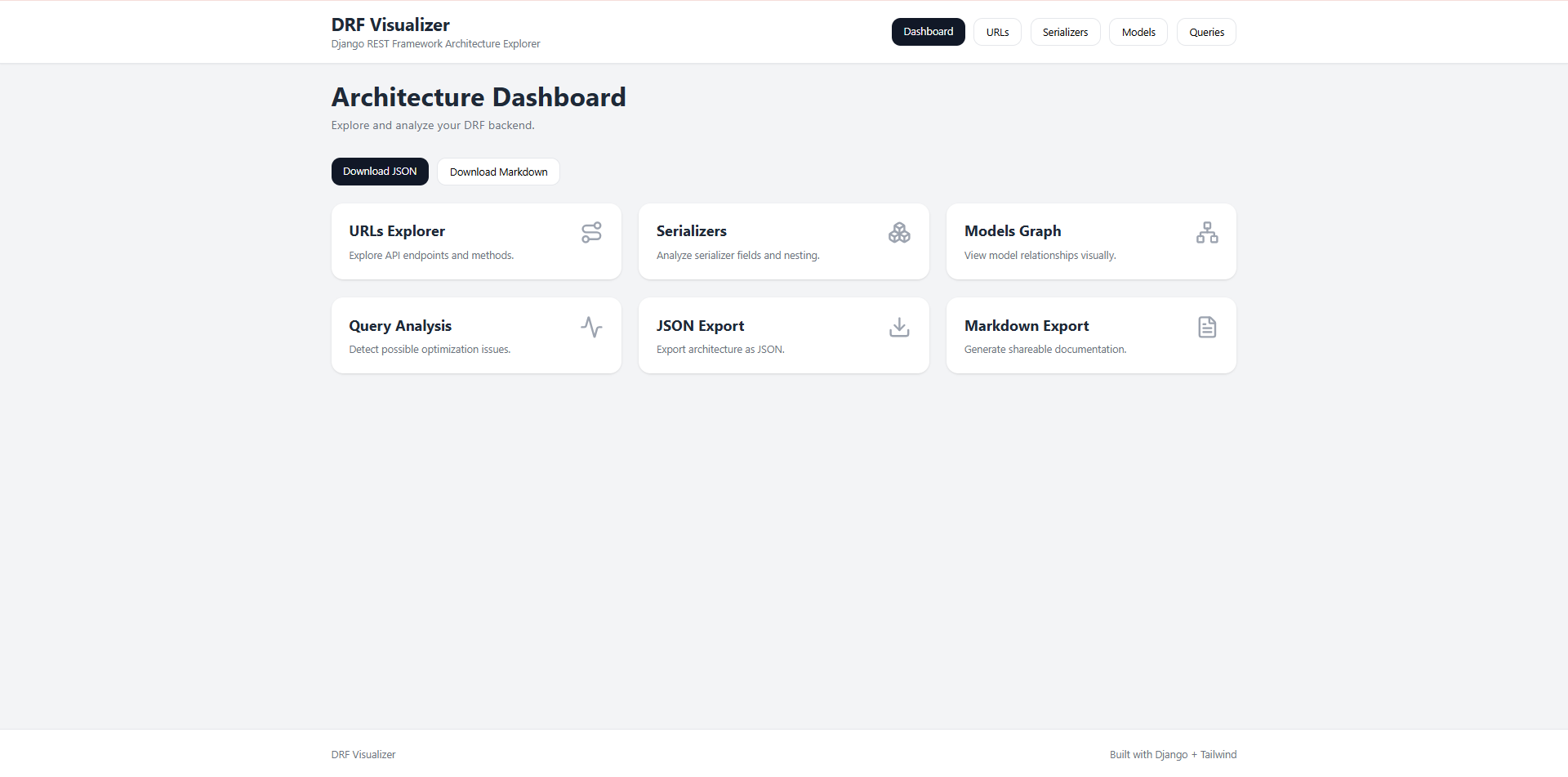
DRF Inspector
DRF Inspector is a powerful developer tool for analyzing, visualizing, and understanding Django REST Framework (DRF) backends.
It automatically inspects your project architecture and provides interactive visualizations for:
- API endpoints
- serializers
- models
- relationships
- views
- query optimization
- security analysis
- architecture exporting
DRF Inspector helps developers debug, document, optimize, and better understand complex DRF projects.
✨ Features
🌐 API & URL Analysis
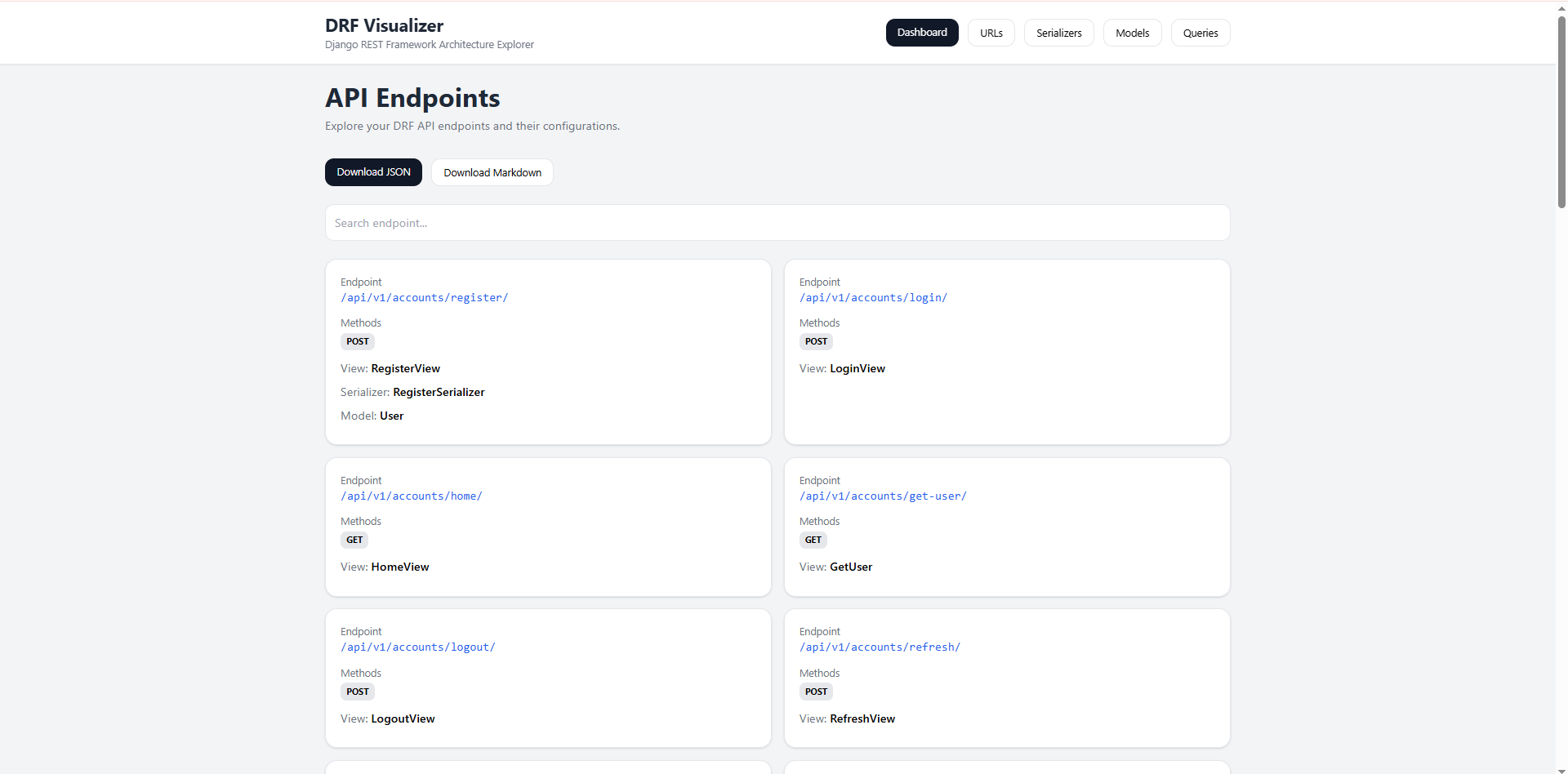
- Inspect all DRF endpoints automatically
- Detect HTTP methods (
GET,POST,PATCH, etc.) - View connected views and serializers
- Search and filter endpoints
🧠 Model Visualization
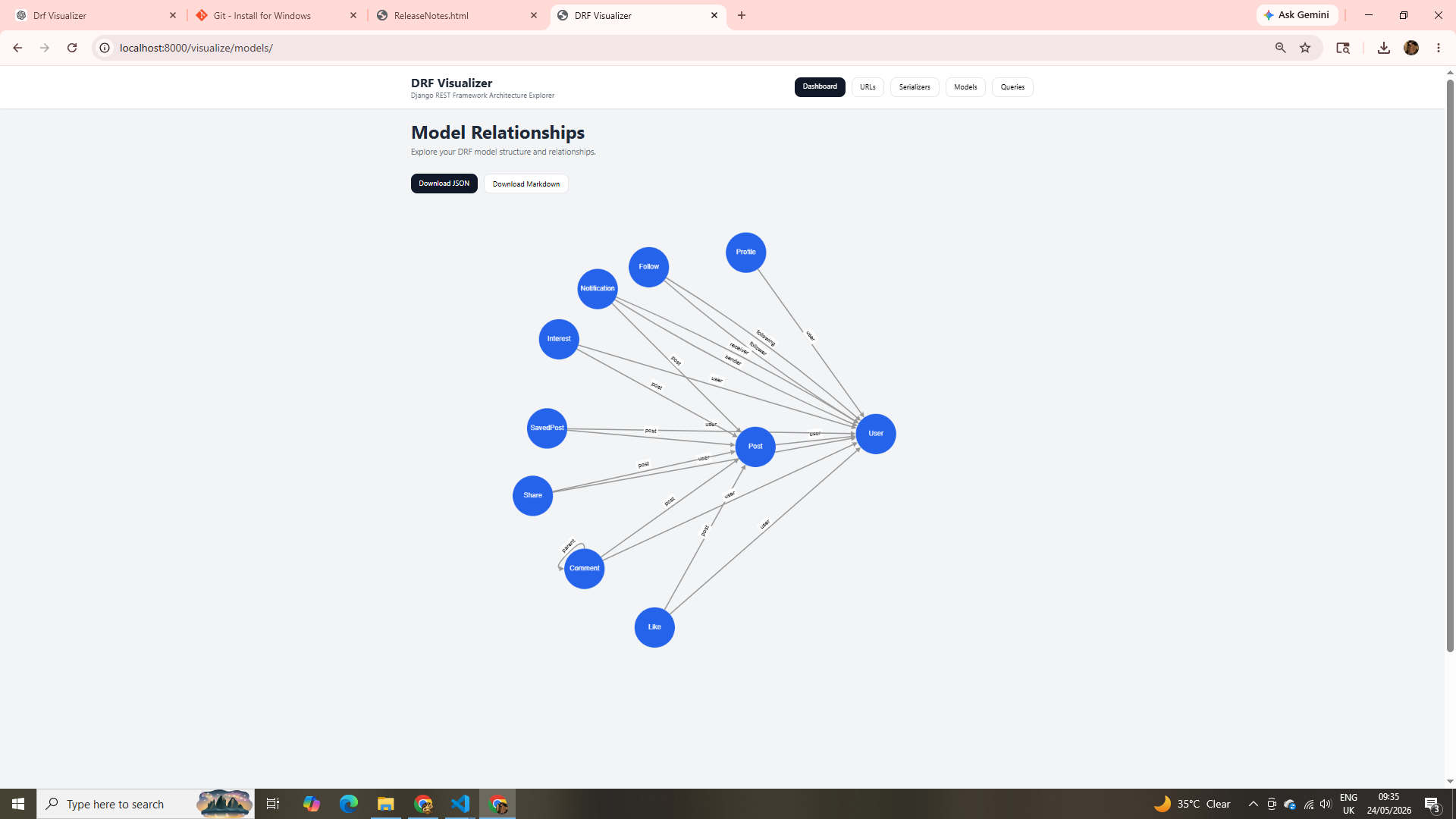
- Auto-generate model relationship graphs
- Visualize:
ForeignKeyManyToManyFieldOneToOneField
- Interactive relationship mapping
🔍 Serializer Inspection
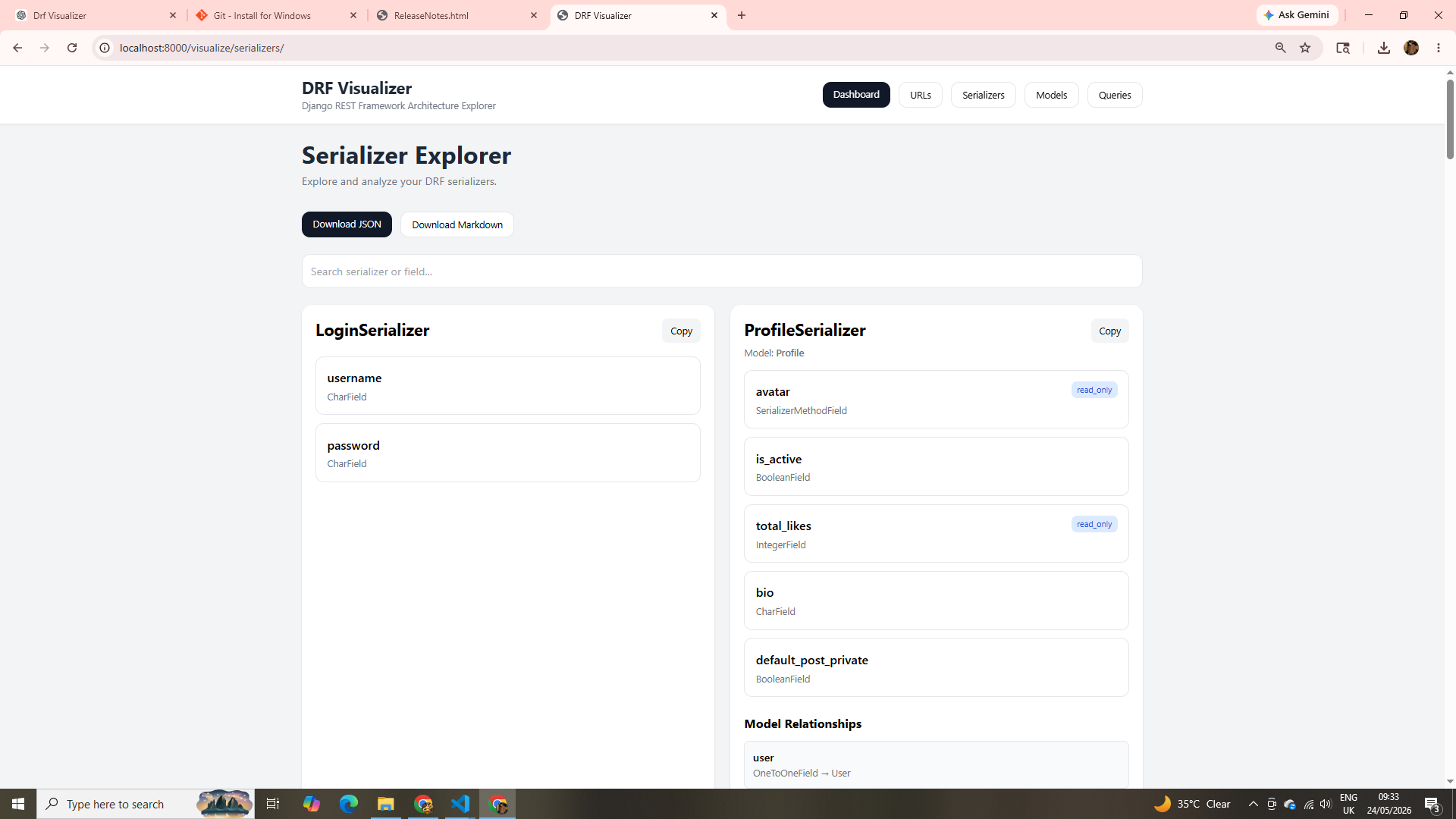
- Detect serializers used in views
- Inspect serializer fields
- Detect nested serializers
- Show serializer → model mappings
🧭 View Analysis
- Analyze:
- authentication classes
- permission classes
- pagination
- throttling
- filtering
- Supports DRF class-based views and ViewSets
🔒 Security Audit
- Detect endpoints missing:
- authentication
- permissions
- throttling
- Helps identify insecure API routes
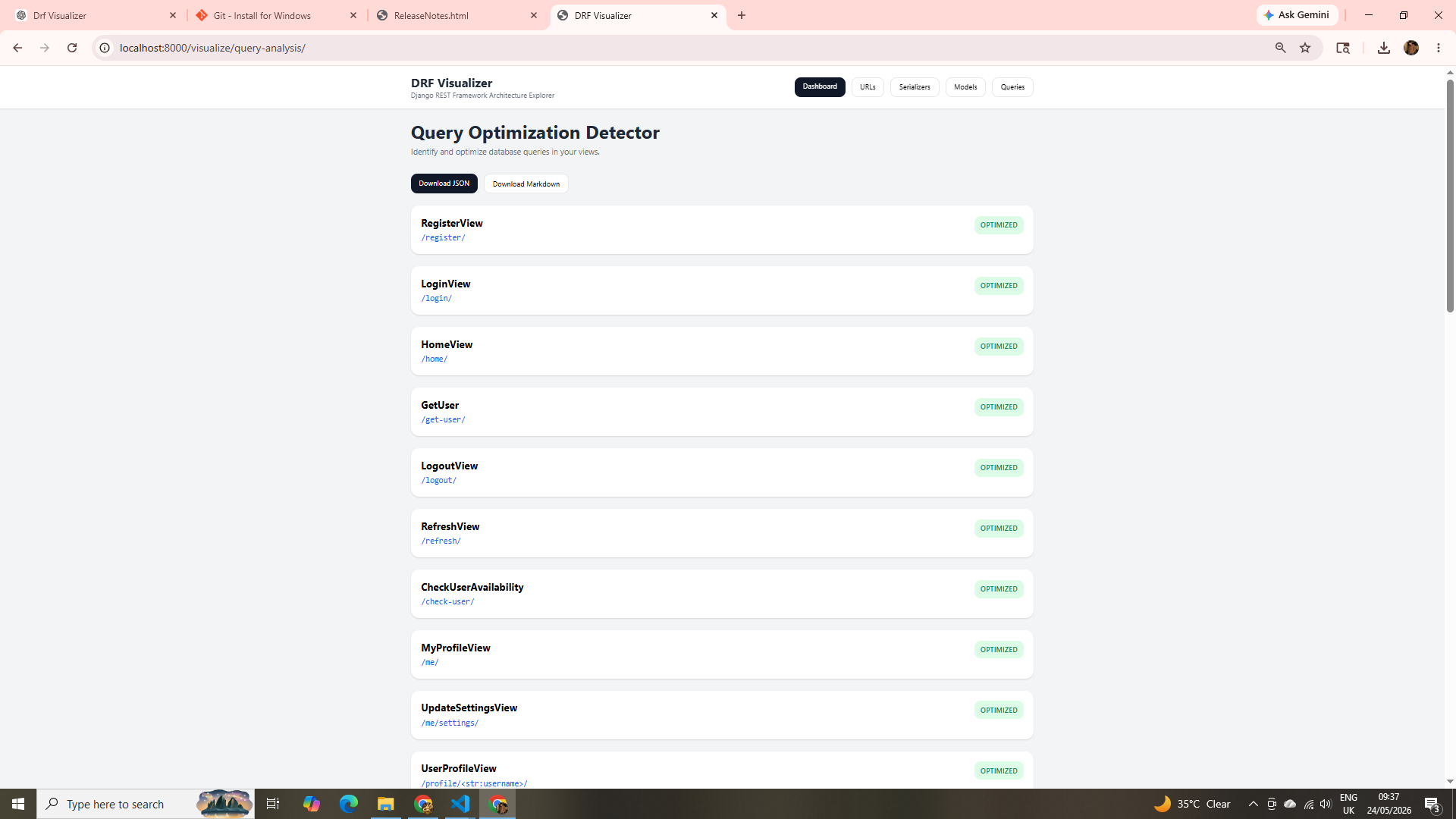
⚡ Query Optimization Detection
- Detect possible N+1 query issues
- Suggest:
select_relatedprefetch_related
- Analyze queryset optimization opportunities
📦 Exporting
Export project architecture as:
- JSON
- Markdown
Useful for:
- documentation
- architecture reviews
- team sharing
- AI context sharing
🖥️ Interactive Dashboard
- Built directly into Django
- No React required
- No external frontend setup
- Works instantly inside your project
🔗 Links
- GitHub: https://github.com/codewithubaid1/drf-inspector
- PyPI: https://pypi.org/project/drf-inspector/
📸 Screenshots
Dashboard
URL Explorer
Model Relationships
Serializer Inspector
Query Optimization
⚡ Installation
Step 1: Install the package
pip install drf-inspector
Step 2: Add in settings.py:
installed_apps = [
  drf_inspector,
   ....
]
Step 3: Add in project urls.py:
from django.urls import path, include
urlpatterns = [
  ...,
  path("drf-inspector/",include("drf_inspector.urls")),
]
Final Step : Go to the url and that's it:
http://127.0.0.1:8000/drf-inspector/
1 maintainer

Download files
Download the file for your platform. If you're not sure which to choose, learn more about installing packages.
Source Distribution
Built Distribution
Filter files by name, interpreter, ABI, and platform.
If you're not sure about the file name format, learn more about wheel file names.
Copy a direct link to the current filters
File details
Details for the file drf_inspector-0.1.6.tar.gz.
File metadata
- Download URL: drf_inspector-0.1.6.tar.gz
- Upload date:
- Size: 19.5 kB
- Tags: Source
- Uploaded using Trusted Publishing? No
- Uploaded via:
twine/7.0.0 CPython/3.14.7
File hashes
| Algorithm | Hash digest | |
|---|---|---|
| SHA256 |
918fb64cb2700b3840800c955a59dd92d5be0015a8bea678c096b4ed55311931
|
|
| MD5 |
e6b5e161318d47a223242f7df6b0177b
|
|
| BLAKE2b-256 |
c0cb9b149a2980f5d220aab6b119ac5b4bae10829f23478ff00a16c9e0a7c423
|
File details
Details for the file drf_inspector-0.1.6-py3-none-any.whl.
File metadata
- Download URL: drf_inspector-0.1.6-py3-none-any.whl
- Upload date:
- Size: 29.6 kB
- Tags: Python 3
- Uploaded using Trusted Publishing? No
- Uploaded via:
twine/7.0.0 CPython/3.14.7
File hashes
| Algorithm | Hash digest | |
|---|---|---|
| SHA256 |
c7f58e94faa3fd02a4523b144accfc86c80e547e75ba4f758b38068911e46f82
|
|
| MD5 |
a150a2a595a8ec86d346e5b19f1421c7
|
|
| BLAKE2b-256 |
594ed02fe21eb7fa0730d292ff1104d207c10ed3ff616f07ed601cb3d1e769a6
|














