
drf-restwind




Overview
Welcome to drf-restwind, a modern re-imagining of the Django REST Framework.
This project utilizes TailwindCSS and DaisyUI to provide flexible and
customizable UI solutions with minimal coding effort.
Key Features
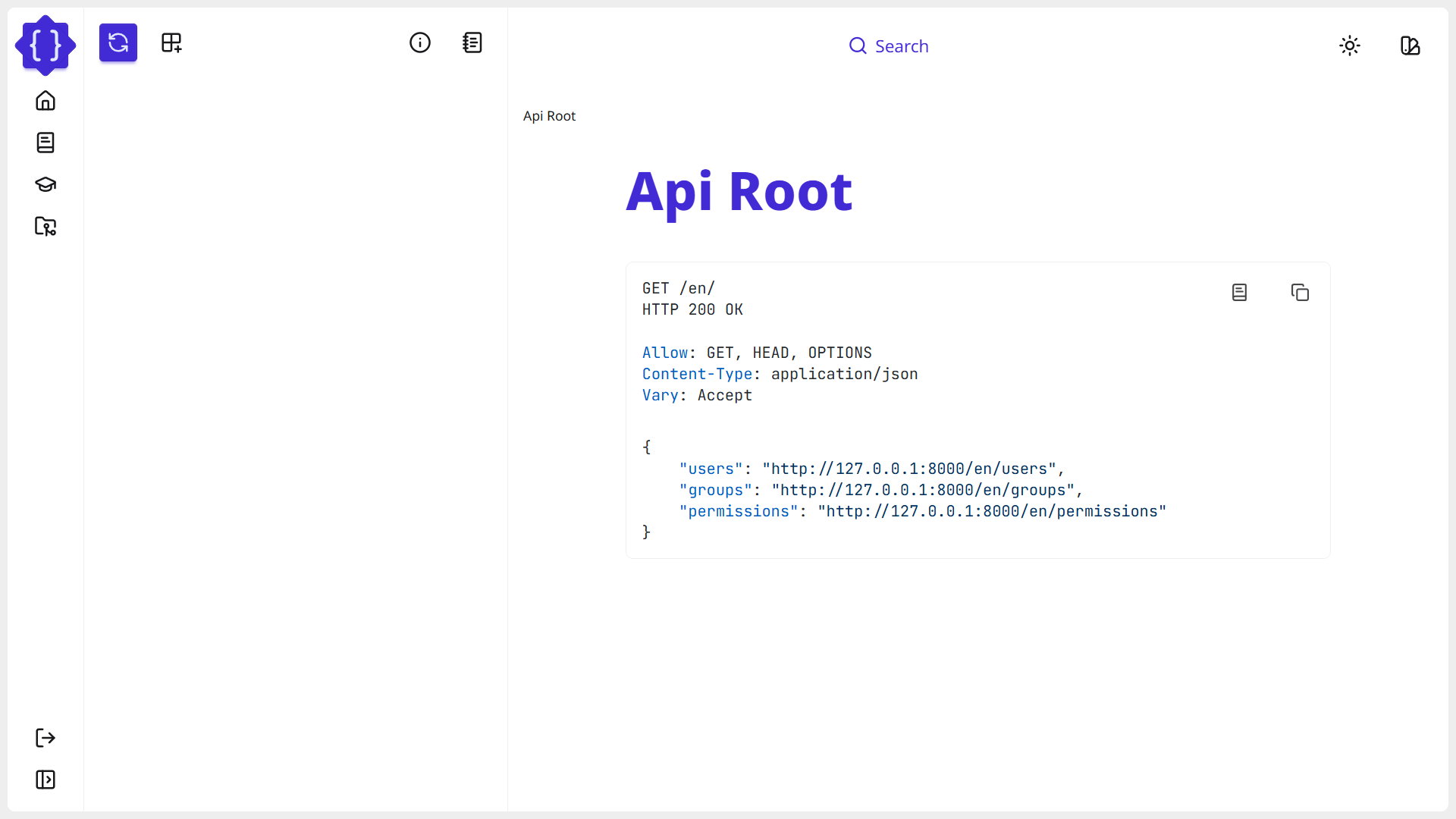
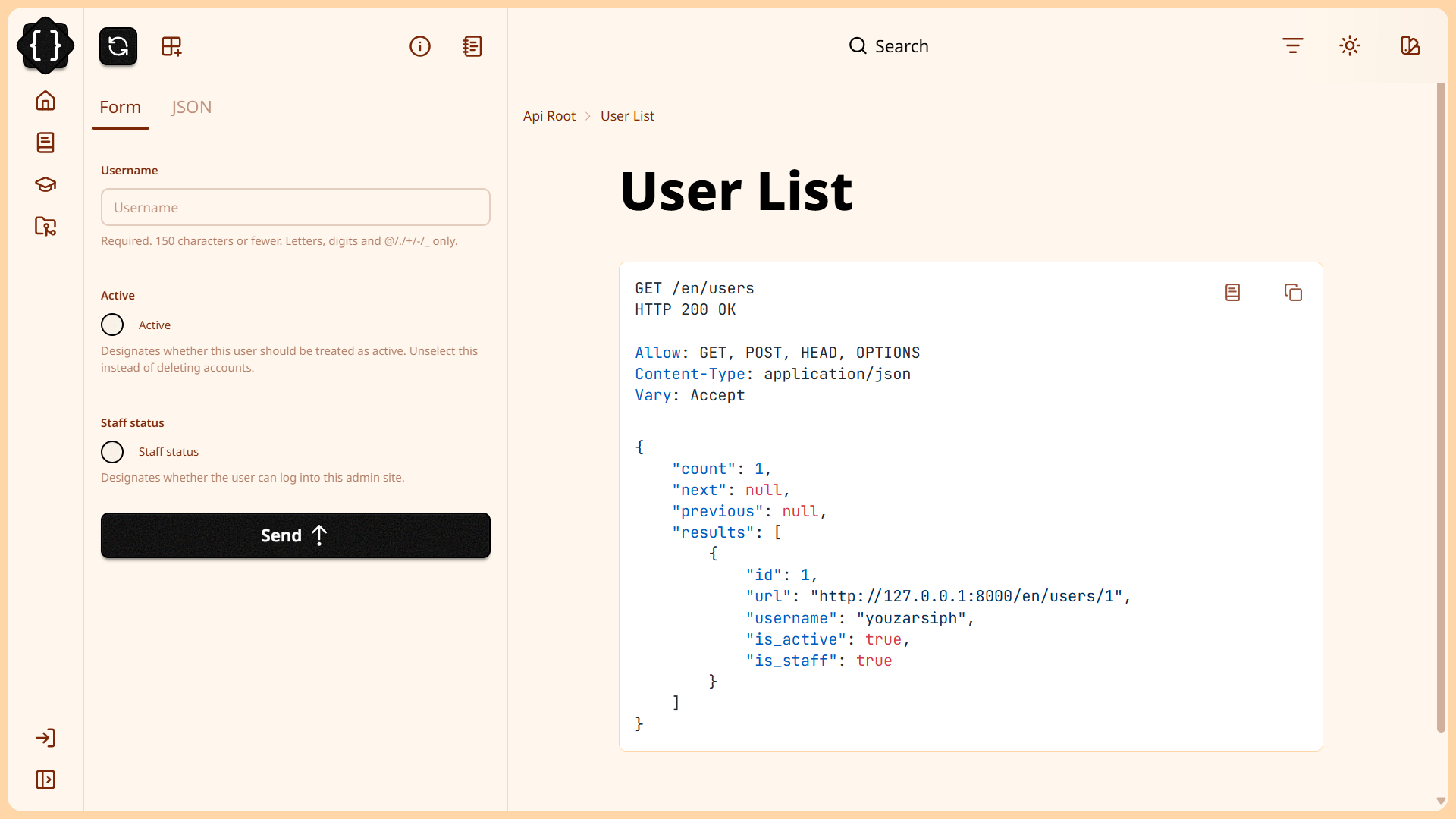
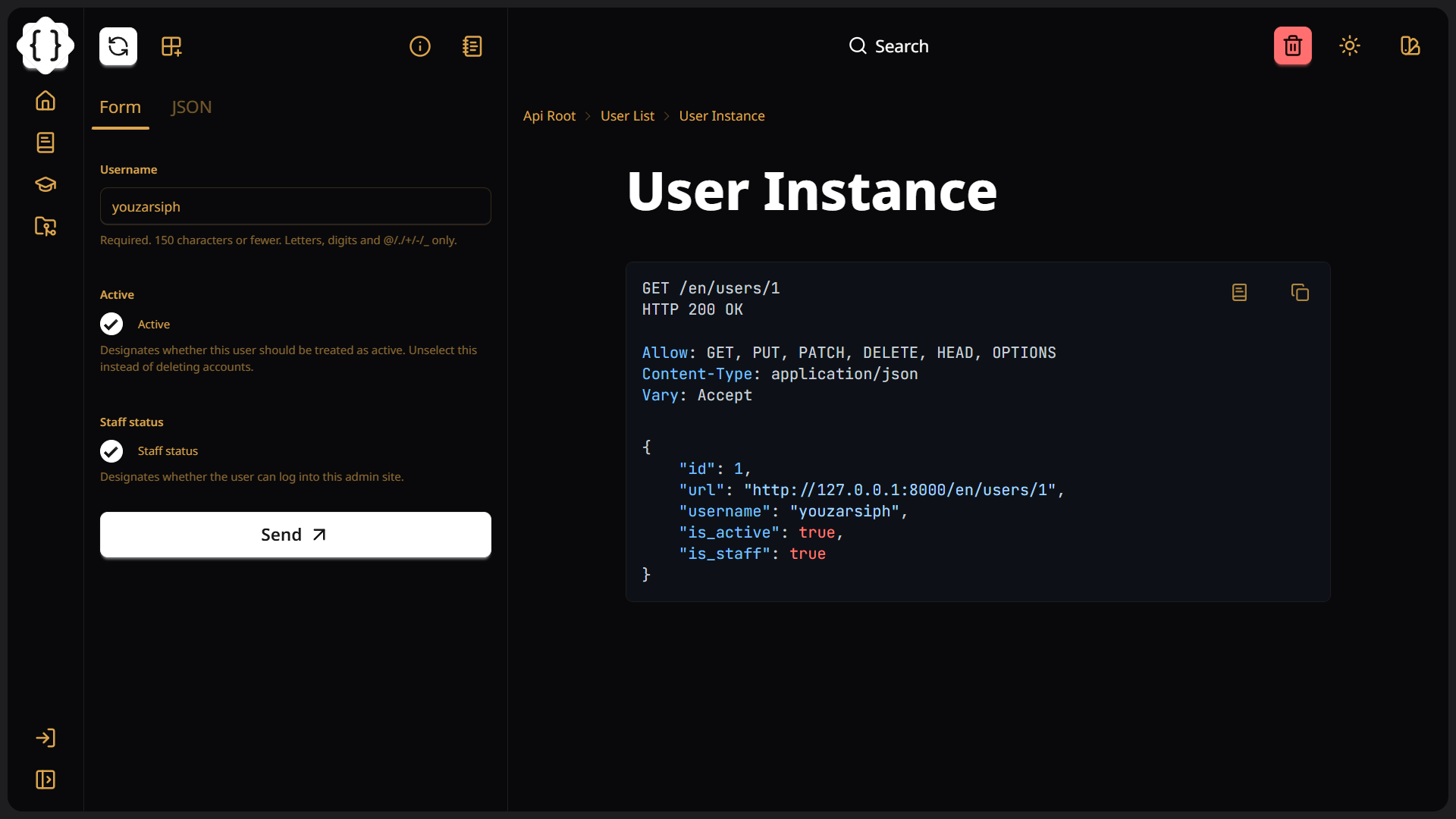
- Modern UI: Crafted with TailwindCSS and DaisyUI for an appealing and contemporary design.
- Diverse Themes: Offers a selection of visually appealing themes to choose from.
- Responsive Design and RTL Support: Adapts seamlessly to various screen sizes and locales for optimal user experience.
- Accessibility: Built with accessibility as a priority.
- Code Highlighting: Integrates Highlight.js for enhanced code visibility.
- CI/CD Automation: Utilizes GitHub Actions for automated deployment and integration, ensuring reliability and consistency.
- Efficient Dependency Management: Employs Poetry for meticulous project dependency management.
- Consistent Code Formatting: Uses Black for automatic code formatting, enhancing code readability.
- Thorough Code Linting: Implements Ruff to proactively identify and resolve potential code issues, boosting code quality and maintainability.
- Comprehensive Testing: Leverages Django’s testing framework for effective test management.
- Essential Configuration Files: Includes necessary files such as
.gitignoreandpyproject.tomlfor streamlined project setup.
Screenshots
Quick Start Guide
To get started with drf-restwind, follow these steps:
-
Install the package:
pip install drf-restwind
-
Update
INSTALLED_APPS:Modify
project/settings.pyas follows:# Application definition INSTALLED_APPS = [ # Add rest_wind to INSTALLED_APPS "rest_wind", "rest_framework", ... ]
Customization Guides
To customize drf-restwind, follow these steps:
-
Add Required Templates:
In your app's templates directory, create a folder named
rest_frameworkand add a file calledapi.html:mkdir app/templates/rest_framework touch app/templates/rest_framework/api.html
-
Populate Your Template:
In
api.html, include the following line:{% extends 'rest_framework/base.html' %} -
Add your
apptoINSTALLED_APPSIn
project/settings.py:# Application definition INSTALLED_APPS = [ # Add your app "app", "rest_wind", "rest_framework", ... ]
Now you can proceed with the following customization guides.
Customizing the Brand and Adding Links
To change the brand name and add custom links, modify your api.html:
{% extends 'rest_framework/base.html' %}{% load i18n %}

{% block title %}{% trans 'YOUR_BRAND' %}{% endblock %}

<!-- Branding -->
{% block branding %}
<li
  class="tooltip tooltip-right tooltip-primary rtl:tooltip-left"
  data-tip="{% trans 'YOUR_BRAND' %}"
>
  <a
    href="https://your.domain.com/"
    class="btn btn-sm btn-square btn-ghost lg:btn-md"
  >
    <img
      class="size-8 2xl:size-10"
      alt="{% trans 'YOUR_BRAND' %}"
      src="{% static 'path/to/your/logo.png' %}"
    />
  </a>
</li>
{% endblock %}

<!-- Add your brand text -->
{% block drawer_branding %}
<li
  class="tooltip tooltip-right tooltip-primary rtl:tooltip-left"
  data-tip="{% trans 'YOUR_BRAND' %}"
>
  <a
    href="https://your.domain.com/"
    class="btn btn-sm btn-square btn-ghost lg:btn-md"
  >
    <img
      class="size-8 2xl:size-10"
      alt="{% trans 'YOUR_BRAND' %}"
      src="{% static 'path/to/your/logo.png' %}"
    />
  </a>
</li>
{% endblock %}

<!-- Add your links -->
{% block userlinks %}
<li
  class="is-drawer-close:tooltip is-drawer-close:tooltip-right rtl:is-drawer-close:tooltip-left"
  data-tip="{% trans 'Home' %}"
>
  <a href="https://your.domain.com/">
    <i data-lucide="home" class="size-4 lg:size-6"></i>
    <span class="is-drawer-close:sr-only">
      {% trans 'Home' %}
    </span>
  </a>
</li>
{% endblock %}
<!-- rest_framework/login.html -->
{% extends 'rest_framework/login_base.html' %}

<!-- Branding -->
{% block branding %}
<li
  class="tooltip tooltip-right tooltip-primary rtl:tooltip-left"
  data-tip="{% trans 'YOUR_BRAND' %}"
>
  <a
    href="https://your.domain.com/"
    class="btn btn-sm btn-square btn-ghost lg:btn-md"
  >
    <img
      class="size-8 2xl:size-10"
      alt="{% trans 'YOUR_BRAND' %}"
      src="{% static 'path/to/your/logo.png' %}"
    />
  </a>
</li>
{% endblock %}
Changing the Theme
You can view all available themes on daisyUI website. To
modify the theme, update your api.html:
{% extends 'rest_framework/base.html' %}

<!-- Main theme -->
{% block theme %}luxury{% endblock %}

<!-- Light or Dark theme to toggle between -->
{% block toggle_theme %}silk{% endblock %}

<!-- Set the highlight_theme accordingly -->
{% block highlight_theme %}
<link
  rel="stylesheet"
  href="https://cdnjs.cloudflare.com/ajax/libs/highlight.js/11.9.0/styles/base16/github-dark.min.css"
>
{% endblock %}
If you want to update code highlight theme for API documentation (written in
Markdown in View's docstring):
-
Install
markdownandpygments:pip install markdown pygments -
Select a style form available styles.
-
Generate the
cssfile for selected styles:pygmentize -S github-dark -f html > app/static/app/css/highlight.css -
Include the generated
cssfile in yourapi.html:{% extends 'rest_framework/base.html' %}{% load static %} <!-- Main theme --> {% block theme %}luxury{% endblock %} <!-- Light or Dark theme to toggle between --> {% block toggle_theme %}silk{% endblock %} <!-- Set the highlight_theme accordingly --> {% block highlight_theme %} <link rel="stylesheet" href="https://cdnjs.cloudflare.com/ajax/libs/highlight.js/11.9.0/styles/base16/github-dark.min.css" > <!-- Include styles --> <link rel="stylesheet" href="{% static 'app/css/highlight.css' %}"> {% endblock %}
Creating your own theme
Can not find what you are looking for? Create your own theme:
- Go to daisyUI theme generator.
- Select a theme or Click the
Randombutton to generate a random theme. - Customize the defaults.
- After customization click the
CSSbutton to copy CSS variables. - Follow the steps:
-
Create
staticfolder in yourapp:mkdir -p app/static/app cd app/static/app
-
Install dependencies:
npm install tailwindcss '@tailwindcss/cli'
npm install -D daisyui
-
Create your
cssfolder andstyles:mkdir css touch css/app.css
-
Open your
app.cssand add the following lines:@import "tailwindcss"; @plugin "daisyui"; /* Add your customized theme here */ @plugin "daisyui/theme" { name: "lemon"; default: false; prefersdark: false; color-scheme: "light"; --color-base-100: oklch(98% 0.031 120.757); --color-base-200: oklch(96% 0.067 122.328); --color-base-300: oklch(93% 0.127 124.321); --color-base-content: oklch(40% 0.101 131.063); --color-primary: oklch(0% 0 0); --color-primary-content: oklch(100% 0 0); --color-secondary: oklch(62% 0.265 303.9); --color-secondary-content: oklch(97% 0.014 308.299); --color-accent: oklch(55% 0.013 58.071); --color-accent-content: oklch(98% 0.001 106.423); --color-neutral: oklch(40% 0.101 131.063); --color-neutral-content: oklch(98% 0.031 120.757); --color-info: oklch(78% 0.154 211.53); --color-info-content: oklch(30% 0.056 229.695); --color-success: oklch(84% 0.238 128.85); --color-success-content: oklch(27% 0.072 132.109); --color-warning: oklch(75% 0.183 55.934); --color-warning-content: oklch(26% 0.079 36.259); --color-error: oklch(71% 0.202 349.761); --color-error-content: oklch(28% 0.109 3.907); --radius-selector: 2rem; --radius-field: 0rem; --radius-box: 2rem; --size-selector: 0.25rem; --size-field: 0.25rem; --border: 1.5px; --depth: 1; --noise: 0; }
-
Generate your
styles:npx @tailwindcss/cli -i css/app.css -o css/styles.css -
Include your
styles.cssin your templates:{% extends 'rest_framework/base.html' %}{% load static %} <!-- Add your styles --> {% block styles %} {{ block.super }} <link rel="stylesheet" href="{% static 'app/css/styles.css' %}"> {% endblock %} <!-- Your custom theme --> {% block theme %}lemon{% endblock %} -
Run your app to view the result.
-
Now, you have a theme that matches your brand.
Removing package details
Update your api.html:
{% extends 'rest_framework/base.html' %}

{% block package %}{% endblock %}
Removing theme selector
To remove the theme selector, update your api.html:
{% extends 'rest_framework/base.html' %}

{% block theme_selector %}{% endblock %}
<!-- rest_framework/login.html -->
{% extends 'rest_framework/login_base.html' %}

{% block theme_selector %}{% endblock %}
Removing the search bar
To remove the search bar, update your api.html:
{% extends 'rest_framework/base.html' %}

{% block navbar_center %}{% endblock %}
Removing theme toggle
To remove theme toggle, update your api.html:
{% extends 'rest_framework/base.html' %}

{% block theme_toggle %}{% endblock %}
<!-- rest_framework/login.html -->
{% extends 'rest_framework/login_base.html' %}

{% block theme_selector %}{% endblock %}
Adding menu items to profile menu
To add menu items to profile menu, modify your api.html:
{% extends 'rest_framework/base.html' %}{% load i18n %}

{% block profile_links %}
<li
  class="is-drawer-close:tooltip is-drawer-close:tooltip-right rtl:is-drawer-close:tooltip-left"
  data-tip="{% trans 'Profile' %}"
>
  <a href="https://your.domain.com/me/">
    <i data-lucide="user" class="size-4 lg:size-6"></i>
    <span class="is-drawer-close:sr-only">
      {% trans 'Profile' %}
    </span>
  </a>
</li>
{% endblock %}
Generating CSS styles
To generate the CSS styles, run:
cd rest_wind/static/rest_wind

# Install deps
npm install

# Generate the styles using TailwindCSS
npx @tailwindcss/cli -i ../static/rest_wind/css/app.css -o ../static/rest_wind/css/styles.css --cwd ../../templates -m
Contributing
We encourage community contributions! Please check our CONTRIBUTING guide for detailed instructions on how to contribute effectively. Your input and support play an essential role in the ongoing enhancement of this project.
Support
If you have any questions or require assistance, feel free to open an issue or join our discussions in the GitHub Discussions section. We welcome community engagement and cherish your feedback!
Licensing
This project is licensed under the MIT License. You can find the full terms of the license in the LICENSE file.
1 maintainer

Metadata
1 maintainer
Release files for drf-restwind 1.3.1
For a detailed explanation of source distributions (sdists) and built distributions (wheels), please see the package formats documentation.
Source distribution (sdist)
| File | Size | Uploaded | |
|---|---|---|---|
| drf_restwind-1.3.1.tar.gz | 66.1 kB | Details |
Built distribution (wheel)
| File | Interpreter | ABI | Platform | Reset |
|---|---|---|---|---|
| drf_restwind-1.3.1-py3-none-any.whl | Python 3 | none | any | Details |
Total release size: 156.3 kB
Release files / drf_restwind-1.3.1.tar.gz
| Download URL | drf_restwind-1.3.1.tar.gz |
|---|---|
| Size | 66.1 kB |
| Tags | Source |
|
SHA-256 checksum How to use checksums |
fdbd470e6190597fd1aa0670b5f4a36b2f0c91bc1127453ae9e9bb334bc0473b
|
|
BLAKE2b-256 checksum How to use checksums |
fa99816b5c80b912b110c14e525683975ee82fc2bb79cff0ccfed3d83ec95ee2
|
| Upload date | |
|
Uploaded using Trusted Publishing? What is trusted publishing? |
No |
| Uploaded via |
poetry/2.3.2 CPython/3.12.3 Linux/6.14.0-1017-azure
|
Release files / drf_restwind-1.3.1-py3-none-any.whl
| Download URL | drf_restwind-1.3.1-py3-none-any.whl |
|---|---|
| Size | 90.2 kB |
| Tags | Python 3 |
|
SHA-256 checksum How to use checksums |
a1ea96b7323758fc48ce8848a72f739eaf5caf067dd697e1f9474a34f6d96911
|
|
BLAKE2b-256 checksum How to use checksums |
f0b79b8266b591f2d581ead3d8d7ac238c23df75e87a14c4cc93f3ce7af2e533
|
| Upload date | |
|
Uploaded using Trusted Publishing? What is trusted publishing? |
No |
| Uploaded via |
poetry/2.3.2 CPython/3.12.3 Linux/6.14.0-1017-azure
|














