
Dynamic Range (DR) algorithm implementation in python

Project description
Dynamic Range (DR) meter 🎧









A Dynamic Range (DR) analyzer for audiofiles.
The algorithm has been reverse-engineered using the available information and officially endorsed software to calcuate the DR value. The analysis results of drmeter are verified to be within a ±0.5 absolute tolerance from the results produced by officially endorsed software (see #testing).
This project is in no way affiliated with the Pleasurize Music Foundation or its Dynamic Range Project.
Installation
The recommended method for installing drmeter is pipx:
pipx install drmeter
Any regular pip install drmeter will do, too. The drmeter requires Python 3.9+ to run.
To use drmeter without installation, consider the dockerized approach below
Usage
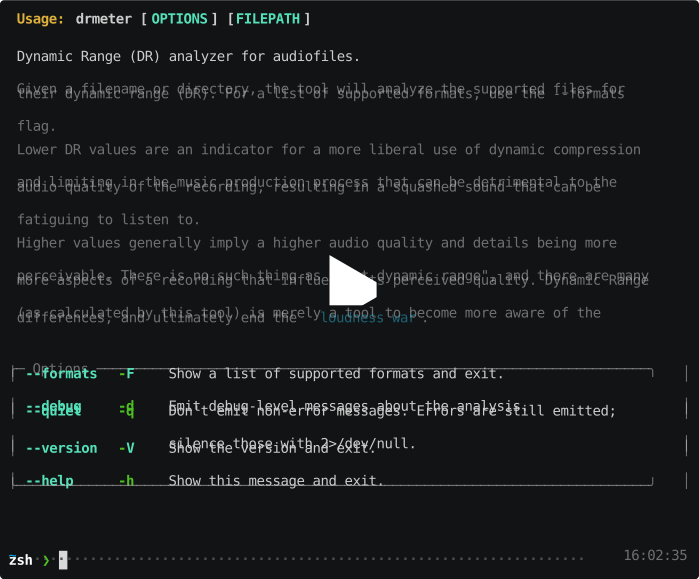
See drmeter --help for usage instructions. drmeter expects a single path to a file or a directory to analyze, and defaults to an "animated" progress display, emitting the results to stdout in the process.
$ drmeter 'Nobody There (Beautiful Scars).wav'
Analyzing Dynamic Range of Nobody There (Beautiful Scars).wav ...

╭──────────────────────────────────────────────────────────────────────╮
│ DR            Peak          RMS   Filename                           │
├──────────────────────────────────────────────────────────────────────┤
│ DR12      -0.10 dB    -15.02 dB   Nobody There (Beautiful Scars).wav │
╰──────────────────────────────────────────────────────────────────────╯
Using the --quiet/-q flag will silence most of the output and only print the calculated DR score to stdout:
$ drmeter 'Nobody There (Beautiful Scars).wav' -q
DR12
Alternatively drmeter supports a more detailed JSON-formatted output using the --output/-o json parameter, including both per-channel and totaled results. Using the --output parameter redirects the progress display to stderr, so that the formatted output can be piped to other applications or to file. If you do not require the progress display, it can be silenced using --quiet/-q here, too.
# Save a copy to file
$ drmeter -ojson -q 'Nobody There (Beautiful Scars).wav' | tee dr.json
{
  "filename": "/…/Nobody There (Beautiful Scars).wav",
  "dr_score": [
    11.93,
    11.63
  ],
  "peak_db": [
    …
  ]
}
# Parse JSON using jq
$ drmeter -ojson -q 'Nobody There (Beautiful Scars).wav' | jq '.[].overall_dr_score'
11.78
Dockerized
A container image of drmeter is available at ghcr.io/janw/drmeter with the latest tag pointing to the latest commit on the main branch. The following command (with the files you're looking to analyze in/below the current working directory) behaves very similarly to an installed version, accepting arguments directly as expected:
docker run --rm --tty --workdir /src -v "$PWD:/src" \
    ghcr.io/janw/drmeter --output json path/to/files
Release history Release notifications | RSS feed


Download files
Download the file for your platform. If you're not sure which to choose, learn more about installing packages.
Source Distribution
Built Distribution
Filter files by name, interpreter, ABI, and platform.
If you're not sure about the file name format, learn more about wheel file names.
Copy a direct link to the current filters
File details
Details for the file drmeter-0.4.0.tar.gz.
File metadata
- Download URL: drmeter-0.4.0.tar.gz
- Upload date:
- Size: 11.6 kB
- Tags: Source
- Uploaded using Trusted Publishing? No
- Uploaded via: poetry/2.1.3 CPython/3.13.9 Darwin/25.2.0
File hashes
| Algorithm | Hash digest | |
|---|---|---|
| SHA256 |
071e4b23e89363ab41cf2f29f9f3fa372f1b20e1ff4674fcac9e7951f23a30e6
|
|
| MD5 |
dcd775d5095574eb5912e302f5a7e999
|
|
| BLAKE2b-256 |
331b304589f1e1112add20f5811c5ebbb00f1a63331173183b4368fa0d9004dd
|
File details
Details for the file drmeter-0.4.0-py3-none-any.whl.
File metadata
- Download URL: drmeter-0.4.0-py3-none-any.whl
- Upload date:
- Size: 12.2 kB
- Tags: Python 3
- Uploaded using Trusted Publishing? No
- Uploaded via: poetry/2.1.3 CPython/3.13.9 Darwin/25.2.0
File hashes
| Algorithm | Hash digest | |
|---|---|---|
| SHA256 |
c533a589d8ccb4b3b57ea82cd4b47b7115621ff822eb784513b3e068d8260547
|
|
| MD5 |
985c5b07ac90f6f6528850b4d55a902d
|
|
| BLAKE2b-256 |
8849d663118487fcd478cf8521d77d4a39c99c8d8eb1875940f6f4edabd0b507
|






