
<< Data Science Utilities (DSX)>>
The dsx package contains a collection of wrapper functions to simplify common operations in data analytics tasks. The core module ds_utils (data science utilities) is designed to work with DataFrame in Pandas to simplify common tasks.
The package can be can be used in the following setup:
- Jupyter Notebook
- Jupyter Lab
- PyCharm's Python Console
- iPython Console
- Python Script
Intallation
- Installation using Pip:
pip install dsx
Documentation
Full Documentation Site: https://dataninja.ml/static/pages/docs_dsx/index.html
1. Core Module: "ds_utils"
The core module is "ds_utils". The module contains a list of functions that can accomplish common data analytics tasks with less codes. Basically, these functions are wrappers for commonly-used methods in Pandas, particularly methods of DataFrame object.
Some of the key features of the DataFrame utility functions are as following:
- Generate metadata of columns in a DataFrame
- Number & percentage of missing values
- Number & percentage of unique values
- Data Type
- Generate accumulated percentage of values in a column
- Quick Rename of a single column
- Reorder columns of a DataFrame
- Standardize column names into iPython-friendly names
- Retrieve column name(s) by a partial keyword
- Expand concatenated string in a column into child table
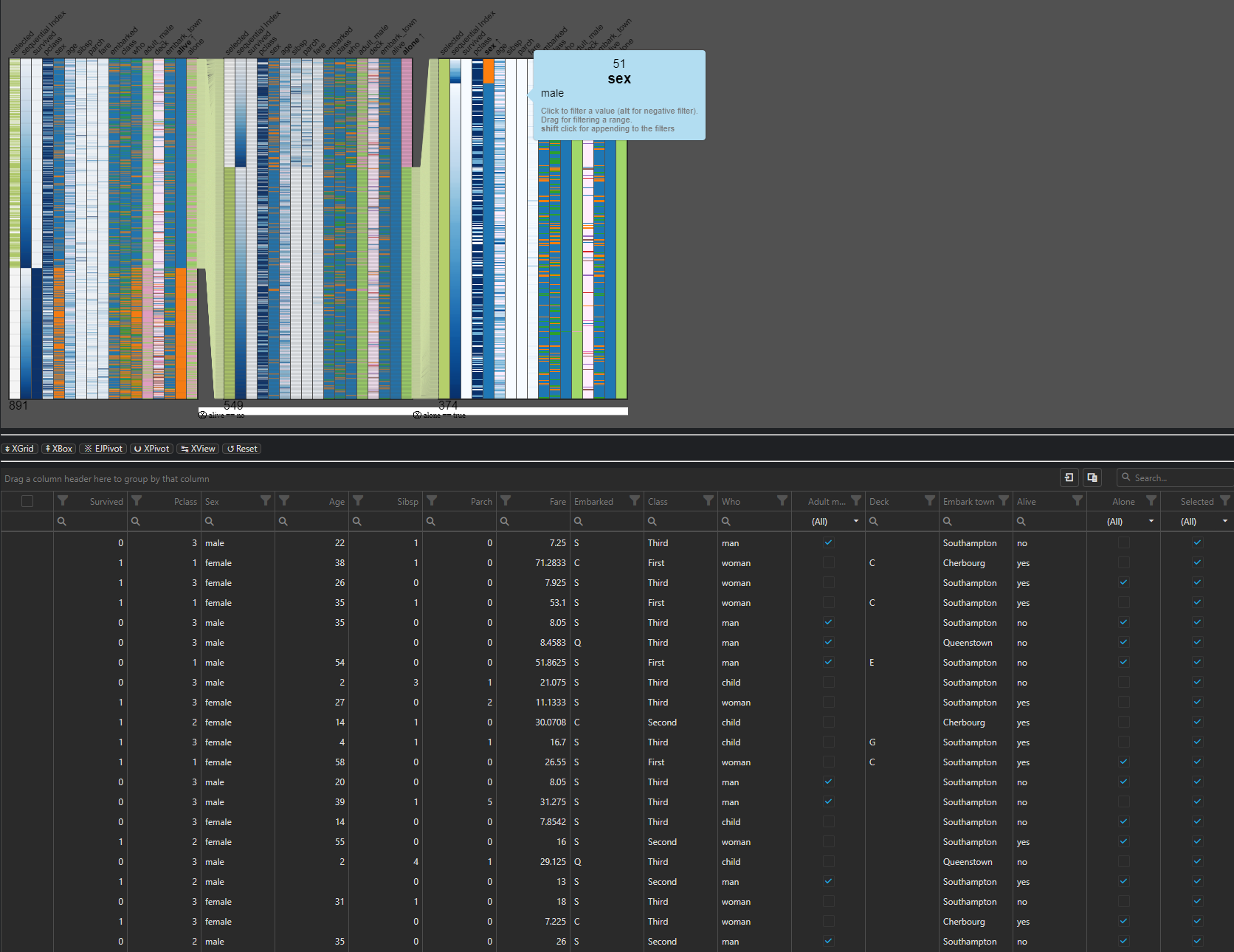
- Visualize DataFrame object
- DataGrid Viewer
- Pivot Table Viewer
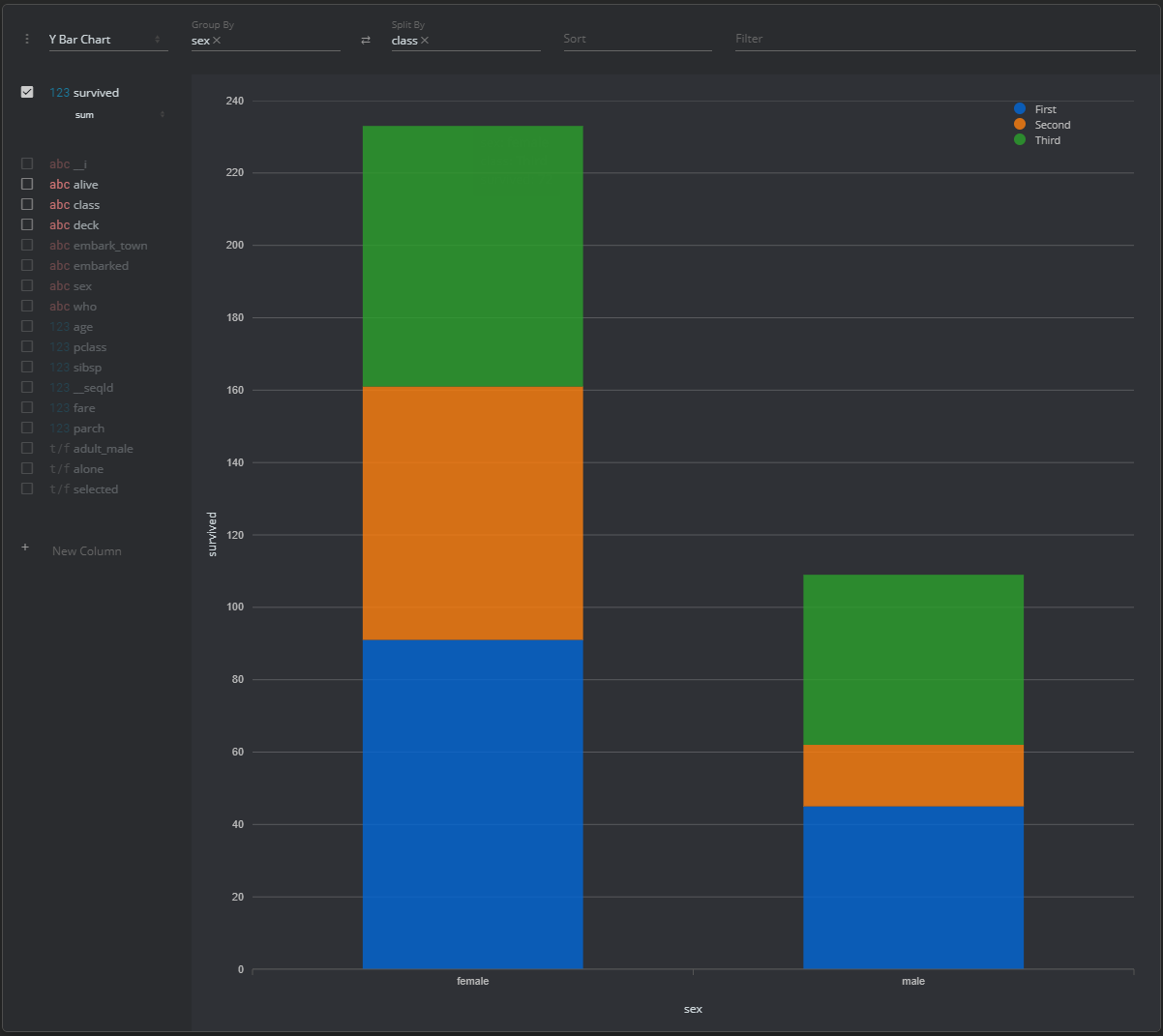
- Quick Analyzer (Pivot table and visualizations)
1.1 Usage
Below is example codes for importing the module:
from dsx.ds_utils import *
There are 2 categories of methods in dsx's classes, which are to be called in different ways:
- Methods: Dynamic functions of the class's instance
- Invoke through the extended domain ('ds') of the native DataFrame object
    df = pd.read_excel(os.path.join(os.getcwd(), "data.xlsx"))
    df.ds.isnull("Column_Name")
- Static functions Static functions from the class's object
- Invoke as a static function of pd_utils class
    df = pd.read_excel(os.path.join(os.getcwd(), "data.xlsx"))
    dsx.isnull(df, "Column_Name")
2. Data Science Workflow "ds_workflow" (Active Development / Work-In-Progress)
The "ml_utils" module contains the methods for simplifying common tasks in a data science workflow. The methods are built on top of the functions in the core module "pd_utils".
Some of the key features of the module are as the following:
- Get the column name of the features that are categorical
- Get the column name of the features that are numerical
- Create or merge the dummy variables created from categorical features with option to use k-1 dummification
- Data Exploration
- Generate barplot and accumulated percentage report for all the categorical features
- Generate distribution plot for all the numerical features
- Generate heatmap of the the correlation matrix
- Preprocessing
- Create a dataframe with all standardized features merged with other features
- Generate features list
- Model Assessment
- Generate Recall-Precision-Threshold Curve
- Generate truepositive_falsepositive Curve
2.1 Usage
The methods in the module are only callable as the extended domain 'ml' in the native Pandas DataFrame object.
Calling a method in "ml_workflow":
    df = pd.read_excel(os.path.join(os.getcwd(), "data.xlsx"))

    cols_categorical = df.ml.get_features_categorical()
1 maintainer

Metadata
1 maintainer
Release files for dsx 0.9.4.0
For a detailed explanation of source distributions (sdists) and built distributions (wheels), please see the package formats documentation.
Built distribution (wheel)
| File | Interpreter | ABI | Platform | Actions Reset |
|---|---|---|---|---|
| dsx-0.9.4.0-py3-none-any.whl | Python 3 | none | any | Details for dsx-0.9.4.0-py3-none-any.whl |
Release files / dsx-0.9.4.0-py3-none-any.whl
| Download URL | dsx-0.9.4.0-py3-none-any.whl |
|---|---|
| Size | 27.4 kB |
| Tags | Python 3 |
|
SHA-256 checksum How to use checksums |
ed1d951984c73116135b610d04d0306efb6d590c446f9e467920882a34b01fe7
|
|
BLAKE2b-256 checksum How to use checksums |
bbe6d58f66b4ebb67fb0e9f02d12ce479f95960cf5528b8e6f30be27d0b04185
|
| Upload date | |
|
Uploaded using Trusted Publishing? What is trusted publishing? |
No |
| Uploaded via |
twine/3.2.0 pkginfo/1.5.0.1 requests/2.23.0 setuptools/47.3.1.post20200622 requests-toolbelt/0.9.1 tqdm/4.47.0 CPython/3.7.6
|
Security for dsx 0.9.4.0
Provenance
Provenance describes where a file came from. On PyPI, provenance is shared via attestations, which provide a verifiable record of the build or publishing details. View details, limitations and caveats.
No provenance found
None of the files in this release were uploaded with provenance metadata.
A note on package security
PyPI is a repository for distributing packages, not a service for auditing them. While third-party security researchers and our staff do their best to detect and remove malicious packages, PyPI cannot guarantee the quality, security or suitability of any given package.
To learn more about protecting yourself from malicious actors, visit our package security documentation.














