
duckberg
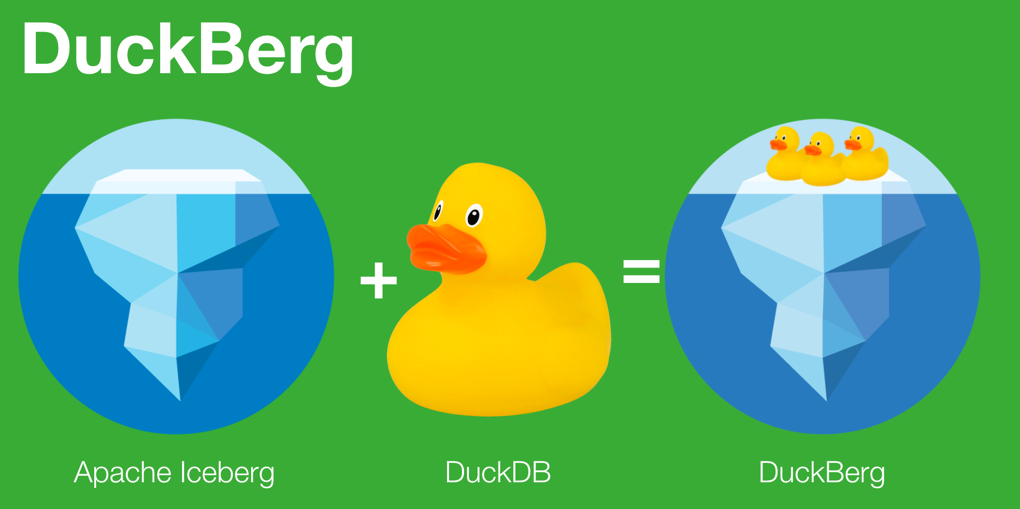
DuckBerg
query your iceberg data easily and efficiently




Table of Contents
About
Duckberg is a Python package that synthesizes the power of PyIceberg and DuckDb. PyIceberg enables efficient interaction with Apache Iceberg, a format for handling large datasets, while DuckDb offers swift in-memory data analysis. When combined, these tools create Duckberg, which simplifies the querying process for large Iceberg datasets stored on blob storage with a user-friendly Pythonic approach.
The underlying principle of the Duckberg Python package is to execute your SQL queries only on those data lake files that contain the necessary data for your results. To fully utilize the benefits of this package, it's assumed that your data is partitioned in a manner that suits your query and use case.
Iceberg catalog types
Duckberg supports the same Iceberg catalogs as PyIceberg, including REST, SQL, Hive, Glue, and DynamoDB. These catalogs are sources of information about Iceberg datasets, tables, partitions, etc. Before using Duckberg, ensure that you have access to an Iceberg catalog that can be utilized.
Installation
pip install duckberg
Features
Easy initialisation
Following initialisation is using the REST Iceberg catalog with Amazon S3 as a iceberg data storage.
from duckberg import DuckBerg

catalog_config: dict[str, str] = {
  "type": "rest", # Iceberg catalog type
  "uri": "http://iceberg-rest:8181/", # url for Iceberg catalog
  "credentials": "user:password", # credentials for Iceberg catalog
  "s3.endpoint": S3_ENDPOINT, # s3
  "s3.access-key-id": S3_ACCESS_KEY_ID,
  "s3.secret-access-key": S3_SECET_KEY
}

db = DuckBerg(
     catalog_name="warehouse",
     catalog_config=catalog_config)
Listing tables
db.list_tables()
Listing partitions for particular table
db.list_partitions(table="nyc.taxis")
Querying data to Pandas dataframe
In the latest new update we have added very crude and simple SQL parser that can extract necessary information from the SQL query without the need to specify table and partition_filters. This is the new and prefered way:
query = "SELECT * FROM nyc.taxis WHERE payment_type = 1 AND trip_distance > 40 ORDER BY tolls_amount DESC"
df = db.select(sql=query).read_pandas()
Old way of selecting data (will get deprecated in the future):
query = "SELECT * FROM nyc.taxis WHERE trip_distance > 40 ORDER BY tolls_amount DESC"
df = db.select(sql=query, table="nyc.taxis", partition_filter="payment_type = 1").read_pandas()
Playground
You can run the playground environment running docker compose in the playground
cd playground
docker-compose up -d
The initial run could take additional time for jupyter docker image build. Then you can access
Iceberg data init
Once all the containers have been initiated run the Spark Iceberg Jupyter notebook that will init the Iceberg data and catalog.
Duckberg playground
Navigate to localhost:8888. Then select example Jupyter notebook you want to run and enjoy Duckberg!
If you need to change the version of Duckberg used in the playground, change the version in requirements.txt and rebuild docker
docker-compose up -d --no-deps --build jupyter
Development
For the development, there is recommendation to use Python 3.10. If you manage your Python versions by Pyenv use
pyenv install 3.10.13
pyenv global 3.10.13
then create and activate virtual environment
python -m venv venv
source venv/bin/activate
upgrade pip and install dependencies
pip install --upgrade pip
pip install .
then run dockers that contains Iceberg catalog and file storage containing iceberg files
cd playground
docker-compose up -d
init data by running Init Jupyter notebook and
run/test Duckberg in the file tests/duckberg-sample.py
Style & Formatting
Use
hatch run lint:fmt
hatch run lint:style
Building package
The Duckberg project is managed by Hatch. Follow [Hatch docs] for an installation or just install by command
brew install hatch
or
pip install hatch
Increase package by
hatch version "x.x.x"
Build
hatch build
and publish
hatch publish
License
duckberg is distributed under the terms of the Apache 2.0 license.


Release files for duckberg 0.3.1
For a detailed explanation of source distributions (sdists) and built distributions (wheels), please see the package formats documentation.
Source distribution (sdist)
| File | Size | Uploaded | |
|---|---|---|---|
| duckberg-0.3.1.tar.gz | 545.5 kB | Details |
Built distribution (wheel)
| File | Interpreter | ABI | Platform | Reset |
|---|---|---|---|---|
| duckberg-0.3.1-py3-none-any.whl | Python 3 | none | any | Details |
Total release size: 556.9 kB
Release files / duckberg-0.3.1.tar.gz
| Download URL | duckberg-0.3.1.tar.gz |
|---|---|
| Size | 545.5 kB |
| Tags | Source |
|
SHA-256 checksum How to use checksums |
c88be628d6c9c8017408aeb9cc053f686e583debbf4c3a8e790a33c206ec269c
|
|
BLAKE2b-256 checksum How to use checksums |
7c08a53aac5a3e61730cd55e00114ce88537157730efe9d9e27d1fb453ac3caa
|
| Upload date | |
|
Uploaded using Trusted Publishing? What is trusted publishing? |
No |
| Uploaded via |
python-httpx/0.26.0
|
Release files / duckberg-0.3.1-py3-none-any.whl
| Download URL | duckberg-0.3.1-py3-none-any.whl |
|---|---|
| Size | 11.3 kB |
| Tags | Python 3 |
|
SHA-256 checksum How to use checksums |
e8813e78f811d82cfce2ae41e37f400bec23b1844f6d664292248c4270127f70
|
|
BLAKE2b-256 checksum How to use checksums |
f41a359f285cb897d129176f85b6074929e6003f437d50340e9c1029c8051401
|
| Upload date | |
|
Uploaded using Trusted Publishing? What is trusted publishing? |
No |
| Uploaded via |
python-httpx/0.26.0
|














