
duet
A second opinion for your AI coding work.
Duet runs two coding agents in alternating turns: one reviews or plans, the other implements or challenges the result. Each keeps its own conversation, and you get a saved transcript to inspect.
Run two different models through a single agent harness (CLI), such as Codex or OpenCode. You can also pair different CLIs, such as Claude Code and Codex. Gemini and Copilot are also supported. A native ZCode account can provide a read-only review peer. See examples using one CLI.
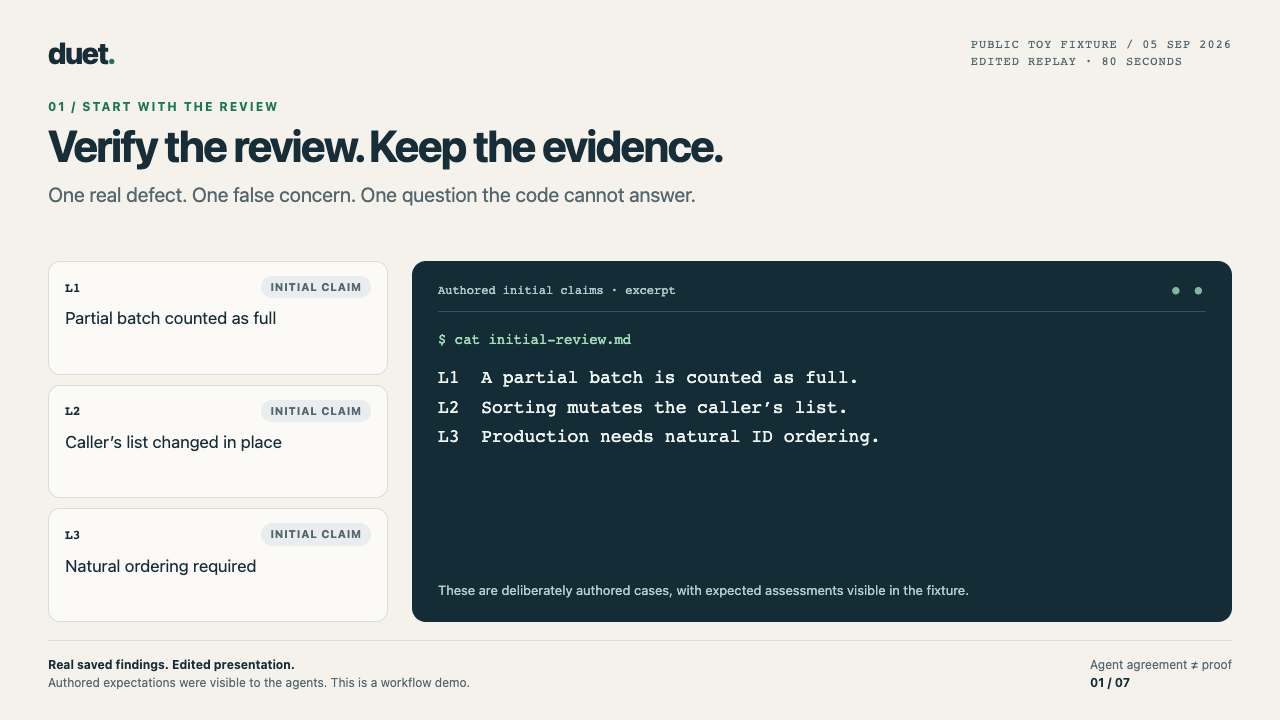
An edited replay using a public toy fixture. Demo details and evidence.
A real example
A supplied work audit describes a proposed fix that accidentally stopped hiding sensitive values. The other agent challenged it, and the first revised both the code and a test that had accepted the incorrect output.
Read the anonymized cases and their limits.
Quick start
You need Python 3.9+ and at least one chosen agent CLI, installed and signed in. See Claude Code installation or Codex CLI installation. Duet uses two separate sessions, which may use the same CLI with different models. Only have Codex? Run two Codex models. For the Claude + Codex pair, run this from a Git repository:
pipx install duet-cli
duet --recipe review
This starts a review and fix loop with the coder in a separate Git worktree. Inspect the changes before merging; agent agreement does not prove correctness.
Already working inside an agent? Install the same Duet skill for Claude Code, Codex, OpenCode, and ZCode (requires Node.js/npm; choose Symlink):
npx skills add volkan/duet --skill duet --global \
  --agent claude-code --agent codex --agent opencode --agent zcode
Start a new session. Use /duet in Claude Code, $duet in Codex, or /skill duet in ZCode.
Ask OpenCode to use the duet skill.
Installation details
cover ~/.agents/skills, prerequisites, and alternative installers. See the
OpenCode guide
for its native skill and optional command wrapper.
The ZCode guide
provides its /duet shortcut and native peer setup.
Native plugin installation
These optional native routes install the same shared Duet skill. Use one route per host.
Codex, in a terminal:
codex plugin marketplace add volkan/duet
codex plugin add duet@volkan-duet
Start a new Codex session, then invoke $duet. See the Codex installation
guide
for setup and marketplace recovery.
Claude Code, inside Claude Code:
/plugin marketplace add volkan/duet
/plugin install duet@volkan-duet
/reload-plugins
Then invoke /duet:duet. See the Claude Code installation
guide.
Upgrade
Update the CLI and, if installed, the shared skill:
pipx upgrade duet-cli
npx skills update duet --global
If pipx reports already at latest version despite a newer release on PyPI,
retry without pip's cache:
pipx upgrade duet-cli --pip-args="--no-cache-dir"
duet --version
Start a new agent session afterward. For uv, pip, source checkouts, or
native marketplace plugins, follow the
upgrade guide.
Go further
- Duet inside ChatGPT Work, using internal models
- Installation, recipes, and CLI reference
- Review reports and feedback · Recorded workflow demo
- Local metrics and privacy · Usage evidence
One Python file. Stdlib-only runtime; YAML support is optional. MIT licensed.
Contributing: project guidance, Codex notes, and merge checks.
1 maintainer

Metadata
1 maintainer
Release files for duet-cli 0.2.22
For a detailed explanation of source distributions (sdists) and built distributions (wheels), please see the package formats documentation.
Source distribution (sdist)
| File | Size | Uploaded | Provenance | Actions |
|---|---|---|---|---|
| duet_cli-0.2.22.tar.gz | 1.1 MB | With provenance | Details for duet_cli-0.2.22.tar.gz |
Built distribution (wheel)
| File | Interpreter | ABI | Platform | Actions Reset |
|---|---|---|---|---|
| duet_cli-0.2.22-py3-none-any.whl | Python 3 | none | any | Details for duet_cli-0.2.22-py3-none-any.whl |
Total release size: 1.2 MB
Release files / duet_cli-0.2.22.tar.gz
| Download URL | duet_cli-0.2.22.tar.gz |
|---|---|
| Size | 1.1 MB |
| Tags | Source |
|
SHA-256 checksum How to use checksums |
c0d257678e348cdb12a812a41513f6520afd8898b074b29ac49facd601737ea8
|
|
BLAKE2b-256 checksum How to use checksums |
bf20d5312b61c39630e9ad320555ac6967032b5b4cf0519e74fdf99ecbd3df6c
|
| Upload date | |
|
Uploaded using Trusted Publishing? What is trusted publishing? |
Yes |
| Uploaded via |
twine/6.1.0 CPython/3.13.13
|
Provenance
Provenance describes where a file came from. On PyPI, provenance is shared via attestations, which provide a verifiable record of the build or publishing details. View details, limitations and caveats.


PyPI Publish Attestation
PyPI verified that this artifact, at this checksum, originated from the publisher listed below.
Signed by GitHub Actions, verified by PyPI on Nov 15, 2026.
Transparency logRelease files / duet_cli-0.2.22-py3-none-any.whl
| Download URL | duet_cli-0.2.22-py3-none-any.whl |
|---|---|
| Size | 99.6 kB |
| Tags | Python 3 |
|
SHA-256 checksum How to use checksums |
1608b1d88d7087d1fc16241ccce442635ecc7a6c17e096c5e3f1d05fdab7e7d5
|
|
BLAKE2b-256 checksum How to use checksums |
d66c7191954df024289792244c5f99128401d5045e0bd739a6ae6e0655711e16
|
| Upload date | |
|
Uploaded using Trusted Publishing? What is trusted publishing? |
Yes |
| Uploaded via |
twine/6.1.0 CPython/3.13.13
|
Provenance
Provenance describes where a file came from. On PyPI, provenance is shared via attestations, which provide a verifiable record of the build or publishing details. View details, limitations and caveats.
PyPI Publish Attestation
PyPI verified that this artifact, at this checksum, originated from the publisher listed below.
Signed by GitHub Actions, verified by PyPI on Nov 15, 2026.
Transparency logSecurity for duet-cli 0.2.22
Provenance
Provenance describes where a file came from. On PyPI, provenance is shared via attestations, which provide a verifiable record of the build or publishing details. View details, limitations and caveats.
Full provenance
Both files in this release have been uploaded with provenance metadata.
Attestation for duet_cli-0.2.22.tar.gz
PyPI Publish Attestation
PyPI verified that this artifact, at this checksum, originated from the publisher listed below.
Signed by GitHub Actions, verified by PyPI on Nov 15, 2026.
Transparency logA note on package security
PyPI is a repository for distributing packages, not a service for auditing them. While third-party security researchers and our staff do their best to detect and remove malicious packages, PyPI cannot guarantee the quality, security or suitability of any given package.
To learn more about protecting yourself from malicious actors, visit our package security documentation.














