
Provider-independent agent runtime for the terminal — cloud and local models, real tools, MCP, plugins, memory, sub-agents, and Dulus OS.
Project description
Dulus
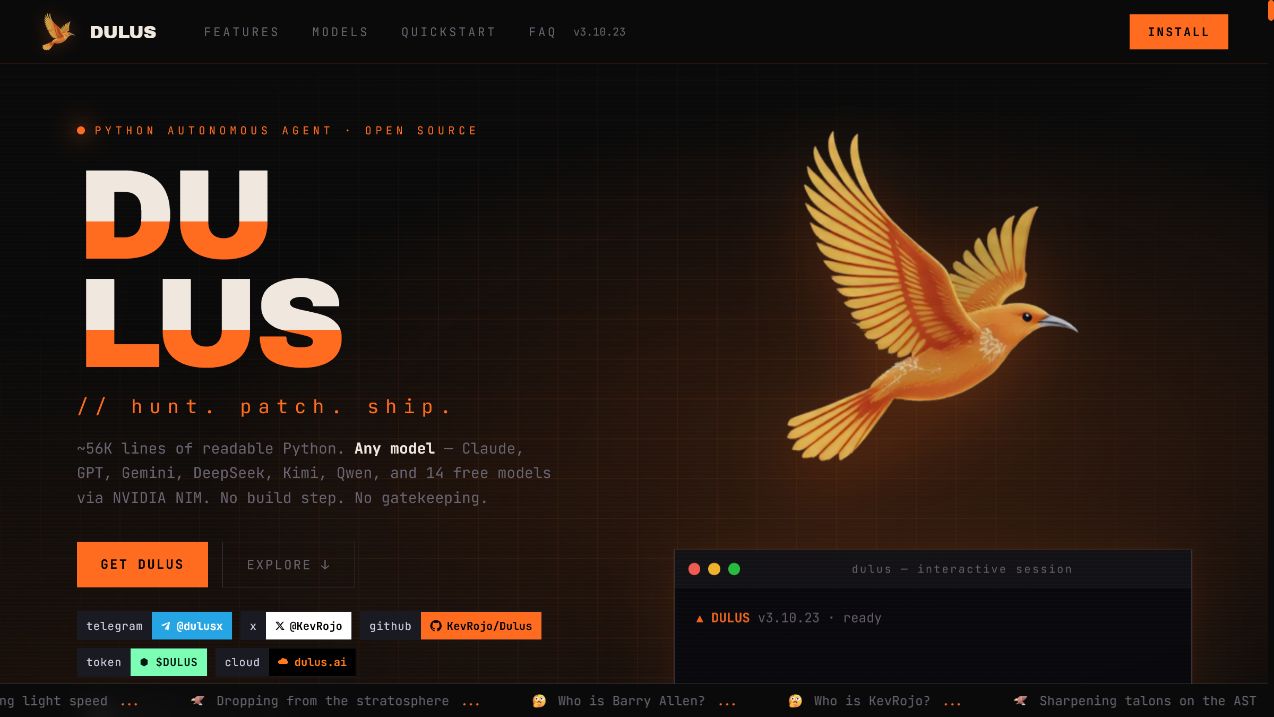
One agentic CLI. Every model. Real tools. Your machine.
Dulus is an open-source agent runtime for the terminal: provider-independent, local-first,
extensible through MCP and arbitrary Python repositories, and built to keep working after the first prompt.







Install · Why Dulus · Models · Extensions · Agents · Surfaces · Commands · Live tour ↗
Español · Français · 中文 · 日本語 · 한국어 · Português · Русский · العربية
Why Dulus
Most coding agents begin with a model and bolt tools around it. Dulus starts with the runtime.
The model can change mid-session. The tools can come from the core, MCP, a skill, or a Python repository that had never heard of Dulus five minutes earlier. Memory survives the session. Checkpoints cover both conversation and files. Long-running work moves into background jobs. The same engine can be operated from a terminal, browser, desktop app, Telegram, or Dulus OS.
That changes what the product is:
| Dulus is | Dulus is not |
|---|---|
| A provider-independent agent runtime | A skin over one model vendor |
| A readable Python codebase you can fork | A black box that only works in somebody else's cloud |
| A tool system with MCP, skills, plugins, and hot reload | A fixed list of commands chosen by the vendor |
| Local-first, with Ollama and LM Studio support | API-key-or-nothing software |
| Stateful: memory, tasks, checkpoints, background jobs | A disposable chat transcript |
| One engine with multiple interfaces | A terminal demo pretending to be a platform |
The proof is in the repository
At the time of this release, Dulus contains approximately 56K lines of first-party Python, 143 Python runtime modules, 780+ tests, 58 tagged releases, and more than 400 commits shipped in the previous 90 days.
Those numbers are not a vanity dashboard. They explain the product: Dulus is being built in public at production velocity. Read the release notes, inspect the architecture, or open the interactive dependency graph.
Hunt. Patch. Ship. The loop is the product.
Install in 30 seconds
If Python 3.11 or newer is already installed:
pip install dulus
dulus
The first-run wizard inspects the machine, recommends a right-sized local model, and can install Ollama for a zero-key, fully local start.
Automatic installer
Linux, macOS, WSL, and Termux:
curl -fsSL https://raw.githubusercontent.com/KevRojo/Dulus/main/install.sh | bash
Windows PowerShell:
iwr -useb https://raw.githubusercontent.com/KevRojo/Dulus/main/install.ps1 | iex
Windows users who do not want Python or a terminal can download the self-contained MSI from GitHub Releases.
Docker
docker run --rm -it \
  -v "${PWD}:/workspace" \
  -w /workspace \
  ghcr.io/kevrojo/dulus:latest
From source
git clone https://github.com/KevRojo/Dulus
cd Dulus
python -m pip install -e .
dulus
Pick any brain
# Cloud provider
export ANTHROPIC_API_KEY=sk-ant-...
dulus --model claude-sonnet-4-6

# Local and offline
ollama pull qwen2.5-coder
dulus --model ollama/qwen2.5-coder

# Unix pipeline
git diff | dulus -p "review this diff and find the dangerous parts"
No key yet? Start with Ollama, use NVIDIA NIM's free tier, or configure one of the supported browser-backed providers from the welcome flow.
The runtime, not just the prompt
flowchart LR
    U["You<br/>CLI · Web · GUI · Telegram"] --> A["Agent loop"]
    A --> P["Provider router<br/>cloud · web · local"]
    A --> C["Context engine<br/>project · soul · memory"]
    A --> R["Tool registry"]
    R --> T["Core tools"]
    R --> M["MCP servers"]
    R --> X["Auto-adapted plugins"]
    R --> S["Skills"]
    A --> J["Tasks · checkpoints · background jobs"]
    J --> A
| Layer | What it does |
|---|---|
| Provider router | Streams from Anthropic, OpenAI, Gemini, DeepSeek, Kimi, Qwen, NVIDIA, Ollama, LM Studio, LiteLLM, and OpenAI-compatible endpoints |
| Agent loop | Chooses tools, executes them, reads the results, compacts context, and continues until the work is done |
| Context engine | Combines project instructions, conversation state, persistent memory, skills, and the active persona |
| Tool registry | Makes core tools, MCP tools, plugin tools, and skills look like one coherent capability surface |
| Durable state | Stores tasks, sessions, costs, memories, checkpoints, background jobs, and audit records |
| Interfaces | Exposes the same runtime through CLI, WebChat, native desktop GUI, Telegram, and Dulus OS |
The core stays readable on purpose. There is no TypeScript monorepo hiding the agent loop behind six packages. Start with dulus.py, agent.py, providers.py, tools.py, and tool_registry.py.
One runtime, every model
Dulus does not make model choice an architectural decision. Switch providers during the same session with /model; tools, memory, tasks, and project context remain in place.
| Route | Providers |
|---|---|
| Direct cloud APIs | Anthropic · OpenAI · Gemini · DeepSeek · Kimi · Qwen · Zhipu · MiniMax · NVIDIA |
| Unified gateway | 100+ LiteLLM backends including OpenRouter, Groq, Together, Bedrock, Vertex AI, xAI, and Mistral |
| Local | Ollama · LM Studio · vLLM · any OpenAI-compatible endpoint |
| Browser-backed | Supported authenticated sessions for Claude, Gemini, Kimi, Qwen, and DeepSeek |
| Free tier | 14 models through NVIDIA NIM with automatic fallback |
/model
/model claude-sonnet-4-6
/model nvidia-web/deepseek-r1
/model ollama/qwen2.5-coder
/config custom_base_url=http://your-gpu-box:8000/v1
/model custom/your-model
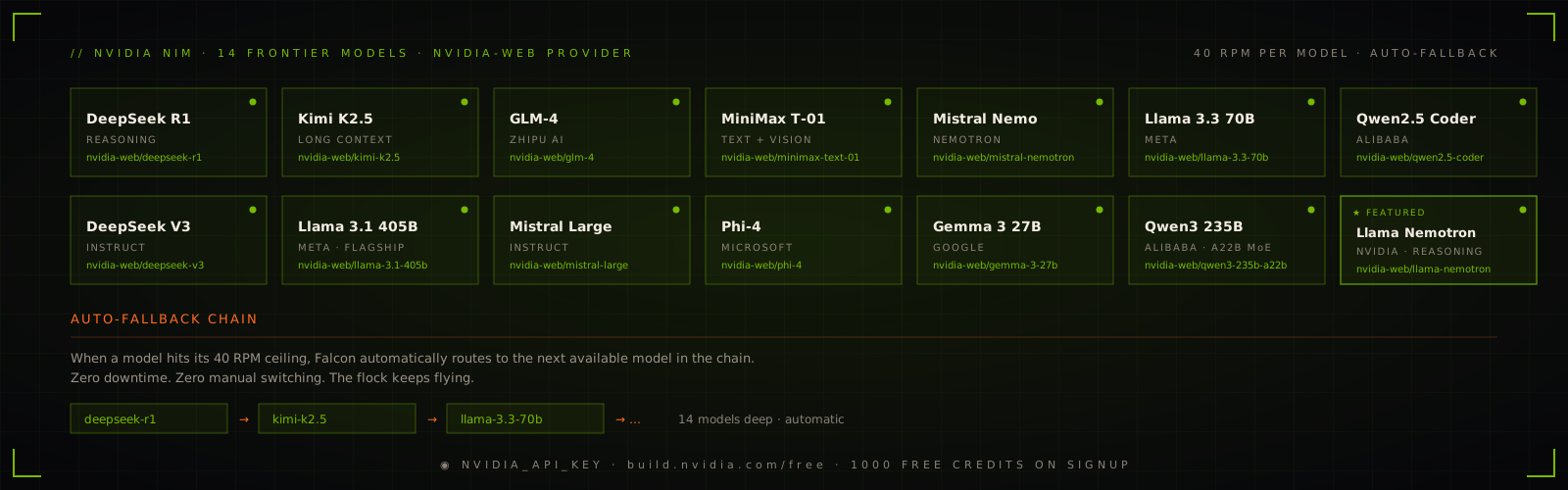
When one NVIDIA model reaches its free-tier ceiling, the provider can fall through the configured chain instead of killing the session.
Turn any Python repo into tools
MCP is supported natively, but Dulus does not stop there.
The Auto-Adapter can inspect an arbitrary Python repository, infer useful operations, generate a plugin_tool.py, install dependencies, validate the exports, and register the resulting tools in the current session.
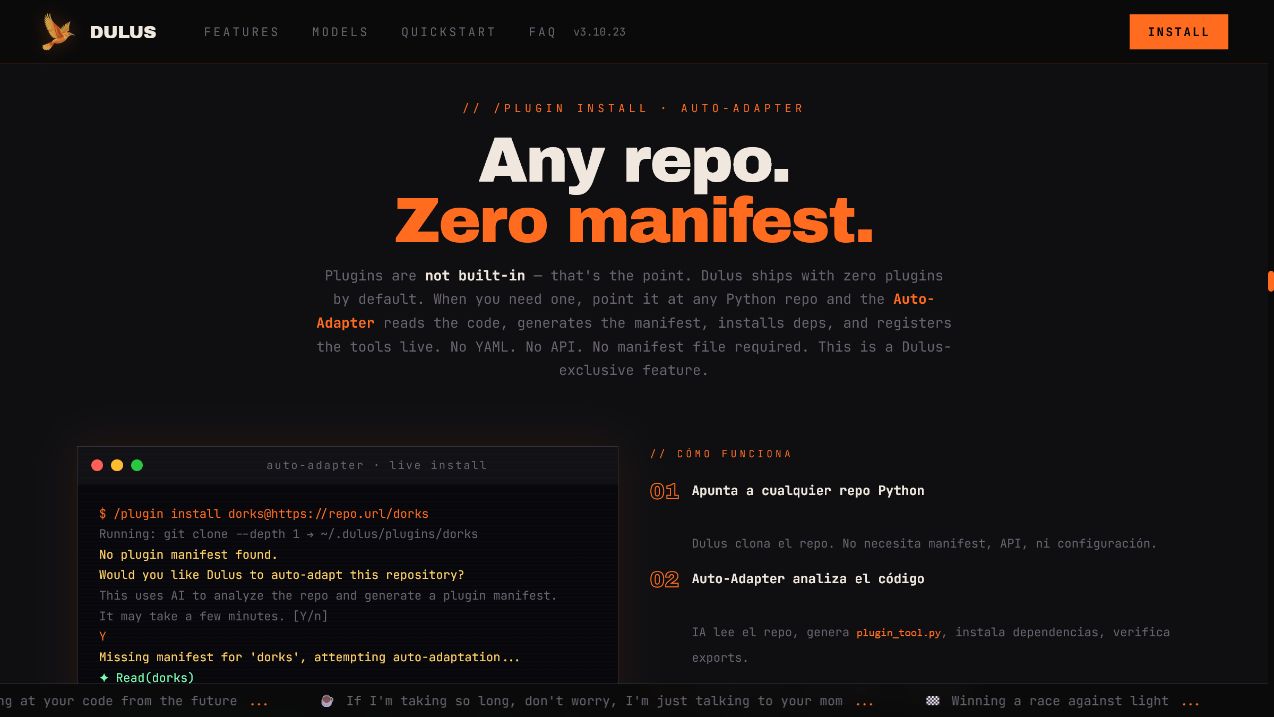
/plugin install yfinance@https://github.com/ranaroussi/yfinance
/plugin reload

> get the current prices of NVDA, TSLA, and the S&P 500
Three extension paths
| Path | Best for | How it becomes available |
|---|---|---|
| MCP | Standard servers and remote integrations | Drop in .mcp.json or use /mcp install |
| Auto-Adapter plugins | Existing Python repositories | /plugin install name@https://repo |
| Skills | Reusable workflows, instructions, and tool bundles | /skills or install into the skill directory |
The MCP marketplace indexes more than 2,000 servers. Composio exposes 800+ ready-made skills and app integrations. Auto-Adapter covers the long tail: code that nobody packaged for an agent.
{
  "mcpServers": {
    "git": {
      "type": "stdio",
      "command": "uvx",
      "args": ["mcp-server-git"]
    },
    "playwright": {
      "type": "stdio",
      "command": "npx",
      "args": ["-y", "@playwright/mcp"]
    }
  }
}
/mcp search postgres
/mcp install <name>
/mcp installed
/mcp reload
/plugin recommend
/plugin list
/skills
Agents that can work without disappearing
Dulus can run typed sub-agents in isolated git worktrees, coordinate them through messages, and keep their work visible. A coder can implement while a reviewer inspects and a tester runs the suite.
The Mesa Redonda pushes the same idea across models: multiple model personas debate a decision in parallel while you retain the ability to interrupt one participant, broadcast to the table, or stop the run.
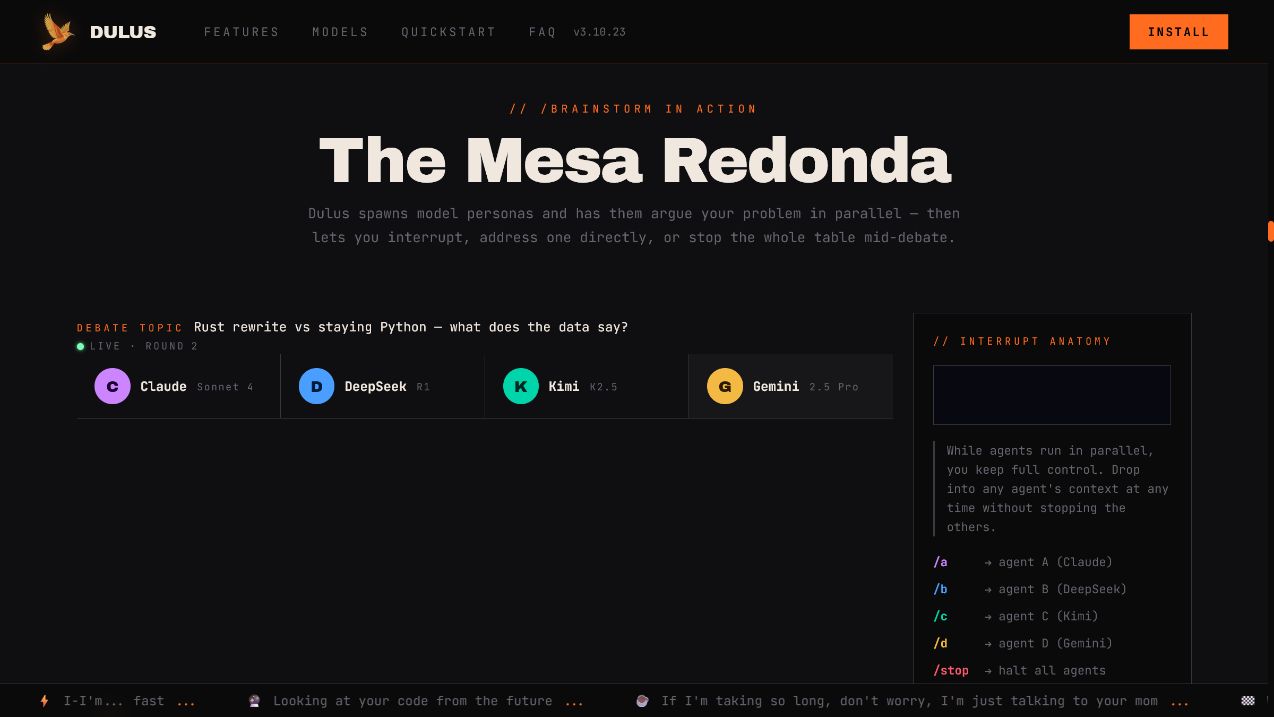
Agent(type="coder", task="implement the auth refactor")
Agent(type="reviewer", task="review the auth refactor")
Agent(type="tester", task="run focused and integration tests")

/agents
/brainstorm "rewrite in Rust or keep Python?"
/roundtable "design the migration plan"
Long work belongs in the background
TmuxOffload moves a long-running tool into a detached tmux session, records the job under ~/.dulus/jobs/, and returns control immediately. ReadJob retrieves the result, while the tmux session cleans itself up when finished.
This is the difference between “the UI did not freeze” and an actual background execution model.
Memory you can inspect. Checkpoints you can trust.
Dulus stores memory as Markdown, not an opaque vendor profile.
| Scope | Location | Purpose |
|---|---|---|
| User | ~/.dulus/memory/ |
Preferences, durable facts, recurring workflows |
| Project | .dulus/memory/ |
Architecture decisions, conventions, project context |
Memories are ranked by confidence and recency. Important entries can be marked gold. The directory can be opened directly as an Obsidian vault.
/remember "use anyio for new async work"
/memory search async
/memory consolidate
Checkpoints snapshot both the conversation and touched files:
/checkpoint
/checkpoint 042
/checkpoint clear
Rewinding means the files and the reasoning context return together.
One engine, four surfaces
Dulus is terminal-native, not terminal-limited.
| Surface | Start it | What it is for |
|---|---|---|
| CLI | dulus |
Fastest path to the full agent runtime |
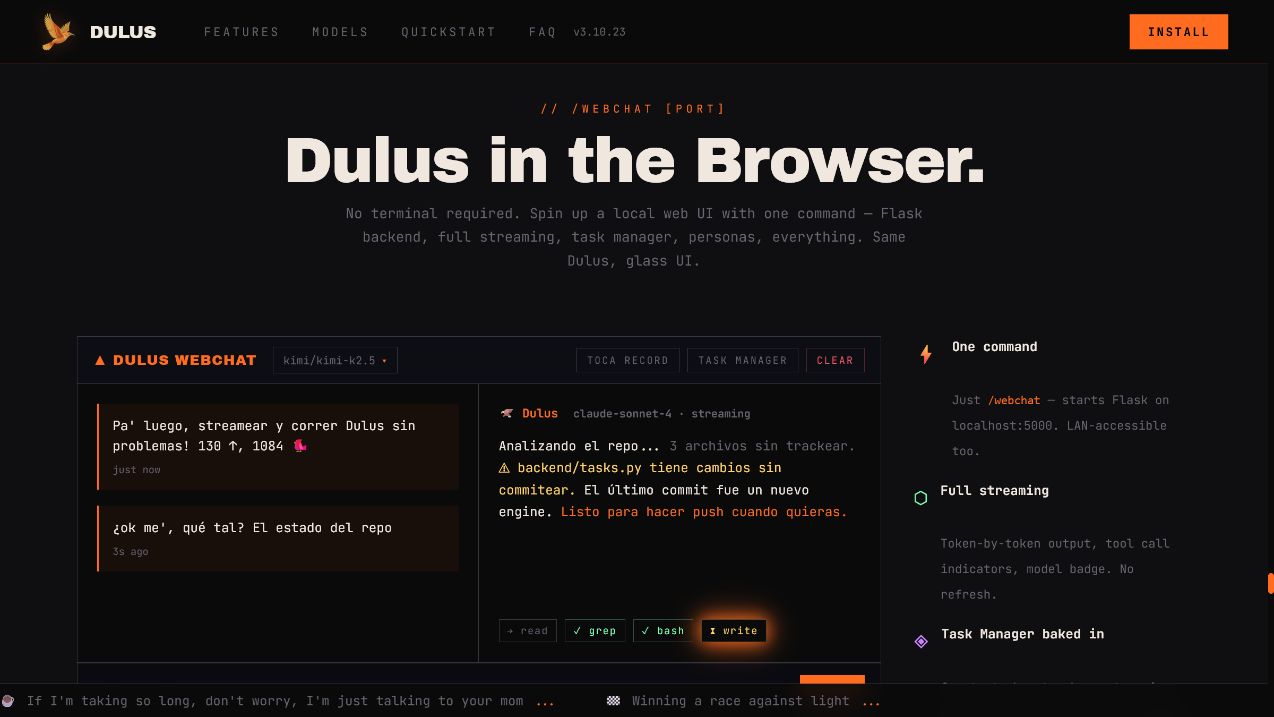
| WebChat | /webchat |
Streaming local web UI, mobile/LAN access, personas, and task manager |
| Desktop GUI | python dulus_gui.py |
Native desktop history, settings, tasks, personas, and tool inspection |
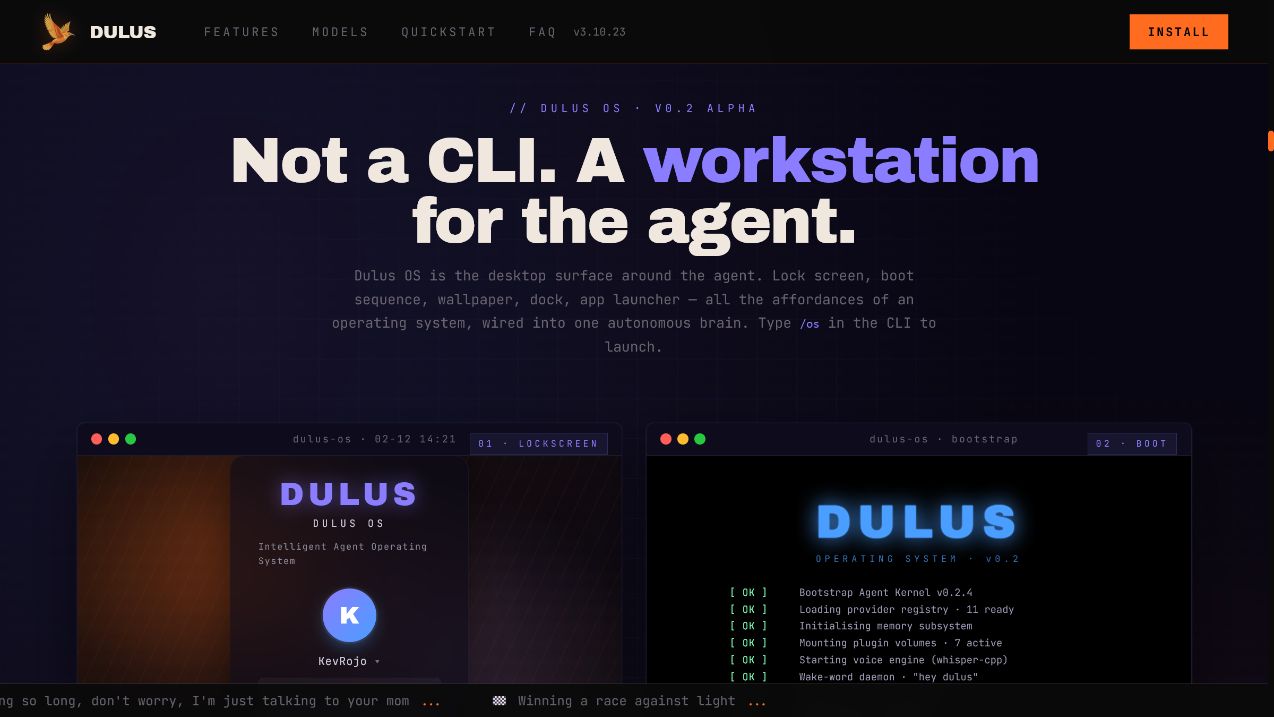
| Dulus OS | /os or dulus --os |
Browser desktop with windows, launcher, terminal, apps, memory, and agent controls |
WebChat and the task system
The browser is not a separate demo backend. It drives the same agent, registry, memory, and tasks as the CLI.
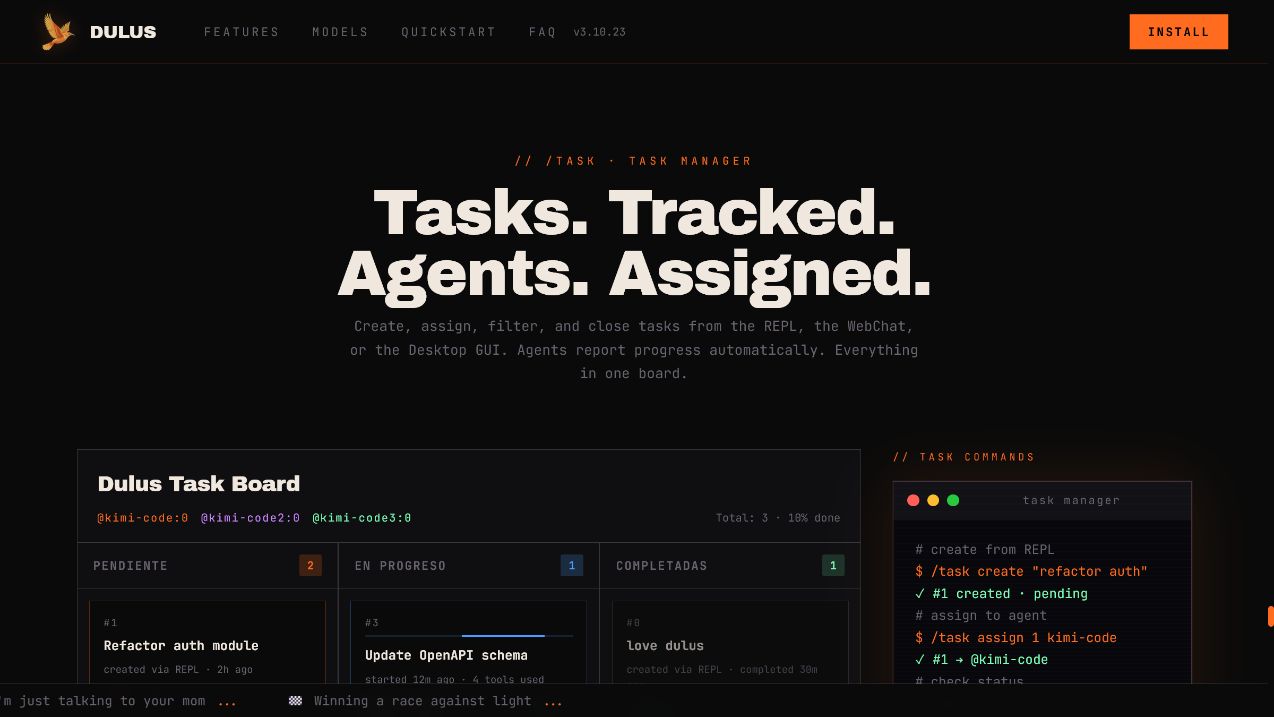
Tasks can be created in the REPL, assigned to agents, viewed in WebChat, and completed from the desktop GUI:
/task create "refactor auth"
/task assign 1 coder
/task list
/task done 1
Voice and bridges
- Offline speech-to-text through Whisper.
- Offline wake words such as “hey dulus” and “oye dulus”.
- Text-to-speech with local and hosted engines.
- Telegram bridge with streaming responses, files, vision, voice, and per-chat routing.
- Local WebChat address for opening Dulus from another device on the same network.
/voice
/wake set "hey dulus"
/tts
/telegram <bot_token> <chat_id>
Permission model
Autonomy should be selectable, visible, and reversible.
| Mode | Behavior |
|---|---|
auto |
Read operations and known-safe shell commands run freely; writes and unsafe shell commands request approval |
manual |
Strict interactive approval mode for sensitive work |
accept-all |
Run without approval prompts; intended for trusted sandboxes and automation |
plan |
Read-only analysis; only the plan artifact is writable |
Switch with /permissions <mode> or start a non-interactive run with --accept-all when the environment is intentionally disposable.
Additional safety mechanisms include:
- Tool argument validation and centralized dispatch.
- Output truncation with full results persisted for explicit retrieval.
- Audit logging for mutating operations.
- Isolated worktrees for sub-agents.
- Checkpoints before risky work.
- WebChat authentication required when binding beyond loopback.
Privacy
Telemetry is opt-in. Dulus asks once and sends nothing unless permission is granted.
If enabled, telemetry covers operational events such as session_start, tool_used, the Dulus version, OS, Python version, and provider/model name. It does not include prompts, responses, file contents, paths, API keys, emails, or usernames.
/config telemetry=off
See analytics.py and the security notes for the implementation.
Command map
Type / and press Tab inside the REPL to explore the live command list.
| Area | Commands |
|---|---|
| Models | /model · /nvidia · /ollama |
| Sessions | /save · /load · /resume · /compact |
| Memory | /remember · /memory |
| Work | /task · /agents · /worker · /checkpoint |
| Extensions | /mcp · /plugin · /skills |
| Interfaces | /webchat · /os · /telegram |
| Voice | /voice · /wake · /tts |
| Control | /permissions · /plan · /ssj |
| Insight | /status · /doctor · /cost · /tokens · /news |
| Output | /export · /copy · /verbose |
Core tool families
| Family | Examples |
|---|---|
| Files and code | Read · Write · Edit · Glob · Grep · diagnostics |
| Execution | Bash · background tasks · TmuxOffload · ReadJob |
| Web | WebFetch · WebSearch · browser-backed tools |
| Memory | save · search · list · delete · consolidate |
| Agents | spawn · message · inspect · collect result |
| Tasks | create · update · assign · list |
| Skills and plugins | discover · install · execute · reload |
| MCP | configure · connect · register remote tools |
Useful launch patterns
dulus
dulus --model ollama/qwen2.5-coder
dulus -p "explain this repository"
dulus --accept-all -p "implement every TODO and run tests"
git diff | dulus -p "write a precise commit message"
Build with Dulus
Project instructions
Place a CLAUDE.md in the project root. Dulus injects it into the system context so the agent starts with the repository's stack, conventions, commands, and constraints.
Development setup
git clone https://github.com/KevRojo/Dulus
cd Dulus
python -m venv .venv

# Windows
.venv\Scripts\activate

# Linux / macOS
source .venv/bin/activate

python -m pip install -e ".[dev]"
python -m pytest -q
pyright
Repository map
dulus/
├── dulus.py             entry point, REPL, commands, bridges
├── agent.py             streaming agent loop and tool dispatch
├── providers.py         cloud, browser-backed, gateway, local providers
├── tools.py             built-in tools and registry wiring
├── tool_registry.py     registration, validation, execution, persistence
├── context.py           system and project context assembly
├── compaction.py        long-session context compression
├── memory/              persistent memory and offloaded jobs
├── multi_agent/         sub-agents, messaging, worktrees
├── dulus_mcp/           MCP transports, config, marketplace
├── plugin/              plugin loader and Auto-Adapter
├── skill/               skill discovery and execution
├── checkpoint/          file and conversation rewind
├── task/                durable task tracking
├── voice/               STT, TTS, wake words
├── gui/                 native desktop application
├── webchat_ui/          local browser interface
├── sandbox/             Dulus OS source and built frontend
└── tests/               unit and integration coverage
Documentation:
- Getting started
- Architecture
- API guide
- Interactive dependency graph
- Deployment
- Contributing
- Security
- Release notes
- Whitepaper
Shipping in public
Dulus does not hide behind a quarterly roadmap. Features, fixes, experiments, reversals, and lessons ship in the open.
- More than 400 commits in 90 days at this snapshot.
- 58 tagged versions across the public history.
- Provider failures, packaging problems, installer issues, and community bug reports routinely become releases within the same day.
- The first Hacker News community bug report was diagnosed, fixed, tested, and released to PyPI the day it arrived.
Follow the evidence:
docs/news.md— human-readable release journal.docs/CHANGELOG.md— structured changes.- GitHub Releases — installable versions.
- Commit history — the actual shipping rate.
This project is ambitious by design. If Dulus is not yet the best open agent CLI for your workflow, the repository is structured so you can help make it so.
Ecosystem
| Surface | Role |
|---|---|
| dulus.ai | Product front door, cloud agent, and full ecosystem tour |
| dulus.online | Synthetic Operations: deploy and govern persistent agent fleets |
| dulus.work | Network and shared intelligence layer |
| GitHub Pages | Interactive open-source product demo |
| Telegram | Community and release channel |
| X / Twitter | Builder updates |
Dulus has received support through startup programs from Cloudflare, AWS Activate, Datadog, Sentry, Anthropic, MongoDB, DigitalOcean, Notion, Zendesk, Deepgram, Mixpanel, and Amplitude.
FAQ
Does Dulus require an API key?
No. Ollama and LM Studio run locally. NVIDIA NIM provides a free-tier route. Supported browser-backed providers can also be configured through the welcome flow. Cloud API keys remain available when you want direct paid access.
Which local models work best with tools?
Use a model trained for function calling, such as Qwen2.5-Coder, Llama 3.3, Mistral, or Phi-4. Base models without tool-use training may produce valid text but unreliable tool calls.
Can Dulus use a remote GPU?
Yes. Point custom_base_url at any OpenAI-compatible server:
/config custom_base_url=http://your-server:8000/v1
/model custom/your-model
Is --accept-all safe for production repositories?
It deliberately removes approval prompts. Use it in trusted sandboxes or controlled automation. Use the default auto mode or read-only plan mode for sensitive environments.
Can I use Dulus as a library?
Yes. The agent loop, provider layer, registry, memory system, MCP client, and task system are regular Python modules. The API guide and dependency graph are the best entry points.
License
Dulus is licensed under GPLv3. You can use it, study it, modify it, and redistribute it. Derivative distributions must preserve the same open-source freedoms.
If Dulus saves you tokens, time, or sanity:
BTC: 1JzatQDn9fMLnKTd3KYgztsLHC95bJEzSN

Built by KevRojo in the Dominican Republic.
Named after the Cigua Palmera, not the rocket.
@KevRojo · t.me/dulusx
Project details
Release history Release notifications | RSS feed


Download files
Download the file for your platform. If you're not sure which to choose, learn more about installing packages.
Source Distribution
Built Distribution
Filter files by name, interpreter, ABI, and platform.
If you're not sure about the file name format, learn more about wheel file names.
Copy a direct link to the current filters
File details
Details for the file dulus-3.10.35.tar.gz.
File metadata
- Download URL: dulus-3.10.35.tar.gz
- Upload date:
- Size: 3.9 MB
- Tags: Source
- Uploaded using Trusted Publishing? No
- Uploaded via: twine/6.2.0 CPython/3.14.6
File hashes
| Algorithm | Hash digest | |
|---|---|---|
| SHA256 |
3e6e9e6ae785047570d92a1b111b9b443065d5b2d70f193a68e57073e1e0a7af
|
|
| MD5 |
0cc690e2ab3dc092af65d63f55d59ac7
|
|
| BLAKE2b-256 |
efeb06f2007945b9295c5d8a4bde68645de4a0f0d06de225d07b711994857fc6
|
File details
Details for the file dulus-3.10.35-py3-none-any.whl.
File metadata
- Download URL: dulus-3.10.35-py3-none-any.whl
- Upload date:
- Size: 3.9 MB
- Tags: Python 3
- Uploaded using Trusted Publishing? No
- Uploaded via: twine/6.2.0 CPython/3.14.6
File hashes
| Algorithm | Hash digest | |
|---|---|---|
| SHA256 |
14d2a47e9caeb4d12f38279fe4df0ed3ce6999bad338e39dd03073329f7c974d
|
|
| MD5 |
d301837222f9928233cea083f4017798
|
|
| BLAKE2b-256 |
0564aa36375c19dbf57f0bc3aca3b298edafe2c036290a8bf8650838350844b4
|






