
DumpConfluence
A modern CLI tool to backup Confluence pages with images and attachments



Fast, reliable, and user-friendly Confluence backup solution
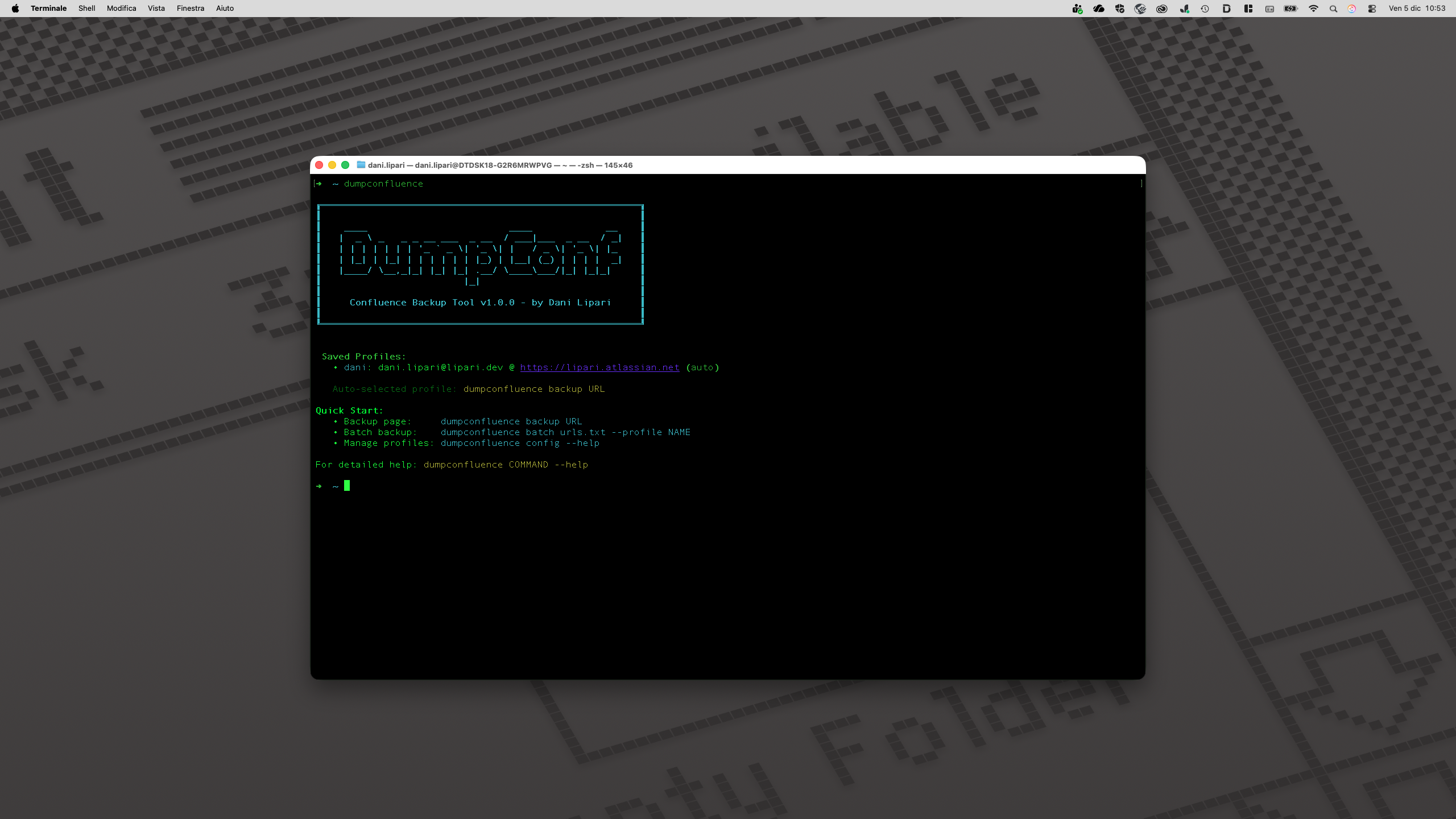
Features
- Complete Page Backup - Download Confluence pages with all images and attachments
- Self-Contained HTML - Generate beautiful, standalone HTML files with embedded CSS
- Secure Profile Management - Store and manage multiple credential profiles safely
- Batch Processing - Backup multiple pages from URL lists efficiently
- Beautiful CLI Interface - Rich terminal UI with progress indicators and colored output
- Smart Directory Management - Flexible output directory options with auto-creation
- Auto-Profile Selection - Intelligent credential selection for seamless workflows
- Cross-Platform - Works on Windows, macOS, and Linux
Requirements
- Python 3.8+ - Download Python
- pip - Usually included with Python installation
- Confluence Cloud account with API access
- Read permissions for target pages
Installation
pip install dumpconfluence
Verify installation:
dumpconfluence --version
Quick Start
1. Get an API Token
- Go to https://id.atlassian.com/manage-profile/security/api-tokens
- Click "Create API token"
- Give it a descriptive name
- Copy the token immediately (you won't see it again)
2. Backup a Page
dumpconfluence backup "https://company.atlassian.net/wiki/spaces/SPACE/pages/123456/Page+Title"
You'll be prompted for:
- Confluence URL (e.g., https://company.atlassian.net)
- Your email address
- API token
3. Save Credentials as Profile
Save your credentials for future use:
dumpconfluence backup "URL" --save-profile work
Use saved profile:
dumpconfluence backup "URL" --profile work
Tip: If you have only one profile saved, it will be used automatically.
4. Specify Output Directory
By default, pages are saved in the current directory. To specify a different location:
dumpconfluence backup "URL" --output-dir /path/to/backups
Profile Management
Create a new profile:
dumpconfluence config add myprofile
List all profiles:
dumpconfluence config list
Remove a profile:
dumpconfluence config remove myprofile
Batch Processing
Create a text file with URLs (one per line):
https://company.atlassian.net/wiki/spaces/SPACE/pages/111/Page1
https://company.atlassian.net/wiki/spaces/SPACE/pages/222/Page2
https://company.atlassian.net/wiki/spaces/SPACE/pages/333/Page3
Process all URLs:
dumpconfluence batch urls.txt --profile work
Command Line Reference
dumpconfluence backup [OPTIONS] PAGE_URL

Options:
  -u, --url TEXT        Confluence base URL
  -e, --email TEXT      Confluence account email
  -t, --token TEXT      Confluence API token
  -o, --output-dir TEXT Output directory (default: current)
  -p, --profile TEXT    Use saved profile
  --save-profile TEXT   Save credentials as profile
  --help               Show this message and exit
Output Structure
Each page creates its own directory:
Page_Title/
├── Page_Title.html    # Self-contained HTML with embedded CSS
├── metadata.json      # Page metadata and export info
└── images/            # Downloaded images
    ├── image1.png
    ├── image2.jpg
    └── ...
Configuration
Profiles are stored in:
- Linux/macOS:
~/.config/dumpconfluence/config.json - Windows:
%APPDATA%\dumpconfluence\config.json
Security Note: Credentials are stored in plain text. Ensure proper file permissions.
Troubleshooting
Authentication Failed
- Verify your API token is correct
- Ensure your email matches the Confluence account
- Check you have read permissions for the page
Images Not Downloading
- Some images may require special permissions
- Check if images are from external sources
- Verify API token has proper scope
Page Not Found
- Verify the URL is correct
- Ensure you have access to the page
- Check if the page exists in the specified space
Development
Setup Development Environment
# Clone repo
git clone https://github.com/danilipari/dumpconfluence.git
cd dumpconfluence

# Create virtual environment
python -m venv venv
source venv/bin/activate  # On Windows: venv\Scripts\activate

# Install in development mode
pip install -e ".[dev]"
Run Tests
pytest tests/
Code Formatting
black dumpconfluence/
ruff check dumpconfluence/
License
MIT License - See LICENSE file for details.
Contributing
Contributions are welcome! Please feel free to submit a Pull Request.
Support
For issues and questions, please use the GitHub Issues page.
1 maintainer

Download files
Download the file for your platform. If you're not sure which to choose, learn more about installing packages.
Source Distribution
Built Distribution
Filter files by name, interpreter, ABI, and platform.
If you're not sure about the file name format, learn more about wheel file names.
Copy a direct link to the current filters
File details
Details for the file dumpconfluence-1.0.1.tar.gz.
File metadata
- Download URL: dumpconfluence-1.0.1.tar.gz
- Upload date:
- Size: 21.2 kB
- Tags: Source
- Uploaded using Trusted Publishing? No
- Uploaded via:
twine/6.2.0 CPython/3.13.7
File hashes
| Algorithm | Hash digest | |
|---|---|---|
| SHA256 |
079e46c840523c821a2afd7d1962eb18ae6be6dd735ac4c90fab07ea3c2dcfe4
|
|
| MD5 |
3fb185c9eed1585ea0c386c82da39a86
|
|
| BLAKE2b-256 |
b23c261d9ab6b8c74782d5027d8e2164b405c609515796654257686e88c44204
|
File details
Details for the file dumpconfluence-1.0.1-py3-none-any.whl.
File metadata
- Download URL: dumpconfluence-1.0.1-py3-none-any.whl
- Upload date:
- Size: 16.5 kB
- Tags: Python 3
- Uploaded using Trusted Publishing? No
- Uploaded via:
twine/6.2.0 CPython/3.13.7
File hashes
| Algorithm | Hash digest | |
|---|---|---|
| SHA256 |
d5709ff5872bb34625439e8c7df4046b7da85e322c2bedc795f9f570985ef000
|
|
| MD5 |
e27c9cc1b0fef0c5ca0f06138a3c8690
|
|
| BLAKE2b-256 |
0bfcb40e7b13655a273fd24c94903395bfdf625bbddee2cce59e3c275441fc04
|














