
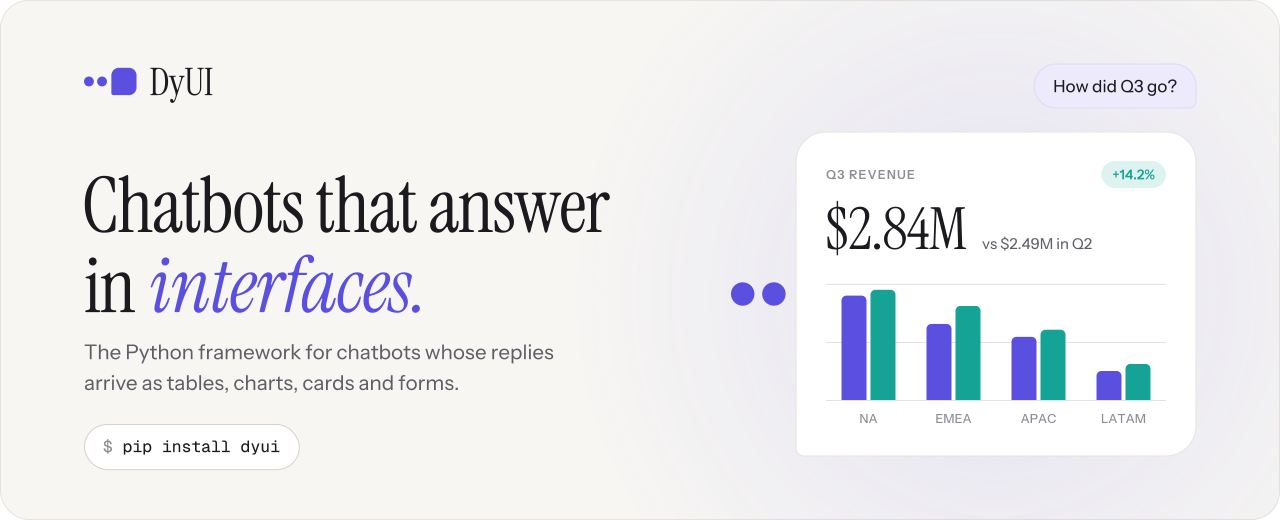




DyUI is the Python framework for professional chatbots that answer in interfaces.
Write one Python file, run dyui run app.py, and get a calm, beautifully animated chat app —
frontend and backend — where your LLM replies with tables, charts, cards, forms and buttons,
not just text.
import dyui

app = dyui.App(title="Travel Bot", starters=["Plan a weekend in Lisbon"])

@app.on_message
async def reply(msg: dyui.Message, chat: dyui.Chat):
    async for part in dyui.llm.stream("nvidia/moonshotai/kimi-k2.6", chat.history,
                                      system="You are a calm, expert travel agent.",
                                      components=app.catalog):   # ← the LLM can now render UI
        yield part
pip install "dyui[openai]"
echo "NVIDIA_API_KEY=nvapi-..." > .env   # free key at build.nvidia.com; dyui run loads .env
dyui run app.py          # → http://127.0.0.1:8000
Other providers, Windows shells and deployment secrets: API keys & environment.
No API key yet? pip install dyui && dyui demo opens a guided tour that needs none.
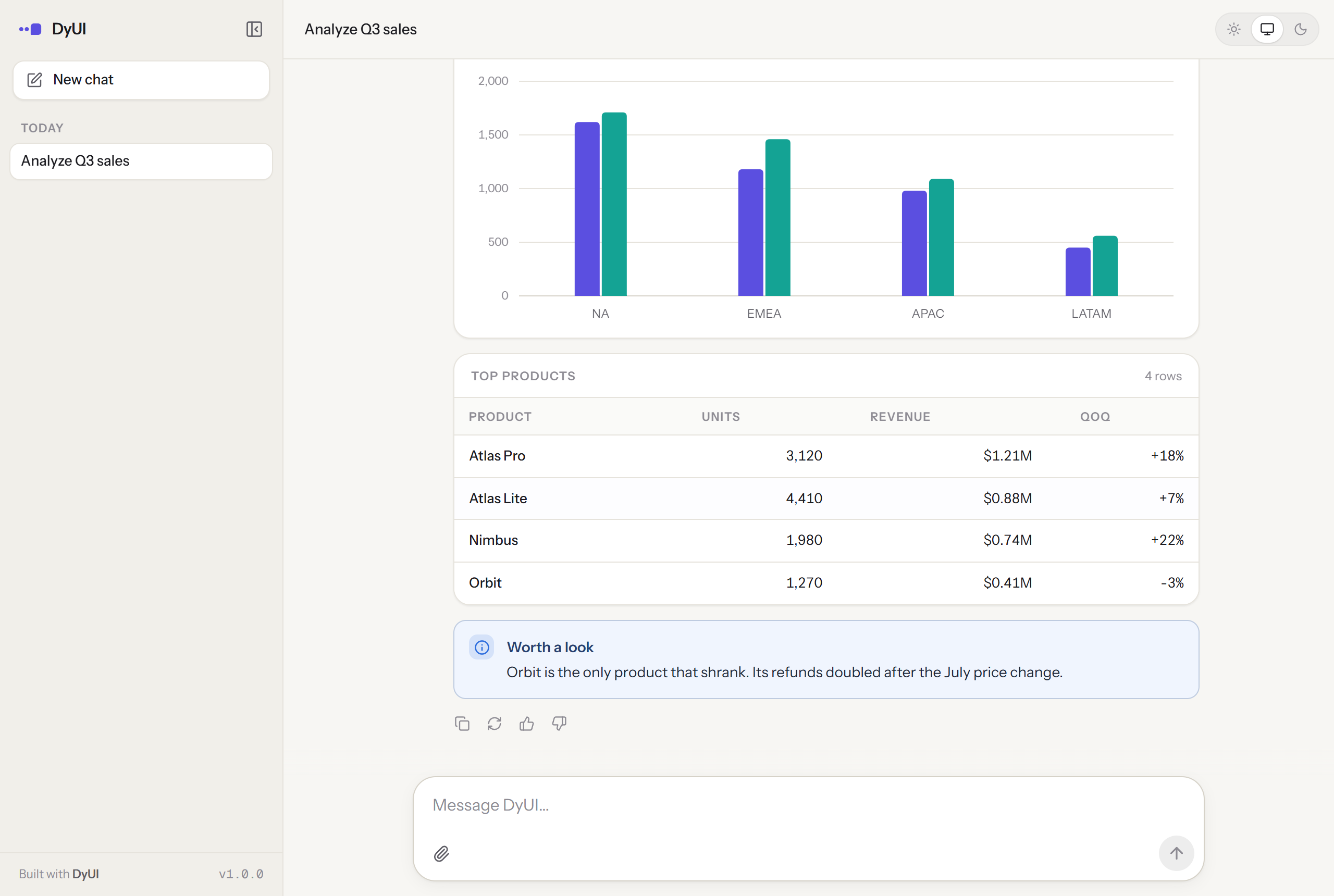
The real app, from dyui demo — every card was streamed by the (simulated) LLM.
Why DyUI
|
The LLM renders UI. DyUI teaches your model a component catalog through an auto-generated system prompt, parses its output while it streams, validates it, and renders it — inline, between sentences. |
Professional out of the box. Conversation history, streaming with stop, regenerate and edit, file uploads, feedback, light and dark themes, mobile layout, password gate — calm motion at every interaction. |
Any model. Any framework. NVIDIA NIM, OpenAI, Anthropic, Ollama, Groq, OpenRouter, Gemini, Mistral, DeepSeek, xAI, LangGraph — or your own SDK. DyUI parses raw text, so anything that streams works. |
|
Your own components, in pure Python.
Define a pydantic model with a |
Interfaces that talk back.
Buttons, forms, choices and approvals route to Python handlers — or straight back to the LLM.
|
Safe by design. The model only ever sends data. No model HTML, sanitized links, verified actions, sandboxed developer templates. |
Quickstart
pip install dyui
dyui new my-bot --template openai     # or: basic · anthropic · langgraph
cd my-bot && dyui run
dyui run serves the app and reloads it whenever you save. app is a standard ASGI app, so
uvicorn app:app works in production too.
How the LLM writes UI
DyUI adds a short, generated section to your system prompt that lists the components your bot
may use. The model writes ordinary Markdown, and puts components in fenced dyui blocks — one
JSON object per line:
Here are two options for this weekend.
```dyui
{"ui":"flight","airline":"TAP","depart":"Fri 18:05","price":189}
{"ui":"quick_replies","options":["Check hotels too","Book the cheaper one"]}
```
Want me to hold a seat?
The server parses that stream incrementally. A component appears as a soft skeleton the moment its type is known, fills in as its props arrive, and blooms into place when the line completes. Invalid output degrades to a quiet "couldn't display" chip — the prose is never lost.
flowchart LR
    H["Your handler<br/>(any LLM · any SDK)"] -- "text stream" --> P["DyUI fence parser<br/>+ validation"]
    H -- "ui.Table(...) · chat.step(...)" --> S
    P --> S["SSE stream"]
    S --> W["DyUI web app<br/>(36 animated components)"]
    W -- "clicks · forms · approvals" --> A["@app.on_action<br/>or back to the LLM"]
    A --> H
Your component library — the prompt grows with your app
from dyui import ui

@app.component
class Flight(dyui.Component):
    """A bookable flight option. Use when listing specific flights."""
    airline: str
    depart: str
    price: float

    def render(self):
        return ui.Card(self.airline, ui.Stat("Price", f"${self.price:.0f}"),
                       actions=[ui.Button("Book", action="book_flight", data=self.model_dump())])

@app.on_action("book_flight")
async def book(action: dyui.Action, chat: dyui.Chat):
    confirm = await chat.ask(ui.Confirm("Book this flight?", text=action.data["airline"]))
    if confirm.values.get("confirmed"):
        yield ui.Callout("Booked — your confirmation is on its way.", level="success")
Register a component and the next turn's system prompt includes it. Change a field or the docstring and the prompt changes with it. Choose what each bot — or each turn — may use:
dyui.App(components=["table", "chart", "stat", "buttons"])   # a subset of built-ins
app.catalog.only("flight", "confirm", "quick_replies")        # per turn, e.g. at checkout
dyui catalog app.py prints the exact prompt DyUI will send, with a token estimate.
36 components, ready to render
| group | components |
|---|---|
| Content | markdown · callout · code · quote · sources · badges · divider |
| Data | table · stat · stats · keyvalue · chart (bar · line · area · pie · donut · scatter) · progress · timeline · json |
| Media | image · gallery · video · audio · file · link_preview |
| Interactive | buttons · quick_replies · choice · form · confirm · rating |
| Layout | card · grid · tabs · accordion · carousel · list |
| Agent | step · reasoning · plan |
Every component blooms in, streams gracefully while the model is still writing it, works in light and dark, respects reduced-motion, and is keyboard accessible. Browse them all with live demos →
Works with
| Built-in streaming | nvidia/… · openai/… · anthropic/… · ollama/… · groq/… · openrouter/… · gemini/… · mistral/… · deepseek/… · together/… · xai/… |
| Agent frameworks | LangGraph (dyui.integrations.langgraph) — emit components from any node |
| Anything else | Yield raw text from any SDK and add app.catalog.prompt() to your system prompt |
Steps, reasoning and human-in-the-loop
@app.on_message
async def reply(msg, chat):
    async with chat.step("Searching flights", type="search") as step:
        step.output = await search_flights(msg.text)          # live status + duration
    yield ui.Table(columns=["Airline", "Depart", "Price"], rows=to_rows(step.output))
Reasoning models stream their thinking into a collapsible block automatically.
CLI
| command | |
|---|---|
dyui run [app.py] |
Serve your app with hot reload (--host, --port, --open) |
dyui new <dir> |
Scaffold a project (basic, nvidia, openai, anthropic, langgraph) |
dyui demo |
A guided tour — no API key needed |
dyui catalog [app.py] |
Print the generated UI prompt and its token cost |
dyui mcp install [agent] |
Give your coding agent the DyUI MCP server: version-exact docs, component schemas, examples and validators (pip install "dyui[mcp]"; Claude Code, Cursor, VS Code, Gemini, Qwen, Codex, …) |
dyui agent |
Register the MCP server and open your coding agent on a task (dyui claude, gemini, codex, qwen, antigravity, kimi, opencode, cursor) |
Deploy
uvicorn app:app --host 0.0.0.0 --port 8000
DyUI stores conversations in SQLite (./.dyui/dyui.db) by default. Pass persist=False for
memory-only, or plug in your own Store. See Deploy
for Docker, reverse proxies and hosting guides.
Roadmap
- Auto-repair loop for invalid components, and streamed tool-call arguments in
ui_mode="tools" dyui-react— the same components for your own React / Next.js app (npm)- Conversation branching, voice, and a side panel for long artifacts
- Auth providers (OAuth) and multi-user workspaces
Repository
| path | |
|---|---|
python/ |
the dyui package (framework, server, CLI) |
web/ |
the chat app and component library (React, bundled into the wheel) |
docs/ |
the documentation site (Astro Starlight) |
examples/ |
runnable example bots |
SPEC.md |
the engineering spec: protocol, component catalog, brand |
SECURITY.md |
security policy, threat model, and how to report a vulnerability |
Contributions are welcome — start with SPEC.md, then
cd web && npm install && npm run build:py and pip install -e "python[all,dev]".
Security
DyUI treats model output as untrusted: components are validated against their schemas, URLs are
sanitised, raw HTML from the model is never rendered, and the app ships with a strict CSP and
CSRF protection. See SECURITY.md — please report vulnerabilities privately via
GitHub security advisories.
License
MIT © DyUI contributors
1 maintainer

Metadata
1 maintainer
Release files for dyui 1.3.0
For a detailed explanation of source distributions (sdists) and built distributions (wheels), please see the package formats documentation.
Source distribution (sdist)
| File | Size | Uploaded | Provenance | Actions |
|---|---|---|---|---|
| dyui-1.3.0.tar.gz | 776.1 kB | With provenance | Details for dyui-1.3.0.tar.gz |
Built distribution (wheel)
| File | Interpreter | ABI | Platform | Actions Reset |
|---|---|---|---|---|
| dyui-1.3.0-py3-none-any.whl | Python 3 | none | any | Details for dyui-1.3.0-py3-none-any.whl |
Total release size: 1.6 MB
Release files / dyui-1.3.0.tar.gz
| Download URL | dyui-1.3.0.tar.gz |
|---|---|
| Size | 776.1 kB |
| Tags | Source |
|
SHA-256 checksum How to use checksums |
0d3d2a11e8581c223b4b65990e5dbbd73b3ee2043d8bc53c09eeb356aaa22623
|
|
BLAKE2b-256 checksum How to use checksums |
96b587f5d01b571cb35e565c2e59094ea957b84c38b285d5e70df006a565c823
|
| Upload date | |
|
Uploaded using Trusted Publishing? What is trusted publishing? |
Yes |
| Uploaded via |
twine/7.0.0 CPython/3.13.16
|
Provenance
Provenance describes where a file came from. On PyPI, provenance is shared via attestations, which provide a verifiable record of the build or publishing details. View details, limitations and caveats.


PyPI Publish Attestation
PyPI verified that this artifact, at this checksum, originated from the publisher listed below.
Signed by GitHub Actions, verified by PyPI on Nov 17, 2026.
Transparency logRelease files / dyui-1.3.0-py3-none-any.whl
| Download URL | dyui-1.3.0-py3-none-any.whl |
|---|---|
| Size | 850.6 kB |
| Tags | Python 3 |
|
SHA-256 checksum How to use checksums |
ee1e0de95a8800218de863c0f17e7c580e243f5e05096bd0c2fb6a539574af95
|
|
BLAKE2b-256 checksum How to use checksums |
448c041705827c06d71458405e5912f9fb3e62875af0eee0597192bda0865aeb
|
| Upload date | |
|
Uploaded using Trusted Publishing? What is trusted publishing? |
Yes |
| Uploaded via |
twine/7.0.0 CPython/3.13.16
|
Provenance
Provenance describes where a file came from. On PyPI, provenance is shared via attestations, which provide a verifiable record of the build or publishing details. View details, limitations and caveats.
PyPI Publish Attestation
PyPI verified that this artifact, at this checksum, originated from the publisher listed below.
Signed by GitHub Actions, verified by PyPI on Nov 17, 2026.
Transparency logSecurity for dyui 1.3.0
Provenance
Provenance describes where a file came from. On PyPI, provenance is shared via attestations, which provide a verifiable record of the build or publishing details. View details, limitations and caveats.
Full provenance
Both files in this release have been uploaded with provenance metadata.
Attestation for dyui-1.3.0.tar.gz
PyPI Publish Attestation
PyPI verified that this artifact, at this checksum, originated from the publisher listed below.
Signed by GitHub Actions, verified by PyPI on Nov 17, 2026.
Transparency logA note on package security
PyPI is a repository for distributing packages, not a service for auditing them. While third-party security researchers and our staff do their best to detect and remove malicious packages, PyPI cannot guarantee the quality, security or suitability of any given package.
To learn more about protecting yourself from malicious actors, visit our package security documentation.














