
E2B Desktop Sandbox - Virtual Computer for Computer Use
E2B Desktop Sandbox is a secure virtual desktop ready for Computer Use. Powered by E2B.
Each sandbox is isolated from the others and can be customized with any dependencies you want.
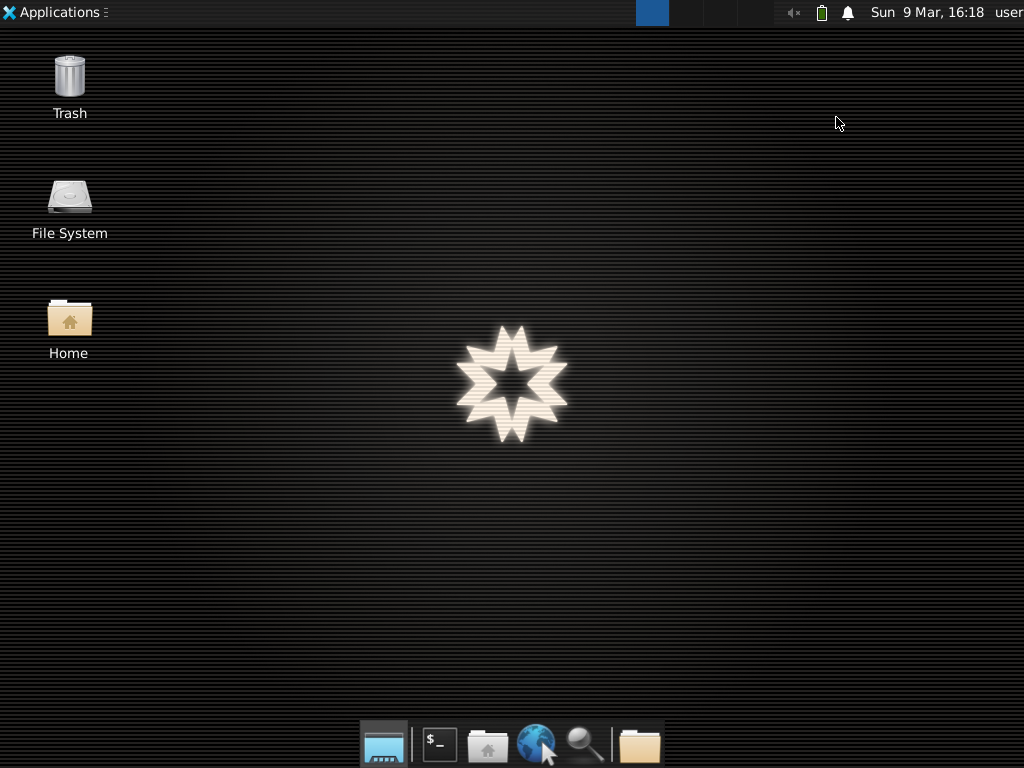
Source: packages/desktop-python
Examples
Check out the example open-source app in a separate repository.
🚀 Getting started
The E2B Desktop Sandbox is built on top of E2B Sandbox.
1. Get E2B API key
Sign up at E2B and get your API key.
Set environment variable E2B_API_KEY with your API key.
2. Install SDK
pip install e2b-desktop
3. Create Desktop Sandbox
from e2b_desktop import Sandbox

# Create a new desktop sandbox
desktop = Sandbox.create()

# Launch an application
desktop.launch('google-chrome')  # or vscode, firefox, etc.

# Wait 10s for the application to open
desktop.wait(10000)

# Stream the application's window
# Note: There can be only one stream at a time
# You need to stop the current stream before streaming another application
desktop.stream.start(
    window_id=desktop.get_current_window_id(), # if not provided the whole desktop will be streamed
    require_auth=True
)

# Get the stream auth key
auth_key = desktop.stream.get_auth_key()

# Print the stream URL
print('Stream URL:', desktop.stream.get_url(auth_key=auth_key))

# Kill the sandbox after the tasks are finished
# desktop.kill()
4. Bind the configuration to a client
The top-level Sandbox export reads its configuration from the environment variables. To use an explicit configuration — e.g. several API keys or domains in one process — create an E2B client and use the resource classes it exposes:
from e2b_desktop import E2B

client = E2B(api_key="e2b_***", domain="e2b.dev")

desktop = client.Sandbox.create()
desktop.stream.start()

# The core resources are bound to the client's configuration as well.
volume = client.Volume.create("my-volume")
exists = client.Template.exists("my-template")
secret = client.Secret.create("openai-api-key", "sk-***")

# The classes can be assigned and used like the top-level ones.
Sandbox = client.Sandbox
paginator = Sandbox.list()
Per-call params still take precedence over the client's params, and clients are isolated from each other and from the env-configured top-level exports.
Features
Streaming desktop's screen
from e2b_desktop import Sandbox
desktop = Sandbox.create()

# Start the stream
desktop.stream.start()

# Get stream URL
url = desktop.stream.get_url()
print(url)

# Stop the stream
desktop.stream.stop()
Streaming with password protection
from e2b_desktop import Sandbox
desktop = Sandbox.create()

# Start the stream
desktop.stream.start(
    require_auth=True  # Enable authentication with an auto-generated key
)

# Retrieve the authentication key
auth_key = desktop.stream.get_auth_key()

# Get stream URL
url = desktop.stream.get_url(auth_key=auth_key)
print(url)

# Stop the stream
desktop.stream.stop()
Streaming specific application
[!WARNING]
- Will raise an error if the desired application is not open yet
- The stream will close once the application closes
- Creating multiple streams at the same time is not supported, you may have to stop the current stream and start a new one for each application
from e2b_desktop import Sandbox
desktop = Sandbox.create()

# Get current (active) window ID
window_id = desktop.get_current_window_id()

# Get all windows of the application
window_ids = desktop.get_application_windows("Firefox")

# Start the stream
desktop.stream.start(window_id=window_ids[0])

# Stop the stream
desktop.stream.stop()
Mouse control
from e2b_desktop import Sandbox
desktop = Sandbox.create()

desktop.double_click()
desktop.left_click()
desktop.left_click(x=100, y=200)
desktop.right_click()
desktop.right_click(x=100, y=200)
desktop.middle_click()
desktop.middle_click(x=100, y=200)
desktop.scroll(10) # Scroll by the amount. Positive for up, negative for down.
desktop.move_mouse(100, 200) # Move to x, y coordinates
desktop.drag((100, 100), (200, 200)) # Drag using the mouse
desktop.mouse_press("left") # Press the mouse button
desktop.mouse_release("left") # Release the mouse button
Keyboard control
from e2b_desktop import Sandbox
desktop = Sandbox.create()

# Write text at the current cursor position with customizable typing speed
desktop.write("Hello, world!")  # Default: chunk_size=25, delay_in_ms=75
desktop.write("Fast typing!", chunk_size=50, delay_in_ms=25)  # Faster typing

# Press keys
desktop.press("enter")
desktop.press("space")
desktop.press("backspace")
desktop.press(["ctrl", "c"]) # Key combination
Window control
from e2b_desktop import Sandbox
desktop = Sandbox.create()

# Get current (active) window ID
window_id = desktop.get_current_window_id()

# Get all windows of the application
window_ids = desktop.get_application_windows("Firefox")

# Get window title
title = desktop.get_window_title(window_id)
Screenshot
from e2b_desktop import Sandbox
desktop = Sandbox.create()

# Take a screenshot and save it as "screenshot.png" locally
image = desktop.screenshot()
# Save the image to a file
with open("screenshot.png", "wb") as f:
    f.write(image)
Open file
from e2b_desktop import Sandbox
desktop = Sandbox.create()

# Open file with default application
desktop.files.write("/home/user/index.js", "console.log('hello')") # First create the file
desktop.open("/home/user/index.js") # Then open it
Launch applications
from e2b_desktop import Sandbox
desktop = Sandbox.create()

# Launch the application
desktop.launch('google-chrome')
Run any bash commands
from e2b_desktop import Sandbox
desktop = Sandbox.create()

# Run any bash command
out = desktop.commands.run("ls -la /home/user")
print(out)
Wait
from e2b_desktop import Sandbox
desktop = Sandbox.create()

desktop.wait(1000) # Wait for 1 second
Under the hood
The desktop-like environment is based on Linux and Xfce at the moment. We chose Xfce because it's a fast and lightweight environment that's also popular and actively supported. However, this Sandbox template is fully customizable and you can create your own desktop environment. Check out the sandbox template's code here.
2 maintainers


Metadata
2 maintainers
Release files for e2b-desktop 2.5.0
For a detailed explanation of source distributions (sdists) and built distributions (wheels), please see the package formats documentation.
Source distribution (sdist)
| File | Size | Uploaded | |
|---|---|---|---|
| e2b_desktop-2.5.0.tar.gz | 9.3 kB | Details |
Built distribution (wheel)
| File | Interpreter | ABI | Platform | Reset |
|---|---|---|---|---|
| e2b_desktop-2.5.0-py3-none-any.whl | Python 3 | none | any | Details |
Total release size: 19.6 kB
Release files / e2b_desktop-2.5.0.tar.gz
| Download URL | e2b_desktop-2.5.0.tar.gz |
|---|---|
| Size | 9.3 kB |
| Tags | Source |
|
SHA-256 checksum How to use checksums |
065e3905eb377507138cc3e19e1c3662417a697b837b2aa8ea6298f9ea96f06c
|
|
BLAKE2b-256 checksum How to use checksums |
b5bc3837f1f29adf3863ccff32e1509079145e56852c2bf1e8fa71ca16603235
|
| Upload date | |
|
Uploaded using Trusted Publishing? What is trusted publishing? |
Yes |
| Uploaded via |
uv/0.10.0 {"installer":{"name":"uv","version":"0.10.0","subcommand":["publish"]},"python":null,"implementation":{"name":null,"version":null},"distro":{"name":"Ubuntu","version":"22.04","id":"jammy","libc":null},"system":{"name":null,"release":null},"cpu":null,"openssl_version":null,"setuptools_version":null,"rustc_version":null,"ci":true}
|
Release files / e2b_desktop-2.5.0-py3-none-any.whl
| Download URL | e2b_desktop-2.5.0-py3-none-any.whl |
|---|---|
| Size | 10.3 kB |
| Tags | Python 3 |
|
SHA-256 checksum How to use checksums |
923276845dd17f54200f030d746c5b3e9d7c30393692ad0155c194c8f9bc89a8
|
|
BLAKE2b-256 checksum How to use checksums |
3d40d7734e5df626308dce4ed02eb8e33709f295a71a7ac8725c9db9de02ac0c
|
| Upload date | |
|
Uploaded using Trusted Publishing? What is trusted publishing? |
Yes |
| Uploaded via |
uv/0.10.0 {"installer":{"name":"uv","version":"0.10.0","subcommand":["publish"]},"python":null,"implementation":{"name":null,"version":null},"distro":{"name":"Ubuntu","version":"22.04","id":"jammy","libc":null},"system":{"name":null,"release":null},"cpu":null,"openssl_version":null,"setuptools_version":null,"rustc_version":null,"ci":true}
|














