
NVIDIA Earth2Studio







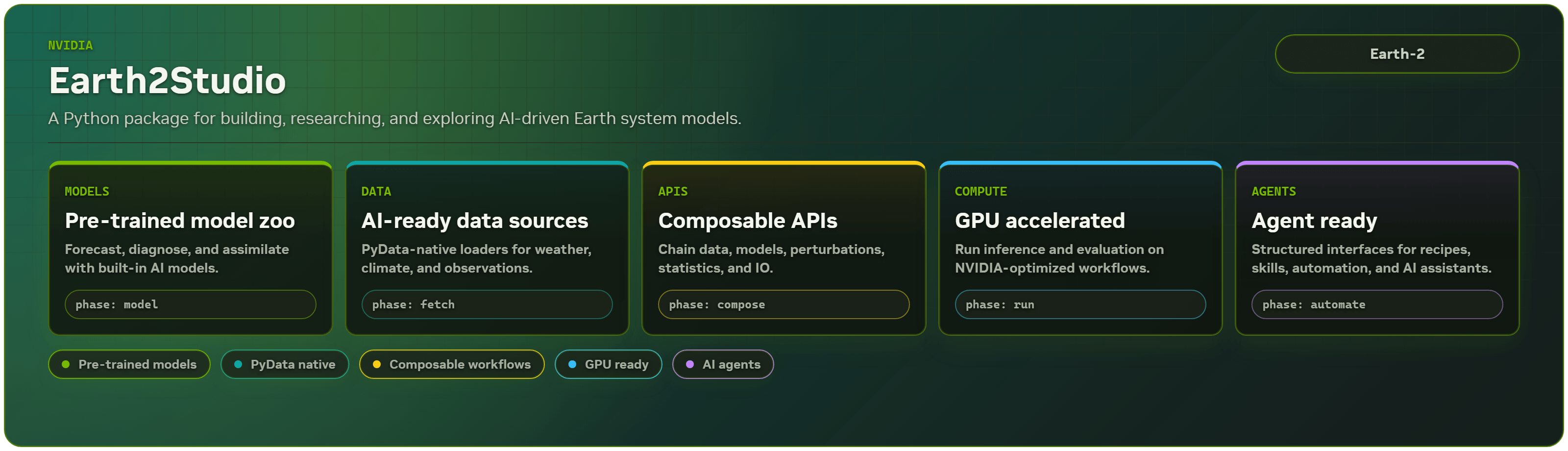
Earth2Studio is a Python-based package designed to get users up and running with AI Earth system models fast. Our mission is to enable everyone to build, research and explore AI driven weather and climate science.
- Earth2Studio Documentation -
Install | User-Guide | Examples | API
Quick start
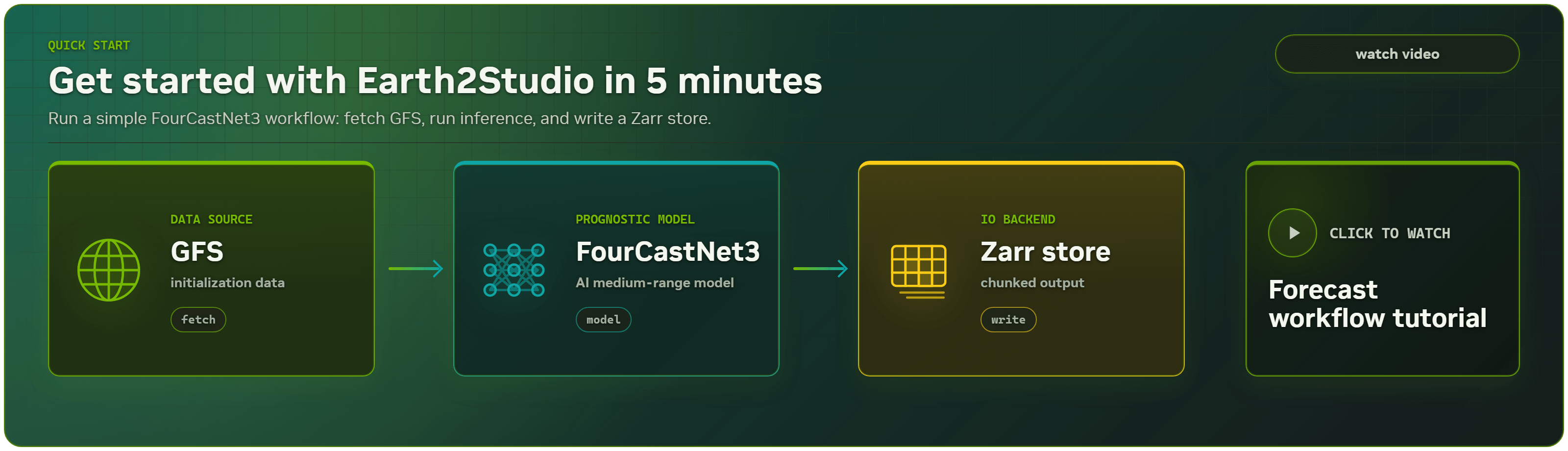
Running AI weather prediction can be done with just a few lines of code.
- For detailed installation steps, including model-specific installations, see the install guide.
- See the examples gallery providing different inference workflow samples.
- Swap out data sources or models depending on your use case!
Tutorial
Agent-assisted setup
Automate setup with your preferred coding agent using NVIDIA Earth2Studio skills. Install the Earth2Studio skill set, then ask your favorite agent (Claude, Codex, OpenCode, etc) to recommend a model, configure an environment, or run a first deterministic forecast. Find more Earth2Studio skills in the NVIDIA Skills catalog.
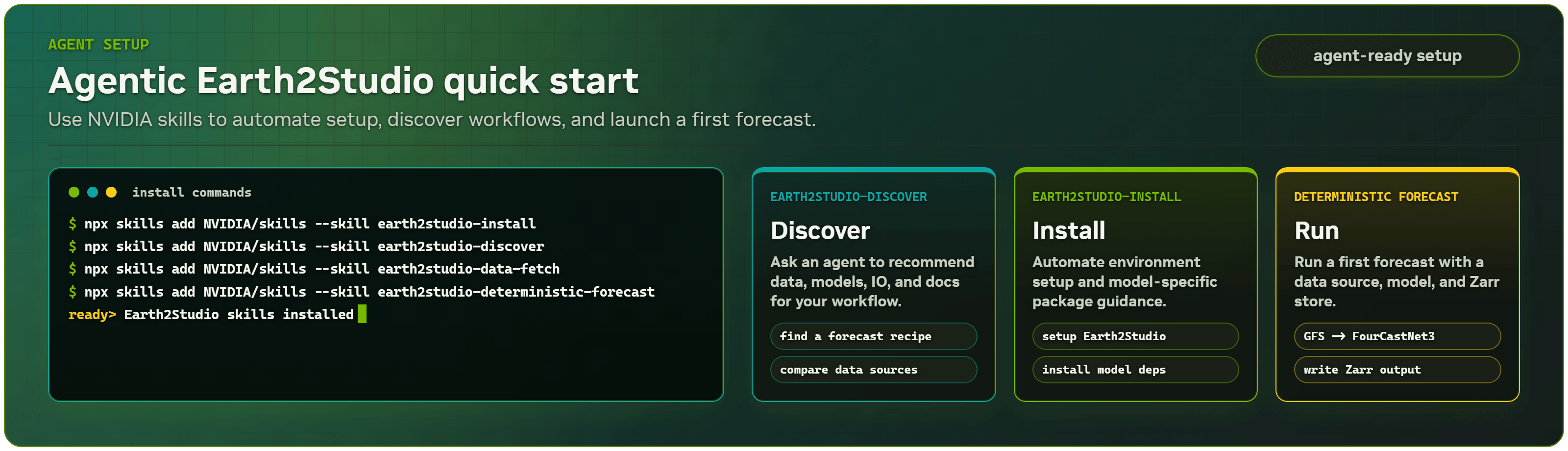
npx skills add NVIDIA/skills --skill earth2studio-install
npx skills add NVIDIA/skills --skill earth2studio-discover
npx skills add NVIDIA/skills --skill earth2studio-data-fetch
npx skills add NVIDIA/skills --skill earth2studio-deterministic-forecast
Example agent prompts:
Use the Earth2Studio discover skill to recommend a starter forecast workflow.
Use the Earth2Studio install skill to set up my environment for FourCastNet3 inference.
Create a script to fetch ERA5 surface winds data for March 2024.
Create a deterministic forecast workflow with GFS, FourCastNet3, and a Zarr output store.
NVIDIA FourCastNet3
from earth2studio.models.px import FCN3
from earth2studio.data import GFS
from earth2studio.io import ZarrBackend
from earth2studio.run import deterministic as run

model = FCN3.load_model(FCN3.load_default_package())
data = GFS()
io = ZarrBackend("outputs/fcn3_forecast.zarr")
run(["2025-01-01T00:00:00"], 10, model, data, io)
ECMWF AIFS
from earth2studio.models.px import AIFS
from earth2studio.data import IFS
from earth2studio.io import ZarrBackend
from earth2studio.run import deterministic as run

model = AIFS.load_model(AIFS.load_default_package())
data = IFS()
io = ZarrBackend("outputs/aifs_forecast.zarr")
run(["2025-01-01T00:00:00"], 10, model, data, io)
Google Graphcast
from earth2studio.models.px import GraphCastOperational
from earth2studio.data import GFS
from earth2studio.io import ZarrBackend
from earth2studio.run import deterministic as run

package = GraphCastOperational.load_default_package()
model = GraphCastOperational.load_model(package)
data = GFS()
io = ZarrBackend("outputs/graphcast_operational_forecast.zarr")
run(["2025-01-01T00:00:00"], 4, model, data, io)
[!IMPORTANT] Earth2Studio is an interface to third‑party models, checkpoints, and datasets. Licenses for these assets are owned by their providers. Ensure you have the rights to download, use, and (if applicable) redistribute each model and dataset. Links to the original license and source are often provided in the API docs for each model/data source.
Latest News
[!NOTE] As of version
0.14.0, Earth2Studio TOML default installs now target CUDA 13.
- Aurora v1.5, Microsoft Aurora v1.5 deterministic and ensemble model wrapper for global weather forecasting.
- StormCast CONUS, StormCast CONUS prognostic model for convective-scale forecasting over the contiguous United States.
- Dynamical.org Sources, a comprehensive suite of analysis and forecast data sources reading from anonymous Icechunk repositories (AIFS, GFS, GEFS, HRRR, MRMS, ICON-EU, IFS-ENS).
- EarthMover Data Sources, EarthMover ERA5 0.25-degree reanalysis and IFS 0.1-degree forecast sources hosted by BrightBand.
- StormScope NSRDB, solar irradiance (GHI) estimation diagnostic model.
For a complete list of latest features and improvements see the changelog.
Overview
Earth2Studio is an AI inference pipeline toolkit focused on weather and climate applications that is designed to ride on top of different AI frameworks, model architectures, data sources and SciML tooling while providing a unified API.
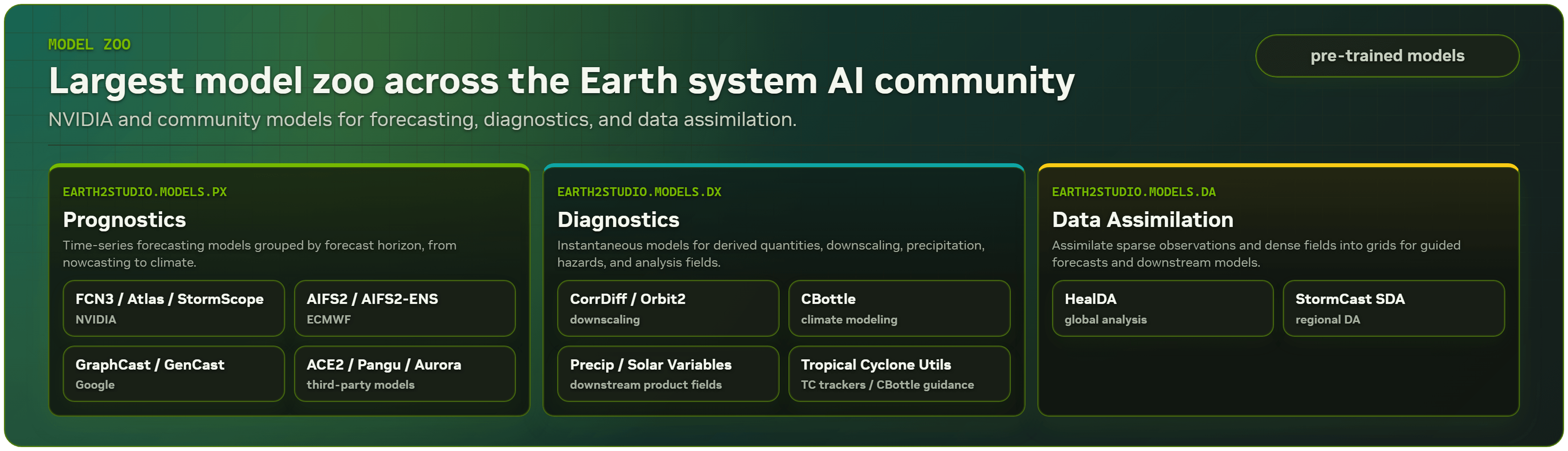
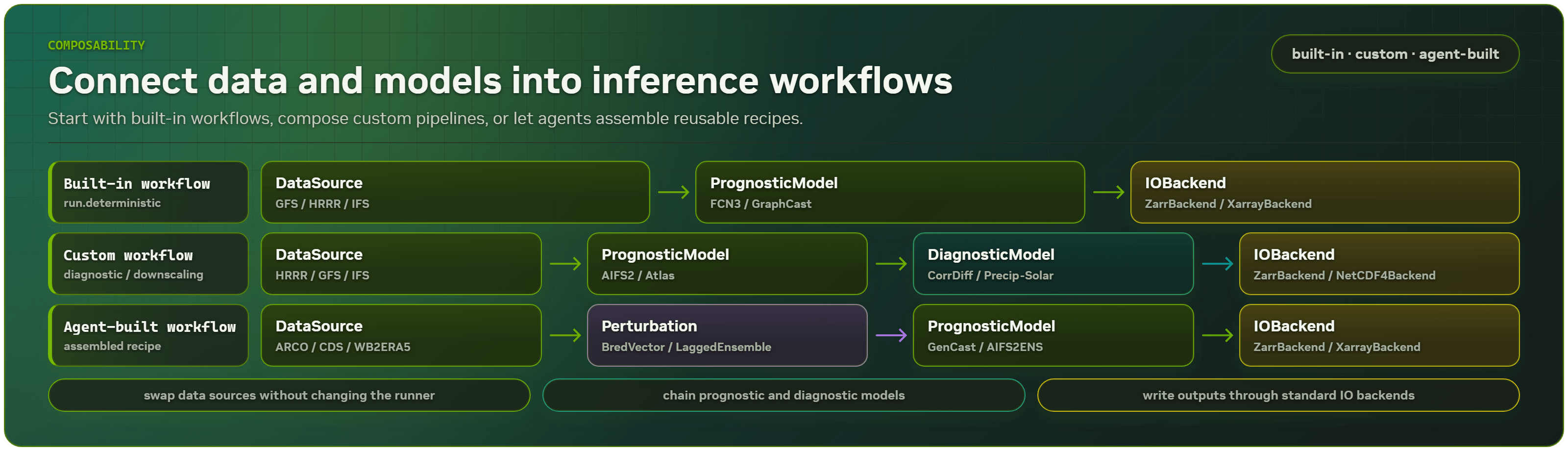
The composability of the different core components in Earth2Studio easily allows the development and deployment of increasingly complex pipelines that may chain multiple data sources, AI models and other modules together.
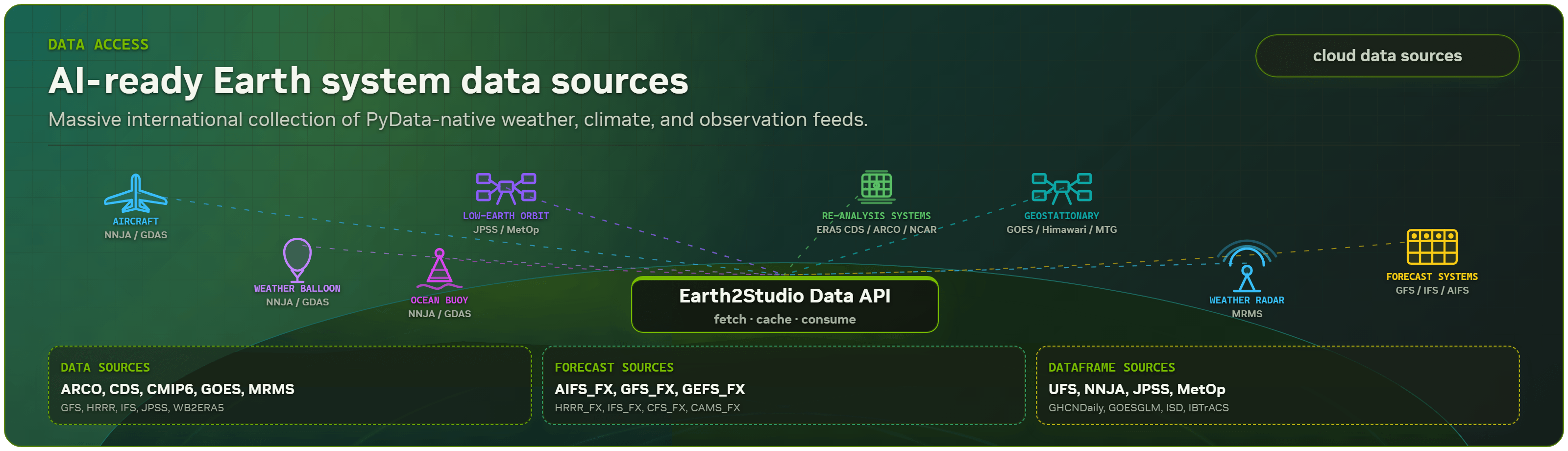
The unified ecosystem of Earth2Studio provides users the opportunity to rapidly swap out components for alternatives. In addition to the largest model zoo of weather/climate AI models, Earth2Studio is packed with useful functionality such as optimized data access to cloud data stores, statistical operations and more to accelerate your pipelines.
Earth-2 Open Models
Access state of the art Nvidia open models for climate and weather: Earth-2 Open Models. For training recipes for these models, see the PhysicsNeMo repository.
Contributors
Check out the contributing document for details about the technical requirements and the user guide for higher level philosophy, structure, and design.
License
Earth2Studio is provided under the Apache License 2.0, refer to the LICENSE file for full license text.
1 maintainer

Metadata
1 maintainer
Release files for earth2studio 0.18.0
For a detailed explanation of source distributions (sdists) and built distributions (wheels), please see the package formats documentation.
Source distribution (sdist)
| File | Size | Uploaded | |
|---|---|---|---|
| earth2studio-0.18.0.tar.gz | 879.5 kB | Details |
Built distribution (wheel)
| File | Interpreter | ABI | Platform | Reset |
|---|---|---|---|---|
| earth2studio-0.18.0-py3-none-any.whl | Python 3 | none | any | Details |
Total release size: 2.0 MB
Release files / earth2studio-0.18.0.tar.gz
| Download URL | earth2studio-0.18.0.tar.gz |
|---|---|
| Size | 879.5 kB |
| Tags | Source |
|
SHA-256 checksum How to use checksums |
10731fe449fadd6b83ca3d074db87df8497f417fbe83635f1989349f4b1218e2
|
|
BLAKE2b-256 checksum How to use checksums |
1efd176fb6847403ce846af65082010a53fa527ee61097ec71aa9d61c7f4f579
|
| Upload date | |
|
Uploaded using Trusted Publishing? What is trusted publishing? |
No |
| Uploaded via |
twine/7.0.0 CPython/3.14.7
|
Release files / earth2studio-0.18.0-py3-none-any.whl
| Download URL | earth2studio-0.18.0-py3-none-any.whl |
|---|---|
| Size | 1.1 MB |
| Tags | Python 3 |
|
SHA-256 checksum How to use checksums |
763c578cf8cde8e7f2a40c2a2f3ba09bc742f4e6e02be684e5570f47728f0f90
|
|
BLAKE2b-256 checksum How to use checksums |
164870fabcd6052929db22859d1cd355ecff27ad3e33a5a2277393f55b5d8f7e
|
| Upload date | |
|
Uploaded using Trusted Publishing? What is trusted publishing? |
No |
| Uploaded via |
twine/7.0.0 CPython/3.14.7
|














