
EcoCode — energy and performance profiler for source code (CLI core for the EcoCode VS Code extension)

Project description
EcoCode
Try the VS Code extension on Marketplace: EcoCode Insights

EcoCode is an open-source toolkit to measure the energy impact of your code, detect regressions, and guide more efficient optimizations.
In action
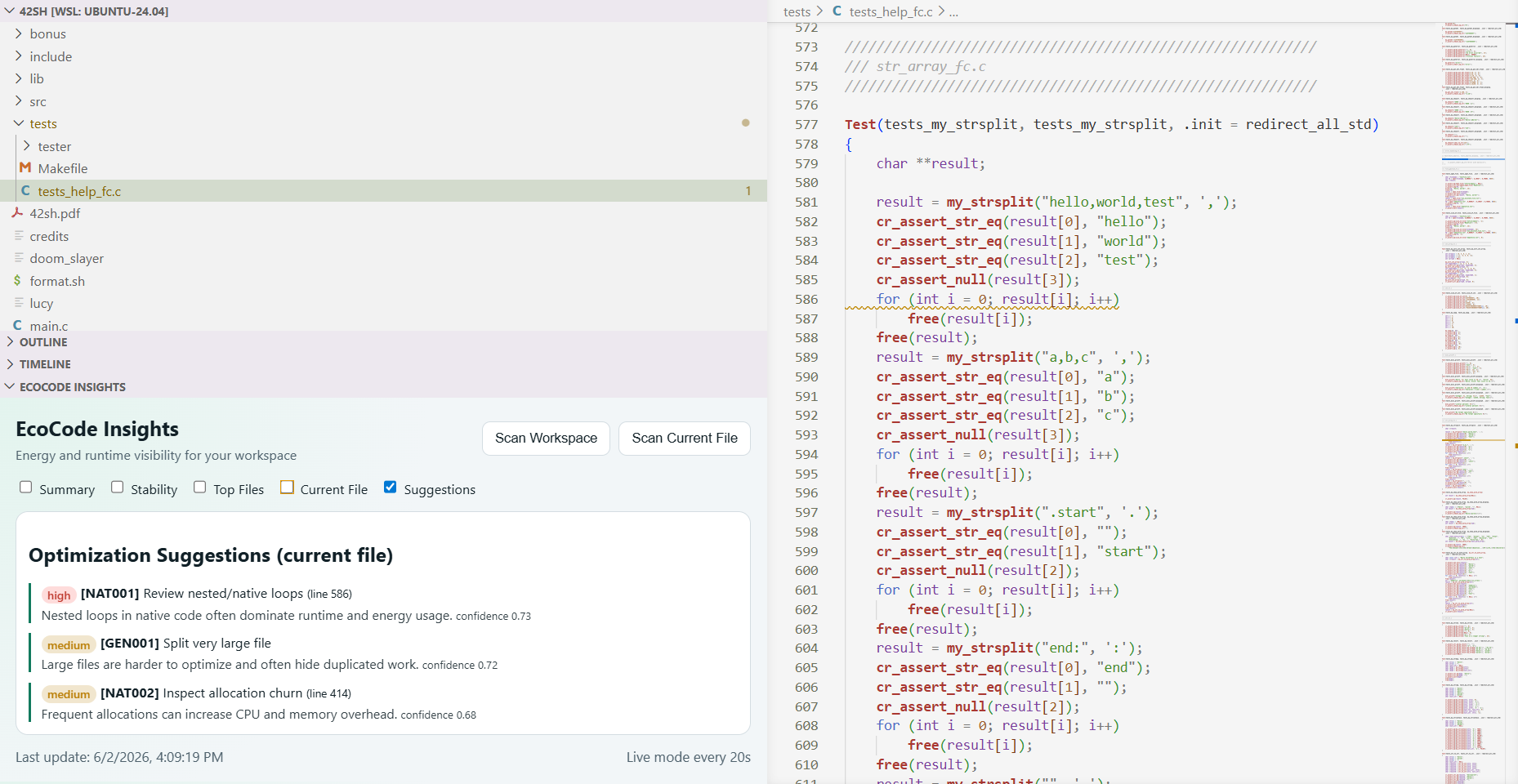
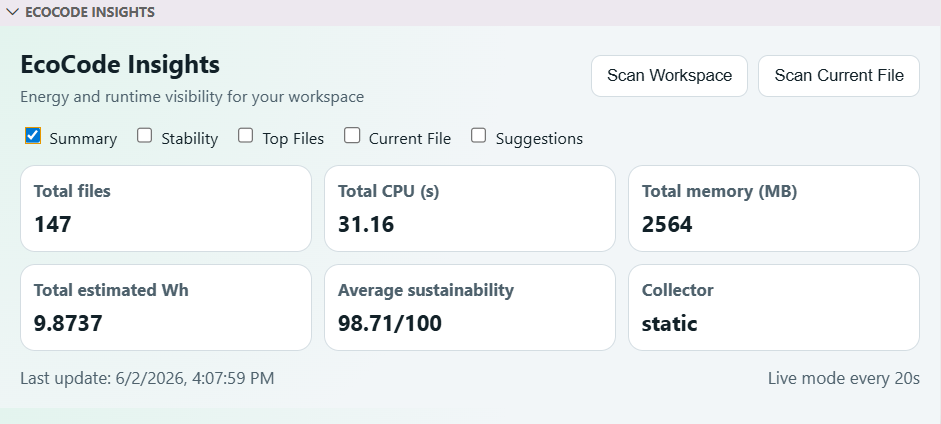
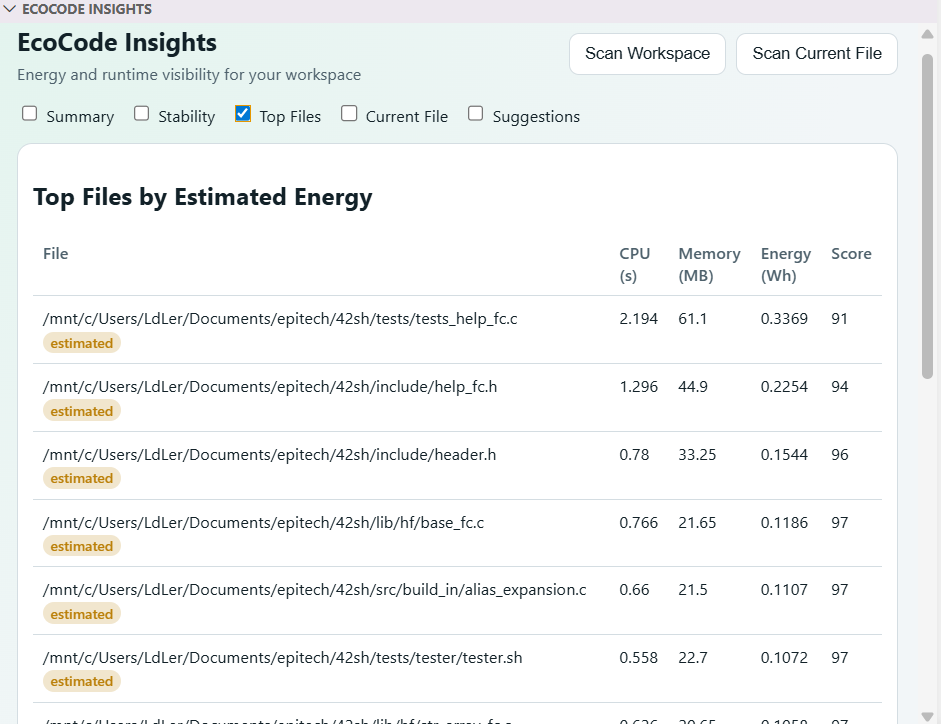
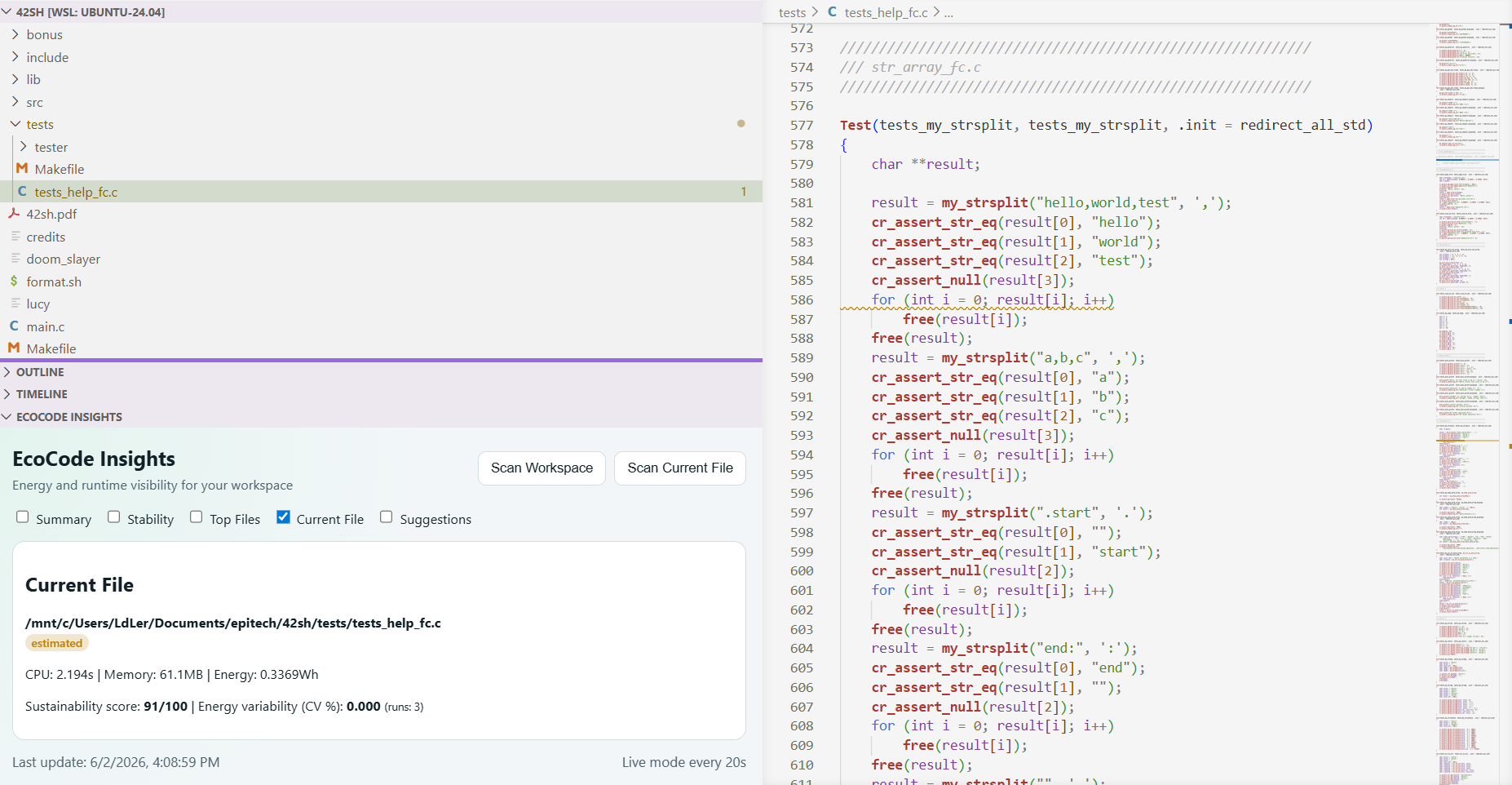
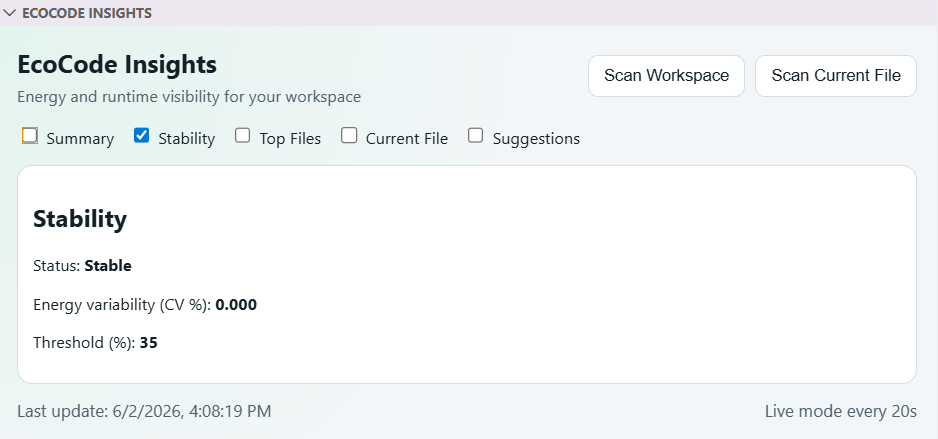
Inline optimization suggestions (squiggles + code actions), a workspace dashboard, and honest "measured vs estimated" labels.
Install
pipx install ecocode-cli
pipx installs the ecocode command on your PATH in an isolated environment (Python 3.10+). No pipx yet? sudo apt install pipx (Debian/Ubuntu) or python3 -m pip install --user pipx, then pipx ensurepath. Alternatively, install into a virtual environment: python3 -m venv .venv && .venv/bin/pip install ecocode-cli.
On Debian/Ubuntu/WSL, a plain
pip installinto the system Python is blocked by PEP 668 — use pipx or a venv.
A few examples:
ecocode profile path/to/script.py            # profile a single file
ecocode profile-repo --root .                # scan a whole repository
ecocode optimize suggest path/to/script.py   # optimization suggestions
Prefer a GUI? Install the VS Code extension — it drives the same CLI.
What this project is for?
EcoCode helps answer very practical questions:
- Is this script consuming more than before?
- Is a PR degrading performance and energy usage?
- Which files or code areas are the most expensive?
- Which optimizations should be prioritized first?
In practice, the CLI already lets you:
- profile a script (CPU, memory, estimated energy),
- create a baseline and compare future runs,
- scan an entire repository,
- track trends over time,
- generate optimization suggestions,
- export results for CI tooling (JSON/SARIF).
Why it is useful?
The project makes an often invisible topic visible: the runtime cost of software.
In a team workflow, this makes it easier to:
- compare changes with real numbers instead of guesswork,
- catch energy regressions before they reach production,
- add energy checks to CI the same way we already gate tests and linting,
- improve performance and reliability without losing sight of sustainability.
Where we are going?
The goal is to become a reference platform for sustainable software engineering:
- increasingly reliable, cross-platform runtime measurement,
- deeper repository analysis,
- smarter optimization recommendations,
- simpler integration into team workflows.
AI suggestions are optional
EcoCode works fully offline with deterministic, rule-based suggestions — no API key needed. AI-powered suggestions are opt-in, configured in ecocode.toml:
- Local (Ollama): a model runs on your machine; your code never leaves it; no key. The endpoint is configurable via
ECOCODE_OLLAMA_BASE_URL(HTTP or HTTPS). - Remote (Anthropic): higher quality, but your source is sent to the API, so it needs your own key via the
ECOCODE_LLM_API_KEYenvironment variable. The key is read only from the environment — never stored inecocode.toml, VS Code settings, or the repository.
export ECOCODE_LLM_API_KEY="sk-ant-..." # only needed for the remote provider
Full documentation
If you want full details (commands, outputs, examples, roadmap, etc.), see the complete project documentation:
Contributing
If the project interests you and you want to help:
You can:
- propose new features,
- add new functionality,
- fix potential issues and bugs,
- improve the app's reliability,
- submit pull requests.
See also:
Release history Release notifications | RSS feed


Download files
Download the file for your platform. If you're not sure which to choose, learn more about installing packages.
Source Distribution
Built Distribution
Filter files by name, interpreter, ABI, and platform.
If you're not sure about the file name format, learn more about wheel file names.
Copy a direct link to the current filters
File details
Details for the file ecocode_cli-0.2.2.tar.gz.
File metadata
- Download URL: ecocode_cli-0.2.2.tar.gz
- Upload date:
- Size: 46.1 kB
- Tags: Source
- Uploaded using Trusted Publishing? No
- Uploaded via: twine/6.2.0 CPython/3.12.3
File hashes
| Algorithm | Hash digest | |
|---|---|---|
| SHA256 |
920526cff9428c4469a3f4f2ab66a0f34e551b91619a80e1762c0928e770f41b
|
|
| MD5 |
02a1ff79f1e9313f3e7a407f653d53cc
|
|
| BLAKE2b-256 |
df695e56dd33dda0c8447eb181fd40ca4d6feb4b080a6012b5c162519a263d1d
|
File details
Details for the file ecocode_cli-0.2.2-py3-none-any.whl.
File metadata
- Download URL: ecocode_cli-0.2.2-py3-none-any.whl
- Upload date:
- Size: 44.9 kB
- Tags: Python 3
- Uploaded using Trusted Publishing? No
- Uploaded via: twine/6.2.0 CPython/3.12.3
File hashes
| Algorithm | Hash digest | |
|---|---|---|
| SHA256 |
2c7d4a4ba54b2dbc88a37189a8124a5dce37e142e1cbe3b11608cbafd13c53ee
|
|
| MD5 |
e4d633c5afb02265b88f41eb5aac6e97
|
|
| BLAKE2b-256 |
da71576b14d825843c69af8a236cbe364c01618d74d8d48b443cd8e9183bd3fa
|






