
Welcome to eefolium










A Python package for interactive mapping with Google Earth Engine, ipyleaflet, and ipywidgets.
- GitHub repo: https://github.com/giswqs/eefolium
- Documentation: https://eefolium.org
- PyPI: https://pypi.org/project/eefolium
- Conda-forge: https://anaconda.org/conda-forge/eefolium
- 360+ GEE notebook examples: https://github.com/giswqs/earthengine-py-notebooks
- GEE Tutorials on YouTube: https://www.youtube.com/c/QiushengWu
- Free software: MIT license
Introduction
eefolium is a Python package for interactive mapping with Google Earth Engine (GEE), which is a cloud computing platform with a multi-petabyte catalog of satellite imagery and geospatial datasets. During the past few years, GEE has become very popular in the geospatial community and it has empowered numerous environmental applications at local, regional, and global scales. GEE provides both JavaScript and Python APIs for making computational requests to the Earth Engine servers. Compared with the comprehensive documentation and interactive IDE (i.e., GEE JavaScript Code Editor) of the GEE JavaScript API, the GEE Python API has relatively little documentation and limited functionality for visualizing results interactively. The eefolium Python package was created to fill this gap. It is built upon ipyleaflet and ipywidgets, and enables users to analyze and visualize Earth Engine datasets interactively within a Jupyter-based environment.
eefolium is intended for students and researchers, who would like to utilize the Python ecosystem of diverse libraries and tools to explore Google Earth Engine. It is also designed for existing GEE users who would like to transition from the GEE JavaScript API to Python API. The automated JavaScript-to-Python conversion module of the eefolium package can greatly reduce the time needed to convert existing GEE JavaScripts to Python scripts and Jupyter notebooks.
For video tutorials and notebook examples, please visit the examples page. For complete documentation on eefolium modules and methods, please visit the API Reference.
If you find eefolium useful in your research, please consider citing the following papers to support my work. Thank you for your support.
- Wu, Q., (2020). eefolium: A Python package for interactive mapping with Google Earth Engine. The Journal of Open Source Software, 5(51), 2305. https://doi.org/10.21105/joss.02305
- Wu, Q., Lane, C. R., Li, X., Zhao, K., Zhou, Y., Clinton, N., DeVries, B., Golden, H. E., & Lang, M. W. (2019). Integrating LiDAR data and multi-temporal aerial imagery to map wetland inundation dynamics using Google Earth Engine. Remote Sensing of Environment, 228, 1-13. https://doi.org/10.1016/j.rse.2019.04.015 (pdf | source code)
Key Features
Below is a partial list of features available for the eefolium package. Please check the examples page for notebook examples, GIF animations, and video tutorials.
- Convert Earth Engine JavaScripts to Python scripts and Jupyter notebooks.
- Display Earth Engine data layers for interactive mapping.
- Support Earth Engine JavaScript API-styled functions in Python, such as
Map.addLayer(),Map.setCenter(),Map.centerObject(),Map.setOptions(). - Create split-panel maps with Earth Engine data.
- Retrieve Earth Engine data interactively using the Inspector Tool.
- Interactive plotting of Earth Engine data by simply clicking on the map.
- Convert data format between GeoJSON and Earth Engine.
- Use drawing tools to interact with Earth Engine data.
- Use shapefiles with Earth Engine without having to upload data to one's GEE account.
- Export Earth Engine FeatureCollection to other formats (i.e., shp, csv, json, kml, kmz).
- Export Earth Engine Image and ImageCollection as GeoTIFF.
- Extract pixels from an Earth Engine Image into a 3D numpy array.
- Calculate zonal statistics by group.
- Add a customized legend for Earth Engine data.
- Convert Earth Engine JavaScripts to Python code directly within Jupyter notebook.
- Add animated text to GIF images generated from Earth Engine data.
- Add colorbar and images to GIF animations generated from Earth Engine data.
- Create Landsat timelapse animations with animated text using Earth Engine.
- Search places and datasets from Earth Engine Data Catalog.
- Use timeseries inspector to visualize landscape changes over time.
- Export Earth Engine maps as HTML files and PNG images.
- Search Earth Engine API documentation within Jupyter notebooks.
- Import Earth Engine assets from personal account.
- Publish interactive GEE maps directly within Jupyter notebook.
- Add local raster datasets (e.g., GeoTIFF) to the map.
- Perform image classification and accuracy assessment.
- Extract pixel values interactively and export as shapefile and csv.
YouTube Channel
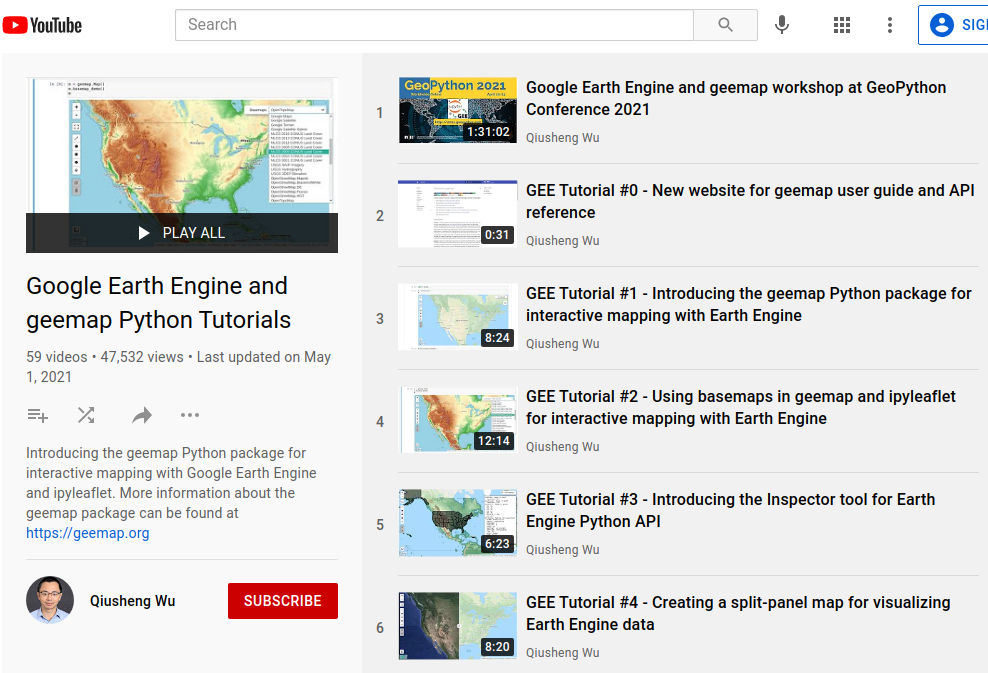
I have created a YouTube Channel for sharing eefolium tutorials. You can subscribe to my channel for regular updates. If there is any specific tutorial you would like to see, please submit a feature request here.
1 maintainer

Metadata
1 maintainer
Release files for eefolium 0.2.0
For a detailed explanation of source distributions (sdists) and built distributions (wheels), please see the package formats documentation.
Source distribution (sdist)
| File | Size | Uploaded | |
|---|---|---|---|
| eefolium-0.2.0.tar.gz | 49.1 kB | Details |
Built distribution (wheel)
| File | Interpreter | ABI | Platform | Reset |
|---|---|---|---|---|
| eefolium-0.2.0-py2.py3-none-any.whl | Python 3, Python 2 | none | any | Details |
Total release size: 96.1 kB
Release files / eefolium-0.2.0.tar.gz
| Download URL | eefolium-0.2.0.tar.gz |
|---|---|
| Size | 49.1 kB |
| Tags | Source |
|
SHA-256 checksum How to use checksums |
040e1deae7e373fe94c148f6d0e5257731d92b3b2717be1cb666397cb4de1278
|
|
BLAKE2b-256 checksum How to use checksums |
74f65cb30d29913bc7d638fb16a17d6ef3a528c64d4529fc7cf70fc34b94f022
|
| Upload date | |
|
Uploaded using Trusted Publishing? What is trusted publishing? |
No |
| Uploaded via |
twine/4.0.2 CPython/3.11.5
|
Release files / eefolium-0.2.0-py2.py3-none-any.whl
| Download URL | eefolium-0.2.0-py2.py3-none-any.whl |
|---|---|
| Size | 46.9 kB |
| Tags | Python 2 Python 3 |
|
SHA-256 checksum How to use checksums |
803af871f8a163dc08ace91b880d7d5191caf9102c257196cf3204fc6165ba28
|
|
BLAKE2b-256 checksum How to use checksums |
c9c3a5b780f1322cff386b5c810f57e0a4496e8f3b3834697c215d7b70155f91
|
| Upload date | |
|
Uploaded using Trusted Publishing? What is trusted publishing? |
No |
| Uploaded via |
twine/4.0.2 CPython/3.11.5
|














