
Eidos MCP Registry
MCP server management for professional developers who work across dozens or hundreds of repos.
You have 20+ MCP servers installed. You work across 100+ repos. Every server in ~/.claude.json leaks into every project — your staging credentials visible in client repos, your internal tools cluttering projects that don't need them, Claude burning thousands of tokens evaluating tools it will never use and picking the wrong one because it's choosing from 200+ options instead of 20.
Editing .mcp.json by hand in every repo doesn't scale. The Eidos MCP Registry gives you a single local UI to organize MCP servers into groups, deploy scoped configs across all your repos at once, and enforce that servers only appear where they belong.
Built for Claude Code. Open source. Free.
What It Does
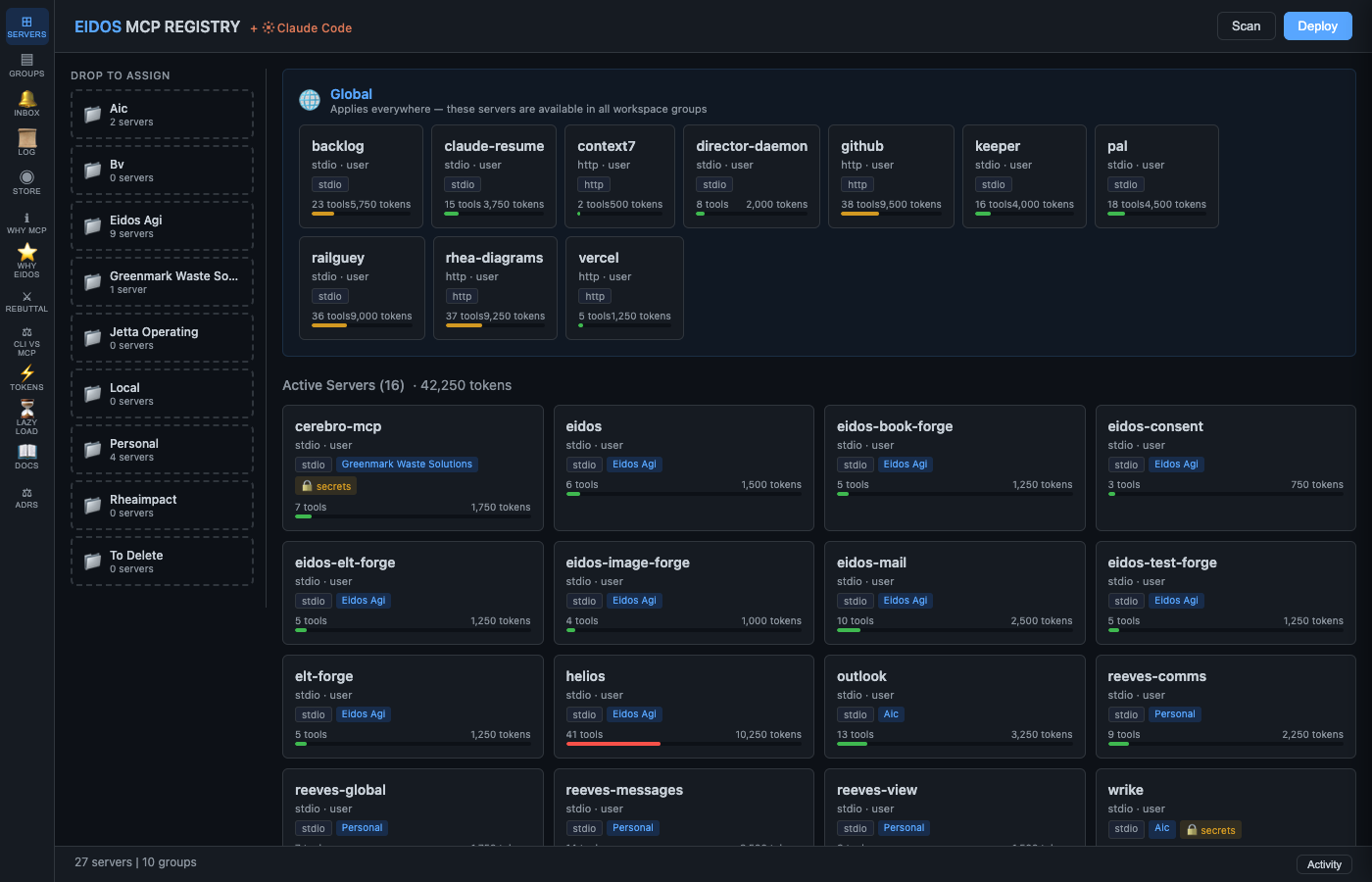
- Group-based scoping — organize servers by client, team, or project. Client A's repos only see Client A's tools.
- One-click deploy — write
.mcp.jsonto every repo in a group. Merge-safe: your hand-edits are preserved. - Secrets masking — API keys are automatically replaced with
${VAR}references. Secrets never touch disk. - Scope Audit — instantly see which servers are leaking to unintended projects. One-click Promote to fix.
- Token budget visualization — see exactly how many tokens you're burning on tool schemas and how much scoping saves.
- Detection scans — automated drift, health, new-repo, gitignore, and tracked-despite-gitignore checks.
- Snapshot + rollback — every deploy creates a restore point. One click to undo.
- Notification inbox — prioritized alerts with approve/dismiss and audit proof.
- Server catalog — completeness scoring (A–F), auto-enrichment from filesystem.
- 280+ tests — unit, API, and E2E (Playwright). This isn't a weekend project.
The Lifecycle
Scan → Assign → Deploy → Promote
- Scan — discovers servers from
claude mcp list,~/.claude.json, and project.mcp.jsonfiles - Assign — drag servers into groups (each group maps to a set of repos)
- Deploy — write
.mcp.jsonfiles to every repo in a group (with merge safety, secrets masking, and snapshots) - Promote — remove deployed servers from
~/.claude.jsonso they only exist where assigned
Screenshots
| Servers | Token Budget |
|---|---|
 |
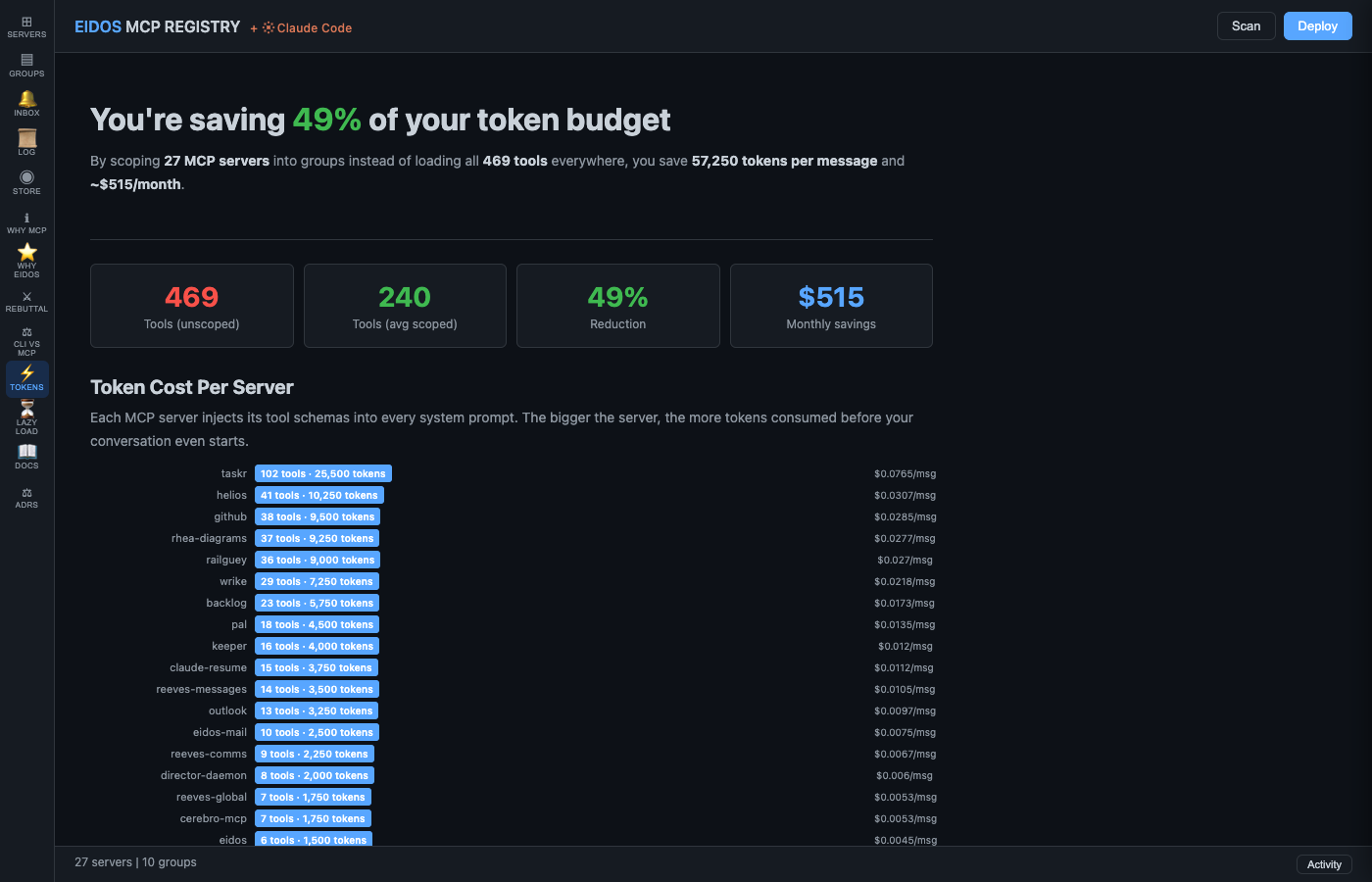 |
| Drag servers into groups. Token bars show per-server cost. Scope Audit flags leaking servers. | See exactly how much scoping saves — per-server costs, group budgets, monthly savings. |
| Groups | Documentation |
|---|---|
 |
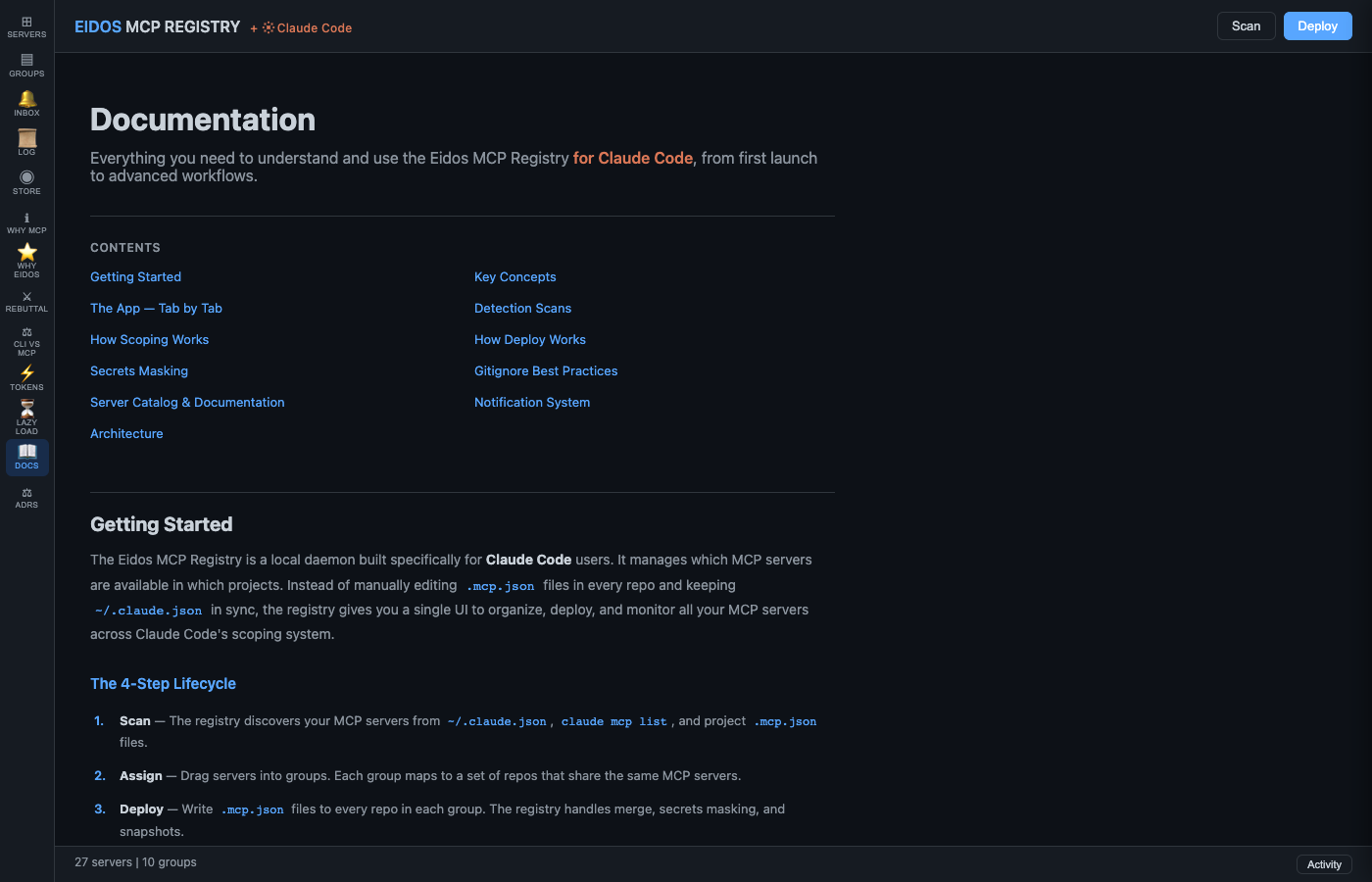 |
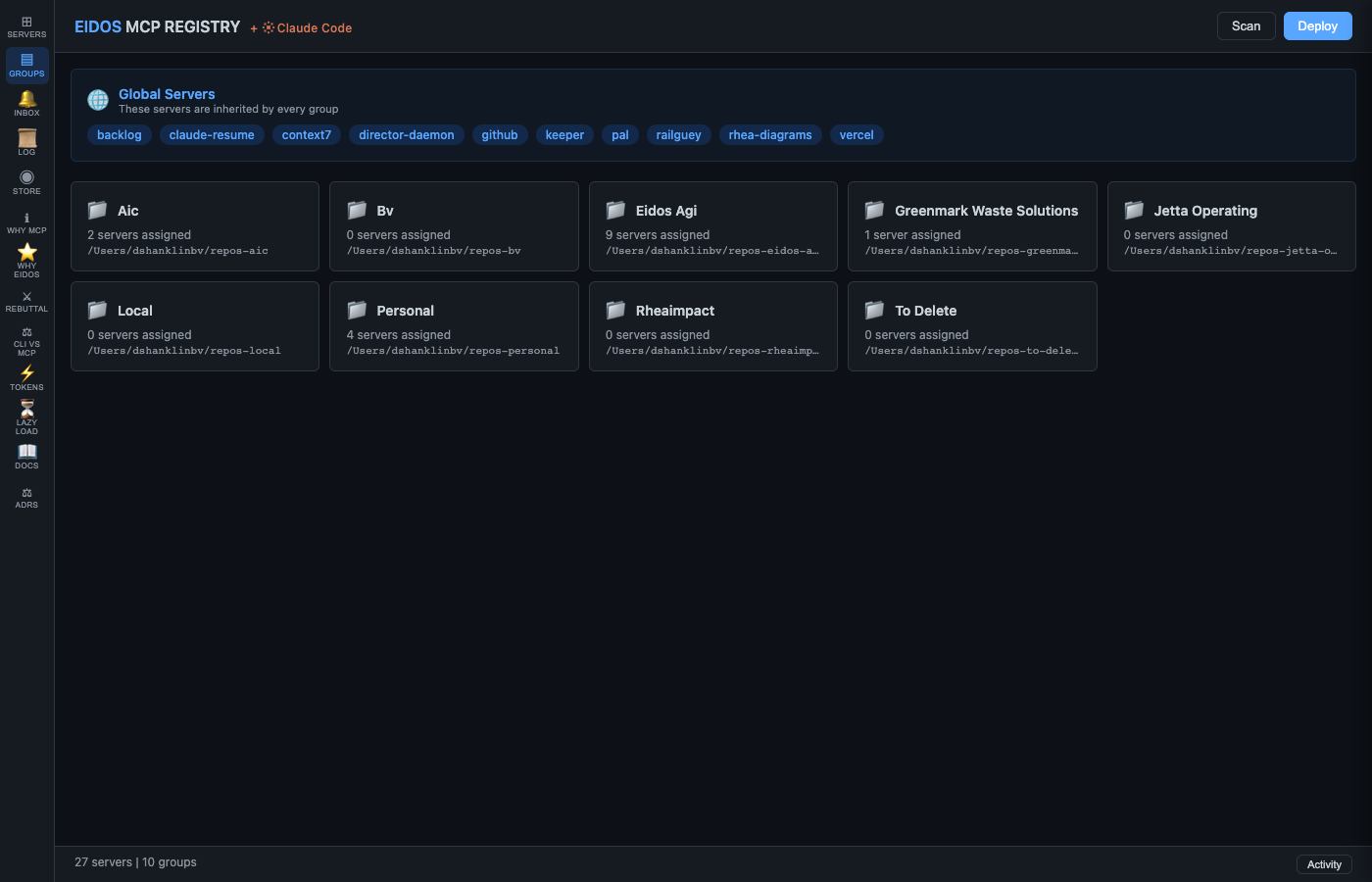
| Manage groups, deploy to repos, rollback, and check gitignore status. | 11-section structured guide with clickable TOC. |
Install
Requires Python 3.11+ and Claude Code.
pip install eidos-mcp-registry
Or from source:
git clone https://github.com/eidos-agi/eidos-mcp-registry.git
cd eidos-mcp-registry/daemon
pip install -e .
Usage
mcp-registry serve           # Start daemon on :19285
mcp-registry open            # Open UI in browser
mcp-registry scan            # Discover MCP servers
mcp-registry deploy          # Deploy .mcp.json to all groups
mcp-registry deploy --dry-run  # Preview without writing
mcp-registry status          # Show registry state
Architecture
daemon/
└── mcp_registry/
    ├── server.py          # FastAPI REST + SSE on :19285
    ├── store.py           # Thread-safe state + JSON persistence
    ├── scanner.py         # Discovery: CLI + config + repo dirs
    ├── deployer.py        # .mcp.json merge, mask, deploy, rollback
    ├── detector.py        # 5 detection scan engines
    ├── health.py          # Background health polling
    ├── notifications.py   # Inbox with priorities + deduplication
    ├── catalog.py         # Server metadata + completeness scoring
    ├── deploy_history.py  # Snapshot + rollback
    ├── activity.py        # Ring buffer event log
    ├── renderer.py        # HTML/CSS as Python constant
    └── static/js/         # ES module frontend (uhtml SPA)
Tests
cd daemon
pip install -e ".[test]"
pytest
About Eidos AGI
Eidos AGI is a research lab founded by Daniel Shanklin. We build open-source tools that put humans in the cockpit of AI systems — not behind them, not removed from them.
The cockpit thesis: the correct relationship between human and AI is neither a chat box (vending machine) nor full autonomy (drone). It's a cockpit — human and AI as a unit, where intent flows in and capability flows out. The AGI earns autonomy through demonstrated competence over time. The human decides when the cockpit is empty.
- Eidos Philosophy — the architectural thinking behind Eidos
- Eidos v5 — multi-model Socratic deliberation system
License
MIT
1 maintainer

Metadata
1 maintainer
Release files for eidos-mcp-registry 0.1.0
For a detailed explanation of source distributions (sdists) and built distributions (wheels), please see the package formats documentation.
Source distribution (sdist)
| File | Size | Uploaded | Provenance | |
|---|---|---|---|---|
| eidos_mcp_registry-0.1.0.tar.gz | 164.2 kB | Without provenance | Details |
Built distribution (wheel)
| File | Interpreter | ABI | Platform | Reset |
|---|---|---|---|---|
| eidos_mcp_registry-0.1.0-py3-none-any.whl | Python 3 | none | any | Details |
Total release size: 313.2 kB
Release files / eidos_mcp_registry-0.1.0.tar.gz
| Download URL | eidos_mcp_registry-0.1.0.tar.gz |
|---|---|
| Size | 164.2 kB |
| Tags | Source |
|
SHA-256 checksum How to use checksums |
29b6ca6ad44980e5410d645d446eb3c6f0d6e1c6b96185303d82fffa331b2259
|
|
BLAKE2b-256 checksum How to use checksums |
8589bf151cee5be7b517bbef0d9460ba3cc0c8d16c3a10c8a7c1ba66e7a5d6c5
|
| Upload date | |
|
Uploaded using Trusted Publishing? What is trusted publishing? |
No |
| Uploaded via |
twine/6.2.0 CPython/3.12.7
|
Release files / eidos_mcp_registry-0.1.0-py3-none-any.whl
| Download URL | eidos_mcp_registry-0.1.0-py3-none-any.whl |
|---|---|
| Size | 149.1 kB |
| Tags | Python 3 |
|
SHA-256 checksum How to use checksums |
9b042b71780b0276cd5c15e843d01cdde3aeb60ba124d35938340643cecaf2c0
|
|
BLAKE2b-256 checksum How to use checksums |
7ee7ce1065ee67db511443ce78ef2b0b8724b5dffe2e50422d40f861a7010ed0
|
| Upload date | |
|
Uploaded using Trusted Publishing? What is trusted publishing? |
No |
| Uploaded via |
twine/6.2.0 CPython/3.12.7
|
Security for eidos-mcp-registry 0.1.0
Provenance
Provenance describes where a file came from. On PyPI, provenance is shared via attestations, which provide a verifiable record of the build or publishing details. View details, limitations and caveats.
No provenance found
None of the files in this release were uploaded with provenance metadata.
A note on package security
PyPI is a repository for distributing packages, not a service for auditing them. While third-party security researchers and our staff do their best to detect and remove malicious packages, PyPI cannot guarantee the quality, security or suitability of any given package.
To learn more about protecting yourself from malicious actors, visit our package security documentation.













