
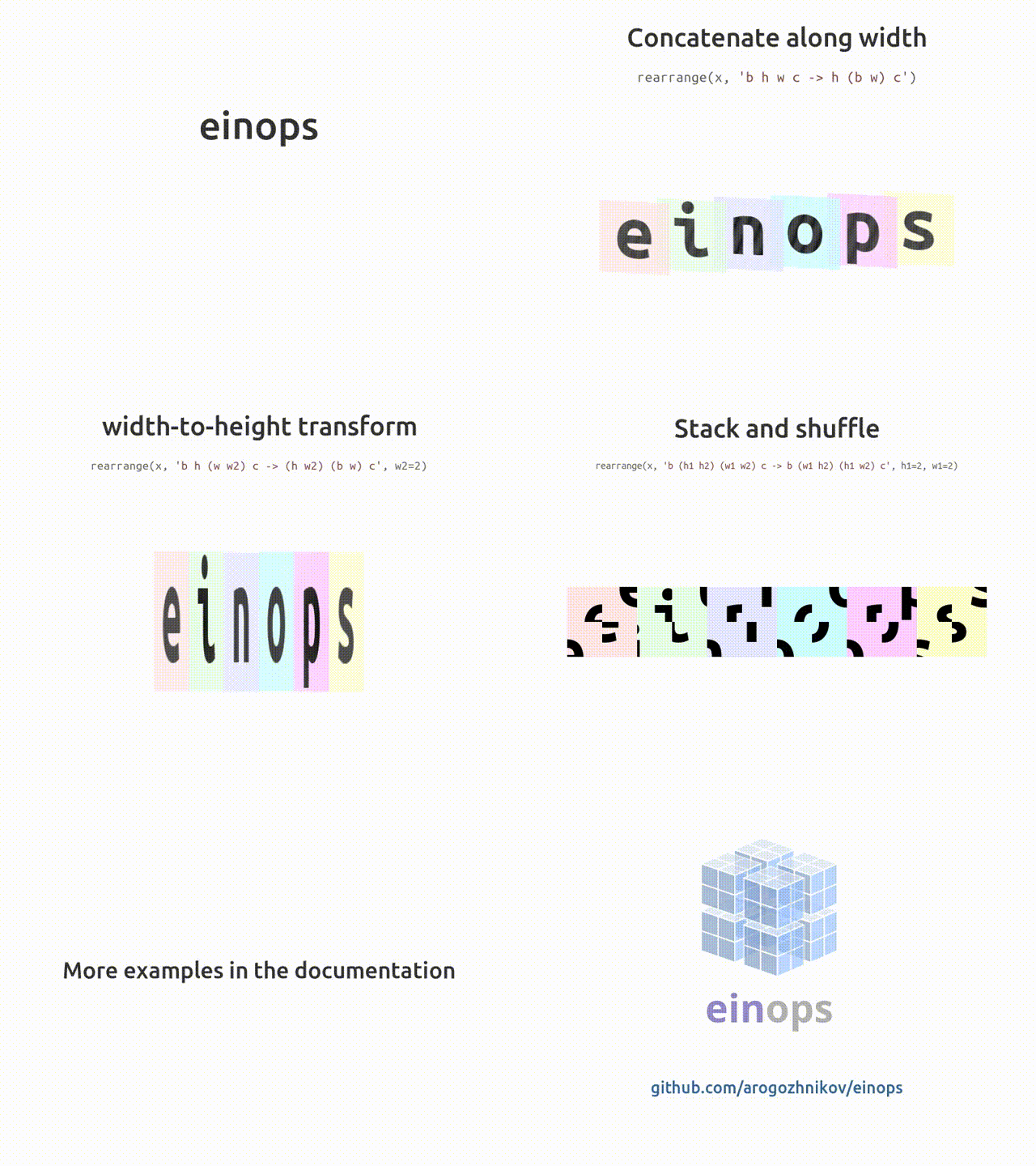
einops




Flexible and powerful tensor operations for readable and reliable code. Supports numpy, pytorch, tensorflow, jax, and others.
Recent updates:
- torch.jit.script is supported for pytorch layers
- powerful EinMix added to einops. Einmix tutorial notebook
Tweets
In case you need convincing arguments for setting aside time to learn about einsum and einops... Tim Rocktäschel, FAIR
Writing better code with PyTorch and einops 👌 Andrej Karpathy, AI at Tesla
Slowly but surely, einops is seeping in to every nook and cranny of my code. If you find yourself shuffling around bazillion dimensional tensors, this might change your life Nasim Rahaman, MILA (Montreal)
Contents
- Installation
- Documentation
- Tutorial
- API micro-reference
- Why using einops
- Supported frameworks
- Contributing
- Repository and discussions
Installation
Plain and simple:
pip install einops
Tutorials
Tutorials are the most convenient way to see einops in action
- part 1: einops fundamentals
- part 2: einops for deep learning
- part 3: improve pytorch code with einops
API
einops has a minimalistic yet powerful API.
Three operations provided (einops tutorial shows those cover stacking, reshape, transposition, squeeze/unsqueeze, repeat, tile, concatenate, view and numerous reductions)
from einops import rearrange, reduce, repeat
# rearrange elements according to the pattern
output_tensor = rearrange(input_tensor, 't b c -> b c t')
# combine rearrangement and reduction
output_tensor = reduce(input_tensor, 'b c (h h2) (w w2) -> b h w c', 'mean', h2=2, w2=2)
# copy along a new axis
output_tensor = repeat(input_tensor, 'h w -> h w c', c=3)
And two corresponding layers (einops keeps a separate version for each framework) with the same API.
from einops.layers.chainer import Rearrange, Reduce
from einops.layers.gluon import Rearrange, Reduce
from einops.layers.keras import Rearrange, Reduce
from einops.layers.torch import Rearrange, Reduce
from einops.layers.tensorflow import Rearrange, Reduce
Layers behave similarly to operations and have the same parameters (with the exception of the first argument, which is passed during call)
layer = Rearrange(pattern, **axes_lengths)
layer = Reduce(pattern, reduction, **axes_lengths)

# apply created layer to a tensor / variable
x = layer(x)
Example of using layers within a model:
# example given for pytorch, but code in other frameworks is almost identical
from torch.nn import Sequential, Conv2d, MaxPool2d, Linear, ReLU
from einops.layers.torch import Rearrange

model = Sequential(
    Conv2d(3, 6, kernel_size=5),
    MaxPool2d(kernel_size=2),
    Conv2d(6, 16, kernel_size=5),
    MaxPool2d(kernel_size=2),
    # flattening
    Rearrange('b c h w -> b (c h w)'),
    Linear(16*5*5, 120),
    ReLU(),
    Linear(120, 10),
)
Naming
einops stands for Einstein-Inspired Notation for operations
(though "Einstein operations" is more attractive and easier to remember).
Notation was loosely inspired by Einstein summation (in particular by numpy.einsum operation).
Why use einops notation?!
Semantic information (being verbose in expectations)
y = x.view(x.shape[0], -1)
y = rearrange(x, 'b c h w -> b (c h w)')
While these two lines are doing the same job in some context,
the second one provides information about the input and output.
In other words, einops focuses on interface: what is the input and output, not how the output is computed.
The next operation looks similar:
y = rearrange(x, 'time c h w -> time (c h w)')
but it gives the reader a hint: this is not an independent batch of images we are processing, but rather a sequence (video).
Semantic information makes the code easier to read and maintain.
Convenient checks
Reconsider the same example:
y = x.view(x.shape[0], -1) # x: (batch, 256, 19, 19)
y = rearrange(x, 'b c h w -> b (c h w)')
The second line checks that the input has four dimensions, but you can also specify particular dimensions. That's opposed to just writing comments about shapes since comments don't work and don't prevent mistakes as we know
y = x.view(x.shape[0], -1) # x: (batch, 256, 19, 19)
y = rearrange(x, 'b c h w -> b (c h w)', c=256, h=19, w=19)
Result is strictly determined
Below we have at least two ways to define the depth-to-space operation
# depth-to-space
rearrange(x, 'b c (h h2) (w w2) -> b (c h2 w2) h w', h2=2, w2=2)
rearrange(x, 'b c (h h2) (w w2) -> b (h2 w2 c) h w', h2=2, w2=2)
There are at least four more ways to do it. Which one is used by the framework?
These details are ignored, since usually it makes no difference, but it can make a big difference (e.g. if you use grouped convolutions in the next stage), and you'd like to specify this in your code.
Uniformity
reduce(x, 'b c (x dx) -> b c x', 'max', dx=2)
reduce(x, 'b c (x dx) (y dy) -> b c x y', 'max', dx=2, dy=3)
reduce(x, 'b c (x dx) (y dy) (z dz) -> b c x y z', 'max', dx=2, dy=3, dz=4)
These examples demonstrated that we don't use separate operations for 1d/2d/3d pooling, those are all defined in a uniform way.
Space-to-depth and depth-to space are defined in many frameworks but how about width-to-height? Here you go:
rearrange(x, 'b c h (w w2) -> b c (h w2) w', w2=2)
Framework independent behavior
Even simple functions are defined differently by different frameworks
y = x.flatten() # or flatten(x)
Suppose x's shape was (3, 4, 5), then y has shape ...
- numpy, cupy, chainer, pytorch:
(60,) - keras, tensorflow.layers, mxnet and gluon:
(3, 20)
einops works the same way in all frameworks.
Independence of framework terminology
Example: tile vs repeat causes lots of confusion. To copy image along width:
np.tile(image, (1, 2))    # in numpy
image.repeat(1, 2)        # pytorch's repeat ~ numpy's tile
With einops you don't need to decipher which axis was repeated:
repeat(image, 'h w -> h (tile w)', tile=2)  # in numpy
repeat(image, 'h w -> h (tile w)', tile=2)  # in pytorch
repeat(image, 'h w -> h (tile w)', tile=2)  # in tf
repeat(image, 'h w -> h (tile w)', tile=2)  # in jax
repeat(image, 'h w -> h (tile w)', tile=2)  # in mxnet
... (etc.)
Testimonials provide user's perspective on the same question.
Supported frameworks
Einops works with ...
Contributing
Best ways to contribute are
- spread the word about
einops - if you like explaining things, more tutorials/tear-downs of implementations is welcome
- tutorials in other languages are very welcome
- do you have project/code example to share? Let me know in github discussions
- use
einopsin your papers!
Supported python versions
einops works with python 3.6 or later.
1 maintainer

Metadata
1 maintainer
Release files for einops 0.4.0
For a detailed explanation of source distributions (sdists) and built distributions (wheels), please see the package formats documentation.
Source distribution (sdist)
| File | Size | Uploaded | |
|---|---|---|---|
| einops-0.4.0.tar.gz | 350.9 kB | Details |
Built distribution (wheel)
| File | Interpreter | ABI | Platform | Reset |
|---|---|---|---|---|
| einops-0.4.0-py3-none-any.whl | Python 3 | none | any | Details |
Total release size: 379.1 kB
Release files / einops-0.4.0.tar.gz
| Download URL | einops-0.4.0.tar.gz |
|---|---|
| Size | 350.9 kB |
| Tags | Source |
|
SHA-256 checksum How to use checksums |
62e8351bd2cab9773006610fdd5e5f26dc00727f8c62b04dffcbb046ebbfb08c
|
|
BLAKE2b-256 checksum How to use checksums |
12594fea1764008e4cfa5f7cae68e07b882e972d5c0bb6479139075cb1123e19
|
| Upload date | |
|
Uploaded using Trusted Publishing? What is trusted publishing? |
No |
| Uploaded via |
twine/3.7.1 importlib_metadata/4.10.1 pkginfo/1.8.2 requests/2.26.0 requests-toolbelt/0.9.1 tqdm/4.62.3 CPython/3.9.0
|
Release files / einops-0.4.0-py3-none-any.whl
| Download URL | einops-0.4.0-py3-none-any.whl |
|---|---|
| Size | 28.2 kB |
| Tags | Python 3 |
|
SHA-256 checksum How to use checksums |
3de1c3bf5da19cd40b6e84d72dce2d26b572314f17258dd30bfe6153d6b52cd5
|
|
BLAKE2b-256 checksum How to use checksums |
666ffb90ccb765bc521d363f605aaddb4c4169891d431b9c6fed0451c5a533f5
|
| Upload date | |
|
Uploaded using Trusted Publishing? What is trusted publishing? |
No |
| Uploaded via |
twine/3.7.1 importlib_metadata/4.10.1 pkginfo/1.8.2 requests/2.26.0 requests-toolbelt/0.9.1 tqdm/4.62.3 CPython/3.9.0
|














