
MCP Server for interacting with Elasticsearch and OpenSearch

Project description
Elasticsearch/OpenSearch MCP Server


Overview
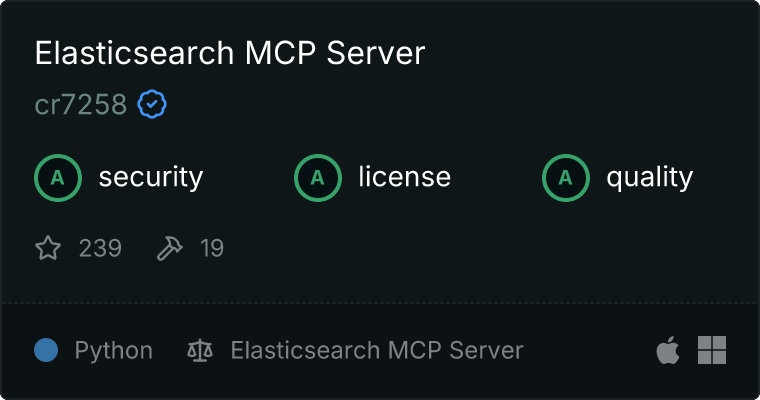
A Model Context Protocol (MCP) server implementation that provides Elasticsearch and OpenSearch interaction. This server enables searching documents, analyzing indices, and managing cluster through a set of tools.
Demo
https://github.com/user-attachments/assets/f7409e31-fac4-4321-9c94-b0ff2ea7ff15
Features
General Operations
general_api_request: Perform a general HTTP API request. Use this tool for any Elasticsearch/OpenSearch API that does not have a dedicated tool.
Index Operations
list_indices: List all indices.get_index: Returns information (mappings, settings, aliases) about one or more indices.create_index: Create a new index.delete_index: Delete an index.
Document Operations
search_documents: Search for documents.index_document: Creates or updates a document in the index.get_document: Get a document by ID.delete_document: Delete a document by ID.delete_by_query: Deletes documents matching the provided query.
Cluster Operations
get_cluster_health: Returns basic information about the health of the cluster.get_cluster_stats: Returns high-level overview of cluster statistics.
Alias Operations
list_aliases: List all aliases.get_alias: Get alias information for a specific index.put_alias: Create or update an alias for a specific index.delete_alias: Delete an alias for a specific index.
Configure Environment Variables
Copy the .env.example file to .env and update the values accordingly.
Start Elasticsearch/OpenSearch Cluster
Start the Elasticsearch/OpenSearch cluster using Docker Compose:
# For Elasticsearch
docker-compose -f docker-compose-elasticsearch.yml up -d

# For OpenSearch
docker-compose -f docker-compose-opensearch.yml up -d
The default Elasticsearch username is elastic and password is test123. The default OpenSearch username is admin and password is admin.
You can access Kibana/OpenSearch Dashboards from http://localhost:5601.
Stdio
Option 1: Using uvx
Using uvx will automatically install the package from PyPI, no need to clone the repository locally. Add the following configuration to 's config file claude_desktop_config.json.
// For Elasticsearch
{
  "mcpServers": {
    "elasticsearch-mcp-server": {
      "command": "uvx",
      "args": [
        "elasticsearch-mcp-server"
      ],
      "env": {
        "ELASTICSEARCH_HOSTS": "https://localhost:9200",
        "ELASTICSEARCH_USERNAME": "elastic",
        "ELASTICSEARCH_PASSWORD": "test123"
      }
    }
  }
}

// For OpenSearch
{
  "mcpServers": {
    "opensearch-mcp-server": {
      "command": "uvx",
      "args": [
        "opensearch-mcp-server"
      ],
      "env": {
        "OPENSEARCH_HOSTS": "https://localhost:9200",
        "OPENSEARCH_USERNAME": "admin",
        "OPENSEARCH_PASSWORD": "admin"
      }
    }
  }
}
Option 2: Using uv with local development
Using uv requires cloning the repository locally and specifying the path to the source code. Add the following configuration to Claude Desktop's config file claude_desktop_config.json.
// For Elasticsearch
{
  "mcpServers": {
    "elasticsearch-mcp-server": {
      "command": "uv",
      "args": [
        "--directory",
        "path/to/src/elasticsearch_mcp_server",
        "run",
        "elasticsearch-mcp-server"
      ],
      "env": {
        "ELASTICSEARCH_HOSTS": "https://localhost:9200",
        "ELASTICSEARCH_USERNAME": "elastic",
        "ELASTICSEARCH_PASSWORD": "test123"
      }
    }
  }
}

// For OpenSearch
{
  "mcpServers": {
    "opensearch-mcp-server": {
      "command": "uv",
      "args": [
        "--directory",
        "path/to/src/elasticsearch_mcp_server",
        "run",
        "opensearch-mcp-server"
      ],
      "env": {
        "OPENSEARCH_HOSTS": "https://localhost:9200",
        "OPENSEARCH_USERNAME": "admin",
        "OPENSEARCH_PASSWORD": "admin"
      }
    }
  }
}
SSE
# By default, the SSE MCP server will serve on http://127.0.0.1:8000/sse
uv run src/server.py elasticsearch-mcp-server --transport sse

# The host, port, and path can be specified using the --host, --port, and --path options
uv run src/server.py elasticsearch-mcp-server --transport sse --host 0.0.0.0 --port 8000 --path /sse
Streamable HTTP
# By default, the Streamable HTTP MCP server will serve on http://127.0.0.1:8000/mcp
uv run src/server.py elasticsearch-mcp-server --transport streamable-http

# The host, port, and path can be specified using the --host, --port, and --path options
uv run src/server.py elasticsearch-mcp-server --transport streamable-http --host 0.0.0.0 --port 8000 --path /mcp
License
This project is licensed under the Apache License Version 2.0 - see the LICENSE file for details.
Release history Release notifications | RSS feed


Download files
Download the file for your platform. If you're not sure which to choose, learn more about installing packages.
Source Distribution
Built Distribution
Filter files by name, interpreter, ABI, and platform.
If you're not sure about the file name format, learn more about wheel file names.
Copy a direct link to the current filters
File details
Details for the file elasticsearch_mcp_server-2.0.6.tar.gz.
File metadata
- Download URL: elasticsearch_mcp_server-2.0.6.tar.gz
- Upload date:
- Size: 108.7 kB
- Tags: Source
- Uploaded using Trusted Publishing? No
- Uploaded via: uv/0.7.12
File hashes
| Algorithm | Hash digest | |
|---|---|---|
| SHA256 |
86ef07b299862e40bcde69d4b741f9d902800cd0465b2c5f55896fdd07aaae15
|
|
| MD5 |
89cdee319a78f6025e083b7817708a03
|
|
| BLAKE2b-256 |
9f79041b066a3582a7a838f170de81ed123c0fed4a02ad609a2f4ce72ac4553f
|
File details
Details for the file elasticsearch_mcp_server-2.0.6-py3-none-any.whl.
File metadata
- Download URL: elasticsearch_mcp_server-2.0.6-py3-none-any.whl
- Upload date:
- Size: 22.9 kB
- Tags: Python 3
- Uploaded using Trusted Publishing? No
- Uploaded via: uv/0.7.12
File hashes
| Algorithm | Hash digest | |
|---|---|---|
| SHA256 |
659a6b00b5d6c4247b8dfcae01978d549ed879625bc6e3e144d55c7e5ee2cc3e
|
|
| MD5 |
d5cedd6603a559f29dc89c3a1c9f24b0
|
|
| BLAKE2b-256 |
2648c08c1313d7628fc1e5807297d261dabc84f2b7b37fb2788a24275b72d32e
|






