
Tool to extract information about symbols and sections from an ELF file and filters them.


Project description
elf-size-analyze
elf-size-analyze is a Python tool that uses regular binutils programs (readelf, nm, c++filt) to extract information about symbols and sections from an ELF file and filters them. Information is presented in a tree based on paths to files where the symbols have been defined.
It's main usage is optimization of memory usage (FLASHH/RAM/etc.) by inspecting which modules/symbols in code contribute the most to final size. Main output format is an ASCII tree, but it supports other formats, e.g. JSON (for usage in other scripts), or HTML-based visualization (e.g. static HTML or Plotly graph).
This script was initially based on size_report from Zephyr Project scripts (some old version), but it has been almost fully rewritten but the idea is the same.
Gallery
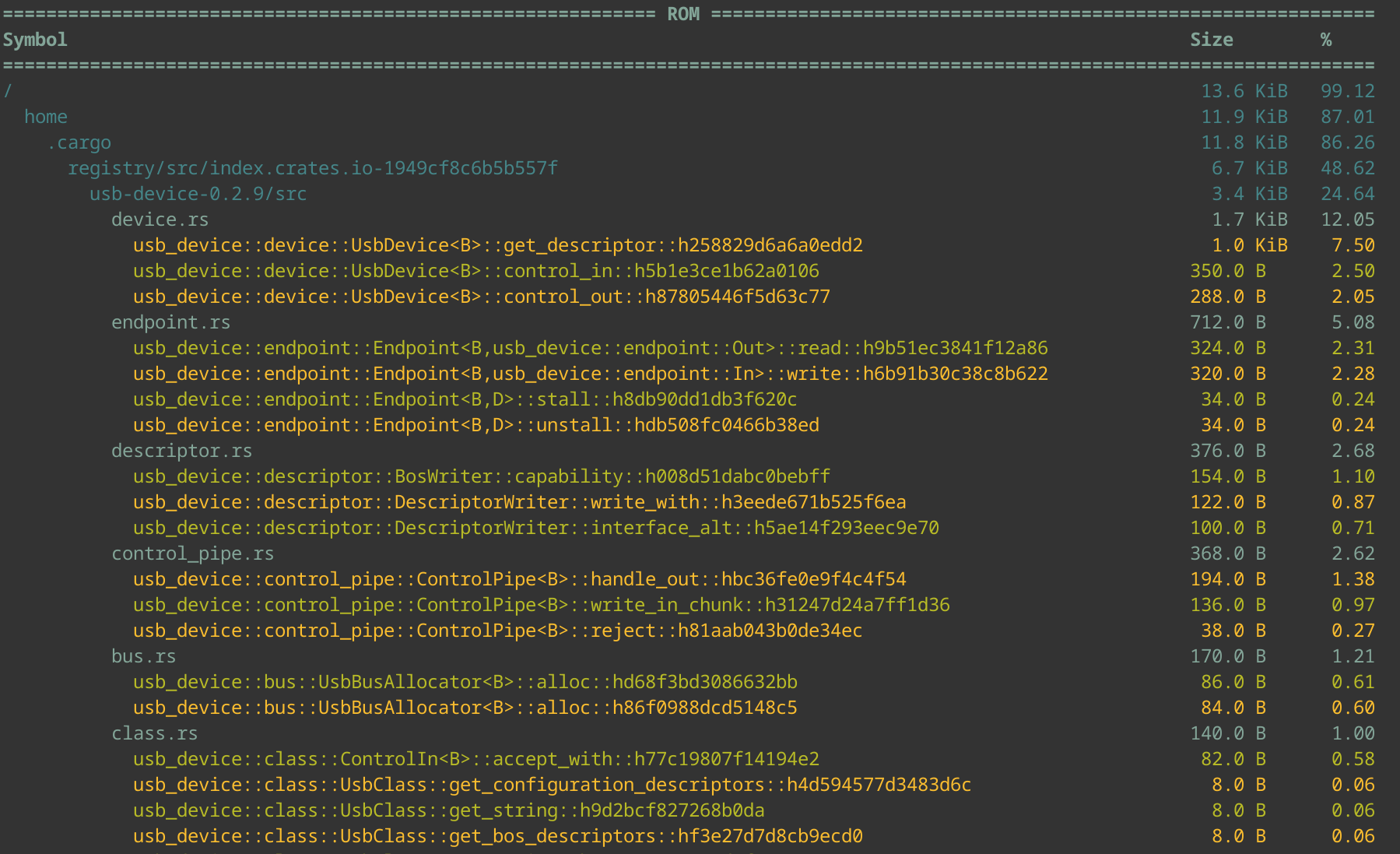
| Plotly treemap | Plotly sunburst | HTML table |
|---|---|---|
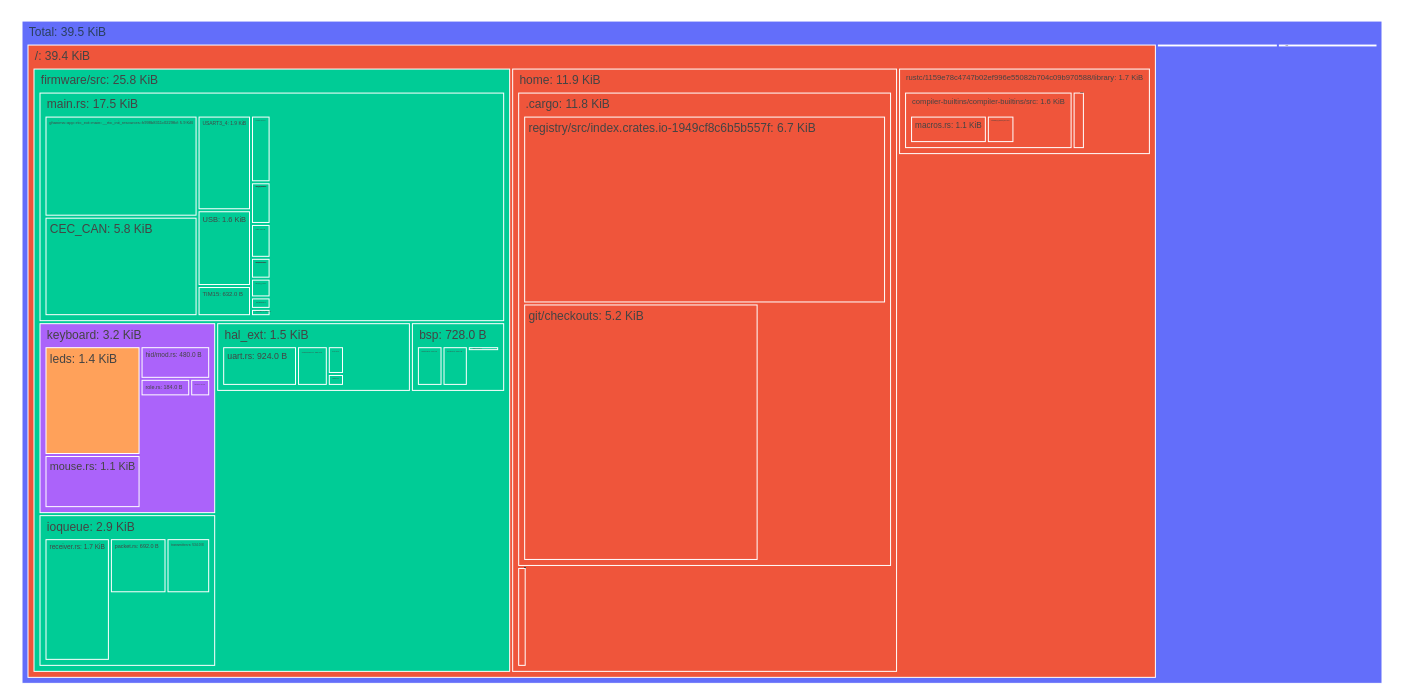 |
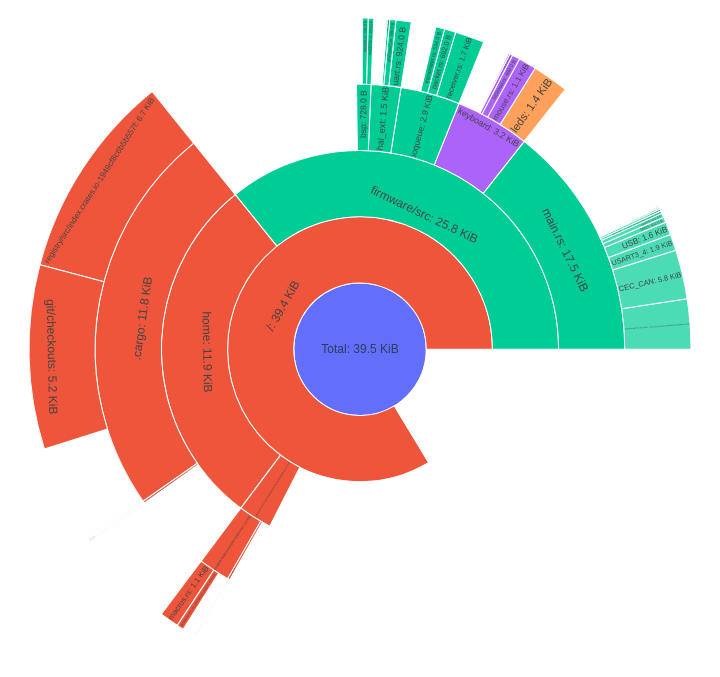 |
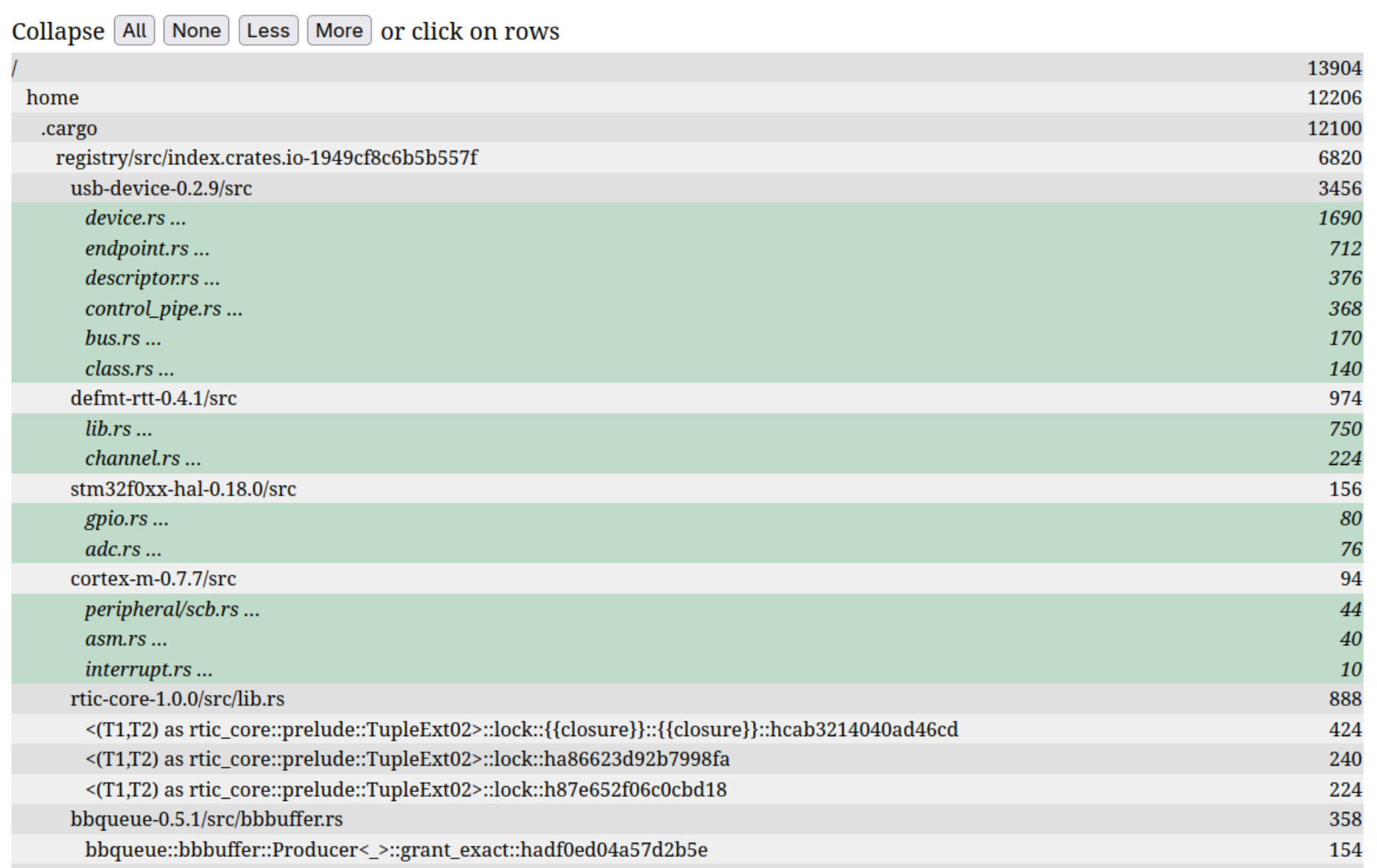 |
Requirements
- Python 3
- binutils: readelf, nm, c++filt (optional)
Installation
For normal usage it's best to install from PyPI:
pip install elf-size-analyze
There are some optional dependencies not installed by default, e.g. to include support for Plotly graphs output use
pip insatll elf-size-analyze[plotly]
For development it's recommended to install from sources in virtual environment in editable mode:
python -m venv venv
source ./venv/bin/activate
git clone https://github.com/jedrzejboczar/elf-size-analyze.git
pip install -e ./elf-size-analyze[dev,plotly]
Usage
Select the ELF file to be analyzed. To be able to extract path information about symbols from the ELF file, the program should be compiled with debug information (gcc -g).
If installed using pip then the package provides an entry point and you can just use the elf-size-analyze command.
Otherwise use python -m elf_size_analyze from the source directory.
Example usage (assumes that we're using arm-none-eabi-gcc toolchain):
elf-size-analyze -t arm-none-eabi- -w 120 -HaF build/myapp
For more options see help:
elf-size-analyze -h
For HTML output:
elf-size-analyze -t arm-none-eabi- -w 120 -HaF build/myapp -W > /tmp/index.html
firefox /tmp/index.html  # or other browser / xdg-open
For Plotly output (for big executables you might want to use --plotly-max-depth):
elf-size-analyze -t arm-none-eabi- -w 120 -HaF build/myapp --plotly --plotly-type treemap


Download files
Download the file for your platform. If you're not sure which to choose, learn more about installing packages.
Source Distribution
Built Distribution
Filter files by name, interpreter, ABI, and platform.
If you're not sure about the file name format, learn more about wheel file names.
Copy a direct link to the current filters
File details
Details for the file elf_size_analyze-0.3.1.tar.gz.
File metadata
- Download URL: elf_size_analyze-0.3.1.tar.gz
- Upload date:
- Size: 25.7 kB
- Tags: Source
- Uploaded using Trusted Publishing? No
- Uploaded via: twine/6.2.0 CPython/3.9.25
File hashes
| Algorithm | Hash digest | |
|---|---|---|
| SHA256 |
f14eb62da3d77cbf08ba2234447fb8fbeec61ce0d2eb82f5dd749300a5958445
|
|
| MD5 |
636574c6ed122c1eba63bbf8c5ce9959
|
|
| BLAKE2b-256 |
b999a18b49eb42443a250334873ba94c02e5f2be5af4349a933bb2aa2908f038
|
File details
Details for the file elf_size_analyze-0.3.1-py3-none-any.whl.
File metadata
- Download URL: elf_size_analyze-0.3.1-py3-none-any.whl
- Upload date:
- Size: 28.3 kB
- Tags: Python 3
- Uploaded using Trusted Publishing? No
- Uploaded via: twine/6.2.0 CPython/3.9.25
File hashes
| Algorithm | Hash digest | |
|---|---|---|
| SHA256 |
1a066b2cc42981473268359767f0d29ee6040fce0208d6bbe1a008e8d33165b6
|
|
| MD5 |
7b104915f30471e392e1d68df25f6794
|
|
| BLAKE2b-256 |
846747730e5efc784b4477b65c315984ab6b27d71d836f352c658bfaa74a7e72
|






