
A Model Context Protocol server that provides email functionality

Project description
Email Send MCP
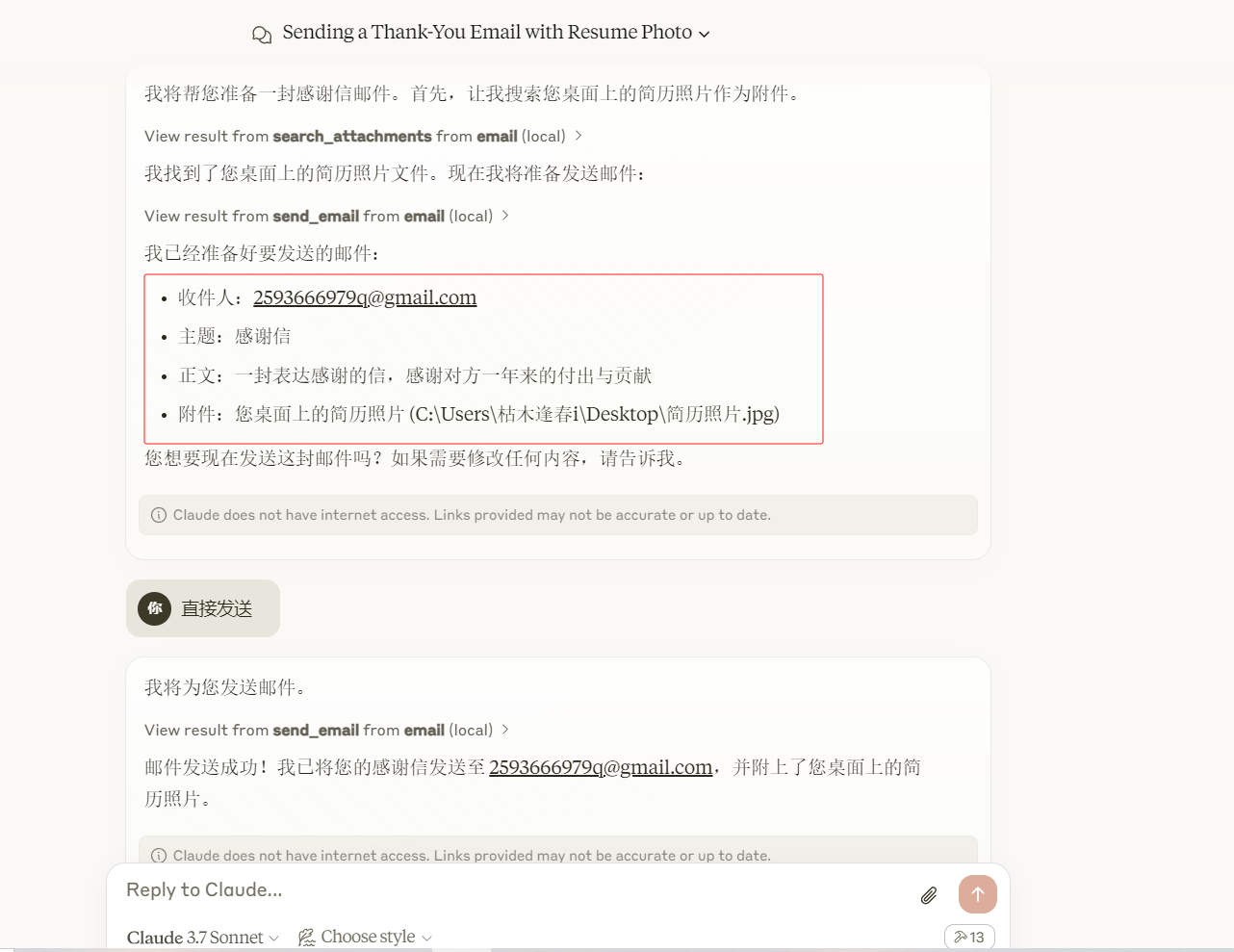
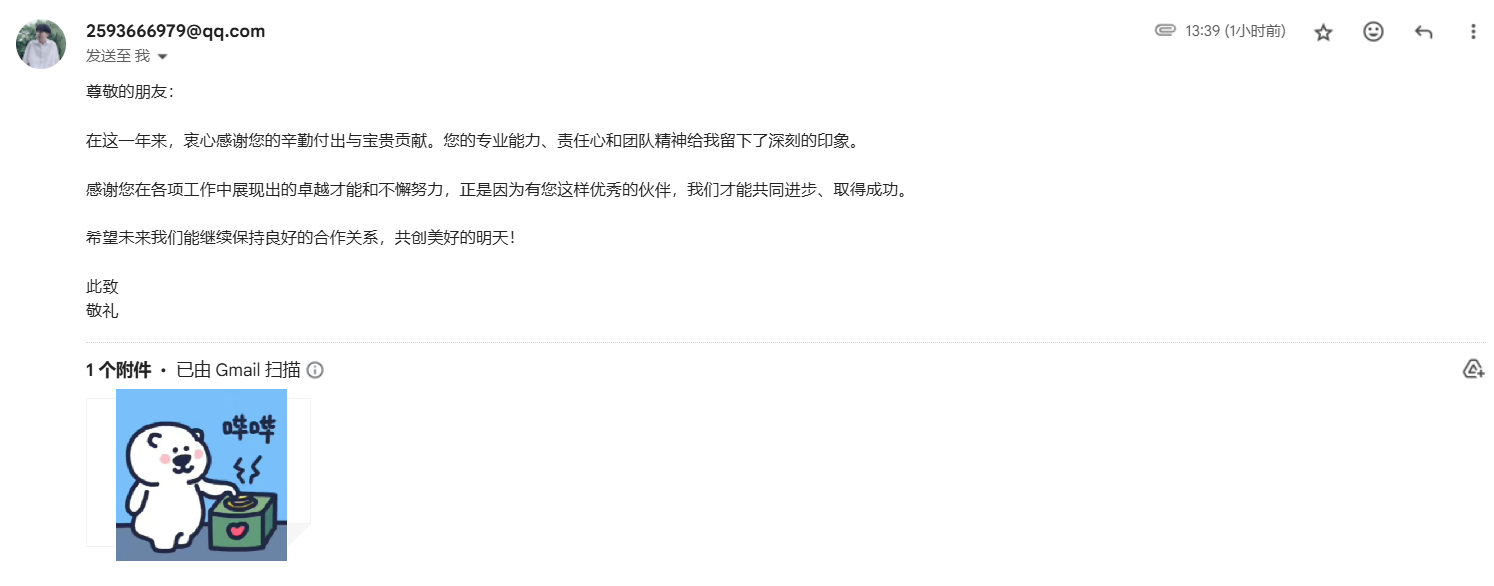
A Model Context Protocol server that provides email functionality. This server enables LLMs to compose and send emails, as well as search for attachments within specified directories.
Features
- Send emails with multiple recipients
- Support for email attachments
- Search for files in directories based on pattern matching
- Secure email transmission using SMTP
Available Tools
-
send_email- Sends emails based on the provided subject, body, and receiver.receiver(array of strings, required): List of recipient email addressesbody(string, required): The main content of the emailsubject(string, required): The subject line of the emailattachments(array of strings or string, optional): Email attachments (filenames)
-
search_attachments- Searches for files in a specified directory that match a given pattern.pattern(string, required): The text pattern to search for in file names
Prompts
-
send_email
- Send an email with optional attachments
- Arguments:
receiver(required): The list of recipient email addressesbody(required): The main content of the emailsubject(required): The subject line of the emailattachments(optional): Email attachments
-
search_attachments
- Search for files matching a pattern
- Arguments:
pattern(required): The text pattern to search for in file names
Installation
Using pip
Install the required dependencies:
pip install pydantic python-dotenv
Email Configuration
An email.json file with SMTP server configurations:
[
  {
    "domain": "@gmail.com",
    "server": "smtp.gmail.com",
    "port": 587
  },
  {
    "domain": "@outlook.com",
    "server": "smtp.office365.com",
    "port": 587
  },
  {
    "domain": "@yahoo.com",
    "server": "smtp.mail.yahoo.com",
    "port": 587
  }
]
Usage
Running the Server
Start the MCP Email Server with:
python -m email_send_mcp --dir /path/to/attachment/directory
Configure for Claude.app
Add to your Claude settings:
Conda
{
  "mcpServers": {
    "email": {
      "command": "D:\\conda\\envs\\mcp\\python.exe",
      "args": [
        "C:\\Users\\YourUserName\\Desktop\\servers\\src\\email\\src\\email_send_mcp",
        "--dir",
        "C:\\Users\\YourUserName\\Desktop"
      ],
      "env": {
        "SENDER": "2593666979q@gmail.com",
        "PASSWORD": "tuogk......."
      }
    }
  }
}
UV
{
  "mcpServers": {
    "email": {
      "command": "uv",
      "args": [
        "~\\servers\\src\\email\\src\\email_send_mcp",
        "--dir",
        "C:\\Users\\YourUserName\\Desktop"
      ],
      "env": {
        "SENDER": "2593666979q@gmail.com",
        "PASSWORD": "tuogk......."
      }
    }
  }
}
Security Notes
- For Gmail and other services, you may need to use an app-specific password
- The server supports a limited set of attachment file types for security reasons
Supported File Types
The server supports the following attachment file types:
- Documents: doc, docx, xls, xlsx, ppt, pptx, pdf
- Archives: zip, rar, 7z, tar, gz
- Text files: txt, log, csv, json, xml
- Images: jpg, jpeg, png, gif, bmp
- Other: md
Example Usage
Sending an Email
{
  "receiver": ["recipient@example.com"],
  "subject": "Test Email from MCP Server",
  "body": "This is a test email sent via the MCP Email Server.",
  "attachments": ["document.pdf", "image.jpg"]
}
Searching for Attachments
{
  "pattern": "report"
}
Contributing
We encourage contributions to help expand and improve the MCP Email Server. Whether you want to add new tools, enhance existing functionality, or improve documentation, your input is valuable.
For examples of other MCP servers and implementation patterns, see: https://github.com/modelcontextprotocol/servers
Pull requests are welcome! Feel free to contribute new ideas, bug fixes, or enhancements to make the MCP Email Server even more powerful and useful.
License
MCP Email Server is licensed under the MIT License. This means you are free to use, modify, and distribute the software, subject to the terms and conditions of the MIT License.
Release history Release notifications | RSS feed


Download files
Download the file for your platform. If you're not sure which to choose, learn more about installing packages.
Source Distribution
Built Distribution
Filter files by name, interpreter, ABI, and platform.
If you're not sure about the file name format, learn more about wheel file names.
Copy a direct link to the current filters
File details
Details for the file email_send_mcp-0.1.1.tar.gz.
File metadata
- Download URL: email_send_mcp-0.1.1.tar.gz
- Upload date:
- Size: 11.6 kB
- Tags: Source
- Uploaded using Trusted Publishing? No
- Uploaded via: twine/6.1.0 CPython/3.11.4
File hashes
| Algorithm | Hash digest | |
|---|---|---|
| SHA256 |
8e4aa824f39d71829b204de5d55ce98212b8f1d6bdc49e8e46503e5c6097ed97
|
|
| MD5 |
fcbc7673e3f185b43081396c54537652
|
|
| BLAKE2b-256 |
1002b22856bf4117ef42fad1407ee2dfb7bfb6bd65455ab07796b460de80901f
|
File details
Details for the file email_send_mcp-0.1.1-py3-none-any.whl.
File metadata
- Download URL: email_send_mcp-0.1.1-py3-none-any.whl
- Upload date:
- Size: 15.6 kB
- Tags: Python 3
- Uploaded using Trusted Publishing? No
- Uploaded via: twine/6.1.0 CPython/3.11.4
File hashes
| Algorithm | Hash digest | |
|---|---|---|
| SHA256 |
dd96de7a44b018c4b88b1057b7d46738014f4c2b9d26ee1281b289c80715b4f3
|
|
| MD5 |
a6fc3fd4fd714239f1731853c733a37b
|
|
| BLAKE2b-256 |
cd5ed6bd56d4e3e703467839838e9976c89469c11144d63447c8d20c00113d87
|






