
emb3d.co command line inteface to work with embeddings.

Project description
emb3d
emb3d is a command-line utility that lets you generate embeddings using models from OpenAI, Cohere and HuggingFace.
Installation
pip install --upgrade emb3d
Quick Start ⚡️
Install the library
pip install -U emb3d
Prepare your input file
emb3d expects a JSONL file as input. Each line of the file should be a JSON object with a text key. Example input file:
{"text": "I love my dog"}
{"text": "I love my cat"}
{"text": "I love my rabbit"}
Your files can optionally have other fields like ids, categorical labels etc.. and they are saved as-is in the final output file.
Compute embeddings
The default model is OpenAI's text-embedding-ada-002. You can change the model by passing the --model-id flag.
emb3d compute inputs.jsonl
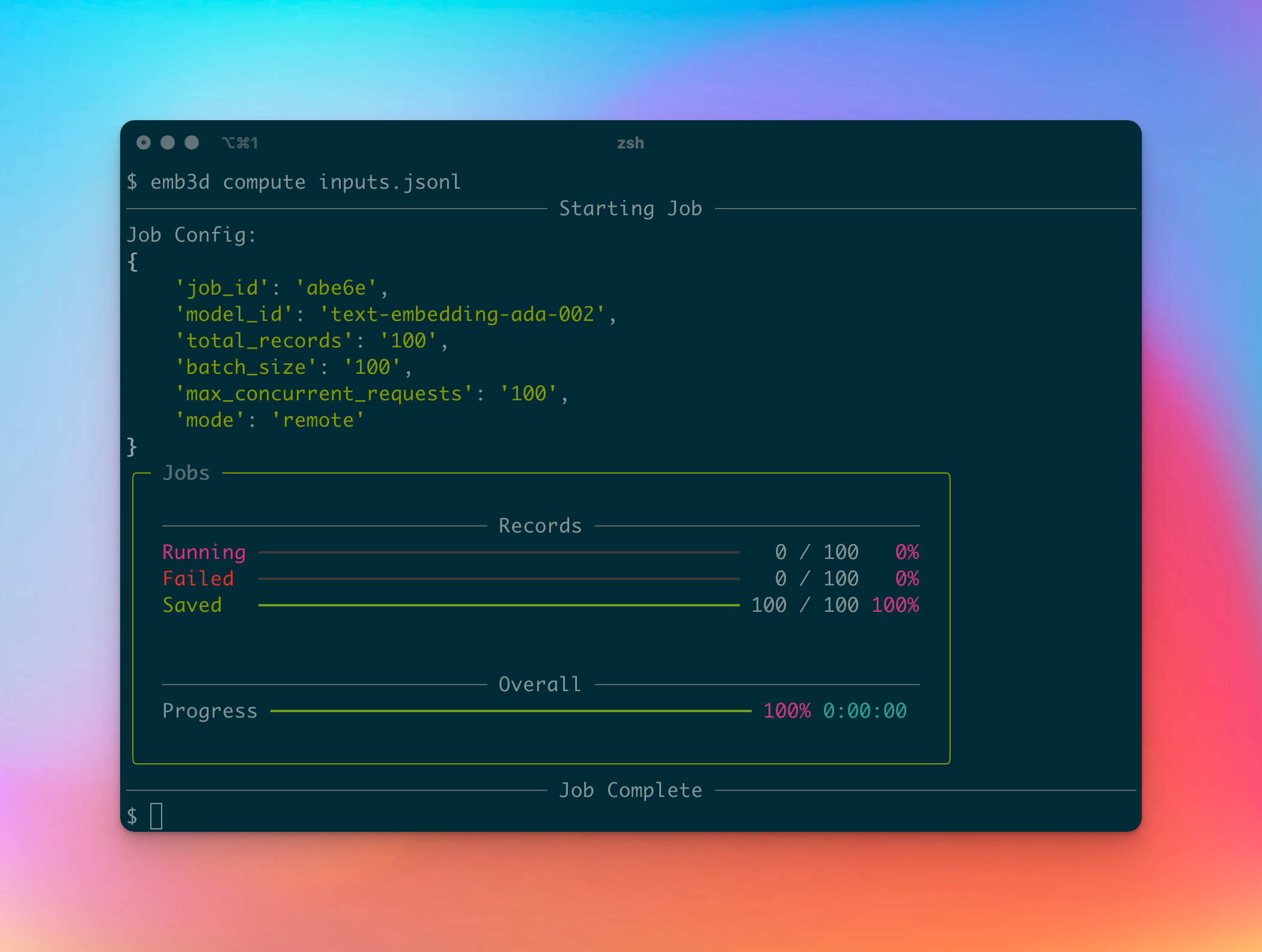
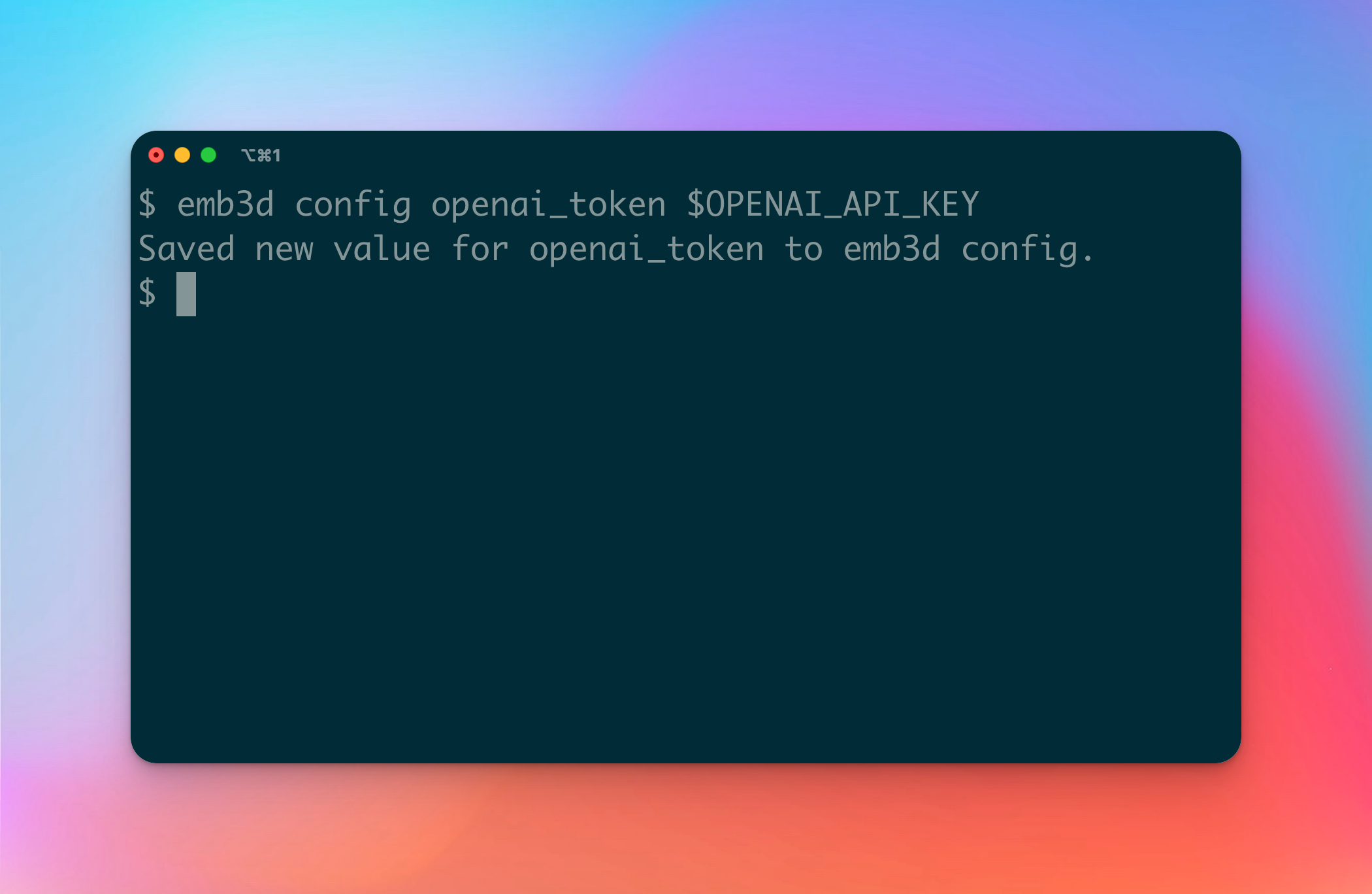
You will need to have OPENAI_API_KEY set in your environment. You can also pass it as a flag (--api_key) or set it in a config file.
emb3d config set openai_token YOUR-OPENAI-API-KEY
emb3d compute inputs.jsonl
emb3d compute inputs.jsonl --model-id embed-english-v2.0 --output-file cohere-embeddings.jsonl
For COHERE models, you will need to have COHERE_API_KEY set in your environment. You can also pass it as a flag (--api_key) or set it in a config file with: emb3d config set cohere_token YOUR-COHERE-API-KEY.
Visualize your embeddings 💥
The last step is to visualize your computed embeddings. This will open a browser window with a visualization of your last computed embeddings.
emb3d visualize run-2020-embeddings.jsonl
Profit 💰
Usage
 Usage: emb3d [OPTIONS] INPUT_FILE COMMAND [ARGS]...

 Generate embeddings for fun and profit.

╭─ Arguments ───────────────────────────────────────────────────────────────────────────────╮
│ *    input_file      PATH  Path to the input file. [default: None] [required]             │
╰───────────────────────────────────────────────────────────────────────────────────────────╯
╭─ Options ─────────────────────────────────────────────────────────────────────────────────╮
│ --model-id                                     TEXT     ID of the embedding model.        │
│                                                         Default is                        │
│                                                         `text-embedding-ada-002`.         │
│                                                         [default: None]                   │
│ --output-file              -out,-o             PATH     Path to the output file. If not   │
│                                                         provided, a default path will be  │
│                                                         suggested.                        │
│                                                         [default: None]                   │
│ --api-key                                      TEXT     API key for the backend. If not   │
│                                                         provided, it will be prompted or  │
│                                                         fetched from environment          │
│                                                         variables.                        │
│                                                         [default: None]                   │
│ --remote                            --local             Choose whether to do inference    │
│                                                         locally or with an API token.     │
│                                                         This choice is available for      │
│                                                         sentence transformer and hugging  │
│                                                         face models. If a model cannot be │
│                                                         run locally (ex: OpenAI models),  │
│                                                         this flag is ignored.             │
│                                                         [default: remote]                 │
│ --max-concurrent-requests                      INTEGER  (Remote Execution) Maximum number │
│                                                         of concurrent requests for the    │
│                                                         embedding task. Default is 1000.  │
│                                                         [default: 1000]                   │
│ --help                                                  Show this message and exit.       │
╰───────────────────────────────────────────────────────────────────────────────────────────╯
╭─ Commands ────────────────────────────────────────────────────────────────────────────────╮
│ config           Get or set a configuration value.                                        │
╰───────────────────────────────────────────────────────────────────────────────────────────╯
Need help? 🙋
Join our Discord server and lets talk!
Release history Release notifications | RSS feed


Download files
Download the file for your platform. If you're not sure which to choose, learn more about installing packages.
Source Distribution
Built Distribution
Filter files by name, interpreter, ABI, and platform.
If you're not sure about the file name format, learn more about wheel file names.
Copy a direct link to the current filters
File details
Details for the file emb3d-0.1.106.tar.gz.
File metadata
- Download URL: emb3d-0.1.106.tar.gz
- Upload date:
- Size: 15.6 kB
- Tags: Source
- Uploaded using Trusted Publishing? No
- Uploaded via: poetry/1.6.1 CPython/3.11.4 Darwin/23.0.0
File hashes
| Algorithm | Hash digest | |
|---|---|---|
| SHA256 |
0fcc95280d0920738dc51b7393cebecd899318612a9a22bd12a440f864dfb980
|
|
| MD5 |
dbcc680dafb2f2a5ba20a1cd6d6067a6
|
|
| BLAKE2b-256 |
9442aee85b0c61637d8ab07328ebd3b300c627d1c2d6e5591577b92654565946
|
File details
Details for the file emb3d-0.1.106-py3-none-any.whl.
File metadata
- Download URL: emb3d-0.1.106-py3-none-any.whl
- Upload date:
- Size: 18.7 kB
- Tags: Python 3
- Uploaded using Trusted Publishing? No
- Uploaded via: poetry/1.6.1 CPython/3.11.4 Darwin/23.0.0
File hashes
| Algorithm | Hash digest | |
|---|---|---|
| SHA256 |
96c7113c2d8e60ba17685783930d66fd8aa83664831f79617ddee8202482550b
|
|
| MD5 |
a15f7d14fda8c7ce6312507845ca384d
|
|
| BLAKE2b-256 |
57a91e7e697aa1841752ef8e5845c5cff0e0e0d02ac38a5f016efe75de28cad7
|






