
Word Embeddings Visualization Tool
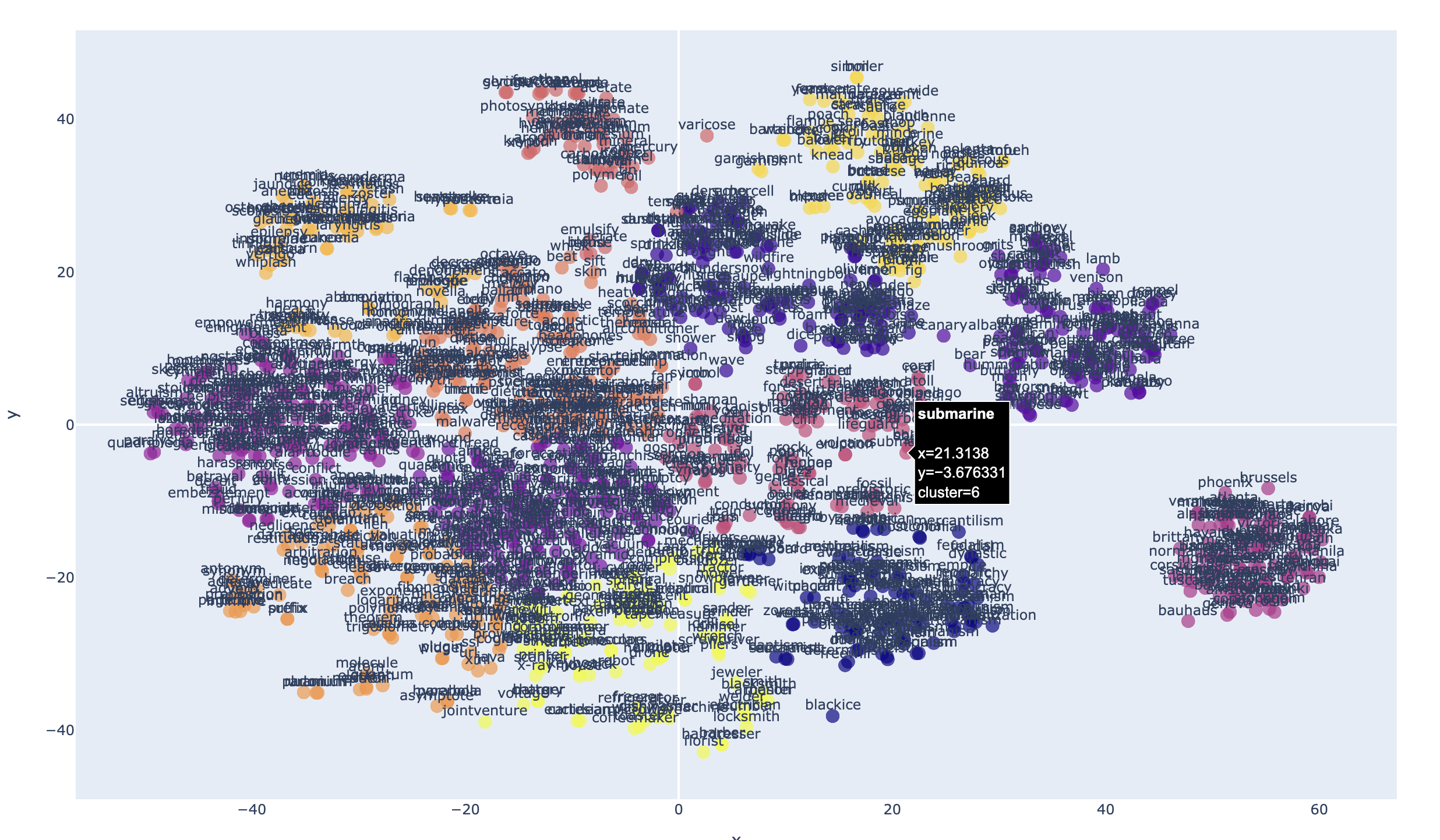
2D Plot Example:
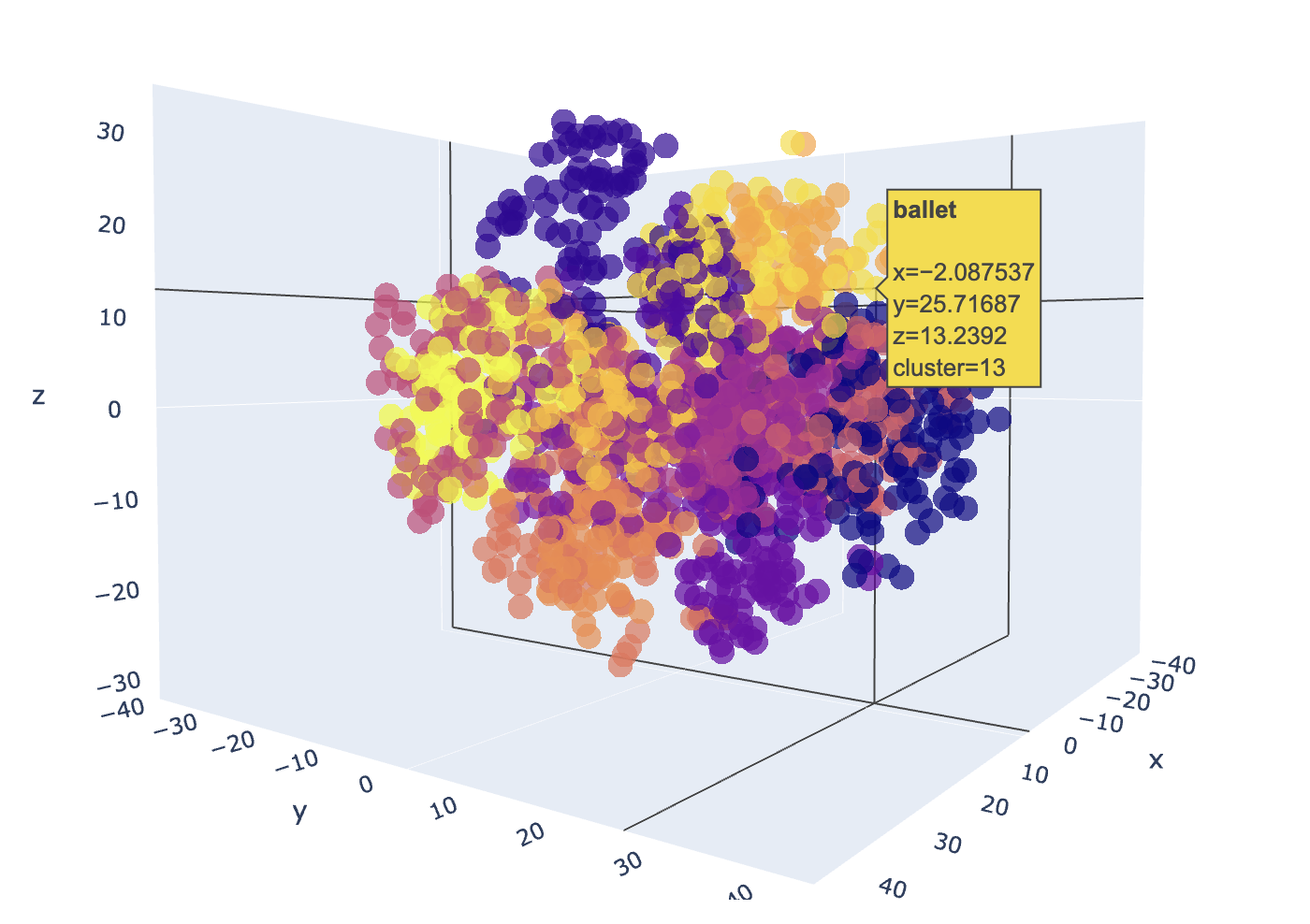
3D Plot Example:
Description
Word embeddings transform words to highly-dimensional vectors. The vectors attempt to capture the semantic meaning and relationships of the words, so that similar or related words have similar vectors. For example "Cat", "Kitten", "Feline", "Tiger" and "Lion" would have embedding vectors that are similar to varying degree, but would all be very dissimilar to a word like "Toolbox".
The Word2Vec embedding model has 300 dimensions that capture the semantic meaning of each word. It's not possible to visualize 300 dimensions, but we can use dimensional reduction techniques that project the dimensions to a 2 or 3 latent space that preserves much of the relationships that we can easily visualize.
Embedding-plot, is a command line utility that can visualize word embeddings in either 2D or 3D scatter plots using dimensionality reduction techniques (PCA, t-SNE or UMAP) and clustering in a scatter plot.
Features
- Supports Word2vec pretrained embedding models
- Dimensionality reduction using PCA, t-SNE and UMAP
- Specify a number of clusters to identify in the plot
- Interactive HTML output
Installation
Prerequisites
- Python 3.9 or higher.
Install via pip
embeddings_plot has been published to PyPI as a module that can be installed with pip, which will make the "embeddings-plot" command available in your environment:
pip install embeddings_plot
Embedding model
To use this tool, you have to either train your own embedding model or use an existing pretrained model. This utility expects the models to be in word2vec format.
Downloading existing pretrained models
Two pretrained models ready to use are:
- https://dl.fbaipublicfiles.com/fasttext/vectors-english/wiki-news-300d-1M.vec.zip
- https://dl.fbaipublicfiles.com/fasttext/vectors-english/crawl-300d-2M.vec.zip
Download one of these models and unzip it, or look for other pretrained word2vec models available on the internet.
Training your own model
To train your own model, the provided train_model.py script can be used. First you'll need to prepare a data set that you want to train the model with. Your data should be split into sentences, one sentence per line, lower case with all punctuation removed. like the following example:
the quick brown fox jumps over the lazy dog
jack and jill went up the hill to fetch a pail of water
an apple a day keeps the doctor away
to be or not to be that is the question
a stitch in time saves nine
early to bed and early to rise makes a man healthy wealthy and wise
many more sentences should follow
The provided prepare_data.py script can help prepare data for training. After you have your input data prepared, you can build your model using the train_model.py command. Example:
python train_model.py training_data.txt
The above command should produce the training_data_model.vec in the current director using the defaults. To see the training options available use the -h flag to see the parameter options and help.
Usage
After installation and download or training of a model, you can use the tool from the command line.
Basic Command
embeddings-plot -m <model_path> -i <input_file> -o <output_file> --label
Parameters
-h,--help: Show the help message and exit-m,--model: Path to the word embeddings model file-i,--input: Input text file with words to visualize-o,--output: Output HTML file for the visualization-l,--labels: (Optional) Show labels on the plot-c,--clusters: (Optional) Number of clusters for KMeans. Default is 5.-r,--reduction: (Optional) Method for dimensionality reduction (pca, tsne or umap). Default is tsne-t,--title: (Optional) Sets the title of the output HTML page-d,--dimensions: (Optional) Number of dimensions for the plot 2 (for 2D), or 3 (for 3D). Default is 2-th,--theme: (Optional) Color theme for the plot: "plotly", "plotly_white" or "plotly_dark" (default: plotly)
Example
embeddings-plot --model crawl-300d-2M.vec --input words.txt --output embedding-plot.html --labels --clusters 13
1 maintainer

Metadata
1 maintainer
Release files for embeddings_plot 0.1.6
For a detailed explanation of source distributions (sdists) and built distributions (wheels), please see the package formats documentation.
Source distribution (sdist)
| File | Size | Uploaded | |
|---|---|---|---|
| embeddings_plot-0.1.6.tar.gz | 8.7 kB | Details |
Built distribution (wheel)
| File | Interpreter | ABI | Platform | Reset |
|---|---|---|---|---|
| embeddings_plot-0.1.6-py3-none-any.whl | Python 3 | none | any | Details |
Total release size: 18.5 kB
Release files / embeddings_plot-0.1.6.tar.gz
| Download URL | embeddings_plot-0.1.6.tar.gz |
|---|---|
| Size | 8.7 kB |
| Tags | Source |
|
SHA-256 checksum How to use checksums |
17de461d547f7e6d8647c395a2fe24a2162da148f606dbe6922ea67a74aba961
|
|
BLAKE2b-256 checksum How to use checksums |
f469f3175a40d3f1b3e3721a5b7c37800e3f000c4e53a48fb8038136ef42e6f3
|
| Upload date | |
|
Uploaded using Trusted Publishing? What is trusted publishing? |
No |
| Uploaded via |
poetry/1.6.1 CPython/3.10.4 Darwin/22.6.0
|
Release files / embeddings_plot-0.1.6-py3-none-any.whl
| Download URL | embeddings_plot-0.1.6-py3-none-any.whl |
|---|---|
| Size | 9.8 kB |
| Tags | Python 3 |
|
SHA-256 checksum How to use checksums |
c96b05752479e17fdc940b9917036cd26df6587412234082f785261ee873bec2
|
|
BLAKE2b-256 checksum How to use checksums |
a63a72fbc0d77edf76039871e2092737a1ade4bbff6cd1e63f267ea1c43578a1
|
| Upload date | |
|
Uploaded using Trusted Publishing? What is trusted publishing? |
No |
| Uploaded via |
poetry/1.6.1 CPython/3.10.4 Darwin/22.6.0
|














