
Emoji Toolkit




Get emoji images or data URLs from your terminal for notifications, scripts, and everyday tools. 🎣
Pick a vendor, look up a shortcode, and use the artwork anywhere.
Install 💿
Requires Python 3.11+.
uv tool install emoji-toolkit

emoji setup
Alternative install methods:
# Or use pipx:
pipx install emoji-toolkit
# Or use pip
pip install emoji-toolkit
On macOS, Linux, and Windows, emoji setup installs the OS vendor as your default after
confirmation. If the OS vendor is already installed, setup leaves your
installation and preferences unchanged.
Use emoji setup --yes in scripts; emoji install lets you pick vendors yourself.
Installation downloads artwork to ~/.local/share/emojies/
(or $XDG_DATA_HOME/emojies/ when set). Those are then used offline.
Use it 🏉
emoji smiley                         # original PNG path
# /Users/ak/.local/share/emojies/vendors/apple/grinning_face_with_big_eyes.png
emoji smiley --url                   # PNG preview data URL
# data:image/png;base64,iVBOR.....RK5CYII=
emoji smiley --url --size 128         # generate a preview within 128×128

emoji wave --skin-tone dark          # choose a skin tone 👋🏿
emoji smiley --vendor google         # choose a specific vendor

emoji list hand                      # discover shortcodes with hands
emoji list hand --emoji              # show Unicode emoji alongside shortcodes "✋ hand"
emoji list hand --colon              # wrap shortcodes in colons :hand:
Skin tones for --skin-tone and config set skin-tone: light 👋🏻,
medium-light 👋🏼, medium 👋🏽, medium-dark 👋🏾, dark 👋🏿,
and none 👋 for the unmodified emoji.
Use the returned path with an image viewer or notification tool you have installed:
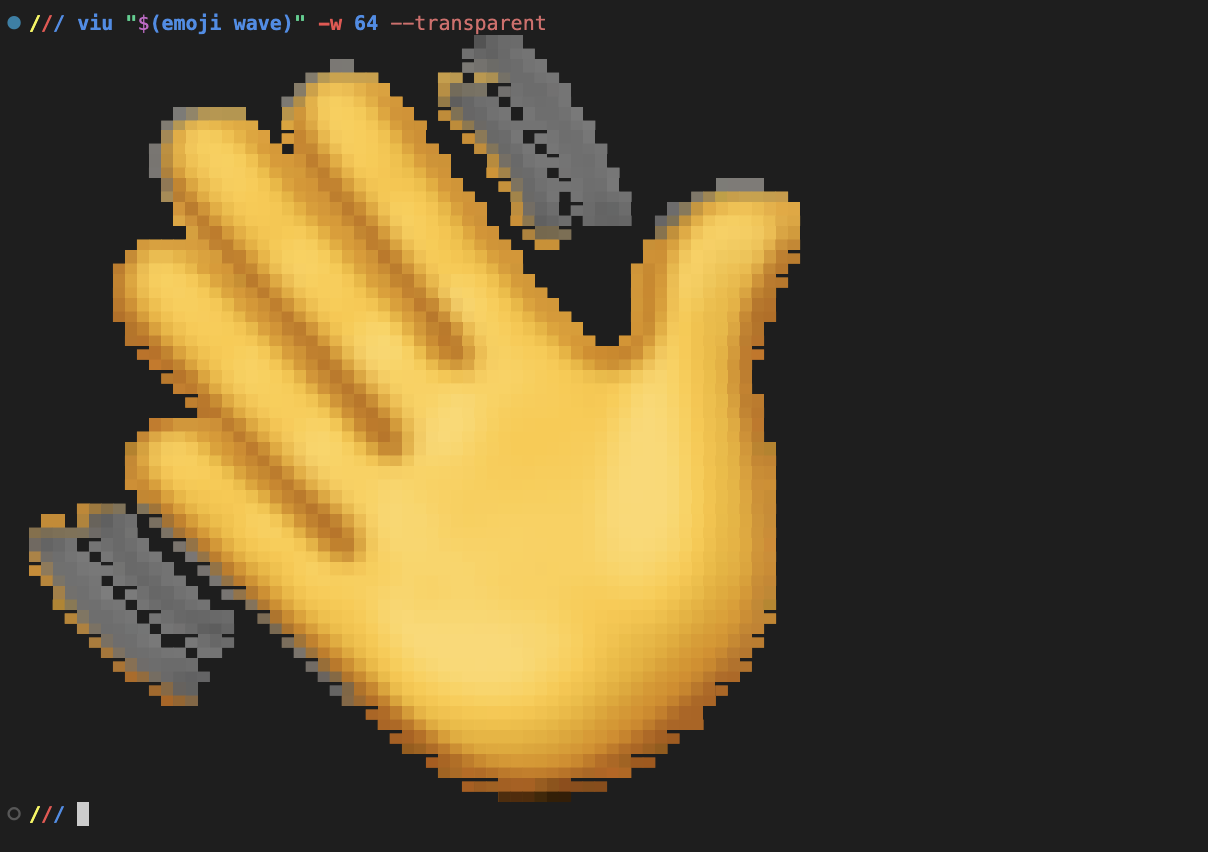
viu "$(emoji wave)" --transparent                       # view in your terminal
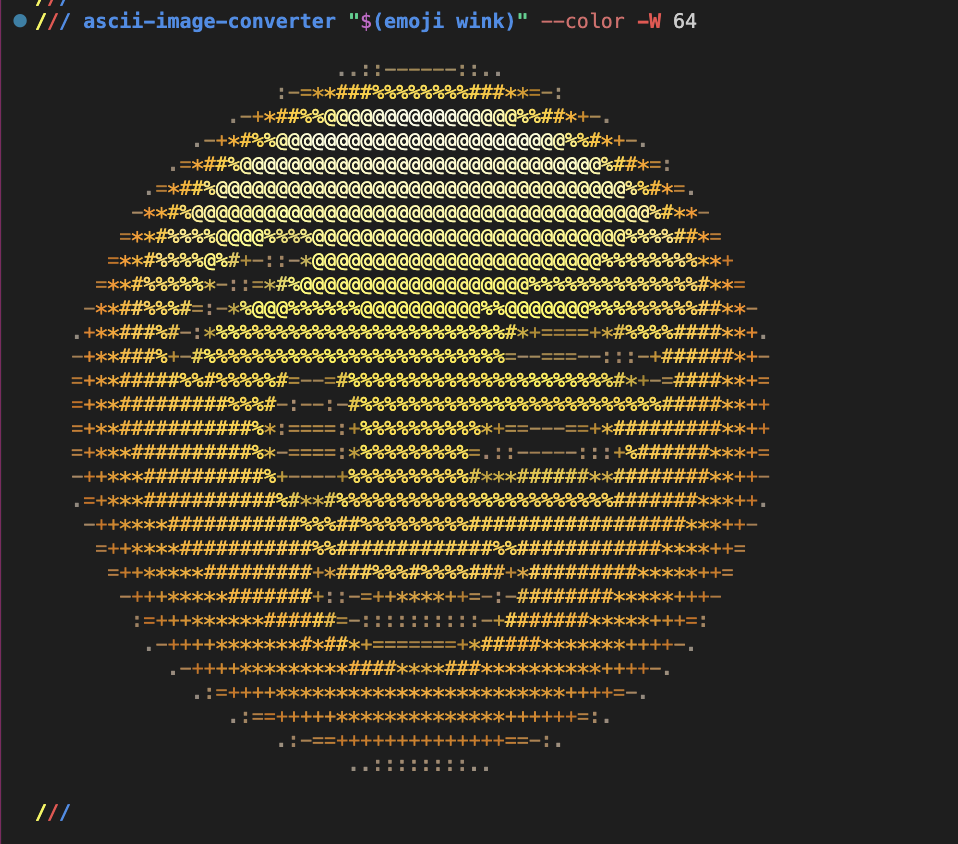
ascii-image-converter "$(emoji wink)" --color           # render as ASCII art
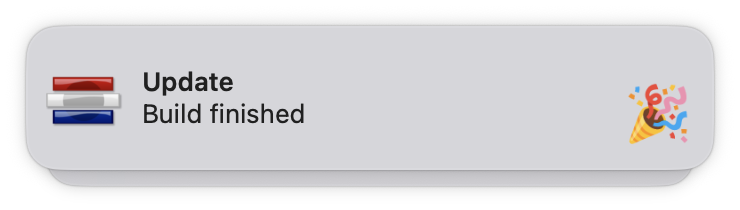
notify-send --icon="$(emoji tada)" "Build finished"     # Linux desktop notification
See viu, ascii-image-converter, and notify-send.
Terminal viewer · viu |
Colored ASCII · ascii-image-converter |
|---|---|
 |
 |
| Desktop notification |
|---|
 |
Shortcodes follow GitHub aliases. Colons are optional: smiley and
:smiley: work the same way. 😃
Paths point to original images; data URLs default to previews up to 72×72 pixels.
Use --size 1–1024 with --url to choose a preview size; original artwork is never enlarged.
Manage your artwork 🎨
Your first installed vendor becomes the default. Change your preferences, refresh installed artwork, or remove vendors you no longer use:
emoji config set vendor apple
emoji install --vendor google --use-as-default  # install and choose the default
emoji config set skin-tone dark
emoji config unset skin-tone

emoji install --update --vendor apple  # refresh Apple artwork
emoji install --update                 # refresh all installed artwork
emoji status                           # show installed vendors and versions
emoji uninstall --vendor twitter       # remove artwork you no longer need
Pick your artwork 🌈
Choose artwork from seven vendors:
apple: Appleemojione: JoyPixelsfacebook: Facebookgoogle: Google Noto Color Emojisamsung: Samsungtwitter: Twitter / Xwindows: Microsoft Windows
emoji install --vendor google --vendor twitter
emoji install --all
The same 😃 :smiley:, drawn by each vendor:
| Vendor | Apple | JoyPixels | Samsung | Twitter / X | Microsoft Windows | ||
|---|---|---|---|---|---|---|---|
| Smiley |  |
 |
 |
 |
 |
 |
 |
Explore the dataset 🗺️
The checked-in artwork lives in resources/dataset:
dataset.json— the shared Unicode index.vendors/<vendor>.json— image paths, preview data URLs, and source metadata.images/<vendor>/— original artwork.
Join vendor records to the index by their unicode sequence. Reading the JSON
and images requires no Python dependencies.
See dataset maintenance and publishing resource bundles.
Contribute 🤝
From a checkout, use Python 3.11+ and Poetry 2+:
poetry install
poetry run poe local-install            # install Apple artwork from this checkout
poetry run poe format
poetry run poe format-check
poetry run poe typecheck
poetry run poe test
Have a bug or an idea? Open an issue. For artwork problems, include the emoji and vendor.
License
Project code is licensed under MIT. Vendor artwork retains its respective copyrights and licenses; see Emojipedia's licensing guide.
1 maintainer

Metadata
1 maintainer
Release files for emoji-toolkit 0.2.0
For a detailed explanation of source distributions (sdists) and built distributions (wheels), please see the package formats documentation.
Source distribution (sdist)
| File | Size | Uploaded | Provenance | Actions |
|---|---|---|---|---|
| emoji_toolkit-0.2.0.tar.gz | 19.8 kB | Without provenance | Details for emoji_toolkit-0.2.0.tar.gz |
Built distribution (wheel)
| File | Interpreter | ABI | Platform | Actions Reset |
|---|---|---|---|---|
| emoji_toolkit-0.2.0-py3-none-any.whl | Python 3 | none | any | Details for emoji_toolkit-0.2.0-py3-none-any.whl |
Total release size: 40.9 kB
Release files / emoji_toolkit-0.2.0.tar.gz
| Download URL | emoji_toolkit-0.2.0.tar.gz |
|---|---|
| Size | 19.8 kB |
| Tags | Source |
|
SHA-256 checksum How to use checksums |
5e4f4bbd314e4b3ba5d22f41cf29b31ba4e2f10528e468d694e7eb497f346d9a
|
|
BLAKE2b-256 checksum How to use checksums |
256fec1bb2fd613a398f2e7dad349d1fe55be1d98f8011451012cf255f430d0c
|
| Upload date | |
|
Uploaded using Trusted Publishing? What is trusted publishing? |
No |
| Uploaded via |
poetry/2.1.2 CPython/3.13.3 Darwin/24.6.0
|
Release files / emoji_toolkit-0.2.0-py3-none-any.whl
| Download URL | emoji_toolkit-0.2.0-py3-none-any.whl |
|---|---|
| Size | 21.1 kB |
| Tags | Python 3 |
|
SHA-256 checksum How to use checksums |
20f9b51145532c9ba5234e5ec80504e9fca325e9cdb5d39e96b671137c92be33
|
|
BLAKE2b-256 checksum How to use checksums |
b5e24dbed70f7551580525ec880a9aa64fa14321bf74d7b46f3e40517ff6d361
|
| Upload date | |
|
Uploaded using Trusted Publishing? What is trusted publishing? |
No |
| Uploaded via |
poetry/2.1.2 CPython/3.13.3 Darwin/24.6.0
|
Security for emoji-toolkit 0.2.0
Provenance
Provenance describes where a file came from. On PyPI, provenance is shared via attestations, which provide a verifiable record of the build or publishing details. View details, limitations and caveats.
No provenance found
None of the files in this release were uploaded with provenance metadata.
A note on package security
PyPI is a repository for distributing packages, not a service for auditing them. While third-party security researchers and our staff do their best to detect and remove malicious packages, PyPI cannot guarantee the quality, security or suitability of any given package.
To learn more about protecting yourself from malicious actors, visit our package security documentation.














