
# enaml-native-barcode
A QRCode reader and barcode scanning package for enaml-native using [zxing](https://github.com/zxing/zxing). More specifically, it uses the embedded version provided by [zxing-android-embedded](https://github.com/journeyapps/zxing-android-embedded).
[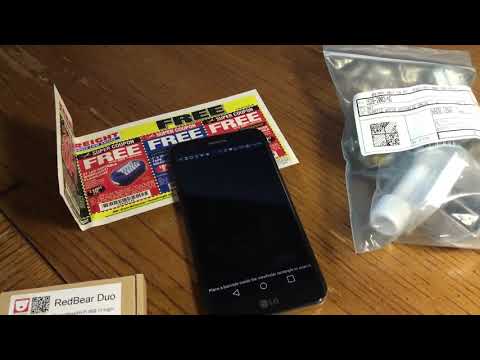](https://youtu.be/lYF8XioDd78)
### Installation
To install:
enaml-native install enaml-native-barcode
__And add enaml-native-barcode:”” to your app’s project dependencies!__
To remove:
enaml-native uninstall enaml-native-barcode
### Usage
See the example in examples. Versions used are listed in the requirements.txt
Install the latest enaml-native-cli==1.3.1
Create a new app enaml-native init BarcodeDemo com.example.barcode apps/
Activate the venv cd apps/BarcodeDemo and source venv/bin/activate
Install enaml-native install enaml-native-barcode
Add enaml-native-barcode: “” to your apps package.json under the android dependencies
Copy in the main.py and view.enaml from the example folder to your apps src folder
Run enaml-native build-python
Run enaml-native run-android
Enjoy!
1 maintainer

Metadata
1 maintainer
Release files for enaml-native-barcode 1.0.1
For a detailed explanation of source distributions (sdists) and built distributions (wheels), please see the package formats documentation.
Built distribution (wheel)
| File | Interpreter | ABI | Platform | Reset |
|---|---|---|---|---|
| enaml_native_barcode-1.0.1-py2-none-any.whl | Python 2 | none | any | Details |
Release files / enaml_native_barcode-1.0.1-py2-none-any.whl
| Download URL | enaml_native_barcode-1.0.1-py2-none-any.whl |
|---|---|
| Size | 66.6 kB |
| Tags | Python 2 |
|
SHA-256 checksum How to use checksums |
3802aaa93afec91be8983bed153e87c4c5c3eaf3161369f1fbaf7a7226703d61
|
|
BLAKE2b-256 checksum How to use checksums |
c2202fcff0ac5cfe27f51cd2f50c8099cb6e1be112dafc035b17bfb8e71f4305
|
| Upload date | |
|
Uploaded using Trusted Publishing? What is trusted publishing? |
No |















](https://youtu.be/lYF8XioDd78)