
Engram
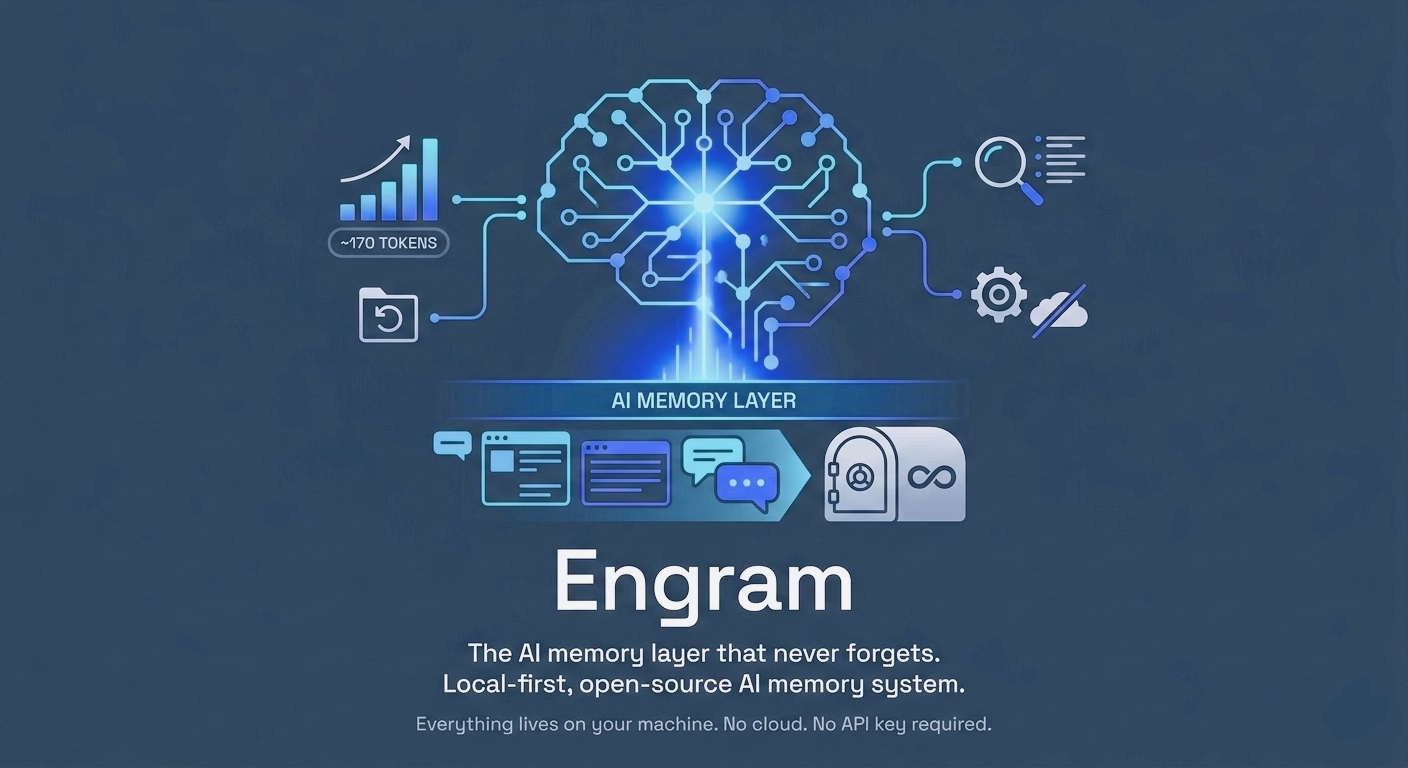
Small, private, verbatim memory for your AI — set up in a minute, readable in an afternoon.


Engram gives Claude (and any MCP client) a long-term memory that lives on your machine. It keeps every note, file and conversation word for word, organises them into wings and rooms, and finds them again with semantic search. No cloud, no API key, no account.
Why Engram
- Small enough to read. About 6,300 lines of Python in 33 files. You can audit everything that touches your data in an afternoon.
- Two commands to set up. Install, run
engram install-hooks, and Claude Code saves your work and conversations automatically. - Verbatim, not summarised. Drawers store your original text. Compression is only used for the small context Engram loads into a model.
- Private by default. Everything stays under
~/.engram/. Nothing is sent anywhere. - Honest numbers. Benchmarks are reproducible from this repo, and unmeasured goals are labelled as goals (details).
Set up in 60 seconds
pip install git+https://github.com/TushaeBXN/engram   # Python 3.9+
engram init ~/myproject                                # create your memory château
engram install-hooks                                   # auto-save from Claude Code (prints a settings.json snippet)
claude mcp add engram -- python -m engram.mcp_server   # give Claude the 22 engram_* tools
Then ask Claude to search or remember things, or use the CLI: engram mine ~/myproject --wing myapp, engram search "auth decisions".
Engram and MemPalace
Engram's design (wings, rooms, halls, drawers, a temporal knowledge graph) is inspired by MemPalace, a much larger and more mature project. If you need a shared memory hub across machines, Docker images, GPU embedding models, LLM reranking or its published benchmark results, use MemPalace. Engram aims to be the small one: the same core ideas in a codebase one person can read, with a two-line setup.
Why local memory?
| Engram | Cloud memory tools | |
|---|---|---|
| Cold-start context | Designed for ~170 tokens (L0 + L1, not yet measured) | Varies |
| Install | One pip install (from GitHub) |
Often Docker + cloud signup |
| API key required | No | Usually |
| Data leaves your machine | Never | Yes |
| Compression | ES shorthand for context (~1.6× on prose) | — |
| Open source | MIT | Often proprietary |
Benchmark Targets
These are goals, not results. ES compression is measured today; the LongMemEval runner is ready but its full 500-question score has not been published yet, and the LoCoMo runner is still a stub. See benchmarks/BENCHMARKS.md to reproduce.
| Benchmark | Metric | Target | Status |
|---|---|---|---|
| LongMemEval | Session recall R@5 | ≥ 0.95 | Runner ready, not yet run |
| LongMemEval | Session recall R@10 | ≥ 0.97 | Runner ready, not yet run |
| LoCoMo | Entity recall | ≥ 0.72 | Not yet implemented |
| LoCoMo | Event recall | ≥ 0.69 | Not yet implemented |
| ES compression | Factual paragraphs | ≥ 1.5× | 1.6× measured |
| ES compression | Code-heavy content | ≥ 1.1× | 1.1× measured |
| ES compression | Mixed | ≥ 1.4× | 1.5× measured |
| Cold-start context | L0 + L1 tokens | ≤ 170 | Not yet measured |
| Search latency p99 | ChromaDB 100k | < 200ms | Not yet measured |
| Search latency p99 | FAISS 100k | < 50ms | Not yet measured |
Quick Start
Note: the
engrampackage on PyPI is an unrelated project. Install Engram from GitHub as shown below, not withpip install engram. Engram's own PyPI package will beengram-chateau; the command staysengram.
# Install (from GitHub; Engram is not on PyPI yet)
pip install git+https://github.com/TushaeBXN/engram

# Or with optional backends
pip install "engram-chateau[faiss] @ git+https://github.com/TushaeBXN/engram"       # FAISS speed backend
pip install "engram-chateau[sqlitevec] @ git+https://github.com/TushaeBXN/engram"   # zero-dependency fallback
pip install "engram-chateau[viz] @ git+https://github.com/TushaeBXN/engram"         # graph visualisation (matplotlib + networkx)
pip install "engram-chateau[all] @ git+https://github.com/TushaeBXN/engram"         # everything

# Initialise your memory château
engram init ~/myproject

# Mine a project directory
engram mine ~/myproject --wing myapp

# Mine a conversation export
engram mine ~/Downloads/claude-export --mode convos --wing myapp

# Search
engram search "auth migration decisions" --wing myapp

# Answer a question grounded in memory (uses Ollama if available)
engram answer "What did we decide about the auth strategy?" --wing myapp

# Store a typed, validated memory
engram remember-type "Always prefer float32 on CPU because bfloat16 is unsupported" \
  instruction --wing myapp --confidence 0.95

# Load cold-start context (~170 tokens)
engram wake-up
Memory Château Architecture
Wing  (person or project)
  └── Room  (named topic: "auth-migration", "ci-pipeline")
        ├── Hall  (memory type: facts | events | discoveries | preferences | advice)
        │     ├── Closet  (ES-compressed summary — fast AI read)
        │     └── Drawer  (verbatim original — never summarised)
        └── Tunnel  (cross-wing link when same room spans multiple wings)
Mined notes and conversation messages are sorted into halls by their content (e.g. "I prefer…" → preferences, "turns out the root cause…" → discoveries) using a local, rule-based classifier (engram/classifier.py). Code and config files keep their extension-based hall; when nothing matches clearly, the old extension/role default is used.
Memory Layers
| Layer | Content | Size | When Loaded |
|---|---|---|---|
| L0 | Identity — who is this AI? | ~50 tokens | Always |
| L1 | Critical facts in ES | ~120 tokens | Always |
| L2 | Room recall — current project | On demand | When topic arises |
| L3 | Deep semantic search | On demand | When explicitly queried |
Total cold-start context: ~170 tokens (L0 + L1 only).
Using with Claude via MCP
Claude Code:
claude mcp add engram -- python -m engram.mcp_server
Claude Desktop: add this to claude_desktop_config.json (macOS: ~/Library/Application Support/Claude/, Windows: %APPDATA%\Claude\):
{
  "mcpServers": {
    "engram": {
      "command": "python",
      "args": ["-m", "engram.mcp_server"]
    }
  }
}
Use the full path to the Python that has Engram installed if python on your PATH is a different one.
Claude will then have access to all 22 engram_* tools including engram_wake_up,
engram_search, engram_add_memory, engram_kg_add, engram_replay, and more.
See examples/mcp_setup.md for the full tool list.
Using with Local Models
Engram works entirely offline. The vector backends use local embeddings:
from engram.backends import get_backend
from engram.palace import Palace
from engram.searcher import Searcher

palace = Palace()
backend = get_backend("chromadb")   # or "faiss" / "sqlitevec"
searcher = Searcher(backend, palace)

results = searcher.search("auth migration")
for r in results:
    print(r["text"], r["final_score"])
No model API required. ChromaDB embeds locally using its bundled models.
Full CLI Reference
Setup
engram init <dir> # guided onboarding + ES bootstrap
Mining
engram mine <dir>                              # mine project files
engram mine <dir> --mode convos                # mine conversation exports
engram mine <dir> --mode convos --wing myapp   # tag with a wing
engram mine <dir> --since 2026-01-01           # skip files older than date
engram mine <dir> --plugin obsidian            # use Obsidian vault plugin
engram mine <dir> --plugin notion              # Notion export
engram mine <dir> --plugin linear              # Linear issues export
Watch Mode
engram watch <dir>                             # auto-mine on file changes
engram watch <dir> --wing myapp --mode convos  # tag + conversation mode
Search
engram search "query"
engram search "query" --wing myapp
engram search "query" --room auth-migration
engram search "query" --no-decay               # disable recency weighting
engram search "query" --results 20             # max results
Memory Stack
engram wake-up                                 # L0 + L1 context dump (~170 tokens)
engram wake-up --wing myapp                    # wing-scoped L1
engram wake-up --rebuild                       # rebuild L1 from drawers
Compression
engram compress                                # ES compress all closets
engram compress --wing myapp                   # wing-scoped
engram compress --wing myapp --room auth       # room-scoped
Knowledge Graph
engram kg query "Kai"
engram kg query "Kai" --all                    # include expired triples
engram kg add "Kai" works_on "Orion" --from 2025-06-01
engram kg invalidate "Kai" works_on "Orion" --ended 2026-03-01
engram kg timeline "auth-migration"
Answer (LLM-grounded QA)
engram answer "What auth approach did we choose?"
engram answer "What did we decide about the DB?" --wing myapp
engram answer "Why did we drop Redis?" --model llama3.2 --chunks 8
Typed Memory
# Store a categorised, validated memory
engram remember-type "Prefer SQLite for local dev" preference --wing myapp
engram remember-type "Use float32 on CPU because bfloat16 unsupported" \
  instruction --wing anthos --confidence 0.95

# List all 13 valid types
engram remember-type --list
Provenance
engram provenance <drawer-id>                  # provenance record for one memory
engram provenance <drawer-id> --history        # full version chain
engram provenance --summary                    # source counts across château
Graph Visualisation
pip install "engram-chateau[viz] @ git+https://github.com/TushaeBXN/engram"
engram graph                                   # all wings → memory_graph.png
engram graph --wing myapp --output myapp.png   # scoped to one wing
Maintenance
engram conflicts                               # interactive TUI conflict resolver
engram audit                                   # health check
engram audit --fix                             # auto-resolve safe issues
engram replay --room auth-migration            # chronological room story
engram replay --room auth-migration --wing myapp
engram replay --room auth-migration --type decision          # filter by type
engram replay --room auth-migration --since 2026-06-01       # filter by date
engram replay --room auth-migration --min-confidence 0.8     # filter by confidence
engram status                                  # château overview
engram split <dir>                             # split concatenated transcripts
engram split <dir> --dry-run
Configuration
~/.engram/config.json
{
  "palace_path": "~/.engram/palace",
  "vector_backend": "chromadb",
  "decay_factor": 0.005,
  "decay_max_days": 90,
  "collection_name": "engram_drawers",
  "people_map": {}
}
| Key | Default | Description |
|---|---|---|
palace_path |
~/.engram/palace |
Root of the château filesystem |
vector_backend |
chromadb |
chromadb | faiss | sqlitevec |
decay_factor |
0.005 |
Recency boost per day: score * (1 + factor * days) |
decay_max_days |
90 |
Days after which decay levels off |
collection_name |
engram_drawers |
ChromaDB collection name |
ENGRAM_VECTOR_BACKEND overrides vector_backend for a single run without editing the file, e.g. ENGRAM_VECTOR_BACKEND=sqlitevec engram search "auth".
Troubleshooting: ChromaDB fails to load
ChromaDB 1.x ships compiled Rust bindings (chromadb_rust_bindings). If they don't match your Python or platform, Engram prints a ChromaDB failed to load message instead of starting. Fix it by reinstalling (pip install --force-reinstall --no-cache-dir chromadb) or by switching to the sqlitevec backend, which needs no compiled dependencies. Each backend keeps its own index, so re-run engram mine after switching.
~/.engram/identity.txt — plain text, becomes your L0 context.
~/.engram/wing_config.json — generated by engram init.
Module Reference
| File | Description |
|---|---|
engram/chateau.py |
Wing/Room/Hall/Closet/Drawer data model |
engram/config.py |
Config loading, ~/.engram/ management |
engram/shorthand.py |
Engram Shorthand (ES) compression dialect |
engram/knowledge_graph.py |
Temporal KG, SQLite backend |
engram/miner.py |
Project file ingest pipeline |
engram/convo_miner.py |
Conversation export ingest (Claude, ChatGPT, Slack) |
engram/searcher.py |
Semantic search + recency weighting |
engram/layers.py |
L0–L3 memory stack |
engram/watcher.py |
FSEvents/inotify watch mode |
engram/conflict.py |
Contradiction detection + TUI resolver |
engram/audit.py |
Memory health audit |
engram/replay.py |
Session/room replay |
engram/qa.py |
LLM-grounded QA over memory (Ollama + fallback) |
engram/typed_memory.py |
13-type typed memory with validation + ES storage |
engram/provenance.py |
Memory provenance and version-chain tracking |
engram/agents.py |
Specialist agent diary system |
engram/chateau_graph.py |
Room navigation graph |
engram/onboarding.py |
Guided init + ES bootstrap |
engram/cli.py |
Typer CLI entry point |
engram/mcp_server.py |
MCP server — 22 tools |
engram/backends/base.py |
Abstract VectorBackend interface |
engram/backends/chromadb_backend.py |
ChromaDB backend (default) |
engram/backends/faiss_backend.py |
FAISS backend (speed-optimised) |
engram/backends/sqlitevec_backend.py |
sqlite-vec backend (zero-dependency) |
engram/plugins/obsidian.py |
Obsidian vault plugin miner |
engram/plugins/notion.py |
Notion export plugin miner |
engram/plugins/linear.py |
Linear issues plugin miner |
engram/hooks/engram_save_hook.sh |
Claude Code auto-save hook |
engram/hooks/engram_precompact_hook.sh |
Claude Code pre-compact hook |
Engram Shorthand (ES)
ES is a compact shorthand that any LLM can read without a decoder. It is used for the context Engram loads into a model (L1 facts, closets); drawers always keep your original text. ES is lossy: filler words such as "the" and "that" are dropped, and decompress() only expands unambiguous symbols such as ∴ and →. Expect about 1.6× on prose and 1.1× on code.
from engram.shorthand import compress, decompress

text = (
    "The authentication module is a critical component that has a dependency "
    "on the database and is responsible for verifying user credentials."
)

es = compress(text, confidence=4)
# → "auth module=★★ component +dep on db&owns: verifying user credentials. [★★★★]"

decompress(es)
# → expands unambiguous symbols (∴, →, ¬ …) back to words

# Code-aware compression
code = "def authenticate(user: str, token: str) -> bool:"
compress(code, is_code=True)
# → "fn:authenticate(user: str,token: str)->bool"

# Diff notation
compress("+add_middleware()\n-manual_verify()", is_diff=True, diff_filename="auth.py")
# → "CHANGE:auth.py add:add_middleware() rm:manual_verify()"
Recency Weighting
final_score = semantic_score × (1 + recency_boost)
recency_boost = decay_factor × max(0, decay_max_days − age_days)
Pinned drawers (engram_pin) bypass decay entirely.
Claude Code Hooks
Two hooks keep Engram up to date while you work in Claude Code:
- Save hook (PostToolUse): every file Claude writes or edits is mined into the château. Re-saving a file replaces its drawer instead of adding a duplicate.
- Pre-compact hook (PreCompact): before Claude Code compacts a conversation, the session transcript is mined so nothing is lost. Only user and assistant text is stored, not tool calls, tool output or thinking, and running it again on the same session adds no duplicates.
engram install-hooks # copies the scripts to ~/.engram/hooks/ and prints the settings snippet
Merge the printed snippet into ~/.claude/settings.json. It looks like:
{
  "hooks": {
    "PostToolUse": [{
      "matcher": "Write|Edit|MultiEdit",
      "hooks": [{"type": "command", "command": "~/.engram/hooks/engram_save_hook.sh"}]
    }],
    "PreCompact": [{
      "hooks": [{"type": "command", "command": "~/.engram/hooks/engram_precompact_hook.sh"}]
    }]
  }
}
Optional environment variables: ENGRAM_WING (default default), ENGRAM_ROOM for transcripts (default conversation), ENGRAM_AGENT for diary entries (default claude-code).
Web UI (notes)
engram ui # opens http://127.0.0.1:7741 in your browser
A local notes app with a force-directed graph of your notes and their [[wikilinks]]: wing tabs, #tag filters, pinned notes, a daily journal, a Markdown editor, and JSON export/import.
Note: the UI keeps its notes in your browser's local storage. It does not yet show the memories Engram stores in
~/.engram/(mined files, conversations, MCP memories). Useengram search,engram replayor the MCP tools for those.
Requirements
- Python 3.9+
- chromadb ≥ 0.4.0
- typer ≥ 0.9.0
- rich ≥ 13.0.0
- watchdog ≥ 3.0.0
- questionary ≥ 2.0.0
- pyyaml ≥ 6.0
Optional:
faiss-cpu— FAISS backendsqlite-vec— sqlite-vec backendmatplotlib+networkx— graph visualisation (pip install "engram-chateau[viz] @ git+https://github.com/TushaeBXN/engram")requests— Ollama API calls forengram answer
No API key. No internet after install.
Contributing
- Fork the repo
pip install -e ".[dev]"pre-commit install- Run tests:
pytest tests/ -v - Submit a PR
Releasing
Engram is published to PyPI as engram-chateau (the command and import engram are unchanged). Publishing runs from .github/workflows/publish.yml using PyPI trusted publishing, so no API token is stored anywhere.
One-time setup (maintainer, on pypi.org): Account settings → Publishing → Add a new pending publisher with PyPI project name engram-chateau, owner TushaeBXN, repository engram, workflow publish.yml, environment pypi.
To release: bump version in pyproject.toml and __version__ in engram/__init__.py, merge, then publish a GitHub release tagged v<version> (for example v1.1.0). The workflow checks the tag matches both, runs the tests, builds, and uploads.
License
MIT © 2026 Tushae Thomas
1 maintainer

Metadata
1 maintainer
Release files for engram-chateau 1.1.0
For a detailed explanation of source distributions (sdists) and built distributions (wheels), please see the package formats documentation.
Source distribution (sdist)
| File | Size | Uploaded | |
|---|---|---|---|
| engram_chateau-1.1.0.tar.gz | 111.1 kB | Details |
Built distribution (wheel)
| File | Interpreter | ABI | Platform | Reset |
|---|---|---|---|---|
| engram_chateau-1.1.0-py3-none-any.whl | Python 3 | none | any | Details |
Total release size: 212.8 kB
Release files / engram_chateau-1.1.0.tar.gz
| Download URL | engram_chateau-1.1.0.tar.gz |
|---|---|
| Size | 111.1 kB |
| Tags | Source |
|
SHA-256 checksum How to use checksums |
93bba28d403bd52b945bb11d9fe5f32b4eec08c0eda5b0c4851d41520a78146e
|
|
BLAKE2b-256 checksum How to use checksums |
ea624878f525a9def4c3bb42793e1aa57ac70fd847666b7ab7f89654c56a0a2e
|
| Upload date | |
|
Uploaded using Trusted Publishing? What is trusted publishing? |
Yes |
| Uploaded via |
twine/7.0.0 CPython/3.13.14
|
Provenance
Provenance describes where a file came from. On PyPI, provenance is shared via attestations, which provide a verifiable record of the build or publishing details. View details, limitations and caveats.


PyPI Publish Attestation
PyPI verified that this artifact, at this checksum, originated from the publisher listed below.
Signed by GitHub Actions, verified by PyPI on Oct 11, 2026.
Transparency logRelease files / engram_chateau-1.1.0-py3-none-any.whl
| Download URL | engram_chateau-1.1.0-py3-none-any.whl |
|---|---|
| Size | 101.7 kB |
| Tags | Python 3 |
|
SHA-256 checksum How to use checksums |
cfacbe0ee4df38b9ffa003358764708f0022c75ac9c1a865932ec879bd4a8957
|
|
BLAKE2b-256 checksum How to use checksums |
0b1688da87bce9589796ce920dc3e811952252d8b036731f79d411b73303e0d2
|
| Upload date | |
|
Uploaded using Trusted Publishing? What is trusted publishing? |
Yes |
| Uploaded via |
twine/7.0.0 CPython/3.13.14
|
Provenance
Provenance describes where a file came from. On PyPI, provenance is shared via attestations, which provide a verifiable record of the build or publishing details. View details, limitations and caveats.
PyPI Publish Attestation
PyPI verified that this artifact, at this checksum, originated from the publisher listed below.
Signed by GitHub Actions, verified by PyPI on Oct 11, 2026.
Transparency log












