
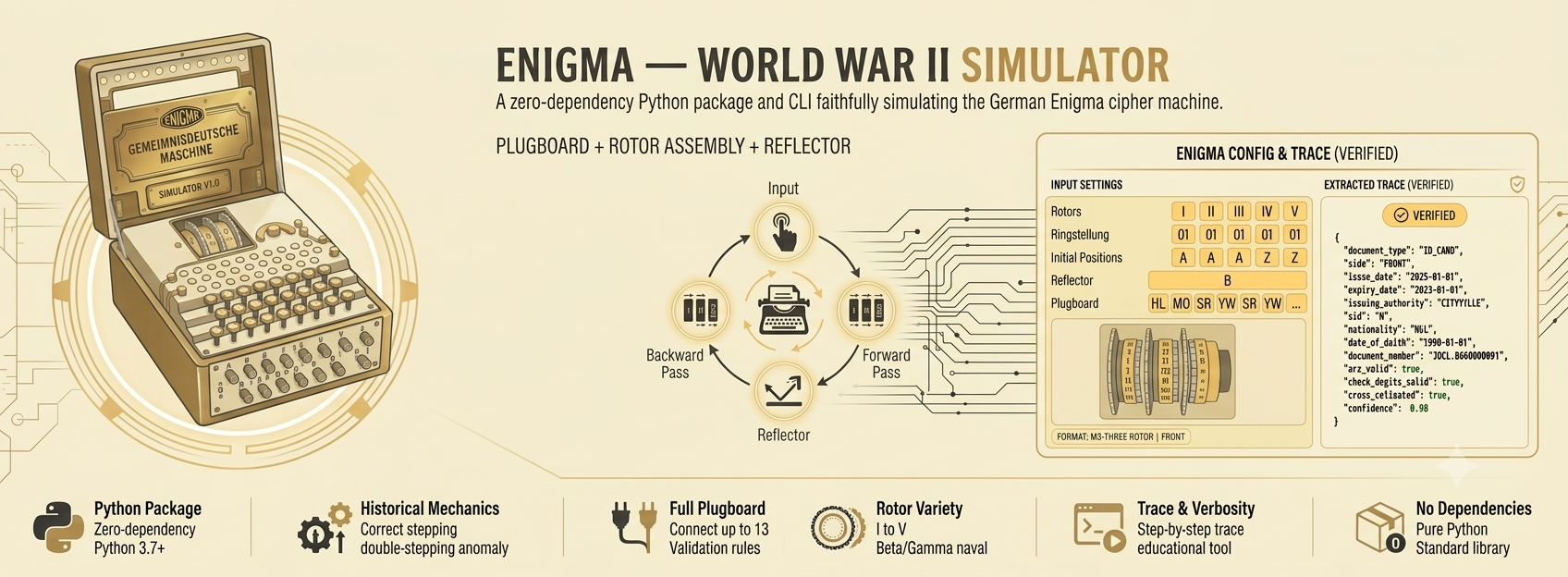
Enigma is a zero-dependency Python package and command-line tool that faithfully simulates the German Enigma cipher machine used during World War II. It reproduces the machine's full electromechanical encoding path — plugboard, stepping rotors, ring settings, and reflector — and can trace every character's journey through the machine, making it equally useful as a working cipher tool and as an educational aid for understanding how the Enigma actually worked.
Because the Enigma cipher is reciprocal, the same machine configuration both encodes and decodes: run ciphertext through a machine with identical settings and the original plaintext comes back out.
Table of Contents
- How the Simulation Works
- Features
- Supported Rotors and Reflectors
- Installation
- Python Usage
- CLI Usage
- Verbosity and Tracing
- Project Structure
- License
How the Simulation Works
Each keypress on a real Enigma machine sent an electrical signal through a fixed sequence of components, and this simulator models every stage of that path:
Input letter
   │
   ▼
Plugboard ──▶ Rotors (right → left, forward pass) ──▶ Reflector
                                                          │
Output letter ◀── Plugboard ◀── Rotors (left → right) ◀───┘
- Rotor stepping — before the signal travels anywhere, the rotors advance. The right-hand rotor steps on every keypress; when a rotor sits at its notch position it carries the next rotor with it. The simulator also reproduces the machine's famous double-stepping anomaly, where the middle rotor steps twice on consecutive keypresses. In four-rotor configurations, the fourth (leftmost) rotor never steps — exactly as on the historical naval machines.
- Plugboard (Steckerbrett) — if the letter is connected by a plug lead, it is swapped with its partner before entering the rotors, and again on the way out.
- Forward pass — the signal passes through each rotor from right to left. Each rotor applies its internal wiring, offset by its current position and ring setting.
- Reflector — the signal is reflected back through a fixed pairwise substitution. This is what makes the cipher reciprocal (and guarantees no letter ever encodes to itself).
- Backward pass — the signal returns through the rotors left to right, using each rotor's inverse wiring, then exits through the plugboard as the enciphered letter.
Features
- Historically accurate rotor mechanics — correct notch-driven stepping, the double-stepping anomaly of the middle rotor, and ring settings (Ringstellung) that shift both the wiring offset and the effective notch position.
- Three- and four-rotor configurations — mount any number of rotors; four-rotor naval (M4-style) setups work out of the box, with the fourth rotor correctly held stationary.
- Full plugboard support — connect up to 13 plug leads. The plugboard validates its own state: duplicate leads and leads reusing an already-occupied letter are rejected with a clear error.
- Custom hardware — override any rotor's notch position, or supply your own 26-letter reflector wiring as a list instead of a named reflector.
- Strict input validation — rotor names, ring settings, positions, reflector wirings, and plug leads are all checked at construction time, so misconfigurations fail immediately with a message explaining what is wrong rather than silently producing garbage ciphertext.
- Step-by-step encoding traces — at the highest verbosity level, the simulator prints the complete path of every character through every component (see Verbosity and Tracing), which makes it easy to follow — or teach — exactly how the machine transforms a letter.
- Two interfaces, one engine — use the reusable
Enigmaclass from Python, or theenigmaconsole command from the terminal. Both are backed by the same components (Rotor,RotorAssembly,Reflector,Plugboard,PlugLead), each of which can also be used and studied independently. - No dependencies — pure Python standard library, Python 3.7+.
Supported Rotors and Reflectors
The simulator ships with the historical wirings for the following components:
| Rotor | Notch position | Notes |
|---|---|---|
I |
Q | Wehrmacht/Luftwaffe rotor |
II |
E | Wehrmacht/Luftwaffe rotor |
III |
V | Wehrmacht/Luftwaffe rotor |
IV |
J | Wehrmacht/Luftwaffe rotor |
V |
Z | Wehrmacht/Luftwaffe rotor |
Beta |
none | Naval thin rotor — never drives a neighbour |
Gamma |
none | Naval thin rotor — never drives a neighbour |
| Reflector | Description |
|---|---|
A |
Reflector A wiring |
B |
Reflector B wiring (the most widely used, default) |
C |
Reflector C wiring |
| custom | Any 26-letter wiring passed as a Python list |
Notch positions can be overridden per rotor via the notch_positions argument, and every wiring is validated to contain each letter of the alphabet exactly once.
Installation
Install from PyPI:
pip install enigma-sim
The distribution is named enigma-sim, but the import name is simply enigma:
from enigma import Enigma
Or install from source for development:
git clone https://github.com/NaumanHSA/enigma.git
cd enigma
pip install -e .
Python Usage
Basic encoding
from enigma import Enigma

machine = Enigma(
    rotors="I II III",              # left-to-right rotor order
    ring_settings="01 01 01",       # Ringstellung, 1–26 per rotor
    initial_positions="A A Z",      # starting letter shown in each window
    reflector="B",
    plugleads="HL MO AJ CX BZ SR NI YW DG PK",
)

ciphertext = machine.encode("HELLOWORLD")
print(ciphertext)  # RFKTMBXVVW
Decoding — the reciprocal property
Decryption is just encryption with the same settings. Build a machine with the identical configuration and feed it the ciphertext:
receiver = Enigma(
    rotors="I II III",
    ring_settings="01 01 01",
    initial_positions="A A Z",
    reflector="B",
    plugleads="HL MO AJ CX BZ SR NI YW DG PK",
)
print(receiver.encode("RFKTMBXVVW"))  # HELLOWORLD
Note: rotor positions advance as characters are encoded, so create a fresh
Enigmainstance (or one with the original settings) to decode — a machine that has already processed text is no longer at its starting position.
Four-rotor naval configuration
machine = Enigma(
    rotors="IV V Beta I",
    ring_settings="18 24 03 05",
    initial_positions="E Z G P",
    reflector="A",
    plugleads="PC XZ FM QA ST NB HY OR EV IU",
)
plaintext = machine.encode("BUPXWJCDPFASXBDHLBBIBSRNWCSZXQOLBNXYAXVHOGCUUIBCVMPUZYUUKHI")
Custom reflector wiring
custom_reflector = list("YRUHQSLDPXNGOKMIEBFZCWVJAT")
machine = Enigma(rotors="I II III", reflector=custom_reflector)
Enigma constructor reference
| Parameter | Type | Default | Description |
|---|---|---|---|
rotors |
str |
"I II III" |
Space-separated rotor names, ordered left to right as mounted in the machine. |
ring_settings |
str |
"01 01 01" |
One numeric ring setting (1–26) per rotor. |
initial_positions |
str |
"A A A" |
One starting letter per rotor — the letter visible in each rotor window. |
notch_positions |
str |
None |
Optional per-rotor notch override (e.g. "Q E V"). When omitted, each rotor's historical notch is used. |
reflector |
str | list |
"B" |
Named reflector ("A", "B", "C") or a custom 26-letter wiring list. |
plugleads |
str |
None |
Space-separated letter pairs (e.g. "AB CD EF"). Omit for no plugboard connections. |
verbose |
int |
0 |
0 silent, 1 prints the machine configuration, 2 additionally traces every character. |
encode(input_string) accepts uppercase English letters (A–Z) and returns the enciphered string. Any other character raises a ValueError.
More runnable examples, including the assertions used to verify the machine against known Enigma outputs, live in example_simulations.py.
CLI Usage
Installing the package registers an enigma console command:
enigma "HELLO" --rotors="I II III" --initial-positions="A A A" --ring-settings="01 01 01" --plugleads="HA YZ" --verbose=2
| Argument | Type | Default | Description |
|---|---|---|---|
text |
string | (required) | The text to encode — uppercase English letters only. |
--rotors |
string | "I II III" |
Space-separated rotor names, left to right. |
--ring-settings |
string | "01 01 01" |
One ring setting (1–26) per rotor. |
--initial-positions |
string | "A A A" |
One starting letter per rotor. |
--notch-positions |
string | None |
Optional notch overrides (e.g. "Q E V"); historical notches are used by default. |
--reflector |
string | "A" |
Reflector to mount: A, B, or C. Note the CLI defaults to A while the Python API defaults to B. |
--plugleads |
string | None |
Plugboard letter pairs (e.g. "AB CD EF"). |
--verbose |
int (0–2) | 1 |
0 silent, 1 prints the machine configuration and result, 2 adds full per-character traces. |
Verbosity and Tracing
The simulator's most distinctive feature is its transparency. At verbose=1 it prints the resolved machine configuration — each rotor's wiring, ring setting, effective notch, starting position, and placement relative to its neighbours. At verbose=2 it additionally logs the complete path of every character:
Input char → Plugboard → Rotors (forward) → Reflector → Rotors (backward) → Plugboard → Encoded char
Example output for enigma "HELLO" --plugleads="HA YZ" --verbose=2:
########################################## Rotors Settings ##########################################
----------------------------------------------------------------------------------------------------
Rotor    | Ring  | Initial Pos  | Notch        | Forward Mapping
----------------------------------------------------------------------------------------------------
I        | 1     | A (index 0 ) | Q (index 16) | EKMFLGDQVZNTOWYHXUSPAIBRCJ
II       | 1     | A (index 0 ) | E (index 4 ) | AJDKSIRUXBLHWTMCQGZNPYFVOE
III      | 1     | A (index 0 ) | V (index 21) | BDFHJLCPRTXVZNYEIWGAKMUSQO
----------------------------------------------------------------------------------------------------

######################################### Rotors Placement #########################################
----------------------------------------------------------------------------------------------------
Left Rotor | Current Rotor | Right Rotor
----------------------------------------------------------------------------------------------------
N/A        | I             | II
I          | II            | III
II         | III           | N/A
----------------------------------------------------------------------------------------------------

##################################### Characters Encoding Paths #####################################
----------------------------------------------------------------------------------------------------
INPUT: H
Plugboard (HA)  : H => A
Forward   (III) : A -> +1 => B -> wiring => C -> -1 => C
Forward   (II)  : C -> +0 => C -> wiring => D -> -0 => D
Forward   (I)   : D -> +0 => D -> wiring => F -> -0 => F
Reflector (A)   : F => L
Backward  (I)   : L -> +0 => L -> inverse wiring => E -> -0 => E
Backward  (II)  : E -> +0 => E -> inverse wiring => Z -> -0 => Z
Backward  (III) : Z -> +1 => A -> inverse wiring => T -> -1 => S
Plugboard (N/A) : S => S
ENCODED: S
----------------------------------------------------------------------------------------------------
... (one block per input character)

######################################### Encoding Complete #########################################
Input String:   HELLO
Encoded String: SCUBR
####################################################################################################
Each trace line reads left to right: the incoming letter, the shift applied for the rotor's current position, the substitution through the rotor's wiring (or inverse wiring on the way back), and the shift removed on exit.
Project Structure
enigma/
├── enigma/
│   ├── enigma.py               # Enigma class — input validation, machine assembly, encode loop
│   ├── cli.py                  # argparse-based console entry point (`enigma` command)
│   ├── common/
│   │   └── base.py             # Baseclass: rotor/reflector wirings, notch table, logging helpers
│   └── components/
│       ├── rotor.py            # Single rotor: wiring, ring setting, stepping, notch logic
│       ├── rotors_assembly.py  # Rotor bank + reflector: stepping rules and signal routing
│       ├── reflector.py        # Named and custom reflectors
│       ├── plug_board.py       # Plugboard managing the set of connected leads
│       └── plug_lead.py        # A single two-letter plug lead
├── example_simulations.py      # Verified examples, including a full decoding demo
├── setup.py / pyproject.toml   # Packaging configuration
└── README.md
License
This project is licensed under the MIT License.
Author
Nauman Ahsan — Machine Learning Engineer & Software Developer LinkedIn · naumanhsa965@gmail.com
Acknowledgements
Inspired by historical research on the German Enigma machine and its cryptographic mechanisms. The rotor and reflector wirings reproduce the documented wirings of the historical machines. This simulator is intended for educational and illustrative purposes.
1 maintainer

Metadata
1 maintainer
Release files for enigma-sim 0.1.0
For a detailed explanation of source distributions (sdists) and built distributions (wheels), please see the package formats documentation.
Source distribution (sdist)
| File | Size | Uploaded | Provenance | Actions |
|---|---|---|---|---|
| enigma_sim-0.1.0.tar.gz | 23.0 kB | Without provenance | Details for enigma_sim-0.1.0.tar.gz |
Built distribution (wheel)
| File | Interpreter | ABI | Platform | Actions Reset |
|---|---|---|---|---|
| enigma_sim-0.1.0-py3-none-any.whl | Python 3 | none | any | Details for enigma_sim-0.1.0-py3-none-any.whl |
Total release size: 44.9 kB
Release files / enigma_sim-0.1.0.tar.gz
| Download URL | enigma_sim-0.1.0.tar.gz |
|---|---|
| Size | 23.0 kB |
| Tags | Source |
|
SHA-256 checksum How to use checksums |
484879315d0b9fc8ee8ea41b7c7e5915d849fafdba15085b57e3bfc1d64ab081
|
|
BLAKE2b-256 checksum How to use checksums |
aa03177f5445c069ce601f1f6721db64cea9ed94602d0a4148ee1b931454e482
|
| Upload date | |
|
Uploaded using Trusted Publishing? What is trusted publishing? |
No |
| Uploaded via |
twine/6.2.0 CPython/3.11.13
|
Release files / enigma_sim-0.1.0-py3-none-any.whl
| Download URL | enigma_sim-0.1.0-py3-none-any.whl |
|---|---|
| Size | 21.9 kB |
| Tags | Python 3 |
|
SHA-256 checksum How to use checksums |
78fe7780f53022018d7bf8e7dcbccd1dc387556904f9573cc72af1d2200041dc
|
|
BLAKE2b-256 checksum How to use checksums |
1ffc5db3b35c4e0ccb5c721259957502d77a019aa55799a8c314d845d5881324
|
| Upload date | |
|
Uploaded using Trusted Publishing? What is trusted publishing? |
No |
| Uploaded via |
twine/6.2.0 CPython/3.11.13
|
Security for enigma-sim 0.1.0
Provenance
Provenance describes where a file came from. On PyPI, provenance is shared via attestations, which provide a verifiable record of the build or publishing details. View details, limitations and caveats.
No provenance found
None of the files in this release were uploaded with provenance metadata.
A note on package security
PyPI is a repository for distributing packages, not a service for auditing them. While third-party security researchers and our staff do their best to detect and remove malicious packages, PyPI cannot guarantee the quality, security or suitability of any given package.
To learn more about protecting yourself from malicious actors, visit our package security documentation.













