
Find the gaps in your Python environment config.

Project description
envgap
Find the gaps in your Python environment config.
envgap is a diagnostic CLI for Python projects that use .env files, .env.example, shell variables, and os.environ / os.getenv in code. It does not load your config. It shows the gaps between what your app expects, what your project documents, and what your environment actually provides.
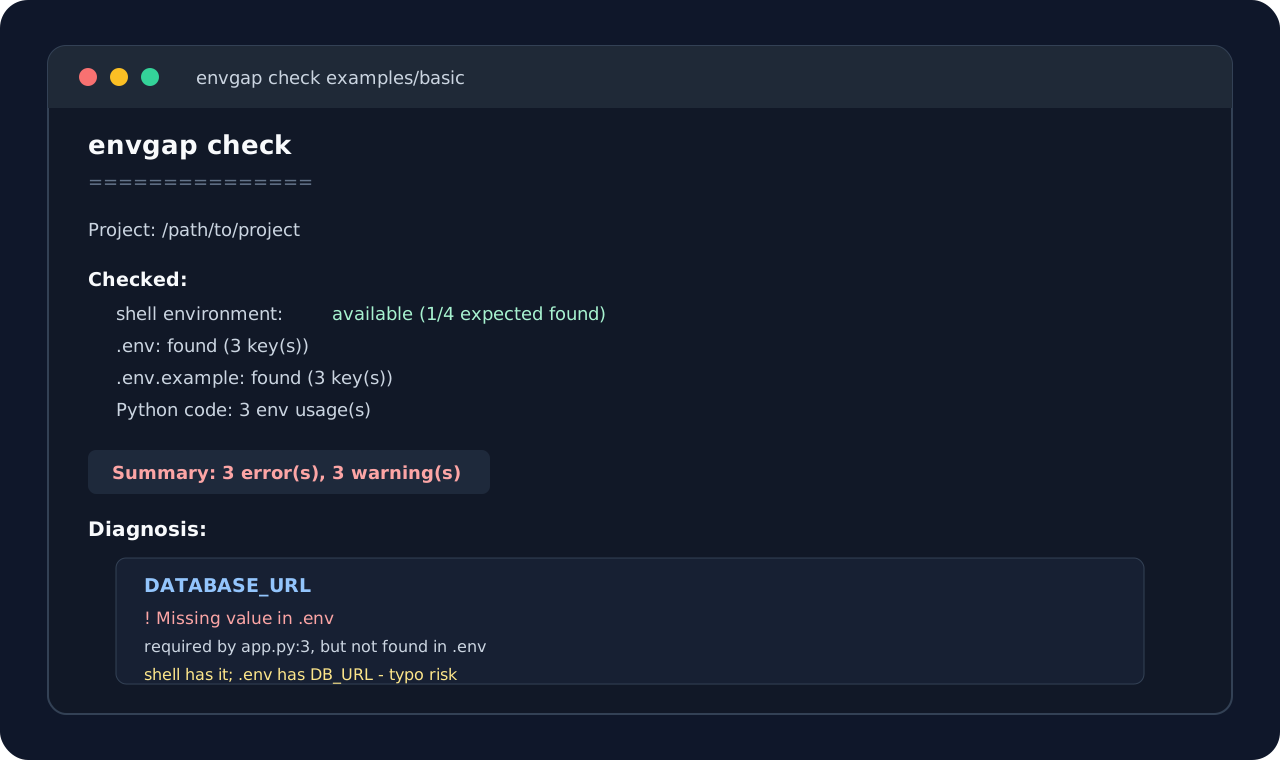
30-Second Demo
Given a project with:
# .env
DB_URL=postgres://localhost/app
OPENAI_API_KEY=changeme
# app.py
import os

DATABASE_URL = os.environ["DATABASE_URL"]
Run:
$ DATABASE_URL=postgres://shell/app envgap check examples/basic

envgap check
===============

Checked:
  shell environment: available (1/4 expected key(s) found)
  .env: found (3 key(s))
  .env.example: found (3 key(s))
  Python code: 3 env usage(s)

Diagnosis:
  DATABASE_URL
    ! Missing value: DATABASE_URL is missing from .env (app.py:3)
      It is present in your shell environment, so local commands may work while CI or Docker still fails.
      Suggested fix: Add DATABASE_URL=... to .env or document how CI/Docker should provide it.

  DB_URL
    ~ Possible typo: DB_URL may be a typo for DATABASE_URL (.env:1)
      Suggested fix: Rename DB_URL to DATABASE_URL if they represent the same setting.
Why
Environment config bugs are boring until they eat an afternoon.
Common examples:
- The app expects
DATABASE_URL, but.envcontainsDB_URL. .env.examplesays a key exists, but local.envnever got it.- A secret is still set to
changeme. - A variable works locally only because it is exported in your shell.
- CI, Docker, or another developer's machine fails because the real required variables are not documented.
envgap is for that moment when you want the project to explain itself.
Install
pip install envgap
From a local checkout:
pip install -e ".[dev]"
Quick Start
Run a check in the current project:
envgap check
Try the included broken example:
envgap check examples/basic
Show machine-readable output:
envgap check --json
Ignore shell variables for deterministic CI checks:
envgap check --no-shell
Fail on warnings as well as errors:
envgap check --strict
--ci is supported as a CI-friendly alias for --strict:
envgap check --ci
Use custom dotenv filenames:
envgap check --env-file .env.local --example-file .env.example
What It Checks Today
envgap check currently inspects:
- current shell environment
.env.env.example- Python files using common environment variable APIs
It detects:
- missing keys
- undocumented extra keys
- duplicate keys
- empty values
- placeholder values like
your-key-here,changeme,todo, andreplace-me - likely typo pairs like
DB_URLvsDATABASE_URL - required env vars used in Python code but missing from
.env.example - missing
.env - missing
.env.example
It scans Python code for:
os.environ["DATABASE_URL"]
os.getenv("DATABASE_URL")
os.getenv("DATABASE_URL", "sqlite:///local.db")
os.environ.get("DATABASE_URL", "sqlite:///local.db")
Required vs optional behavior:
os.environ["KEY"]is requiredos.getenv("KEY")is requiredos.getenv("KEY", default)is optionalos.environ.get("KEY", default)is optional
Exit Codes
| Command | Exit code behavior |
|---|---|
envgap check |
exits 1 when errors are present |
envgap check --strict |
exits 1 when errors or warnings are present |
envgap check --ci |
same as --strict |
envgap check --json |
same pass/fail behavior, JSON output |
envgap check --no-shell |
ignores current shell variables when diagnosing missing keys |
Warnings do not fail a normal check unless --strict or --ci is used.
CI
name: envgap

on: [push, pull_request]

jobs:
  envgap:
    runs-on: ubuntu-latest
    steps:
      - uses: actions/checkout@v4
      - uses: actions/setup-python@v5
        with:
          python-version: "3.12"
      - run: pip install envgap
      - run: envgap check --ci
Example Diagnosis
Given:
# .env
DB_URL=postgres://localhost/app
OPENAI_API_KEY=changeme
# .env.example
DATABASE_URL=
OPENAI_API_KEY=your-key-here
# app.py
import os

DATABASE_URL = os.environ["DATABASE_URL"]
DEBUG = os.getenv("DEBUG", "false")
envgap can report:
DATABASE_URLis required in code but missing from.envDB_URLmay be a typo forDATABASE_URLOPENAI_API_KEYstill looks like a placeholderDEBUGis optional because it has a default
Why Not Just python-dotenv?
python-dotenv loads environment variables.
envgap explains whether the environment variables your app expects match the variables your project defines and documents.
The useful question is not only:
Did
.envload?
It is:
What does my app expect, where should it come from, and why is it missing or wrong here?
Current Scope
This is intentionally a small diagnostic tool, not a config framework.
In scope now:
.env.env.example- shell environment
- Python
os.environ/os.getenvscanning - terminal and JSON reports
- CI-friendly exit codes
Not in scope yet:
- loading or mutating your environment
- validating every framework-specific settings pattern
- Docker Compose parsing
- GitHub Actions secrets parsing
- Pydantic
BaseSettingsextraction
Roadmap
- Pydantic
BaseSettingssupport - Django settings helper detection
- Docker Compose env detection
- GitHub Actions env/secrets detection
- precedence explanations for shell vs
.envvs framework defaults - GitHub Actions annotations
- richer JSON schema for editor and CI integrations
Development
python -m venv .venv
. .venv/bin/activate
pip install -e ".[dev]"
pytest
Run the example locally:
envgap check examples/basic
Run the shell-aware example:
DATABASE_URL=postgres://shell/app envgap check examples/basic
License
MIT
Release history Release notifications | RSS feed


Download files
Download the file for your platform. If you're not sure which to choose, learn more about installing packages.
Source Distribution
Built Distribution
Filter files by name, interpreter, ABI, and platform.
If you're not sure about the file name format, learn more about wheel file names.
Copy a direct link to the current filters
File details
Details for the file envgap-0.1.1.tar.gz.
File metadata
- Download URL: envgap-0.1.1.tar.gz
- Upload date:
- Size: 17.1 kB
- Tags: Source
- Uploaded using Trusted Publishing? No
- Uploaded via: twine/6.2.0 CPython/3.13.0
File hashes
| Algorithm | Hash digest | |
|---|---|---|
| SHA256 |
530d1d99c642eb0399503aae073c155306cab9691441dee3b3f26fa7c54551d9
|
|
| MD5 |
a23cf2316bca2c817d6c082814bd4342
|
|
| BLAKE2b-256 |
3053cd31d392325976447b6d45260bfb3b8903811bf0a5466c8073b7b940ba10
|
File details
Details for the file envgap-0.1.1-py3-none-any.whl.
File metadata
- Download URL: envgap-0.1.1-py3-none-any.whl
- Upload date:
- Size: 16.9 kB
- Tags: Python 3
- Uploaded using Trusted Publishing? No
- Uploaded via: twine/6.2.0 CPython/3.13.0
File hashes
| Algorithm | Hash digest | |
|---|---|---|
| SHA256 |
40a05772fb284cbed58d03dd0dcbbe5785b316514ac78f597a1acb86cace8a60
|
|
| MD5 |
84dfebdfe08ea0b317aa2b5ba895211d
|
|
| BLAKE2b-256 |
9b50fa9aa7ce07452b0893237cb2e9bb4d6c9448c04975bf21d65f9c92092654
|






