
Discover and report Python virtual environments on your system

Project description







Discover Python virtual environments and Python disk artifacts in a compact terminal layout.
[!WARNING]
envoicis still experimental and therefore subject to major changes across releases. Breaking changes may occur untilv1.0.0.
Use Immediately
Run without installing:
uvx envoic scan .
NOTE: JavaScript version is available as
npx envoic scan .- see JavaScript
Install:
uv tool install envoic

# or

pipx install envoic
Sample Outputs
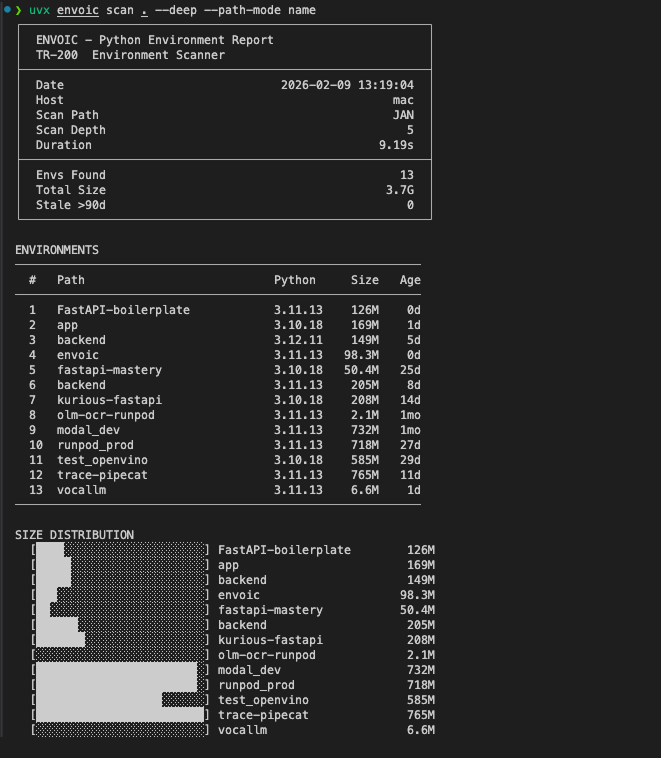
1. Scan
Scan the current directory for Python virtual environments and artifact directories/files
(__pycache__, .mypy_cache, .tox, dist/, build/, and more).
Use --depth to control recursion and --deep to include size metadata.
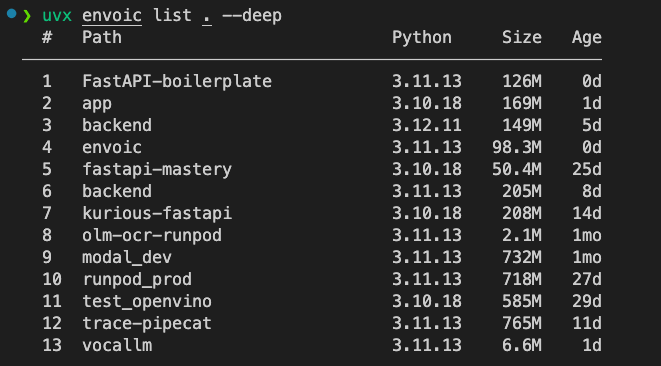
2. List
List discovered Python virtual environments in a compact table.
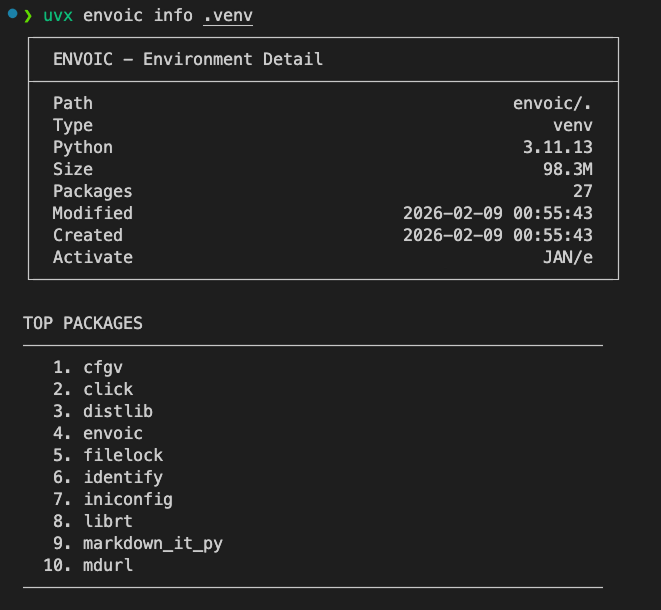
3. Info
Get the information about the Python virtual environment in the current directory.
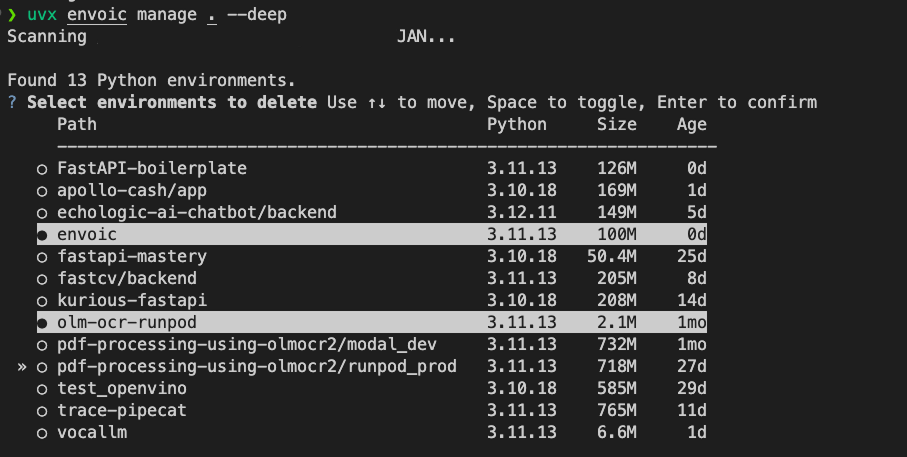
4. Manage
Interactively select environments and delete the selected ones with confirmation.
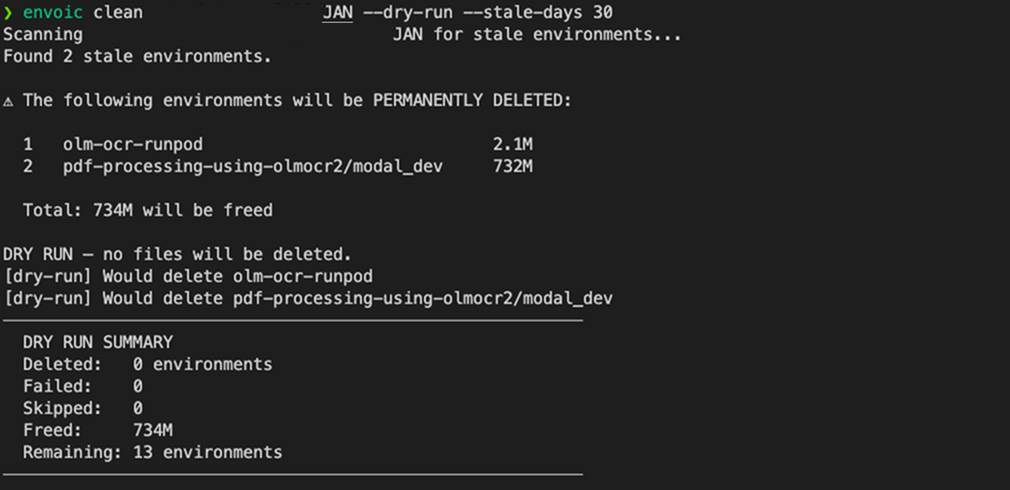
5. Clean
Delete stale environments in batch mode (supports --dry-run and confirmation).
Usage
envoic scan [PATH]
envoic scan ~/projects --deep
envoic scan ~/projects --no-artifacts

envoic list [PATH]

envoic manage [PATH]

envoic clean [PATH]

envoic info <ENV_PATH>

envoic version
Read more at Documentation
Local Development
uv sync --group dev

uv run pytest

uv run python -m envoic.cli scan . --deep --path-mode name
License
Release history Release notifications | RSS feed


Download files
Download the file for your platform. If you're not sure which to choose, learn more about installing packages.
Source Distribution
Built Distribution
Filter files by name, interpreter, ABI, and platform.
If you're not sure about the file name format, learn more about wheel file names.
Copy a direct link to the current filters
File details
Details for the file envoic-0.1.0.tar.gz.
File metadata
- Download URL: envoic-0.1.0.tar.gz
- Upload date:
- Size: 46.6 kB
- Tags: Source
- Uploaded using Trusted Publishing? No
- Uploaded via: twine/6.1.0 CPython/3.13.12
File hashes
| Algorithm | Hash digest | |
|---|---|---|
| SHA256 |
80f4a4cd5c600d4f1a8d7c1770377e643f6922186400279838fa73354e16840a
|
|
| MD5 |
794c1932cfbfb2f625b3b449fdf1dee3
|
|
| BLAKE2b-256 |
1c599f3c0dc5aada21a0e13be3170fde04bdedc50ccf6ad565e16d214a0a121b
|
File details
Details for the file envoic-0.1.0-py3-none-any.whl.
File metadata
- Download URL: envoic-0.1.0-py3-none-any.whl
- Upload date:
- Size: 22.9 kB
- Tags: Python 3
- Uploaded using Trusted Publishing? No
- Uploaded via: twine/6.1.0 CPython/3.13.12
File hashes
| Algorithm | Hash digest | |
|---|---|---|
| SHA256 |
5b0d0bbef23a1c052d60aba767e633b5d8b020958feb404fe3f8ac508b586961
|
|
| MD5 |
bd3f39b4c232e3c0ec99dcb6e5240970
|
|
| BLAKE2b-256 |
612a3e8e0666e41fe76c51a22340ac3a8ee9300383444bae8daada3ca1627497
|






