
Toolkit for ESPROS TOFcam's

Project description

ESPROS TOFcam Toolkit
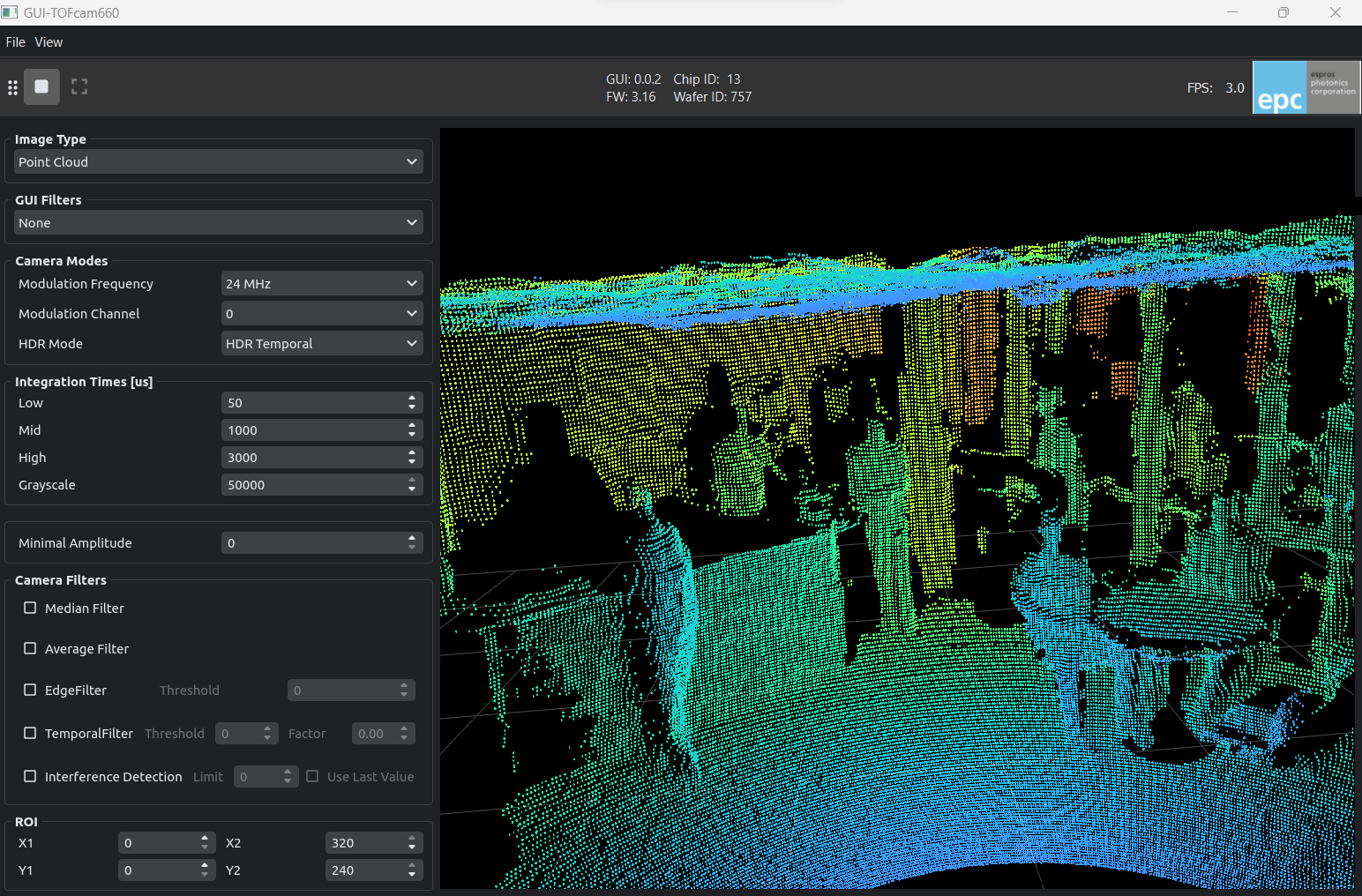
The ESPROS TOFcam Toolkit is designed to control and visualize ESPROS TOFcam devices. It provides python modules for most TOFcam modules and GUI applications for interactive control and visualization.
Website: https://www.espros.com
Products: https://www.digikey.com/en/supplier-centers/espros
Documentation: https://epc-tofcam-toolkit.readthedocs.io/en/latest/
Source code: https://github.com/espros/epc-tofcam-toolkit
Quick-start
To install the toolkit include all necessary dependencies for the graphical user interface, install the package using the [gui] extra:
pip install epc-tofcam-toolkit[gui]
Connect and startup the camera. Then simply run the gui with:
tofcam660
tofcam635
tofcam611
tofrange611
- TOFcam660 will try to connect to ip-address 10.10.31.180
- TOFcam635 will try to find the com port automatically
- TOFcam611 will try to find the com port automatically
You can also manually specify the communication port
tofcam660 --ip 10.10.31.180
tofcam635 --port COM3
tofcam611 --port COM3
tofrange611 --port COM3
Installation for development
Clone this repository and cd into it.
1. Create and activate a virtual environment
python -m venv .venv

# linux / macOS
source .venv/bin/activate

# windows
.\.venv\Scripts\activate
2. Install modules and dependencies
All dependencies are managed using the pyproject.toml and installed via pip. Choose the install option that fits your use case:
Option A — Core API:
Install only the epc-tofcam-toolkit API and dependencies to control the camera.
pip install -e .
Option B — Core API & Full development environment inlcuding the GUI:
pip install --editable ".[dev,gui,doc]"
Installs the full development environment and all dependency groups:
| Group | Purpose |
|---|---|
gui |
Required to run the GUI applications |
dev |
Required for testing and type checking |
doc |
Required for compiling documentation |


Download files
Download the file for your platform. If you're not sure which to choose, learn more about installing packages.
Source Distribution
Built Distribution
Filter files by name, interpreter, ABI, and platform.
If you're not sure about the file name format, learn more about wheel file names.
Copy a direct link to the current filters
File details
Details for the file epc_tofcam_toolkit-0.7.0.tar.gz.
File metadata
- Download URL: epc_tofcam_toolkit-0.7.0.tar.gz
- Upload date:
- Size: 5.8 MB
- Tags: Source
- Uploaded using Trusted Publishing? No
- Uploaded via: twine/6.1.0 CPython/3.12.3
File hashes
| Algorithm | Hash digest | |
|---|---|---|
| SHA256 |
1406f6998c740c02a5bd7105900950006160eba9e3b898334f90734ccf4d4bf2
|
|
| MD5 |
dbf9144d94f9d75fd308e5cd131ef05e
|
|
| BLAKE2b-256 |
5a55f66828cdb02fdf3178b551aaf7241a74f67dd55d4766675073b7979f3f7a
|
File details
Details for the file epc_tofcam_toolkit-0.7.0-py3-none-any.whl.
File metadata
- Download URL: epc_tofcam_toolkit-0.7.0-py3-none-any.whl
- Upload date:
- Size: 323.1 kB
- Tags: Python 3
- Uploaded using Trusted Publishing? No
- Uploaded via: twine/6.1.0 CPython/3.12.3
File hashes
| Algorithm | Hash digest | |
|---|---|---|
| SHA256 |
da6b823e39d5600de721d98f4a8052cdc5ca67fc86c0281a222c808fd5cfb499
|
|
| MD5 |
8eb662e8e3dc93a3f34ed17d3fab7438
|
|
| BLAKE2b-256 |
45faa21a9925a378ff5b3007d6eda722dfe9f046b9c77bf8248c69e7cb162726
|






