
EquiAudit — Dataset Quality & Fairness Evaluation System
An AI-agent pipeline for evaluating datasets on data quality and fairness concerns, with an interactive Streamlit GUI, a headless CLI, and a Python API.
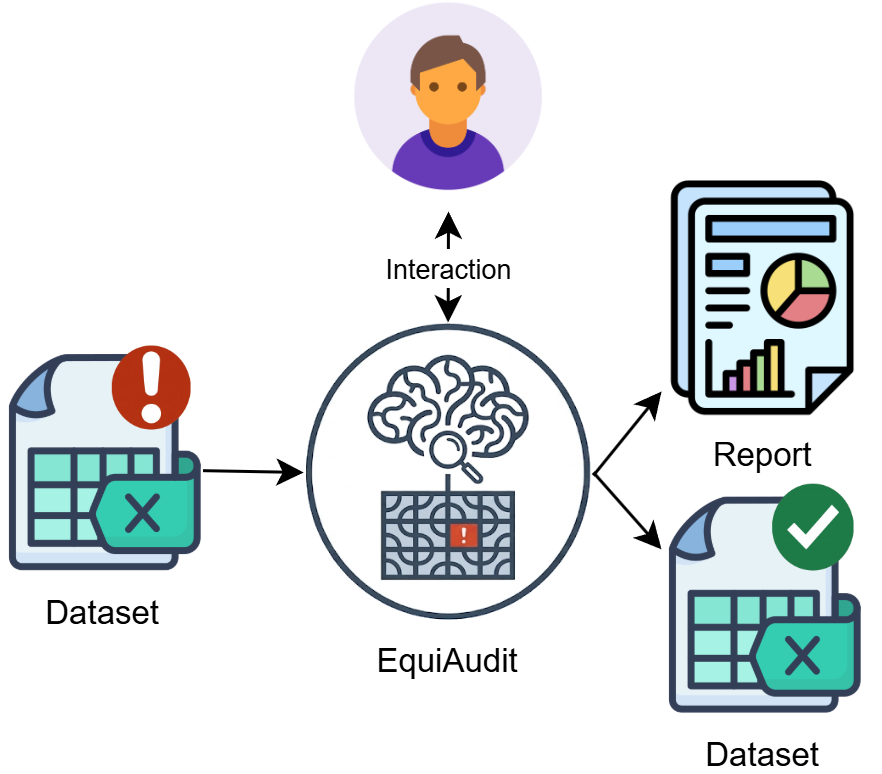
A dataset is fed into EquiAudit, which coordinates AI agents under optional user supervision to produce an audit report and a bias-mitigated dataset.
How It Works
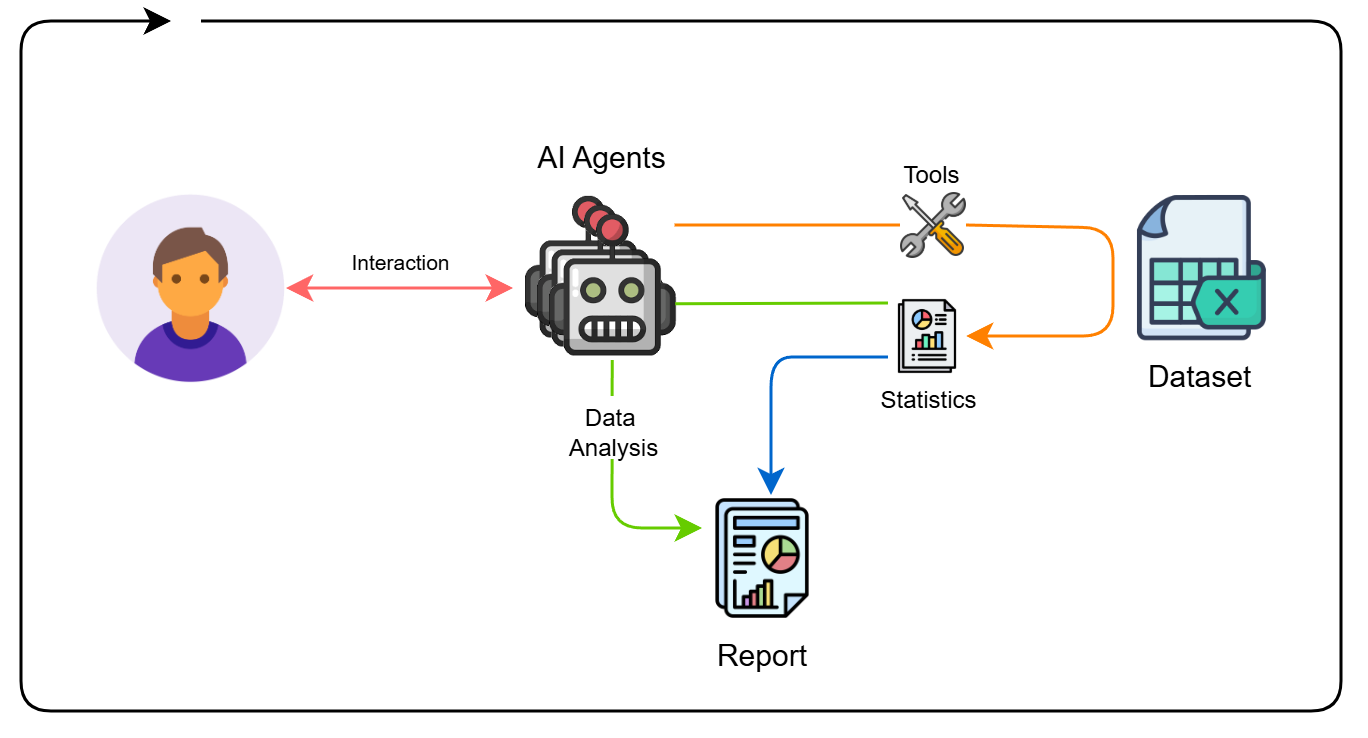
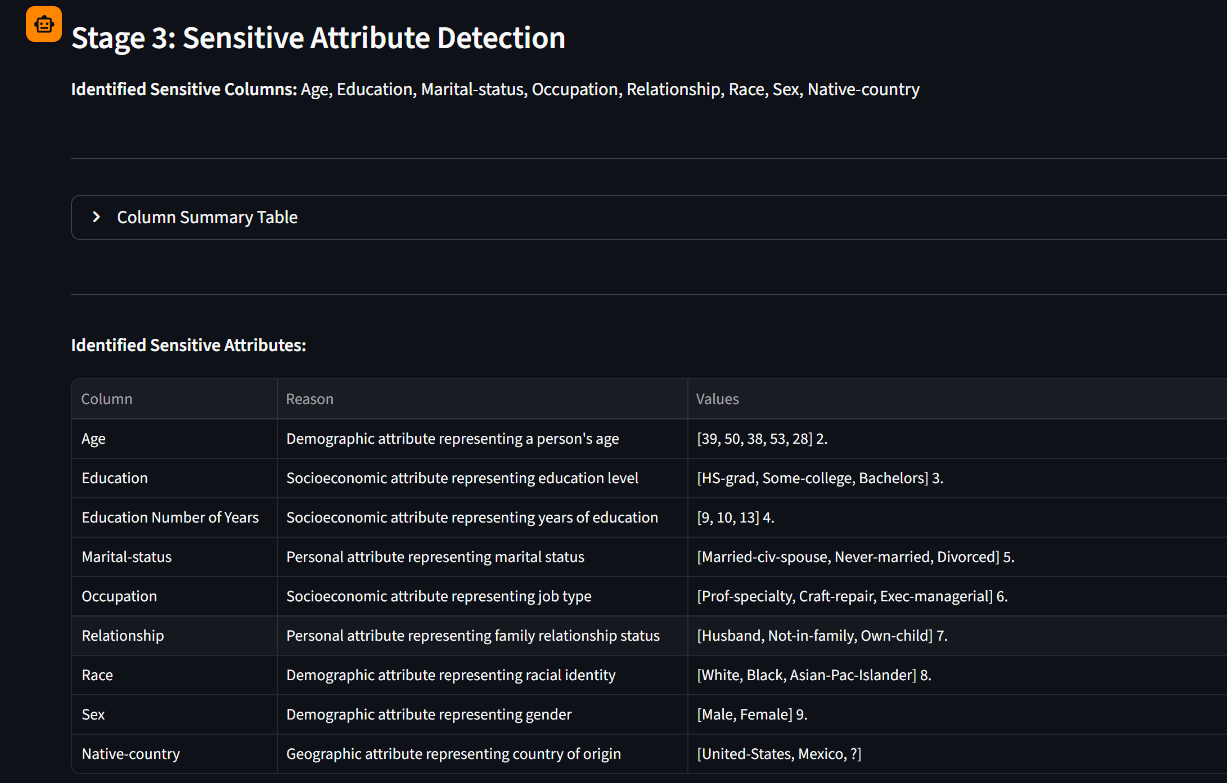
AI agents interact bidirectionally with the analyst, invoke tools to query and compute statistics on the dataset, and synthesise findings into an audit report.
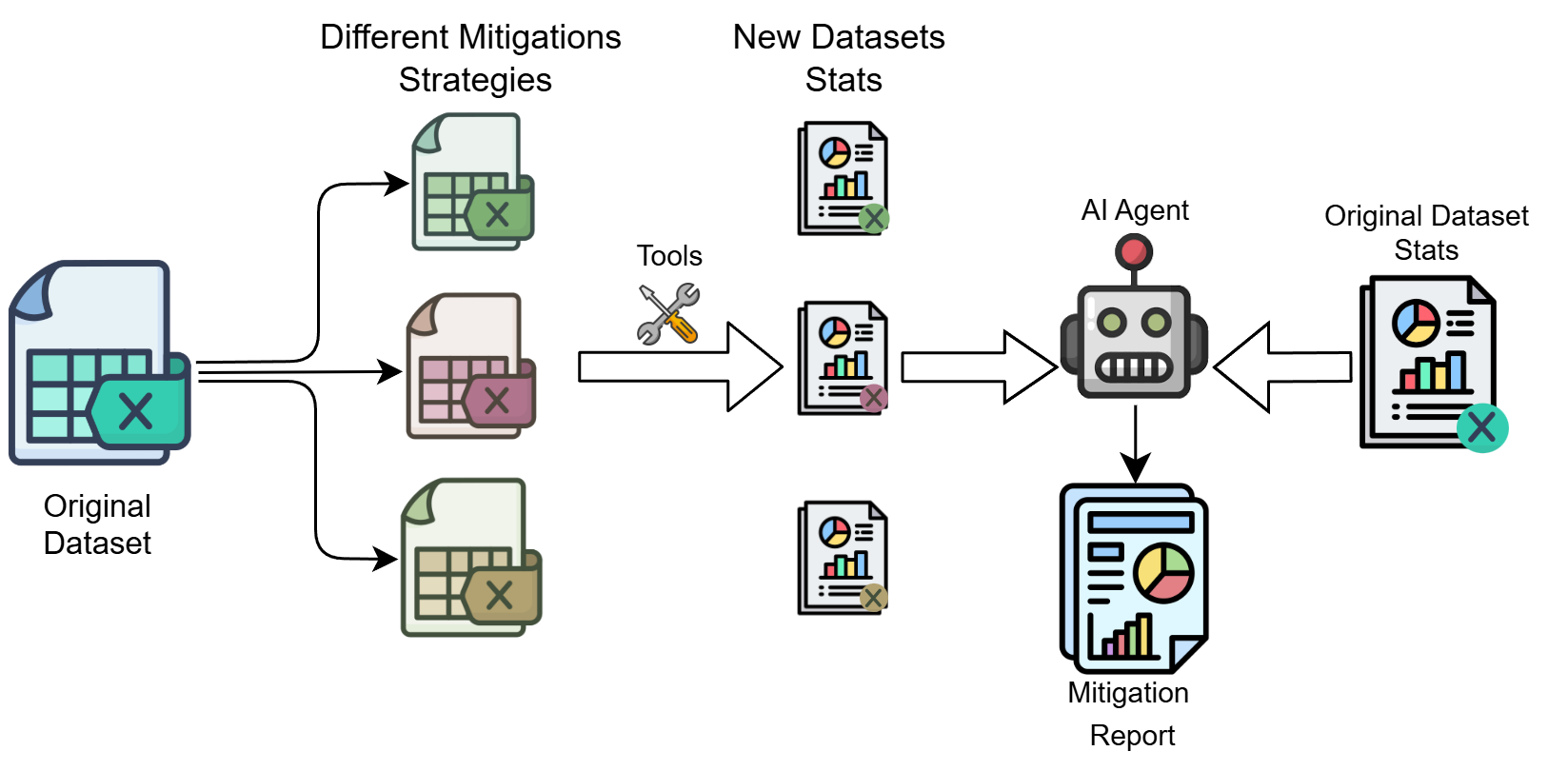
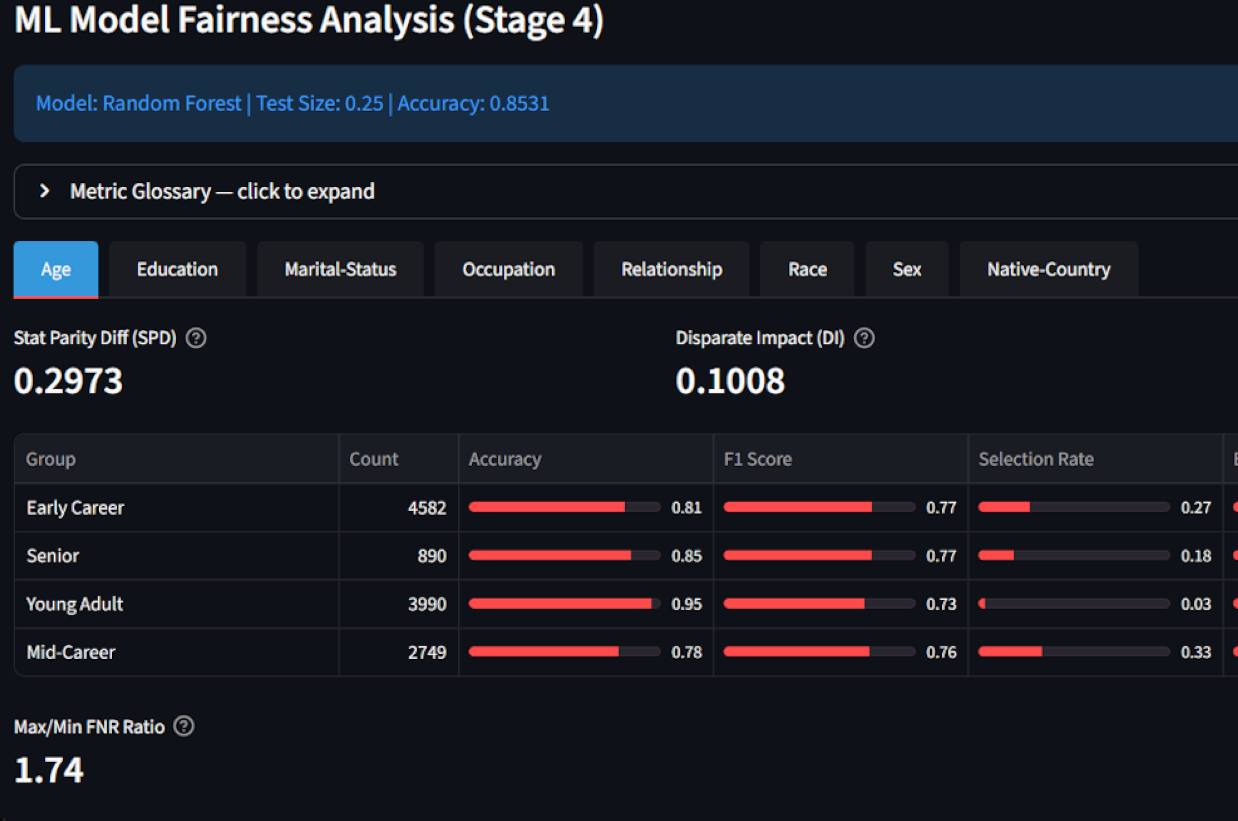
Each selected mitigation technique produces a transformed dataset variant; tools recompute fairness statistics on every variant; the AI agent compares them against the original statistics and produces a comparative mitigation report.
Demo
A video demonstration of the full GUI workflow is available on YouTube: https://youtu.be/_USTmBhzDkI
Documentation
| Guide | Description |
|---|---|
| USAGE.md | Installation, configuration reference, all execution modes (GUI / CLI / Python API), and worked examples |
| EXTENDING.md | How to add new Tools, Agent types, LLM backends, and Pipeline stages |
Installation
From PyPI (recommended):
pip install equiaudit            # core pipeline
pip install "equiaudit[gui]"     # optional: Streamlit GUI
From source:
git clone https://github.com/pchmelo/EquiAudit.git
cd EquiAudit
pip install -r requirements.txt          # core pipeline
pip install -r requirements-gui.txt      # optional: Streamlit GUI
Configuration
Copy examples/config.yml and set your API keys as environment variables or in a .env file at the project root:
GOOGLE_API_KEY=your-google-gemini-api-key-here
OPENROUTER_API_KEY=your-openrouter-api-key-here
At least one cloud API key is required unless running a local model via Ollama (ollama serve).
See USAGE.md — Configuration File for the full annotated config reference.
Running the Application
The recommended entry point is examples/example_usage.py. Set mode: gui or mode: quick in examples/config.yml, then run:
python examples/example_usage.py
The script dispatches to the GUI or the headless evaluator based on the config:
# examples/example_usage.py
import os, yaml
from dotenv import load_dotenv
load_dotenv()

CONFIG_PATH  = os.path.join(os.path.dirname(__file__), "config.yml")
DATASET_PATH = os.path.join(os.path.dirname(__file__), "adult-all.csv")

with open(CONFIG_PATH, encoding="utf-8") as f:
    _mode = (yaml.safe_load(f) or {}).get("mode", "quick")

if _mode == "gui":
    from equiaudit.gui import launch
    launch(config_path=CONFIG_PATH, dataset_path=DATASET_PATH)
else:
    from equiaudit.cli import FairnessEvaluator
    evaluator = FairnessEvaluator(config_path=CONFIG_PATH)
    result = evaluator.evaluate(
        data=DATASET_PATH,
        # target="Income",                                          # overrides target_column in config
        # sensitive_columns=["Sex", "Race", "Age"],                # overrides sensitive_attribute_analysis
        # sensitive_pairs=[["Sex", "Race"], ["Age", "Education"]], # overrides pair_evaluation
        # mitigation_techniques=["reweighting", "smote"],          # overrides mitigation_techniques
    )
    if result.success:
        print(f"Report: {result.report_dir}")
    else:
        print(f"Error:  {result.error}")
See USAGE.md — Execution Modes for the full CLI flag reference and Python API usage.
Datasets
Example datasets are provided in src/equiaudit/data/ for testing. The default example is adult-all.csv (UCI Adult Census Income, target column Income).
Reports
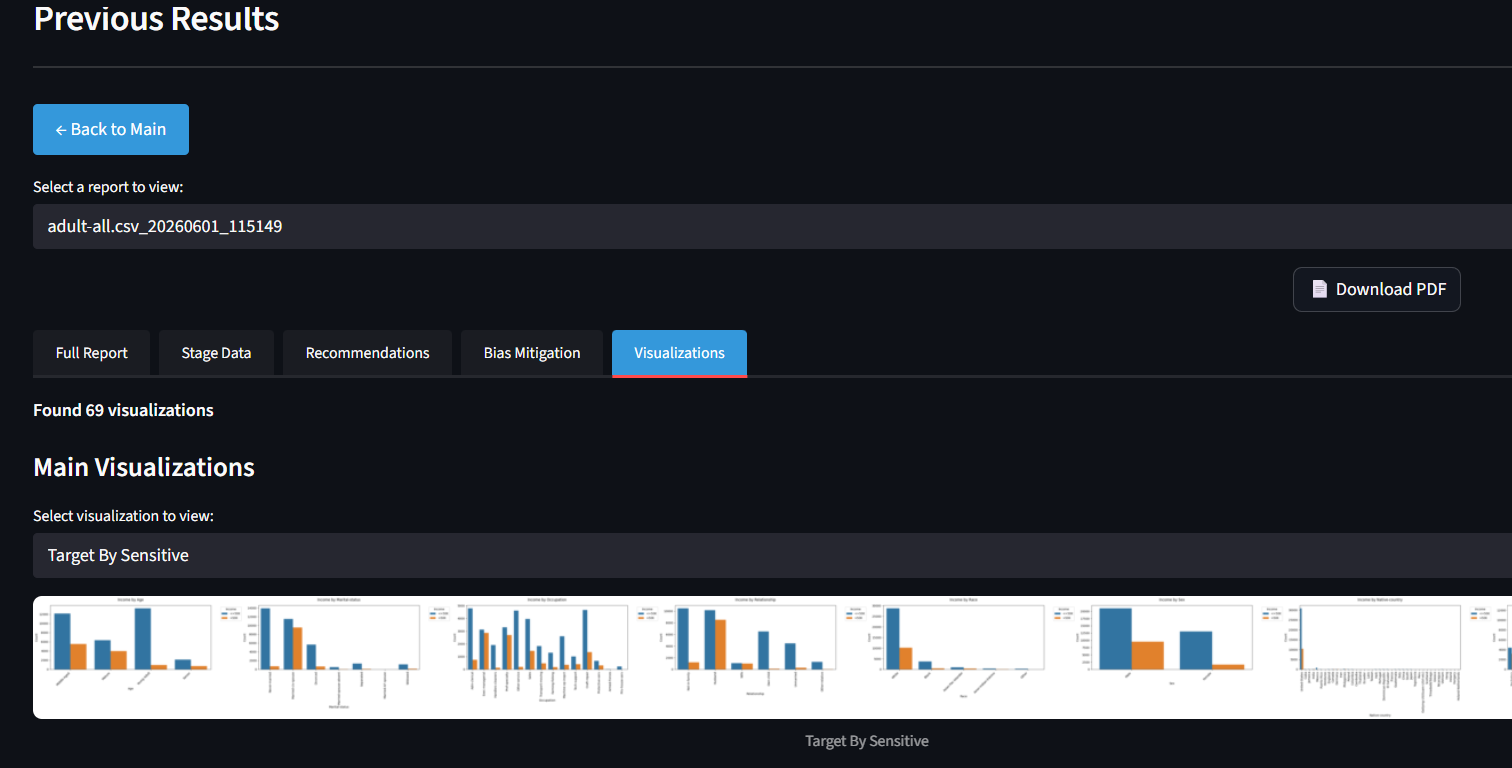
Generated reports are saved under reports/<dataset>_<timestamp>/ and include a Markdown narrative, a PDF, per-group fairness metrics, and raw JSON stage data. A sample report is available in reports/.
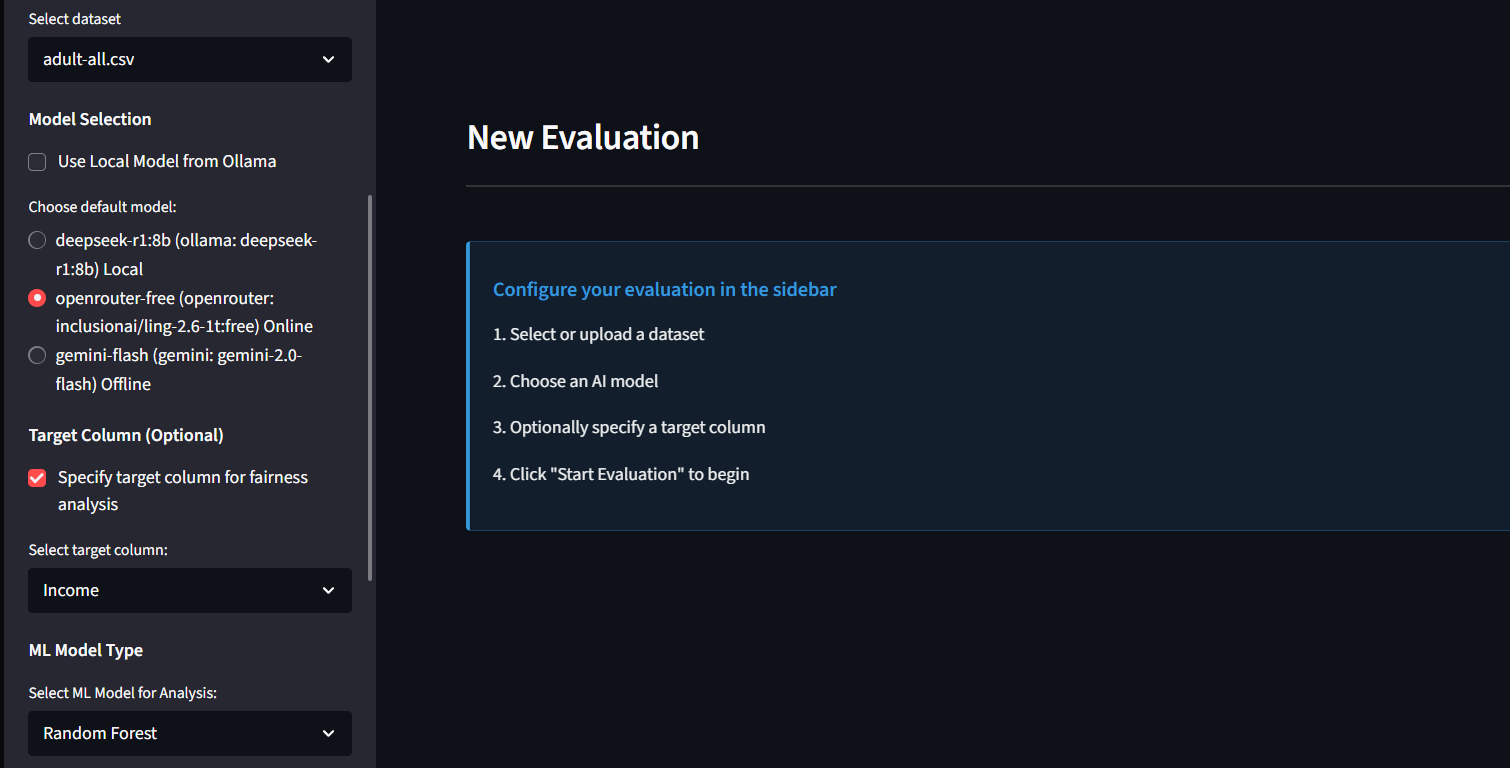
GUI Screenshots
1 maintainer

Download files
Download the file for your platform. If you're not sure which to choose, learn more about installing packages.
Source Distribution
Built Distribution
Filter files by name, interpreter, ABI, and platform.
If you're not sure about the file name format, learn more about wheel file names.
Copy a direct link to the current filters
File details
Details for the file equiaudit-0.1.1.tar.gz.
File metadata
- Download URL: equiaudit-0.1.1.tar.gz
- Upload date:
- Size: 2.7 MB
- Tags: Source
- Uploaded using Trusted Publishing? No
- Uploaded via:
twine/6.2.0 CPython/3.12.9
File hashes
| Algorithm | Hash digest | |
|---|---|---|
| SHA256 |
92a928ccf0dfc0a7db4a2ae81340cf68e61eb8ee4eccc6043cc5e815c29cd90e
|
|
| MD5 |
a8d20b82f005001a2465711f510d65c0
|
|
| BLAKE2b-256 |
6dc1b02441982c1e8e5db6e5a5de67ef19a02200c21f4e48ae73719805f7f4d8
|
File details
Details for the file equiaudit-0.1.1-py3-none-any.whl.
File metadata
- Download URL: equiaudit-0.1.1-py3-none-any.whl
- Upload date:
- Size: 2.9 MB
- Tags: Python 3
- Uploaded using Trusted Publishing? No
- Uploaded via:
twine/6.2.0 CPython/3.12.9
File hashes
| Algorithm | Hash digest | |
|---|---|---|
| SHA256 |
2fb97457fb46e69925fbf971f7061345354f1133b9c44efd91cb9a9134afa1e6
|
|
| MD5 |
55d74fd07613bc4a4d6a19b97728ad0f
|
|
| BLAKE2b-256 |
ddeee85b93b598d26079c600d21694cb54c94842225c1dcd3fb0afd705f26c10
|














