
Deep fuzzy matching people and company names for multilingual entity resolution using representation learning

Project description
Eridu
Deep fuzzy matching people and company names for multilingual entity resolution using representation learning... that incorporates a deep understanding of people and company names and works much better than string distance methods.
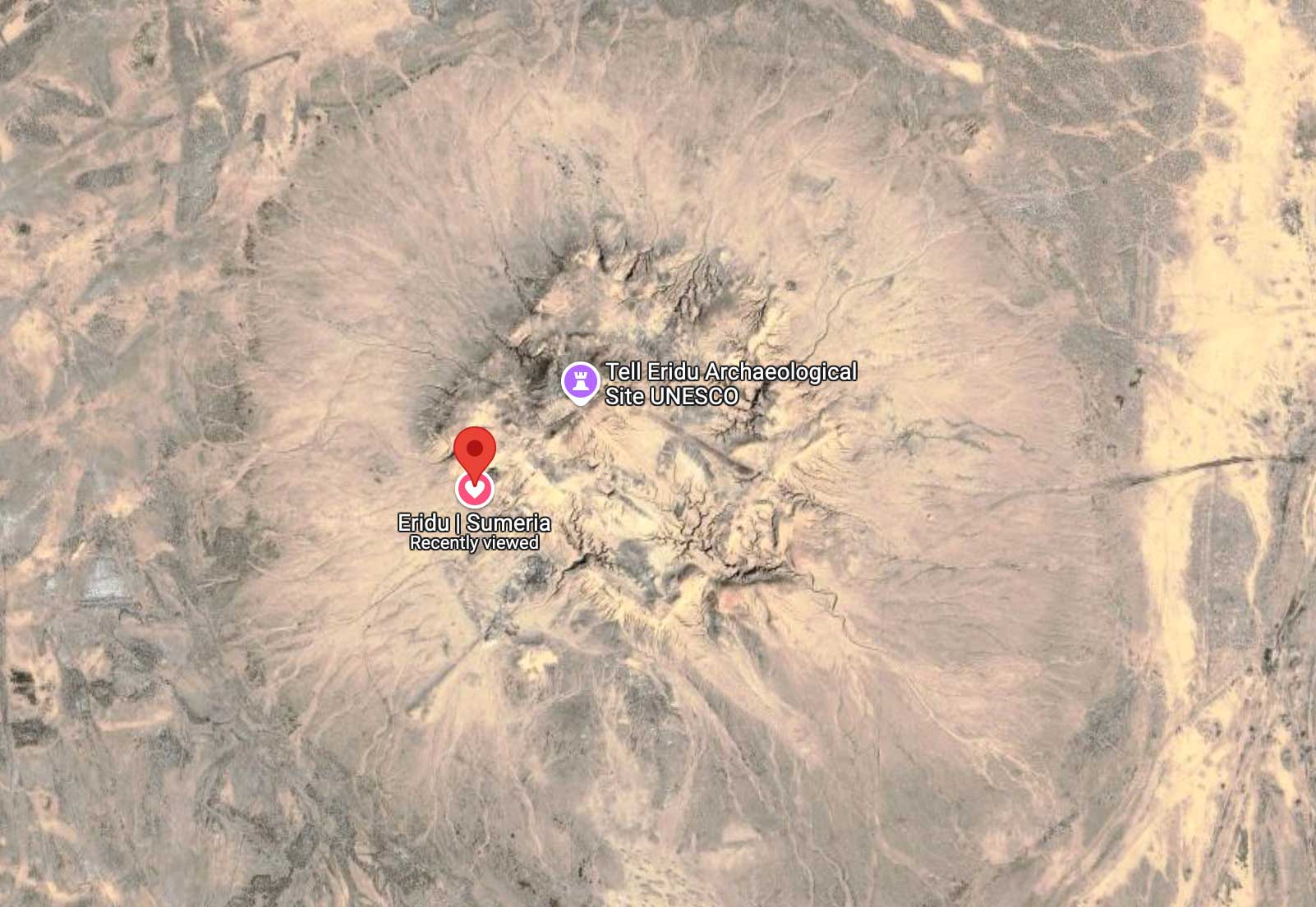
About Ancient Eridu
Ancient Eridu (modern Tell Abu Shahrain in Southern Iraq) was the world's first city, by Sumerian tradition, with a history spanning 7,000 years. It was the first place where "kingship descended from heaven" to lead farmers to build and operate the first complex irrigation network that enabled intensive agriculture sufficient to support the first true urban population.
Project Overview
This project is a deep fuzzy matching system for entity resolution using representation learning. It is designed to match people and company names across languages and character sets, using a pre-trained text embedding model from HuggingFace that we fine-tune using contrastive learning on 2 million labeled pairs of person and company names from the Open Sanctions Matcher training data. The project includes a command-line interface (CLI) utility for training the model and comparing pairs of names using cosine similarity.
Matching people and company names is an intractable problem using traditional parsing based methods: there is too much variation across cultures and jurisdictions to solve the problem by humans programming. Machine learning is used in problems like this one of cultural relevance, where programming a solution approaches infinite complexity, to automatically write a program. Since 2008 there has been an explosion of deep learning methods that automate feature engineering via representation learning methods including such as text embeddings. This project loads the pre-trained paraphrase-multilingual-MiniLM-L12-v2 paraphrase model from HuggingFace and fine-tunes it for the name matching task using contrastive learning on more than 2 million labeled pairs of matching and non-matching (just as important) person and company names from the Open Sanctions Matcher training data to create a deep fuzzy matching system for entity resolution.
Getting Started
First go through Project Setup, then run the CLI: eridu --help
eridu CLI
The interface to this work is a command-line (CLI) utility eridu that trains a model and a utility that compares a pair of names using our fine-tuned embedding and a metric called cosine similarity that incorporates a deep understanding of people and company names and works much better than string distance methods. This works across languages and charactersets The distance returned is a number between 0 and 1, where 0 means the names are identical and 1 means they are completely different. The CLI utility is called eridu and it has three subcommands: download, train and compare. More will be added in the near future, so check the documentation for updates: eridu --help.
Note: this project can be cost-effectively scaled with GPU acceleration comparing many name pairs at once - the eridu compare command is slow because it loads the models. This is not indicative of the model's performance or scalability properties.
This project has a eridu CLI to run everything. It self describes.
eridu --help
NOTE! This README may get out of date, so please run eridu --help for the latest API.
Usage: eridu [OPTIONS] COMMAND [ARGS]...

  Eridu: Fuzzy matching people and company names for entity resolution using
  representation learning

Options:
  --version  Show the version and exit.
  --help     Show this message and exit.

Commands:
  download  Download and convert the labeled entity pairs CSV file to...
  etl       ETL commands for data processing.
  train     Fine-tune a sentence transformer (SBERT) model for entity...
  compare   Compare two names using the fine-tuned SentenceTransformer model.
To train the model, run the commands in the order they appear in the documentation. Default arguments will probably work.
Compare Command Examples
After training a model, you can compare names using the compare command:
# Basic usage - returns a similarity score from 0.0 to 1.0
eridu compare "John Smith" "Jon Smith"

# Compare names with non-Latin characters
eridu compare "Yevgeny Prigozhin" "Евгений Пригожин"

# Specify a different model path
eridu compare "John Smith" "Jon Smith" --model-path /path/to/custom/model

# Disable GPU acceleration
eridu compare "John Smith" "Jon Smith" --no-gpu
The output is a number between 0.0 and 1.0, where higher values indicate greater similarity.
GPU Acceleration
This project supports GPU acceleration for both training and inference. If available, it will automatically use:
- NVIDIA GPUs via CUDA
- Apple Silicon GPUs via Metal Performance Shaders (MPS)
You can control GPU usage with command-line flags:
- For training:
eridu train --use-gpuoreridu train --no-gpu - For comparison:
eridu compare "Name One" "Name Two" --use-gpuoreridu compare "Name One" "Name Two" --no-gpu
GPU acceleration significantly improves performance, especially for large datasets and batch inference operations.
Project Setup
This project uses Python 3.12 with poetry for package management.
Create Python Environment
You can use any Python environment manager you like. Here are some examples:
# Conda environment
conda create -n abzu python=3.12 -y
conda activate abzu

# Virtualenv
pthon -m venv venv
source venv/bin/activate
Install poetry with pipx
You can install poetry using pipx, which is a tool to install and run Python applications in isolated environments. This is the recommended way to install poetry.
# Install pipx on OS X
brew install pipx

# Install pipx on Ubuntu
sudo apt update
sudo apt install -y pipx

# Install poetry
pipx install poetry
Install poetry with 'Official Installer'
Alternatively, you can install poetry using the official installer. Some firewalls block this installation script as a security risk.
# Try pipx if your firewall prevents this...
curl -sSL https://install.python-poetry.org | python3 -
Install Python Dependencies
# Install dependencies
poetry install
Optional: Weights and Biases for Experiment Tracking
This project uses Weights and Biases for experiment tracking. If you want to use this feature, you need to log in to your Weights and Biases account. You can do this by running the following command:
wandb login
Then you need to set the --wandb-project and --wandb-entityoptions in theeridu train` CLI.
eridu train --wandb-project "<my_project>" --wandb-entity "<my_entity>"
Contributing
We welcome contributions to this project! Please follow the guidelines below:
Install Pre-Commit Checks
# black, isort, flake8, mypy
pre-commit install
Claude Code
This project was written by Russell Jurney with the help of Claude Code, a large language model (LLM) from Anthropic. This is made possible by the permissions in .claude/settings.json and configuration in CLAUDE.md. You will want to 'fine-tune' them both to your requirements. Please be sure to double check that you are comfortable with the permissions in .claude/settings.json before using this project, as there are security considations. I gave it the ability to perform read-only tasks without my intervention, but some minor write operations are enabled (like touch, git add, etc.) but not git commit.
Pre-Trained Model vs Fine-Tuned Model
The pre-trained model is the paraphrase-multilingual-MiniLM-L12-v2 model from HuggingFace.
           sentence1         sentence2  similarity
0         John Smith        John Smith    1.000000
1         John Smith     John H. Smith    0.953342
2  Yevgeny Prigozhin  Евгений Пригожин    0.744036
3         Ben Lorica               罗瑞卡    0.764319
The fine-tuned model is the same model, but trained on 2 million labeled pairs of person and company names from the Open Sanctions Matcher training data. The fine-tuned model is much better at matching names than the pre-trained model.
Note that a full performance analysis is underway...
Production Run Configuration
The production run was done on a Lambda Labs A100 gpu_1x_a100 with 40GB GPU RAM. The process is described in the script lambda.sh, which is not yet fully automated. I monitored the process using nvidia-smi -l 1 to verify GPU utilization (bursty 100% CPU).
The commands used to train are:
# These are the default arguments...
eridu download --url "https://storage.googleapis.com/data.opensanctions.org/contrib/sample/pairs-all.csv.gz" --output-dir data

# These are the default arguments...
eridu etl report --parquet-path data/pairs-all.parquet

# Login to your Weights and Biases account
wandb login

# I needed to increase the batch size to utilize A100 GPUs' 40GB GPU RAM
eridu train --use-gpu --batch-size 5376 --epochs 10 --sample-fraction 0.1
License
This project is licensed under the Apache 2.0 License. See the LICENSE file for details.
Acknowledgements
This work is made possible by the Open Sanctions Matcher training data, the Sentence Transformers Project and the HuggingFace community.


Download files
Download the file for your platform. If you're not sure which to choose, learn more about installing packages.
Source Distribution
Built Distribution
Filter files by name, interpreter, ABI, and platform.
If you're not sure about the file name format, learn more about wheel file names.
Copy a direct link to the current filters
File details
Details for the file eridu-0.1.3.tar.gz.
File metadata
- Download URL: eridu-0.1.3.tar.gz
- Upload date:
- Size: 25.4 kB
- Tags: Source
- Uploaded using Trusted Publishing? No
- Uploaded via: poetry/2.1.2 CPython/3.10.13 Linux/5.15.0-69-generic
File hashes
| Algorithm | Hash digest | |
|---|---|---|
| SHA256 |
227e256134326cb8f2e1e488771fa47d4a625fedd2a57d77c35922ed924f195f
|
|
| MD5 |
0fd51b92ab2772856acbb1f1405a9065
|
|
| BLAKE2b-256 |
8eb1b92cf7fec20987ba77e9e66d2047452b6e91e7398ee622c411e40d870786
|
File details
Details for the file eridu-0.1.3-py3-none-any.whl.
File metadata
- Download URL: eridu-0.1.3-py3-none-any.whl
- Upload date:
- Size: 25.2 kB
- Tags: Python 3
- Uploaded using Trusted Publishing? No
- Uploaded via: poetry/2.1.2 CPython/3.10.13 Linux/5.15.0-69-generic
File hashes
| Algorithm | Hash digest | |
|---|---|---|
| SHA256 |
14d88771e12768b0be840a4ba4248decff3bed2492f599e581d2d298e8f81e2a
|
|
| MD5 |
e7bba3daf650c3ad78939496e6342015
|
|
| BLAKE2b-256 |
04a7ba9618ef72289fcf7c9c06654c4cccef59992414feaa1505932167441aed
|






