
A composable, async toolkit for building ETL pipelines in Python powered by Polars.




ETLPY is a small, unopinionated set of building blocks for extract / transform / load work. You compose pipelines from tiny, single-purpose steps and run them - in a script or inside an Airflow task. It is a toolkit, not a framework: take what you need, write your own steps for the rest.
- Pipeline - Just a list of async
Steps. Add, remove, reorder. - Polars-native - one engine end to end (Arrow under the hood).
- Async - steps are
async, so you can fan out concurrent API/DB calls inside a step. - Many databases - ClickHouse, PostgreSQL, MS SQL Server, MongoDB and SQLite connectors, plus a parquet data lake. Read from one, load into another.
- Schema-guaranteed - validate and coerce data against a Pydantic model, so downstream gets exactly the types you declared.
- Deduplication - row-hash change detection loads only new or changed rows.
- Airflow-friendly - one pipeline = one task. etlpy moves the data; Airflow orchestrates.
Installation
pip install etlpy-tools            # core tools kit

# or with the stage extras you need
pip install "etlpy-tools[all]"          # everything
pip install "etlpy-tools[extractor]"    # httpx-based API steps
pip install "etlpy-tools[transformer]"  # Polars transform steps
pip install "etlpy-tools[loader]"       # data lake + DB loaders
Installed as
etlpy-tools, imported asetle.g.from etl.generic import Pipeline.
Database drivers are not bundled install the one you use:
clickhouse-connect, asyncpg, aioodbc, pymongo, or aiosqlite.
Requires Python 3.13+.
Quick start
A pipeline threads a Polars DataFrame through a list of steps:
import asyncio
from etl.generic import Pipeline, Pipestart
from etl.transformer.steps import ClearText, DropDuplicates, GenerateKey, RowHash
from etl.loader.steps.datalake import Save

@Pipestart
async def clean_customers(raw_df):
    return Pipeline([
        ClearText(),
        DropDuplicates(),
        GenerateKey(columns=["id"], key_name="pk"),
        RowHash(),                             # content fingerprint for change detection
        Save(name="customers", layer="raw"),   # persist to the data lake
    ], dataframe=raw_df)


asyncio.run(clean_customers(raw_df))
Load a lake file into ClickHouse, inserting only what actually changed:
from etl.generic import Pipeline
from etl.extractor.steps.datalake import Read
from etl.loader.steps.clickhouse import EnsureTable, Delta, Insert
from etl.extractor.steps.clickhouse import Connect
from etl.loader.steps.datalake import Archive

await Pipeline([
    Connect(host="clickhouse", database="analytics"),
    Read(layer="fact", name="transactions"),
    EnsureTable("fact_transactions",
                engine="ReplacingMergeTree(loaded_at)", order_by=["pk"]),
    Delta("fact_transactions", keys=["pk"]),   # skip rows already loaded unchanged
    Insert("fact_transactions"),
    Archive(layer="fact", name="transactions"),
]).run()
Any step can halt the pipeline gracefully by raising StopPipeline. It is a
control-flow signal, not an error: run() stops, skips the remaining steps and
returns the data produced so far (no traceback).
from etl.generic import Step, StopPipeline

class StopIfEmpty(Step):
    async def apply(self, df, data=None):
        if df is None or df.is_empty():
            raise StopPipeline("no rows")          # stop, return df as-is
        return df
Pass df= to control what the pipeline returns on stop:
raise StopPipeline("threshold hit", df=partial)
Core concepts
| Piece | What it is |
|---|---|
Pipeline |
An ordered list of steps. run() threads a DataFrame through them and returns the final one. |
StopPipeline |
A step may raise StopPipeline to halt the run early |
Pipestart |
A decorator that runs a pipeline-returning function. |
Step |
A unit of work: async def apply(self, df, data) -> df. Write your own by subclassing. |
Data |
A shared context (auth tokens, DB clients, config) passed to every step. Mutated by reference; DataFrames don't live here - they flow as the threaded df or via the lake. |
The split is deliberate: the DataFrame is threaded and returned, while the Data context is
shared state. Heavy tables move through the data lake, not through the context - which keeps each
pipeline a clean fit for a single Airflow task.
The toolbox
Every step is one small class with an async def apply(self, df, data) -> df. Below is the full set.
Missing one? Subclass Step, implement apply, and drop it into the list.
Schema guarantee with ToSchema
Raw data lies: missing fields, wrong types, extra columns, values that don't parse.
ToSchema is the gate that turns messy input into exactly the data you declared. It
validates and coerces every row against a Pydantic model and returns a DataFrame whose
schema comes from that model - what is not in the model is dropped, what cannot be coerced
raises. Downstream steps and your warehouse table then get clean, typed data by construction.
Declare the canon as a Pydantic model:
from datetime import date
from pydantic import BaseModel

class Transaction(BaseModel):
    id: int
    amount: float
    currency: str
    txn_date: date
    note: str | None = None          # optional -> nullable column
Drop ToSchema into a pipeline:
from etl.transformer.steps import ToSchema, GenerateKey, RowHash

Pipeline([
    # ... read raw data ...
    ToSchema(Transaction, mapping={"trans_id": "id", "sum": "amount"}),  # rename + validate + type
    GenerateKey(columns=["id"], key_name="pk"),
    RowHash(),
    # ... load ...
])
What the step guarantees:
- Exact schema & types - columns and dtypes come from the model, not from guessing on the
first N rows:
int->Int64,date->Date,str | None-> nullableString, and so on. - Extra columns dropped - anything outside the model is discarded.
- Fail fast - a value that can't be coerced (or a missing required field) raises, so bad upstream data never silently reaches the warehouse.
mapping- rename raw source fields to the canonical names (1:1) before validation.
ToSchema never imports pydantic itself - it only uses the model you pass, so pydantic
stays an optional, user-side dependency. It also works with
Patito models (Pydantic on Polars). Validation runs per
row - thorough rather than fast; correctness is the point, speed is recovered downstream.
Extract
OAuthenticate(url, credentials, fields=OAuthFields(...), send="json", method="POST", auth_header=None, headers=None, store="auth", timeout=60.0)- non-interactive OAuth 2.0 token flow (client-credentials). Sendscredentials(JSON or form viasend), pulls the token out of the response by dotted paths (fields), appliesauth_header(e.g.{"Authorization": "Bearer {token}"},{token}is filled in) to the shared httpx client, and stores the parsed auth indata["auth"]. Request-level headers (gateway API keys,Content-Type) go inheaders.AuthenticateBasic(user, password, headers=None, timeout=60.0)(HTTP Basic, RFC 7617) - setshttpx.BasicAuth(user, password)on the shared client so every downstream request carriesAuthorization: Basic .... No token exchange - the header is static.Read(layer, name)(data lake) - read{name}.parquetfrom a lake layer into the pipeline df.Read(query)(ClickHouse) - run a SQL query (client fromdata["ch"]) and return the result as a Polars frame.Reads(layer, name, mode=STATIC, date_from=None, date_to=None, pattern="*.parquet", missing_ok=False)(data lake) - read and concat every parquet in a lake folder, with an optional inclusive date range on the file name.Connect(host, port=8123, database, username, password, secure=False)(ClickHouse) - open a clickhouse-connect client (extra kwargs are forwarded) and store it indata["ch"].
OAuthFieldsmaps where each token-response field lives, e.g.OAuthFields(access_token="data.access_token", expires_in="data.expires_in"). Set a field toNoneif the API does not return it.
Transform
AddColumn(column_name, value)- add a constant-value column.CastTypes({column: dtype})- cast columns to Polars dtypes (pin types before loading).RenameColumns({old: new})- rename columns.DropColumns(columns, exclude=False)- drop the listed columns;exclude=Truekeeps only them.DropDuplicates(subset=None)- drop duplicate rows (bysubset, or all columns).DropNulls(subset=None)- drop rows with a null in any ofsubset.FillNulls(value, columns=None)- fill nulls;valueis a scalar or a{column: value}dict.FilterRows(expr)- keep rows matching a Polars boolean expression, e.g.pl.col("amount") > 0.TrimString(columns=None)- strip whitespace from string columns (None/"*"= all string columns).ClearText(columns="*")- clean text: collapse newlines to spaces, drop quotes/backslashes, trim.NormalizeNumeric(columns, method="minmax")- scale numeric columns ("minmax"or"zscore").GenerateKey(columns, key_name="pk", mode="hash")- build a key column.mode:"hash"(SHA-256 hex),"hash_int"(stable 64-bit int),"sequential"(1, 2, 3, ...).RowHash(exclude=None, separator="||")- SHA-256 fingerprint of every row value (minusrow_hash,loaded_at, andexclude) written torow_hash, for change detection.Aggregate(group_by, aggregations)- group + aggregate, e.g.{"amount": ["sum", "mean"]}; output columns are{column}_{func}.Join(other, on, how="inner", select=None, prefix=None)- join with another frame or a sub-Pipeline(run to produce the right side);select/prefixshape the right columns.ExtractEntities(sources, defaults=None)- stack several column groups into one long table (e.g. sender/receiver columns into a singlepartytable).ToSchema(model, mapping=None)- validate and coerce the df against a Pydantic model; output has the model's exact schema (see Schema guarantee).Union(other, how="vertical")- stack another DataFrame or a sub-Pipelineonto the df (vertical/diagonal/horizontal).SQL(query, view_name="source")- run a Polars-SQL query over the df (registered asview_name);SQL.from_file(path)loads the query from a.sqlfile.Lambda(func)- apply an arbitrarydf -> dfcallable (escape hatch for one-off logic).
Load
EnsureTable(table, order_by, engine="MergeTree", partition_by=None, if_exists="append")- createtablefrom the df schema if it does not exist.order_byis required (it is the primary / dedup key);if_exists="error"raises when the table already exists.Delta(table, keys)- keep only new or changed rows by comparingrow_hashagainst the table (needs aReplacingMergeTree-family engine). The core of idempotent loads.Insert(table)- insert the df into a ClickHouse table via Arrow (an empty /Noneframe is skipped).Save(name, layer="raw")(data lake) - write the df to a lake layer as{name}.parquet, overwriting in place.Optimize(table)(ClickHouse) -OPTIMIZE TABLE ... FINALto collapse ReplacingMergeTree duplicates (expensive; run after a load, not per row).Archive(layer, name)(data lake) - move a lake file into thearchivelayer (e.g. after a successful load).
Connectors
etlpy ships steps for several databases. Drivers are not bundled - there are many
databases, so you install only the one you need. Each Connect opens a client and stores it
in data[...]; the read/load steps pick it up from there.
| Database | Steps | data key |
Driver (install yourself) |
|---|---|---|---|
| ClickHouse | Connect, Read, EnsureTable, Delta, Insert, Optimize |
data["ch"] |
clickhouse-connect |
| PostgreSQL | Connect, Read, EnsureTable, Insert |
data["pg"] |
asyncpg |
| MS SQL Server | Connect, Read, EnsureTable, Insert |
data["mssql"] |
aioodbc (+ ODBC driver) |
| MongoDB | Connect, Read, EnsureTable, Delta, Upsert |
data["mongo"] |
pymongo (async) |
| SQLite | Connect, Read, EnsureTable, Insert |
data["sqlite"] |
aiosqlite |
Import Connect/Read from etl.extractor.steps.<db> and the write steps from
etl.loader.steps.<db>. SQL reads are parameterized (injection-safe): ClickHouse
{name:Type}, Postgres $1, MS SQL / SQLite ?; MongoDB uses a query dict.
SQLite is meant for tests and small local datasets (great as an in-memory
:memory:backend). It is a single-file, single-writer engine and is not suitable for storing large data - use ClickHouse or Postgres for that.
Testing
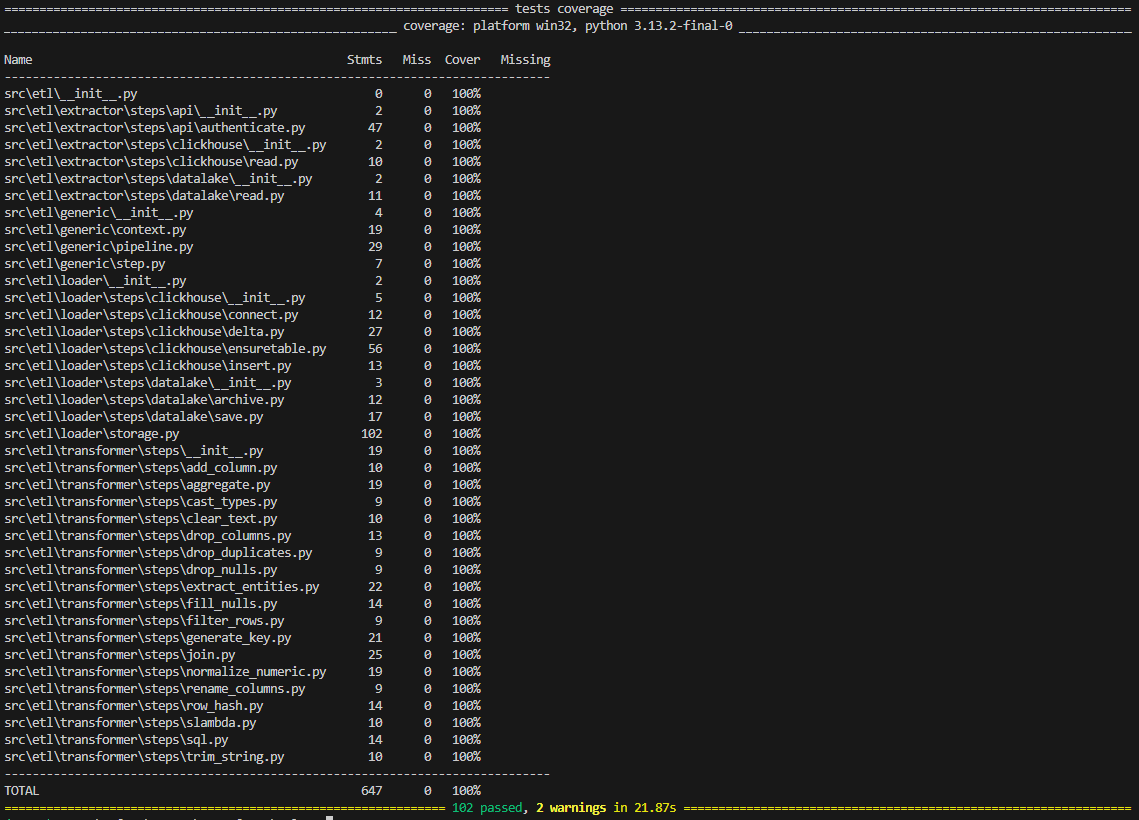
Every step has its own unit tests, and the whole extract / transform / load chain is exercised end to
end against a real ClickHouse (spun up in Docker via testcontainers). A complete pipeline example
lives in generic/tests/test_pipeline.py.
pip install -e ".[all,test]"
pytest -q
License
Released under the MIT License.
1 maintainer

Download files
Download the file for your platform. If you're not sure which to choose, learn more about installing packages.
Source Distribution
Built Distribution
Filter files by name, interpreter, ABI, and platform.
If you're not sure about the file name format, learn more about wheel file names.
Copy a direct link to the current filters
File details
Details for the file etlpy_tools-1.1.0.tar.gz.
File metadata
- Download URL: etlpy_tools-1.1.0.tar.gz
- Upload date:
- Size: 41.5 kB
- Tags: Source
- Uploaded using Trusted Publishing? No
- Uploaded via:
twine/7.0.0 CPython/3.13.2
File hashes
| Algorithm | Hash digest | |
|---|---|---|
| SHA256 |
e530af08db787c9265a4b36ca9009ef0c57873ef55d23aaca2de6f6ecb382c1a
|
|
| MD5 |
e28d8e194e912f983d16af9d3efef878
|
|
| BLAKE2b-256 |
ef0ec0c140f24067d002b8378b2364784b688e6611f1bc1dc0ffbd1feddeb702
|
File details
Details for the file etlpy_tools-1.1.0-py3-none-any.whl.
File metadata
- Download URL: etlpy_tools-1.1.0-py3-none-any.whl
- Upload date:
- Size: 58.6 kB
- Tags: Python 3
- Uploaded using Trusted Publishing? No
- Uploaded via:
twine/7.0.0 CPython/3.13.2
File hashes
| Algorithm | Hash digest | |
|---|---|---|
| SHA256 |
4b612c80029353d3b23e92b614d351800c64f85d5ea6e807b721e180910d86cd
|
|
| MD5 |
4edd022460f95d5290f87d7ae29d2267
|
|
| BLAKE2b-256 |
2f9f0940ffa7d7049b04fa9bd13bc2518a681ef26e527307904a56f6f94fbb0f
|














