
A Python module for working seamlessly with JavaScript files.

Project description
EverythingJS
Overview
EverythingJS is a versatile CLI tool designed to extract JavaScript links from URLs or web pages, apply custom regex patterns to these files, and organize the results in a structured, easy-to-use JSON format. It is built for efficiency, with multi-threading support, the ability to filter irrelevant links, and customizable HTTP headers for requests. The tool also provides flexibility in saving results, whether in a JSON file, a database, or by monitoring JS files for changes.
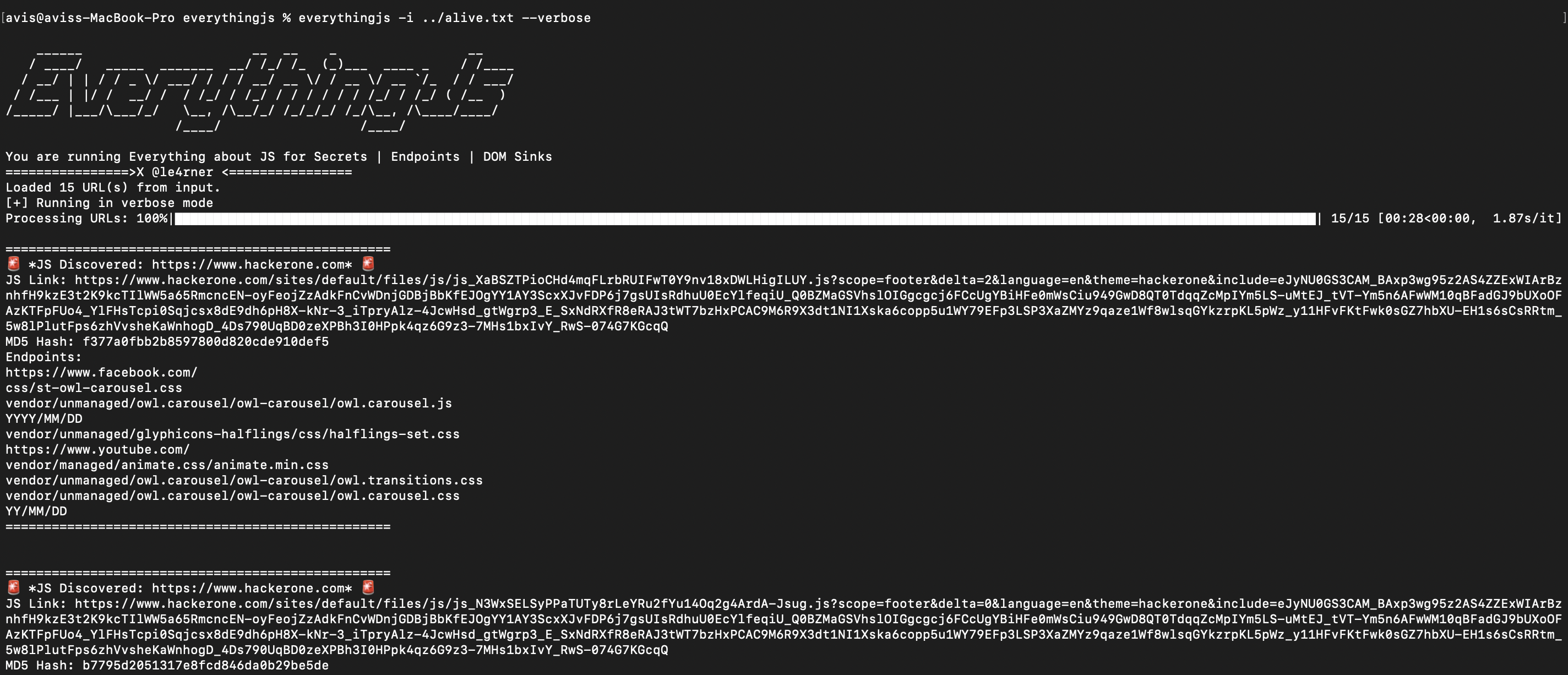
Installation
Install EverythingJS via pip:
pip install everythingjs
Features
- Extract JavaScript links from a URL or a list of URLs using the
-iflag. - Automatically convert relative links into absolute URLs.
- Apply user-defined regex patterns to extract relevant matches from each JavaScript file with the
-sflag. - Filter out unwanted JS links using a predefined "nopelist" file.
- Add custom headers for HTTP requests using the
-Hflag to handle server configurations or bypass restrictions. - Structure the results in a clean JSON format, categorizing JavaScript links and their associated regex matches, with the
-oflag to save them. - Speed up processing by running tasks concurrently for multiple URLs using multi-threading.
- Save the extracted JavaScript links and matches to a JSON file or database using the
-oor-storeflags. - Launch a simple web server to view and navigate through the extracted results using the
-fflag. - Send updates on the process to a Slack channel via a webhook with the
-slackflag. - Optionally save the JavaScript files locally for further analysis using the
-sjsflag. - Monitor JS files for changes and trigger actions like Slack notifications or updates to the database using the
-mflag.
Usage
Command-Line Arguments
usage: everythingjs [-h] [-i INPUT] [-db] [-f SERVER] [-o OUTPUT] [-v] [-H HEADER] [-s SECRETS_FILE] [-sjs SAVE_JS] [-store] [-m MONITOR] [-slack SLACK_WEBHOOK] [-j] [-silent]

Extract JS links from a URL or a list of URLs

options:
  -h, --help            show this help message and exit
  -i INPUT, --input INPUT
                        URL or file containing URLs
  -db, --from_db        consume input from db, past results
  -f SERVER, --server SERVER
                        Provide output to launch web server
  -o OUTPUT, --output OUTPUT
                        Output JSON file to save results (optional, prints to CLI if not specified)
  -v, --verbose         Enable verbose logging
  -H HEADER, --header HEADER
                        Add custom header (can be used multiple times)
  -s SECRETS_FILE, --secrets_file SECRETS_FILE
                        Add your secrets.regex file containing compatible secrets file
  -sjs SAVE_JS, --save_js SAVE_JS
                        Save JS files to specific location.
  -store, --save_db     Save contents to database in ~/.everythingjs/scan_results.db
  -m MONITOR, --monitor MONITOR
                        Monitor the process at specified intervals (e.g., 2s, 2m, 1d, 4w)
  -slack SLACK_WEBHOOK, --slack_webhook SLACK_WEBHOOK
                        Pass the slack webhook url where you want to post the message updates
  -j, --jsonl           print output in jsonl format in stdout
  -silent, --silent     dont print anything except output
Example Usage
1. Extract JavaScript links from a single URL:
everythingjs -i https://example.com
2. Extract JavaScript links from a file of URLs:
everythingjs -i urls.txt
3. Save the output to a JSON file:
everythingjs -i https://example.com -o results.json
4. Enable verbose logging:
everythingjs -i https://example.com -v
5. Add custom headers:
everythingjs -i https://example.com -H "User-Agent: CustomAgent" -H "Authorization: Bearer TOKEN"
6. Save beautified javascript to a local directory:
everythingjs -i urls.txt -sjs ./saved_js
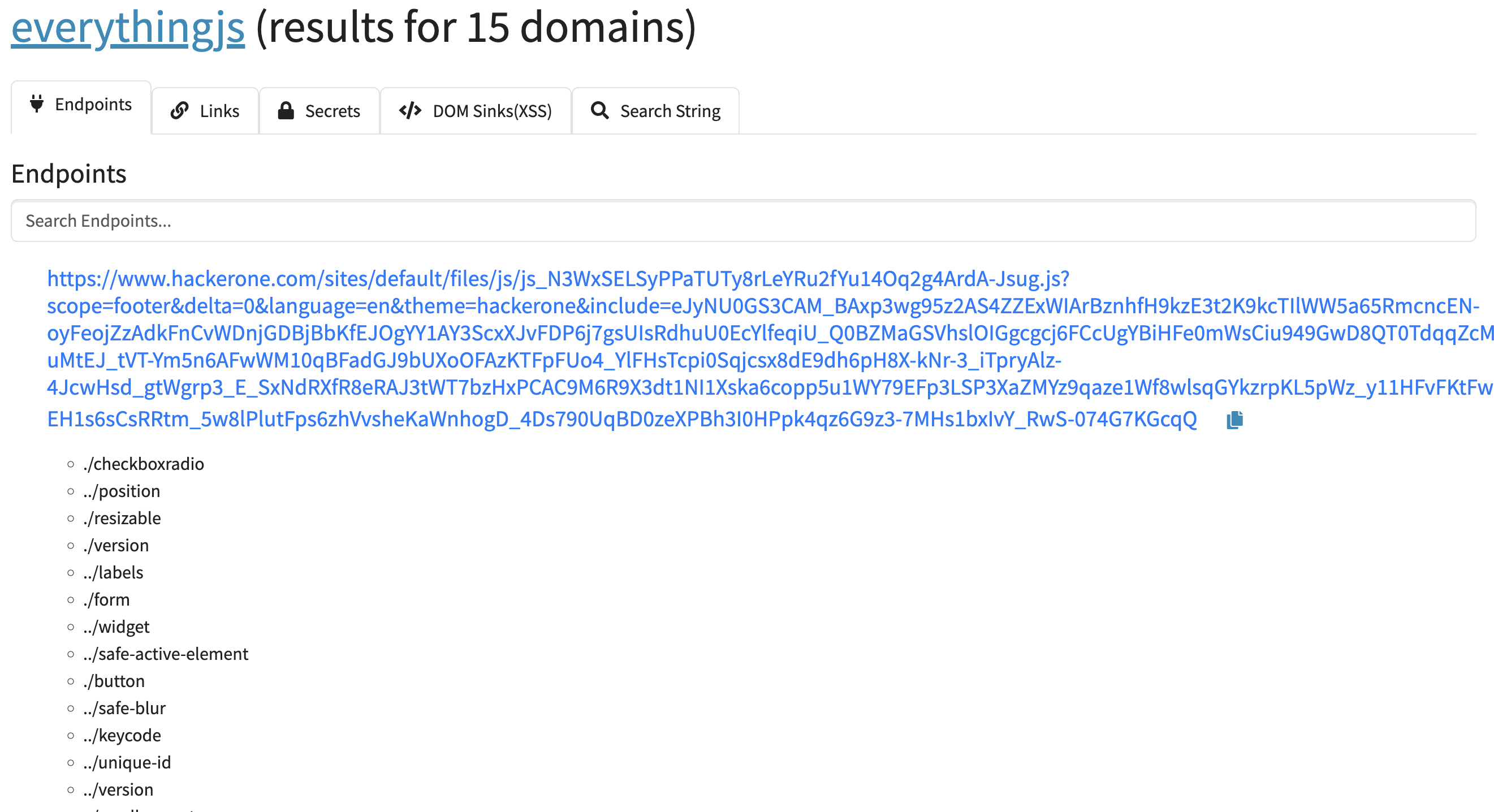
7. Launch a web server to navigate through results using a web ui (after generating output.json)
everythingjs -f output.json
WEB UI showing api endpoints, secrets, links, dom sinks, JS search.
search through the beautified JS files (works only if -sjs is used when running command)
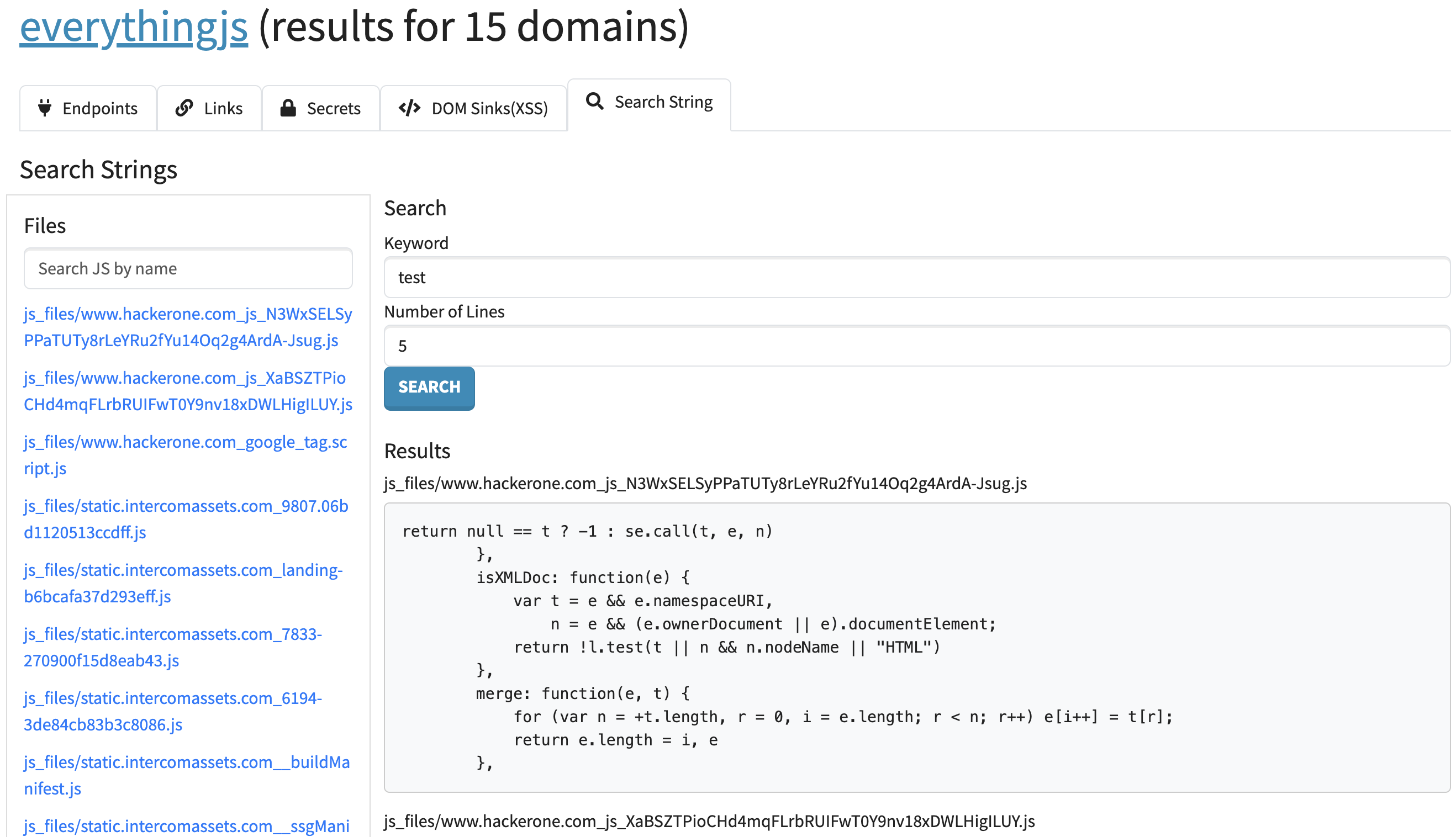
8. Monitoring JS files for changes on a given input and send udpates to slack
everythingjs -i https://example.com -slack https://hooks.slack.com/services/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
9. Monitor JS files on all domains saved in DB and send updates to slack
everythingjs -db -slack https://hooks.slack.com/services/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
10. Monitor JS files on all domains saved in DB and print jsonl output
everythingjs -db jsonl
Output
- Outputs JSON in the format:
{
  "https://example.com": {
    "js_links": [
      "https://example.com/static/script1.js",
      "https://example.com/static/script2.js"
    ],
    "regex_matches": {
      "https://example.com/static/script1.js": ["match1", "match2"],
      "https://example.com/static/script2.js": ["match3"]
    }
  }
}
- Domains without JavaScript links are excluded from the output.
Credits
- Borrowed templates from ProjectDiscovery nuclei templates (to all those who contributed to them)
- @GerbenJavado for inspring with Linkfinder and Regex expressions
License
MIT License


Download files
Download the file for your platform. If you're not sure which to choose, learn more about installing packages.
Source Distribution
Built Distribution
Filter files by name, interpreter, ABI, and platform.
If you're not sure about the file name format, learn more about wheel file names.
Copy a direct link to the current filters
File details
Details for the file everythingjs-0.2.5.tar.gz.
File metadata
- Download URL: everythingjs-0.2.5.tar.gz
- Upload date:
- Size: 26.8 kB
- Tags: Source
- Uploaded using Trusted Publishing? No
- Uploaded via: twine/6.0.1 CPython/3.12.8
File hashes
| Algorithm | Hash digest | |
|---|---|---|
| SHA256 |
ca2a62c3fb79035c22232f899f254615083534c72838a71e1a61b2617938b08d
|
|
| MD5 |
1e8058058390d877ade7a538d981aec2
|
|
| BLAKE2b-256 |
470bc1d1e7964fa21589c88e6883a8c3a238dbbf8c18cda582e4c4eb2c7f21b0
|
File details
Details for the file everythingjs-0.2.5-py3-none-any.whl.
File metadata
- Download URL: everythingjs-0.2.5-py3-none-any.whl
- Upload date:
- Size: 25.4 kB
- Tags: Python 3
- Uploaded using Trusted Publishing? No
- Uploaded via: twine/6.0.1 CPython/3.12.8
File hashes
| Algorithm | Hash digest | |
|---|---|---|
| SHA256 |
0344bcae7004a728e098345dab06c40a6a028fb28be1a8adf69653672b89529e
|
|
| MD5 |
b6010c71dd7d4ee3fb072a81b2c40766
|
|
| BLAKE2b-256 |
941cad7f0f2d932e67b6b900926c42a381a6f4550f7af20c9de934f3d59ec341
|






