

ews-nmap
Extract Web Servers from Nmap


Table of Contents
Overview
ews-nmap (Extract Web Servers from Nmap) is a simple script that allows you to easily find all web servers from the XML output of Nmap.
The script performs a simple scraping of the informations in the XML file and identifies HTTP/S services.
Getting Started
Run nmap and save XML output, for example:
nmap -sV -oX <nmap_output.xml>
Example
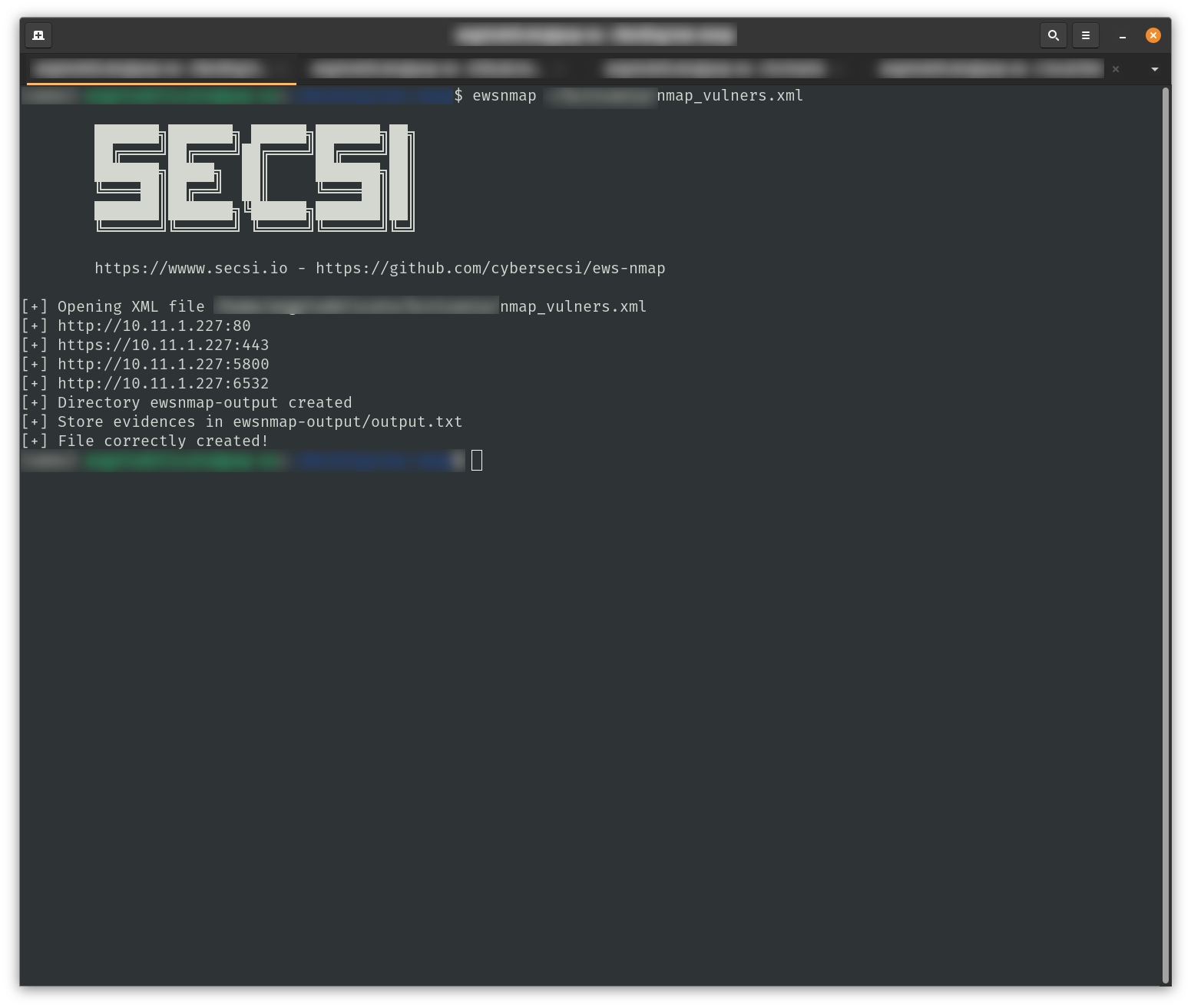
The output of the tool is like the following:
Install & Run
To install it you just need to run:
pipx install ews-nmap
Run without installing
Prerequisites
Install dependencies by using the following command:
pip install -r requirements.txt
chmod +x ewsnmap/ewsnmap.py
Usage: ewsnmap.py NMAP_XML_FILE <flags>
  optional flags:        --output_dir | --txtout | --csvout
To run the parser:
ewsnmap.py <nmap_output.xml>
the script will generate a file output.txt and a file output.csv in ewsnmap-output dir. If you want to set the output file and the output dir:
ewsnmap.py <nmap_output.xml> --csvout <output_csv_file> --txtout <output_txt_file> --output_dir <output_directory>
Contributing
Contributions are what make the open source community such an amazing place to be learn, inspire, and create. Any contributions you make are greatly appreciated.
- Fork the Project
- Create your Feature Branch (
git checkout -b feature/AmazingFeature) - Commit your Changes (
git commit -m 'Add some AmazingFeature') - Push to the Branch (
git push origin feature/AmazingFeature) - Open a Pull Request
Credits
ews-nmap is proudly developed @SecSI by:
License
Distributed under Apache 2 License. See LICENSE for more information.
1 maintainer

Release files for ews-nmap 1.0.6
For a detailed explanation of source distributions (sdists) and built distributions (wheels), please see the package formats documentation.
Source distribution (sdist)
| File | Size | Uploaded | |
|---|---|---|---|
| ews_nmap-1.0.6.tar.gz | 7.1 kB | Details |
Built distribution (wheel)
| File | Interpreter | ABI | Platform | Reset |
|---|---|---|---|---|
| ews_nmap-1.0.6-py3-none-any.whl | Python 3 | none | any | Details |
Total release size: 15.3 kB
Release files / ews_nmap-1.0.6.tar.gz
| Download URL | ews_nmap-1.0.6.tar.gz |
|---|---|
| Size | 7.1 kB |
| Tags | Source |
|
SHA-256 checksum How to use checksums |
135c8ee9ebd83d0e498b7ba6affa9fddb318c7d6401832feac7ad5850c381384
|
|
BLAKE2b-256 checksum How to use checksums |
3e02bdbad1226039cffd8f737b386a851ec0ec78209f0ea1de111f07a651cefd
|
| Upload date | |
|
Uploaded using Trusted Publishing? What is trusted publishing? |
No |
| Uploaded via |
poetry/2.1.3 CPython/3.11.0 Linux/6.11.0-1018-azure
|
Release files / ews_nmap-1.0.6-py3-none-any.whl
| Download URL | ews_nmap-1.0.6-py3-none-any.whl |
|---|---|
| Size | 8.2 kB |
| Tags | Python 3 |
|
SHA-256 checksum How to use checksums |
d058b7b8dd62504d025edf293438c137cd7bc1f0e27c640ba506ef2231afe4fe
|
|
BLAKE2b-256 checksum How to use checksums |
4d5ee9c5c458f18a15baa745649aa0d6b9f01351fd861663f029b3096c8b57a7
|
| Upload date | |
|
Uploaded using Trusted Publishing? What is trusted publishing? |
No |
| Uploaded via |
poetry/2.1.3 CPython/3.11.0 Linux/6.11.0-1018-azure
|














