






A Model Context Protocol (MCP) server that lets you manipulate Excel files without needing Microsoft Excel installed. Create, read, and modify Excel workbooks with your AI agent.
Features
- 📊 Excel Operations: Create, read, update workbooks and worksheets
- 📈 Data Manipulation: Formulas, formatting, charts, pivot tables, and Excel tables
- 🔍 Data Validation: Built-in validation for ranges, formulas, and data integrity
- 🎨 Formatting: Font styling, colors, borders, alignment, and conditional formatting
- 📋 Table Operations: Create and manage Excel tables with custom styling
- 📊 Chart Creation: Generate various chart types (line, bar, pie, scatter, etc.)
- 🔄 Pivot Tables: Create dynamic pivot tables for data analysis
- 🔧 Sheet Management: Copy, rename, delete worksheets with ease
- 🔌 Triple transport support: stdio, SSE (deprecated), and streamable HTTP
- 🌐 Remote & Local: Works both locally and as a remote service
Usage
The server supports three transport methods:
1. Stdio Transport (for local use)
uvx excel-mcp-server stdio
{
   "mcpServers": {
      "excel": {
         "command": "uvx",
         "args": ["excel-mcp-server", "stdio"]
      }
   }
}
2. SSE Transport (Server-Sent Events - Deprecated)
uvx excel-mcp-server sse
SSE transport connection:
{
   "mcpServers": {
      "excel": {
         "url": "http://localhost:8000/sse",
      }
   }
}
3. Streamable HTTP Transport (Recommended for remote connections)
uvx excel-mcp-server streamable-http
Streamable HTTP transport connection:
{
   "mcpServers": {
      "excel": {
         "url": "http://localhost:8000/mcp",
      }
   }
}
Environment Variables & File Path Handling
SSE and Streamable HTTP Transports
When running the server with the SSE or Streamable HTTP protocols, you must set the EXCEL_FILES_PATH environment variable on the server side. This variable tells the server where to read and write Excel files.
- If not set, it defaults to
./excel_files.
You can also set the FASTMCP_PORT environment variable to control the port the server listens on (default is 8017 if not set).
- Example (Windows PowerShell):
$env:EXCEL_FILES_PATH="E:\MyExcelFiles"
$env:FASTMCP_PORT="8007"
uvx excel-mcp-server streamable-http
- Example (Linux/macOS):
EXCEL_FILES_PATH=/path/to/excel_files FASTMCP_PORT=8007 uvx excel-mcp-server streamable-http
Stdio Transport
When using the stdio protocol, the file path is provided with each tool call, so you do not need to set EXCEL_FILES_PATH on the server. The server will use the path sent by the client for each operation.
Available Tools
The server provides a comprehensive set of Excel manipulation tools. See TOOLS.md for complete documentation of all available tools.
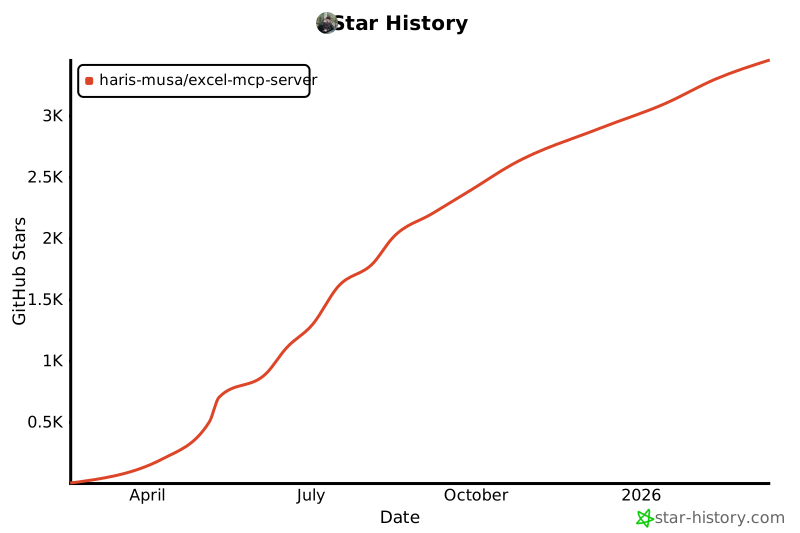
Star History
License
MIT License - see LICENSE for details.
1 maintainer

Metadata
1 maintainer
Release files for excel-mcp-server-tchen8 0.1.11
For a detailed explanation of source distributions (sdists) and built distributions (wheels), please see the package formats documentation.
Built distribution (wheel)
| File | Interpreter | ABI | Platform | Reset |
|---|---|---|---|---|
| excel_mcp_server_tchen8-0.1.11-py3-none-any.whl | Python 3 | none | any | Details |
Release files / excel_mcp_server_tchen8-0.1.11-py3-none-any.whl
| Download URL | excel_mcp_server_tchen8-0.1.11-py3-none-any.whl |
|---|---|
| Size | 28.9 kB |
| Tags | Python 3 |
|
SHA-256 checksum How to use checksums |
d5d8f68ff725fa7eac2e77ed727fa1049cffb3deb3556a4ec787e5543abffb5f
|
|
BLAKE2b-256 checksum How to use checksums |
1f3583138bf0a8d1adfe0d1df6b28614b43ef62bd182b4f666e468649d25550f
|
| Upload date | |
|
Uploaded using Trusted Publishing? What is trusted publishing? |
No |
| Uploaded via |
twine/6.2.0 CPython/3.10.19
|














