
ExifPlus





ExifPlus - Short Description & ReadMe
ExifPlus is a versatile and user-friendly metadata viewer and editor for image and video files. It allows you to view and modify EXIF, IPTC, and XMP metadata, making it an essential tool for photographers, videographers, and anyone who needs to manage media metadata easily. With a sleek GUI powered by ttkbootstrap and advanced functionality through libraries like pyexiv2, hachoir, and exifread, ExifPlus makes it simple to interact with file metadata in just a few clicks.
ReadMe & Instruction Manual
ExifPlus - Metadata Viewer and Editor
Overview
ExifPlus is a modern and intuitive tool designed for managing metadata in image and video files. Whether you're a photographer looking to adjust your photo's metadata or a content creator dealing with video files, ExifPlus offers powerful features to read and modify various types of metadata like EXIF, IPTC, and XMP.
Key Features
- Read and Edit EXIF, IPTC, XMP and other metadata from images and videos. (Right Now Windows doesnt support Edit mode, also doesnt Supports IPTC and XMP.)
- User-friendly GUI built with
tkinterandttkbootstrapfor a sleek and responsive interface. - Supports multiple media formats including
.jpg,.png,.tiff,.heic,.mp4,.avi,.mov, and.mkv. - Batch processing to edit metadata across multiple files (future versions).
- Save changes to metadata and overwrite the original file.
- Context Menu with an option to delete rows of metadata for easy data management, or add new rows.
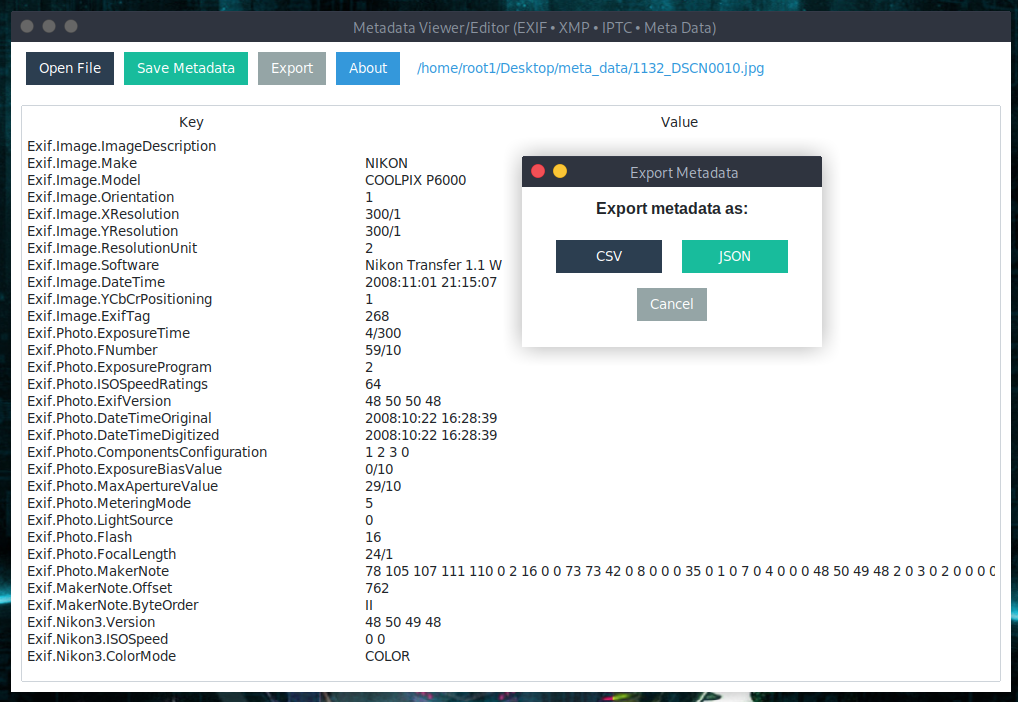
- Export the data as CSV or JSON
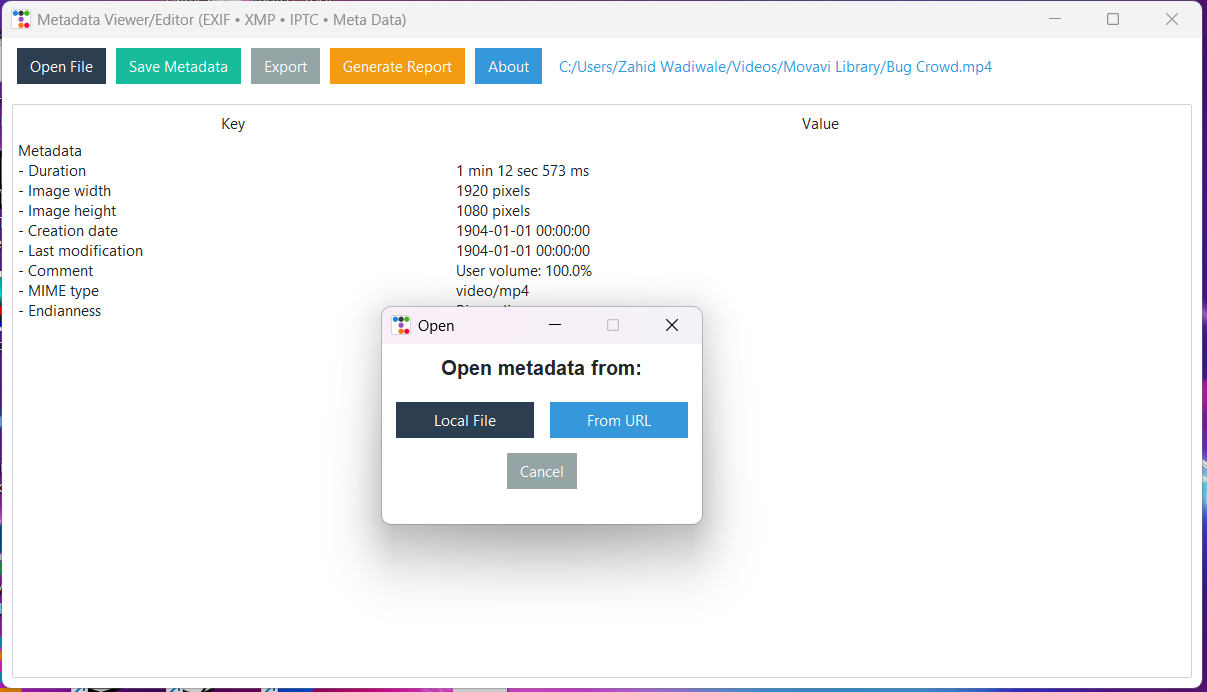
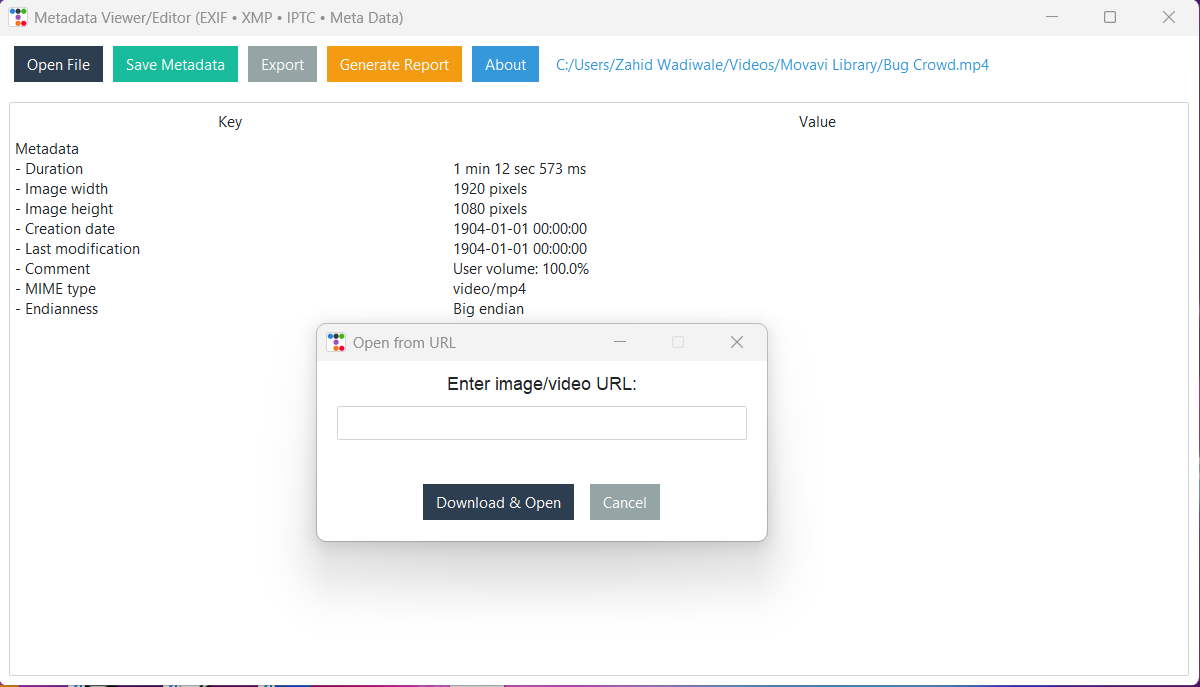
- Open From URL or Local File Now you can directly upload images from URL or still choose your Local File
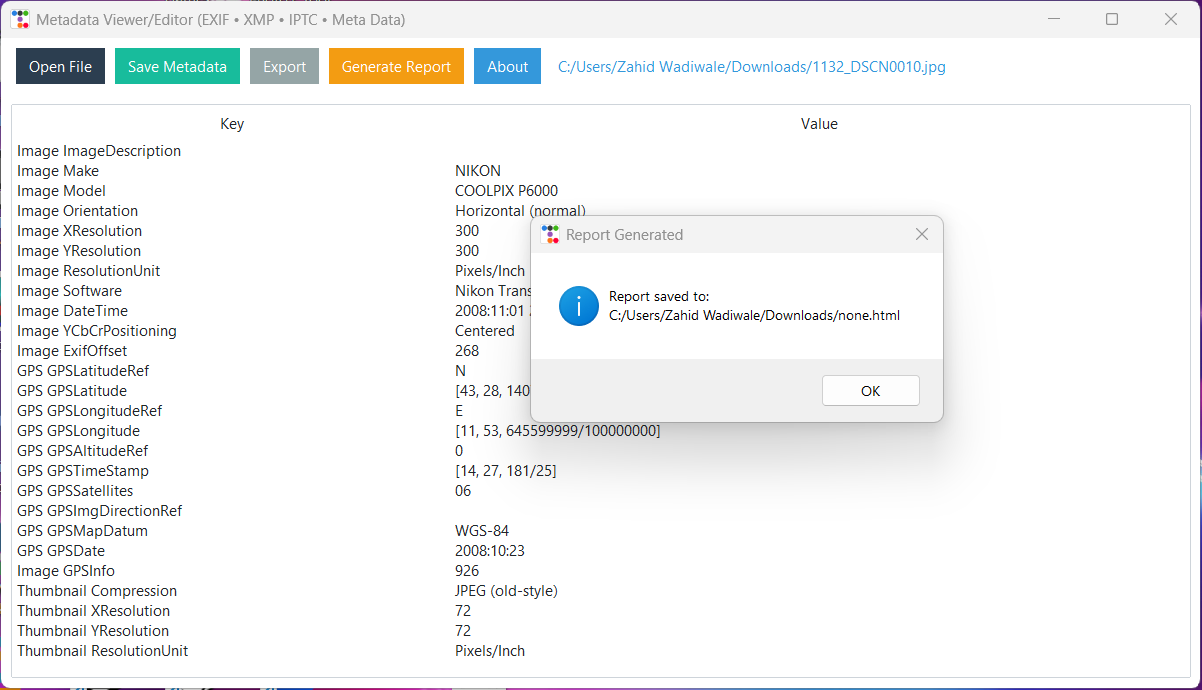
- Generate Reports that are formatted in HTML and ready for submission to platforms such as Bugcrowd or HackerOne.
- Cross-platform support (Windows, macOS, Linux).
Installation
You can install ExifPlus directly from PyPI using pip. To install the package, simply run the following command in your terminal or command prompt:
pip install exifplus
Ensure that you have the required dependencies installed for full functionality:
pyexiv2(for metadata extraction and editing)hachoir(for reading video metadata)ttkbootstrap(for the GUI)
pip install pyexiv2 hachoir ttkbootstrap
Usage
-
Launch ExifPlus: After installation, you can run ExifPlus directly from the command line (or from your Python script).
python -m exifplus
This will open the ExifPlus GUI, where you can load your files and begin editing metadata.
-
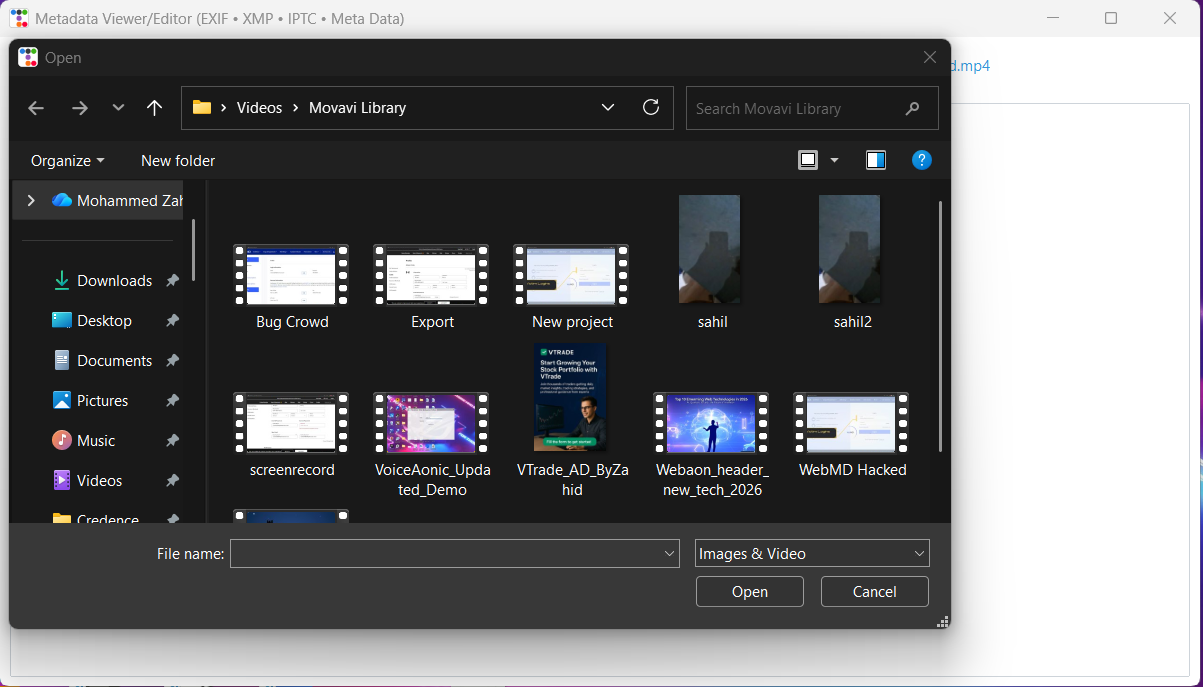
Open (Local file / From URL) Click the Open button to load an image or video. When you click Open a small dialog appears letting you choose one of two options:
- Local File — choose a single image or video file from your computer.
- From URL — paste a public image/video URL and ExifPlus will download and open it for inspection.
Supported formats
- Images:
.jpg,.jpeg,.png,.tiff,.heic - Videos:
.mp4,.mov,.avi,.mkv
Notes & troubleshooting
- 403 / hotlinking: Some sites block programmatic downloads (hotlink protection or CDN rules). If a URL download is blocked ExifPlus will prompt you to open the image in your browser so you can save it manually.
- No EXIF on hosted/resized images: Services like Blogger/Google often strip EXIF metadata when resizing or serving images. If a URL opens but shows no metadata, try using the original/original-size file you uploaded instead of a CDN/resized copy.
- Windows users: In-place writing of metadata may be limited on Windows (some native libraries are unstable). Use the Export → JSON/CSV feature to save metadata, or run on Linux/macOS for full read/write support.
-
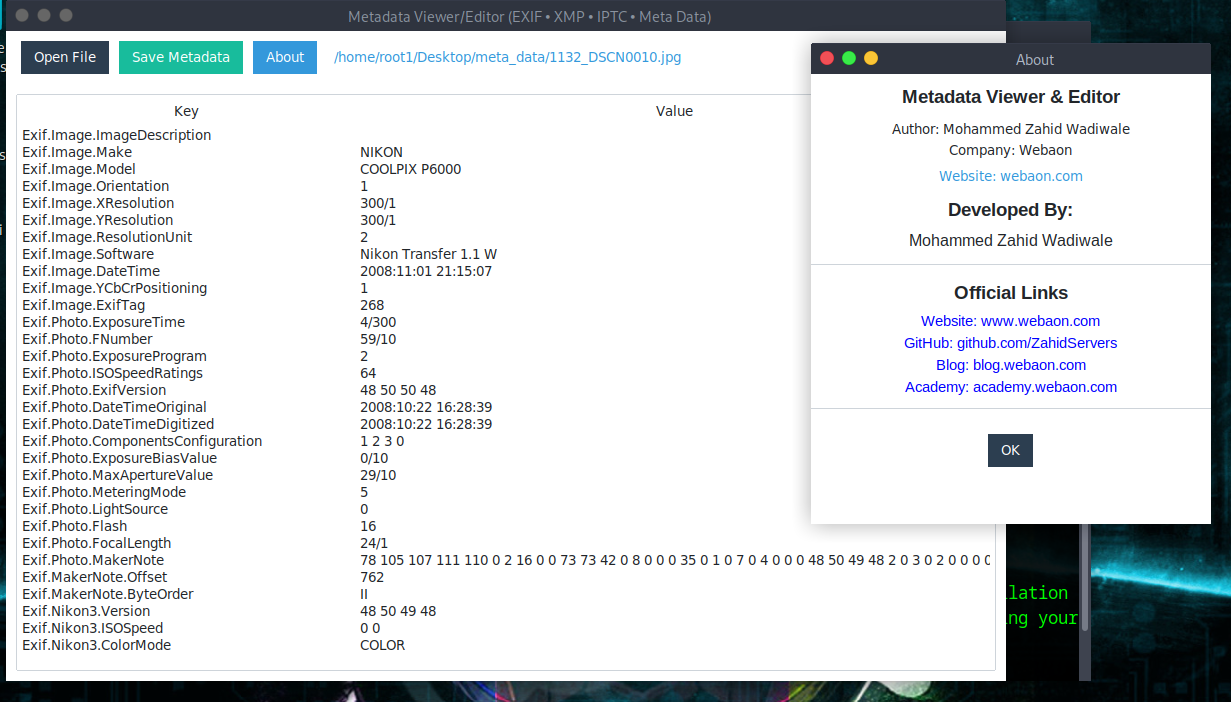
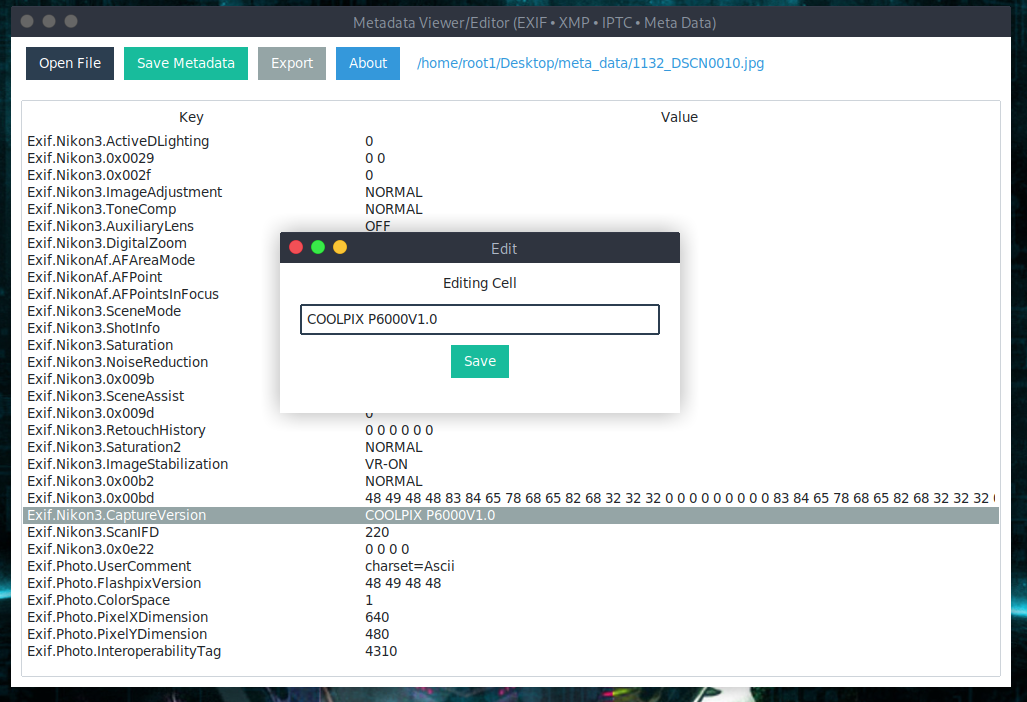
View and Edit Metadata: Once the file is loaded, the metadata will be displayed in a table format with columns for the metadata Key and Value. You can:
- Double-click a cell to edit its value.
- Right-click to bring up a context menu with options like deleting the metadata row.
-
Save Metadata: After editing metadata, click the "Save Metadata" button to save your changes. The metadata will be saved back to the file.
-
Delete Metadata Row: To delete a specific metadata entry, right-click on a row and select "Delete Row". A confirmation dialog will appear to ensure you want to proceed with the deletion.
-
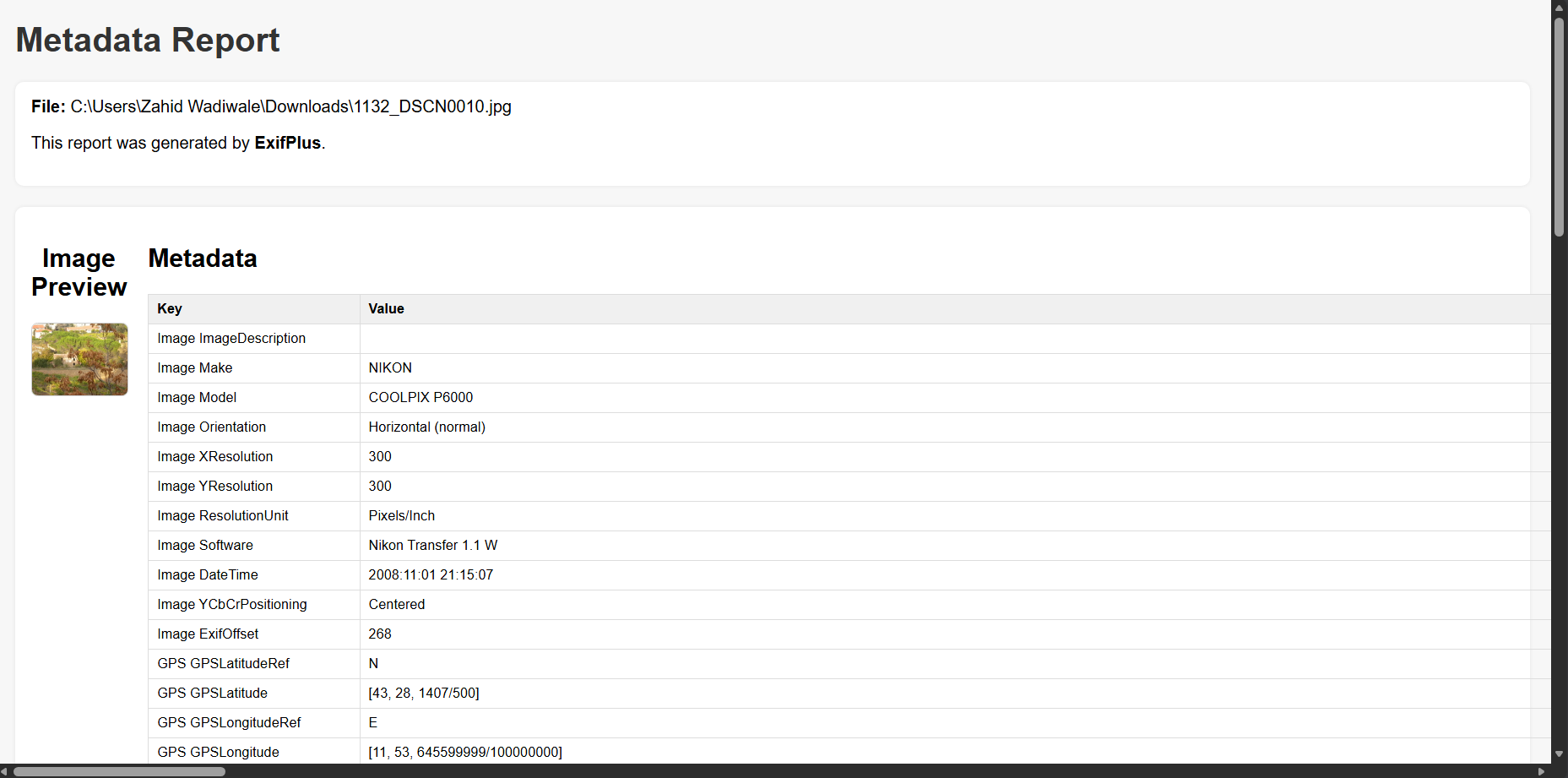
Generate Report (HTML) Click the Generate Report button to create a clean, professional HTML metadata report, ideal for:
- Bugcrowd submissions
- HackerOne reports
- Security audits
- Forensic analysis
- Documentation
The generated HTML report includes:
- Side-by-side image preview and metadata table
- Clean markup that can be viewed in any browser
- Easily attachable as a file or screenshot
- Automatically extracted EXIF, IPTC, XMP, and video/image metadata
This feature makes it extremely easy to share metadata findings professionally.
-
About Window: Click on the "About" button to view information about the tool and the author.
Troubleshooting
-
Error:
pyexiv2is missing or fails to load: Make sure you've installed the necessary dependencies. You may need to install system packages forpyexiv2to work properly on some systems (Linux or macOS). Refer to thepyexiv2documentation for installation instructions. -
Error:
Invalid metadata key: When trying to modify metadata, ensure that the key you're trying to modify exists in the original file. You can view all the available keys in the table after loading a file.
📦 Installation
🔹 Recommended (Pipx)
If you intend to run ExifPlus as an application:
pipx install exifplus
Then run it:
exifplus
🔹 Using pip (Virtual Environment)
python3 -m venv venv
source venv/bin/activate
pip install exifplus
Run:
exifplus
⚠️ Debian/Ubuntu/Parrot/Kali Users
These systems use PEP 668 and block global installs. If you try:
pip install exifplus
You may see:
error: externally-managed-environment
To fix, use either:
pipx install exifplus
or:
python3 -m venv venv
source venv/bin/activate
pip install exifplus
🔧 Optional (Not required but allowed)
If you really want to install system-wide:
pip install exifplus --break-system-packages
Not recommended.
🚀 Running
After installation:
exifplus
or
python -m exifplus
Screenshots
Contributing
Contributions to ExifPlus are welcome! If you'd like to report a bug, suggest a feature, or submit a pull request, feel free to fork the project and submit changes.
- Fork the repository.
- Clone your fork to your local machine.
- Make your changes (bug fixes, features, improvements).
- Submit a pull request with a clear description of your changes.
👨💻 Author
Developed by:
👉 Mohammed Zahid Wadiwale
- 🌐 Website — https://www.webaon.com
- 💻 GitHub — https://github.com/ZahidServers
- 📰 Blog — https://blog.webaon.com
- 🎓 Academy — https://academy.webaon.com
Support development by buying:
- Hosting
- Domains
- Websites
- Cybersecurity services
- Courses
1 maintainer

Metadata
1 maintainer
Release files for exifplus 1.2.1
For a detailed explanation of source distributions (sdists) and built distributions (wheels), please see the package formats documentation.
Source distribution (sdist)
| File | Size | Uploaded | Provenance | |
|---|---|---|---|---|
| exifplus-1.2.1.tar.gz | 16.3 kB | Without provenance | Details |
Built distribution (wheel)
| File | Interpreter | ABI | Platform | Reset |
|---|---|---|---|---|
| exifplus-1.2.1-py3-none-any.whl | Python 3 | none | any | Details |
Total release size: 29.6 kB
Release files / exifplus-1.2.1.tar.gz
| Download URL | exifplus-1.2.1.tar.gz |
|---|---|
| Size | 16.3 kB |
| Tags | Source |
|
SHA-256 checksum How to use checksums |
3ba63ed7982554b073048f60dde6ebef4b419d622e8453065737340fdb28760e
|
|
BLAKE2b-256 checksum How to use checksums |
dbdbe0ac15f9079b06943f2c381bcef02487d5aff4e8fb67b6746613bdeceefc
|
| Upload date | |
|
Uploaded using Trusted Publishing? What is trusted publishing? |
No |
| Uploaded via |
twine/6.1.0 CPython/3.13.7
|
Release files / exifplus-1.2.1-py3-none-any.whl
| Download URL | exifplus-1.2.1-py3-none-any.whl |
|---|---|
| Size | 13.3 kB |
| Tags | Python 3 |
|
SHA-256 checksum How to use checksums |
bdc19b6173e7ed02ef46e9d21f6d99cb0a4ae21d614b63847e1b2e121a17a826
|
|
BLAKE2b-256 checksum How to use checksums |
ee15c0a00f01fea834cd9fd8bd9f8e195419c5f789344f58c6d6a053a75bed02
|
| Upload date | |
|
Uploaded using Trusted Publishing? What is trusted publishing? |
No |
| Uploaded via |
twine/6.1.0 CPython/3.13.7
|
Security for exifplus 1.2.1
Provenance
Provenance describes where a file came from. On PyPI, provenance is shared via attestations, which provide a verifiable record of the build or publishing details. View details, limitations and caveats.
No provenance found
None of the files in this release were uploaded with provenance metadata.
A note on package security
PyPI is a repository for distributing packages, not a service for auditing them. While third-party security researchers and our staff do their best to detect and remove malicious packages, PyPI cannot guarantee the quality, security or suitability of any given package.
To learn more about protecting yourself from malicious actors, visit our package security documentation.














