
State of the art to explain any blackbox Machine Learning model.


Project description

ExplainX.ai is a fast, scalable & state-of-the-art explainable AI platform. ExplainX.ai helps data scientists understand, explain, debug and validate any machine learning model - in just one line of code.

Why we need explainability & interpretibility?
Essential for:
- Model debugging - Why did my model make a mistake? How can I improve the accuracy of the model?
- Detecting fairness issues - Is my model biased? If yes, where?
- Human-AI cooperation - How can I understand and trust the model's decisions?
- Regulatory compliance - Does my model satisfy legal & regulatory requirements?
- High-risk applications - Healthcare, Financial Services, FinTech, Judicial, Security etc,.
Visit explainx.ai website to learn more: https://www.explainx.ai

Try it out
- Installing explainX
- Working Examples
- explainX Dashboard Features
- Documentation
- Provide Feedback to Improve explainX.ai
Installation
- Desktop: You can use explainX on your own computer in under a minute. If you already have a python environment setup, just run the following command.
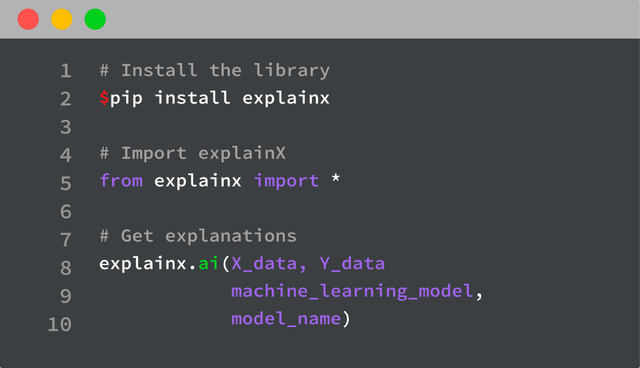
pip install explainx
- Jupyter Notebook: You can also install explainx via Jupyter Notebook. Just run the following command:
!pip install explainx
Usage
Once you have install explainX, you can simply follow the example below to use it:
Import explainx
from explainx import *
Load dataset as X_Data, Y_Data in your XGBoost Model
#X_Data = Pandas DataFrame
#Y_Data = Numpy Array or List

X_Data, Y_Data = explainx.dataset_boston()

#Train Model
model = xgboost.train({"learning_rate": 0.01}, xgboost.DMatrix(X_Data, label=Y_Data), 100)
One line of code to use the explainx module
explainx.ai(X_Data, Y_Data, model, model_name="xgboost")
Click on the link to view the dashboard:
App running on https://127.0.0.1:8050
Learn to analyze the dashboard by following this link: explainX Dashboard Features
Visit the documentation to learn more
Models Supported
CatBoost, XGBoost, Scikit-learn Models, SVM, Neural Networks
Video Tutorial
Please click on the image below to load the tutorial.
Contributing
Pull requests are welcome. In order to make changes to explainx, the ideal approach is to fork the repository then clone the fork locally.
For major changes, please open an issue first to discuss what you would like to change. Please make sure to update tests as appropriate.
Report Issues
Please help us by reporting any issues you may have while using explainX.
License
Release history Release notifications | RSS feed


Download files
Download the file for your platform. If you're not sure which to choose, learn more about installing packages.
Source Distribution
File details
Details for the file explainx-2.32.tar.gz.
File metadata
- Download URL: explainx-2.32.tar.gz
- Upload date:
- Size: 983.0 kB
- Tags: Source
- Uploaded using Trusted Publishing? No
- Uploaded via: twine/3.1.1 pkginfo/1.5.0.1 requests/2.22.0 setuptools/45.2.0 requests-toolbelt/0.9.1 tqdm/4.43.0 CPython/3.7.6
File hashes
| Algorithm | Hash digest | |
|---|---|---|
| SHA256 |
cc1ea69338bc53ad49899100460e82f4f19e39c868ad0bf9c75faaefb66cd1b7
|
|
| MD5 |
8f686f5d58ebf5f07fd36e0320c7deb7
|
|
| BLAKE2b-256 |
3e1426b78628633992b13ee185c7c8c46e638748f65ee53ffdfed776e347ab6b
|






