
Exposor - Unified query system for search engines

Project description

Exposor - A Contactless Reconnaissance Tool with unified syntax


Getting started • Installation • Usage • Contribution • Future Work • Disclaimer • License
Getting Started
Exposor is a contactless reconnaissance tool focused on technology detection across Censys, Fofa, Shodan, and Zoomeye. With a unified syntax for multi-platform querying, It gives security researchers and professionals a clear view of exposed systems, enabling quick risk identification.
How it Works
- Configure your API keys for supported feeds.
- Use exposor's query syntax to find technologies
- Retrive and analyze results accross multiple search engines in a single workflow.
- Contribute custom YAML files to extend detection capabilities.
Key Features
- Easily configure API credentials and keep the intelligence files updated.
- Perform targeted searches by netblock or ISO-3166 country codes.
- Execute queries across multiple feeds with a unified syntax.
- Extend intel capabilities by contributing new YAML files.
- Identify exposed systems and potential vulnerabilities using CPEs or CVEs.
These features make Exposor a powerful tool for cybersecurity professionals conducting non-intrusive active reconnaissance.
Installation
You have two options to install Exposor:
Intall via pip
#latest stable release
pip install exposor
Clone the repository
git clone https://github.com/abuyv/exposor.git
cd exposor
pip install -r requirements.txt
[!NOTE]
For the latest stable releases, visit the Releases page
Configuration
To use Exposor, you must configure API keys for the feeds you want to search. At least one API key is required to enable searching on a feed.
Adding API Keys
You can add your API keys in two ways:
- Using
--initoption
Run exposor --init option to create a configuration file:
export --init shodan:api_key zoomeye:api_key censys:api_id:api_secret fofa:email:api_key
- Using env variables
Set the API keys as environment variables using the following commands:
# Unix
export CENSYS_API_ID="your_censys_api_id"
export CENSYS_API_KEY="your_censys_api_secret"
export FOFA_EMAIL="your_fofa_email"
export FOFA_API_KEY="your_fofa_api_key"
export SHODAN_API_KEY="your_shodan_api_key"
export ZOOMEYE_API_KEY="your_zoomeye_api_key"

# Windows
$env:CENSYS_API_ID="your_censys_api_id"
$env:CENSYS_API_KEY="your_censys_api_secret"
$env:FOFA_EMAIL="your_fofa_email"
$env:FOFA_API_KEY="your_fofa_api_key"
$env:SHODAN_API_KEY="your_shodan_api_key"
$env:ZOOMEYE_API_KEY="your_zoomeye_api_key"
These keys will be automatically picked up by Exposor.
[!IMPORTANT]
At least one API key must be configured to perform searches on any feed.If you need to update your keys, you can either re-export them or re-run the
--initcommand
Usage
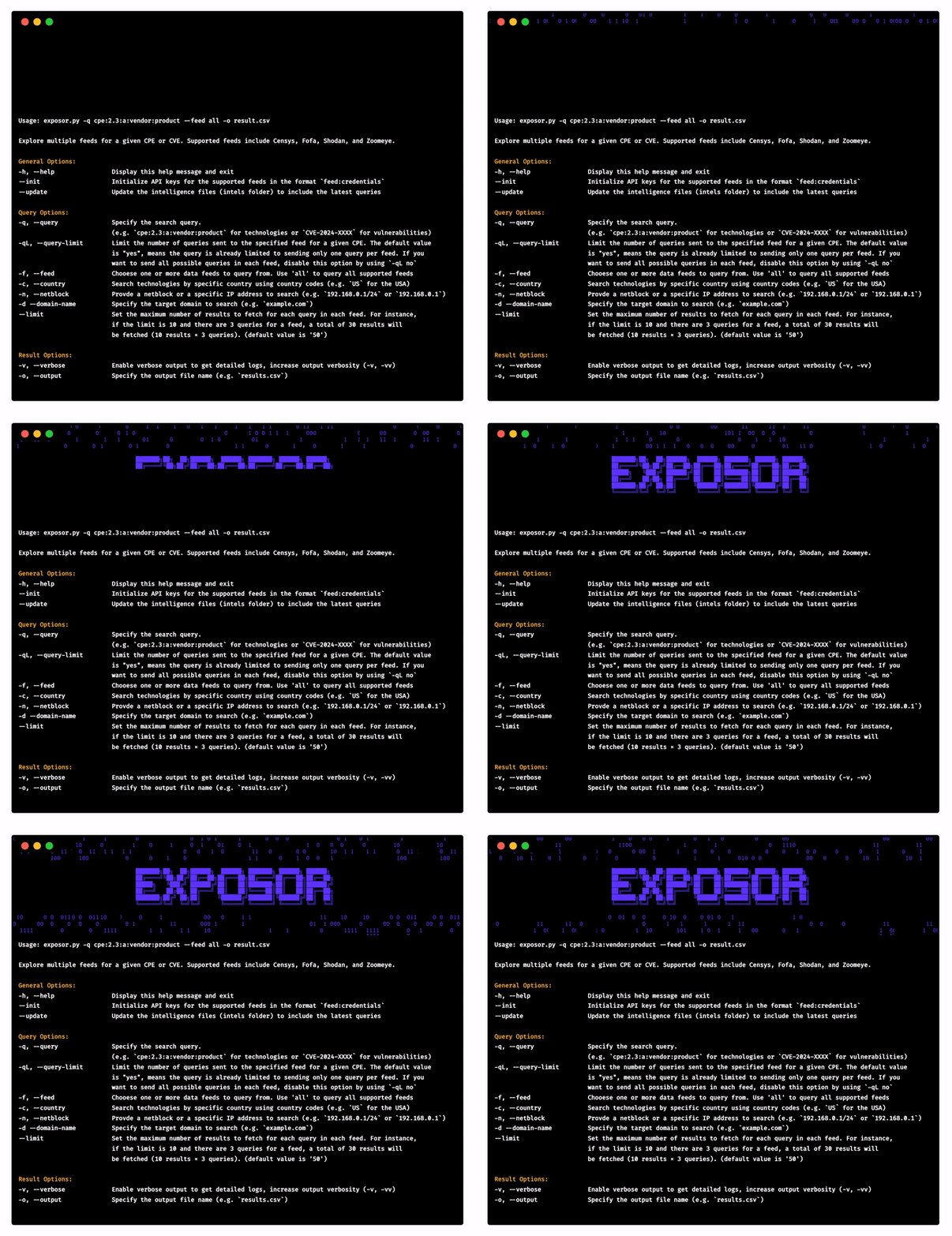
Run Exposor to detect specific technologies using predefined YAML files:
   __
  /__\__  __ _ __    ___   ___   ___   _ __
 /_\  \ \/ /| '_ \  / _ \ / __| / _ \ | '__|
//__   >  < | |_) || (_) |\__ \| (_) || |
\__/  /_/\_\| .__/  \___/ |___/ \___/ |_|
            |_|
                                     version: 1.0.0


Usage: exposor.py -q cpe:2.3:a:vendor:product --feed all -o result.csv

Explore multiple feeds for a given CPE or CVE. Supported feeds include Censys, Fofa, Shodan, and Zoomeye.

General Options:
-h, --help                Display this help message and exit
--init                    Initialize API keys for the supported feeds in the format `feed:credentials`
--update                  Update the intelligence files (intels folder) to include the latest queries

Query Options:
-q, --query               Specify the search query.
                          (e.g. `cpe:2.3:a:vendor:product` for technologies or `CVE-2024-XXXX` for vulnerabilities)
-qL, --query-limit        Limit the number of queries sent to the specified feed for a given CPE. The default value
                          is "yes", means the query is already limited to sending only one query per feed. If you
                          want to send all possible queries in each feed, disable this option by using `-qL no`
-f, --feed                Chooese one or more data feeds to query from. Use 'all' to query all supported feeds
-c, --country             Search technologies by specific country using country codes (e.g. `US` for the USA)
-n, --netblock            Provde a netblock or a specific IP address to search (e.g. `192.168.0.1/24` or `192.168.0.1`)
-d --domain-name          Specify the target domain to search (e.g. `example.com`)
--limit                   Set the maximum number of results to fetch for each query in each feed. For instance,
                          if the limit is 10 and there are 3 queries for a feed, a total of 30 results will
                          be fetched (10 results × 3 queries). (default value is '50')

Result Options:
-v, --verbose             Enable verbose output to get detailed logs, increase output verbosity (-v, -vv)
-o, --output              Specify the output file name (e.g. `results.csv`)
Contribution
If you wish to contribute to the project and help expand the coverage of intels, follow the instructions below to add a new YAML file:
-
Please read Contributing Guidelines to understand how to propose changes.
-
technology_intels/: Contains YAML files for detecting specific technologies or platforms. Files are organized byvendor_name/product_name/vendor_product.yaml. -
vulnerability_intels/: Contains YAML files for tracking vulnerabilities (e.g., CVEs) generated using thevulners-api.pyscript.
exposor/
├── intels/                                               # Folder for intelligence YAML files
│   ├── technology_intels/                                # Technology-specific YAML files
│   │   ├── vendor_name/                                  # Vendor name folder
│   │   │   ├── product_name/                             # Product name folder
│   │   │   │   ├── vendor_product.yaml   <––– Example technology YAML
│   └── vulnerability_intels/                             # Vulnerability-specific YAML files
│   │   ├── vendor_product_cves.yaml      <––– Example vulnerability YAML
└── ...
Future Work
Integrate more feeds
Pending features
- Auto unifying queries across feeds
- Auto generation of vulnerability YAML files
- Supporting multiple API keys for a single feed
- Implementing custom query syntax
- Adding a logical OR operator for queries to save API credits and optimize usage.
Disclaimer
Use Exposor responsibly and follow all regulations. You are fully responsible for your actions. If you misuse this tool or break the law, it’s entirely your own responsibility.
License
Exposor is developed by @abuyv and is MIT License
💙 Thank you

If you are here and found it useful, consider giving the repository a ⭐ to show your support.
Release history Release notifications | RSS feed

Download files
Download the file for your platform. If you're not sure which to choose, learn more about installing packages.
Source Distribution
Built Distribution
Filter files by name, interpreter, ABI, and platform.
If you're not sure about the file name format, learn more about wheel file names.
Copy a direct link to the current filters
File details
Details for the file exposor-1.0.0.tar.gz.
File metadata
- Download URL: exposor-1.0.0.tar.gz
- Upload date:
- Size: 260.5 kB
- Tags: Source
- Uploaded using Trusted Publishing? No
- Uploaded via: twine/5.1.1 CPython/3.8.3
File hashes
| Algorithm | Hash digest | |
|---|---|---|
| SHA256 |
54f9f4f9f721b7c2a5c7d410c3437f8e7c03f89459f2227610af2a9af0b14bfa
|
|
| MD5 |
47b822ab266a89977044952ff1b78447
|
|
| BLAKE2b-256 |
d89354dfb5af7c1753f15f577ea8332ab0d4b3a1302025b17876438a72e87a42
|
File details
Details for the file exposor-1.0.0-py3-none-any.whl.
File metadata
- Download URL: exposor-1.0.0-py3-none-any.whl
- Upload date:
- Size: 754.5 kB
- Tags: Python 3
- Uploaded using Trusted Publishing? No
- Uploaded via: twine/5.1.1 CPython/3.8.3
File hashes
| Algorithm | Hash digest | |
|---|---|---|
| SHA256 |
825582db41f45ac4d0ea530311ec1fa6cb3904db411bb8c894bbd11d109b5693
|
|
| MD5 |
858c6525c5c04c00449a48282e53293c
|
|
| BLAKE2b-256 |
1646e7f57f07cb370638c1bdcde0a8418ab6648e724d44958a3f191474c31bd1
|






