
Extended JSON Schema validator, Python edition
This library and program validates both JSON Schema and JSON-like contents. The contents can be physically represented either as JSON or as YAML files.
The JSON schemas should be compliant with JSON Schema versions supported
by the installed jsonschema library.
As of version 4.16 they are Draft04, Draft06, Draft07, Draft2019-09 and Draft2020-12 specifications.
The installation instructions are in INSTALL.md .
History
The roots of this code come from https://github.com/inab/benchmarking-data-model/tree/0.4.0/toolsForValidation.
Its development was later followed at [https://github.com/fairtracks/fairtracks_validator/], where implementations in other programming languages were also hosted. Python code gained traction and real modularisation there.
As this Python code is relevant to several research projects, it has been split from its latest repo, keeping the core and original extensions here at https://github.com/inab/python-extended-json-schema-validator, and keeping specific FAIRTracks extensions at https://github.com/fairtracks/fairtracks_validator_python.
Extensions
A description of the base JSON Schema extensions implemented in this repository is available at README-extensions.md.
Usage
python jsonValidate.py --help
# or if the package was installed through pypi
ext-json-validate -h
usage: jsonValidate.py [-h] [--log-file LOGFILENAME] [--log-format LOGFORMAT] [-q] [-v] [-d] [-C CONFIGFILENAME]
                       [--cache-dir CACHEDIR] [-c] [--schema_id_path SCHEMA_ID_PATH]
                       [--guess-schema | --use-schemas USE_SCHEMAS [USE_SCHEMAS ...]] [--fix]
                       [--report REPORTFILENAME] [--annotation ANNOTREPORT] [--verbose-report] [--error-report]
                       [--dot-report FILENAME TITLE] [--invalidate | --read-only] [--warm-up | --lazy-load]
                       [--iter-arrays] [-V]
                       json_schema_or_dir [json_file_or_dir [json_file_or_dir ...]]

Validate JSON against JSON Schemas with extensions (version 0.12.3)

positional arguments:
  json_schema_or_dir    The JSON Schema, either in JSON or YAML file format, or directory with them to validate
                        and use
  json_file_or_dir      The JSONs, either in JSON or YAML file formats, or directories with them to be validated
                        (default: None)

optional arguments:
  -h, --help            show this help message and exit
  --log-file LOGFILENAME
                        Store messages in a file instead of using standard error and standard output (default:
                        None)
  --log-format LOGFORMAT
                        Format of log messages (default: %(asctime)-15s - [%(levelname)s] %(message)s)
  -q, --quiet           Only show engine warnings and errors (default: None)
  -v, --verbose         Show verbose (informational) messages (default: None)
  -d, --debug           Show debug messages (use with care, as it could potentially disclose sensitive contents)
                        (default: None)
  -C CONFIGFILENAME, --config CONFIGFILENAME
                        Configuration file (used by extensions) in YAML format (default: None)
  --cache-dir CACHEDIR  Caching directory (used by extensions) (default: None)
  -c, --continue        Show all the error messages instead of stopping on the first one (default when a report
                        file is requested) (default: False)
  --schema_id_path SCHEMA_ID_PATH
                        When the content read from the file is going to be validated, JSON Path (accepted by
                        jsonpath-ng) used to get the schema id which identifies the schema to be used by the
                        validator (default: "@schema"|"_schema"|"$schema")
  --guess-schema        Try to validate the input JSONs against all the loaded schemas (default: False)
  --use-schemas USE_SCHEMAS [USE_SCHEMAS ...]
                        Try to validate the input JSONs against any of the loaded schemas matching these URIs
                        (default: None)
  --fix                 When some validation error arises, an editor instance (from $EDITOR environment variable)
                        is launched giving the chance to fix the files, and then it is validated again. The cycle
                        is repeated until all the files are correct or the program is interrupted (default: False)
  --report REPORTFILENAME
                        Store validation report (in JSON format) in a file (default: None)
  --annotation ANNOTREPORT
                        JSON Path (accepted by jsonpath-ng) to extract an annotation to include from validated
                        JSON in the report (for instance, '$._id') (default: None)
  --verbose-report      When this flag is enabled, the report also embeds the json contents which were validated
                        (default: True)
  --error-report        When this flag is enabled, the report only includes the entries with errors (default:
                        False)
  --dot-report FILENAME TITLE
                        Depict the schemas in a file using DOT format, providing the title given in the second
                        param (default: None)
  --invalidate          Caches managed by the extensions are invalidated on startup (default: False)
  --read-only           When this flag is enabled, the caches managed by the extensions are read-only, avoiding
                        expensive operations related to the caches (default: True)
  --warm-up             Caches managed by the extensions are warmed up on startup (default: None)
  --lazy-load           Caches managed by the extensions are warmed up in a lazy way (default: True)
  --iter-arrays         It some of the inputs is an array, shred it and process each element separately (default:
                        False)
  -V, --version         show program's version number and exit
Next lines run validations using test data:
python jsonValidate.py test-data/foreign_key_example/schemas/ test-data/foreign_key_example/good_validation/
python jsonValidate.py test-data/foreign_key_example/schemas/ test-data/foreign_key_example/bad_validation/
If your JSON schemas are properly defined, but you are fixing issues in a set of JSON files, you can run it in an iterative way:
git clone https://github.com/inab/benchmarking-data-model
EDITOR="geany -i" python jsonValidate.py --fix benchmarking-data-model/json-schemas/1.0.x benchmarking-data-model/prototype-data/1.0.x/QfO-fail
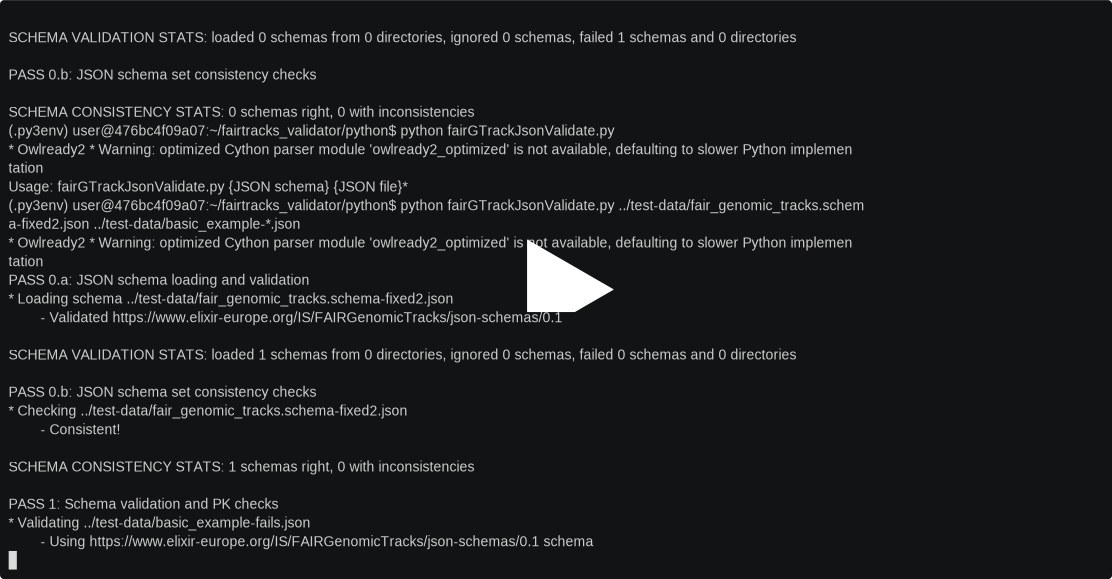
And this is an asciinema (to be updated) recording a previous version of FAIRTracks Validator:
1 maintainer

Metadata
1 maintainer
Release files for extended-json-schema-validator 0.16.2
For a detailed explanation of source distributions (sdists) and built distributions (wheels), please see the package formats documentation.
Source distribution (sdist)
| File | Size | Uploaded | Provenance | Actions |
|---|---|---|---|---|
| extended_json_schema_validator-0.16.2.tar.gz | 65.3 kB | Without provenance | Details for extended_json_schema_validator-0.16.2.tar.gz |
Built distribution (wheel)
| File | Interpreter | ABI | Platform | Actions Reset |
|---|---|---|---|---|
| extended_json_schema_validator-0.16.2-py3-none-any.whl | Python 3 | none | any | Details for extended_json_schema_validator-0.16.2-py3-none-any.whl |
Total release size: 130.3 kB
Release files / extended_json_schema_validator-0.16.2.tar.gz
| Download URL | extended_json_schema_validator-0.16.2.tar.gz |
|---|---|
| Size | 65.3 kB |
| Tags | Source |
|
SHA-256 checksum How to use checksums |
b2e93c17f56b1c1c05b0bb67c08965c3f3e564d08a2b12c81c3b96a8d2407fb7
|
|
BLAKE2b-256 checksum How to use checksums |
89d1083670d19dbf788f17a71d322fa55890eaf9dd633fd5008739082c34c19d
|
| Upload date | |
|
Uploaded using Trusted Publishing? What is trusted publishing? |
No |
| Uploaded via |
twine/7.0.0 CPython/3.14.7
|
Release files / extended_json_schema_validator-0.16.2-py3-none-any.whl
| Download URL | extended_json_schema_validator-0.16.2-py3-none-any.whl |
|---|---|
| Size | 65.0 kB |
| Tags | Python 3 |
|
SHA-256 checksum How to use checksums |
f6ae508afc0e389d1e292f5a88256ebc63df38c84a661a26baaccf3cb10007cb
|
|
BLAKE2b-256 checksum How to use checksums |
320abaff2e8cba8e60d4eba4b19e6d5c3ec28ca3e20d29b9012ac06002a45acc
|
| Upload date | |
|
Uploaded using Trusted Publishing? What is trusted publishing? |
No |
| Uploaded via |
twine/7.0.0 CPython/3.14.7
|
Security for extended-json-schema-validator 0.16.2
Provenance
Provenance describes where a file came from. On PyPI, provenance is shared via attestations, which provide a verifiable record of the build or publishing details. View details, limitations and caveats.
No provenance found
None of the files in this release were uploaded with provenance metadata.
A note on package security
PyPI is a repository for distributing packages, not a service for auditing them. While third-party security researchers and our staff do their best to detect and remove malicious packages, PyPI cannot guarantee the quality, security or suitability of any given package.
To learn more about protecting yourself from malicious actors, visit our package security documentation.














