



EYEGESTURES
EyeGestures is open source eyetracking software/library using native webcams and phone camers for achieving its goal. The aim of library is to bring accessibility of eye-tracking and eye-driven interfaces without requirement of obtaining expensive hardware.
Our Mission!
💜 Sponsors:
[!NOTE] Check JS port: EyeGesturesLite!
[!IMPORTANT]
EyeGestures is a fully volunteer-based project and exists thanks to your donations and support.📢📢 If you are bussiness and would like to collaborate, reach us: contact@eyegestures.com 📢📢
We can provide custom comercial license and invoices if needed.
🔨 Projects build with EyeGestures:
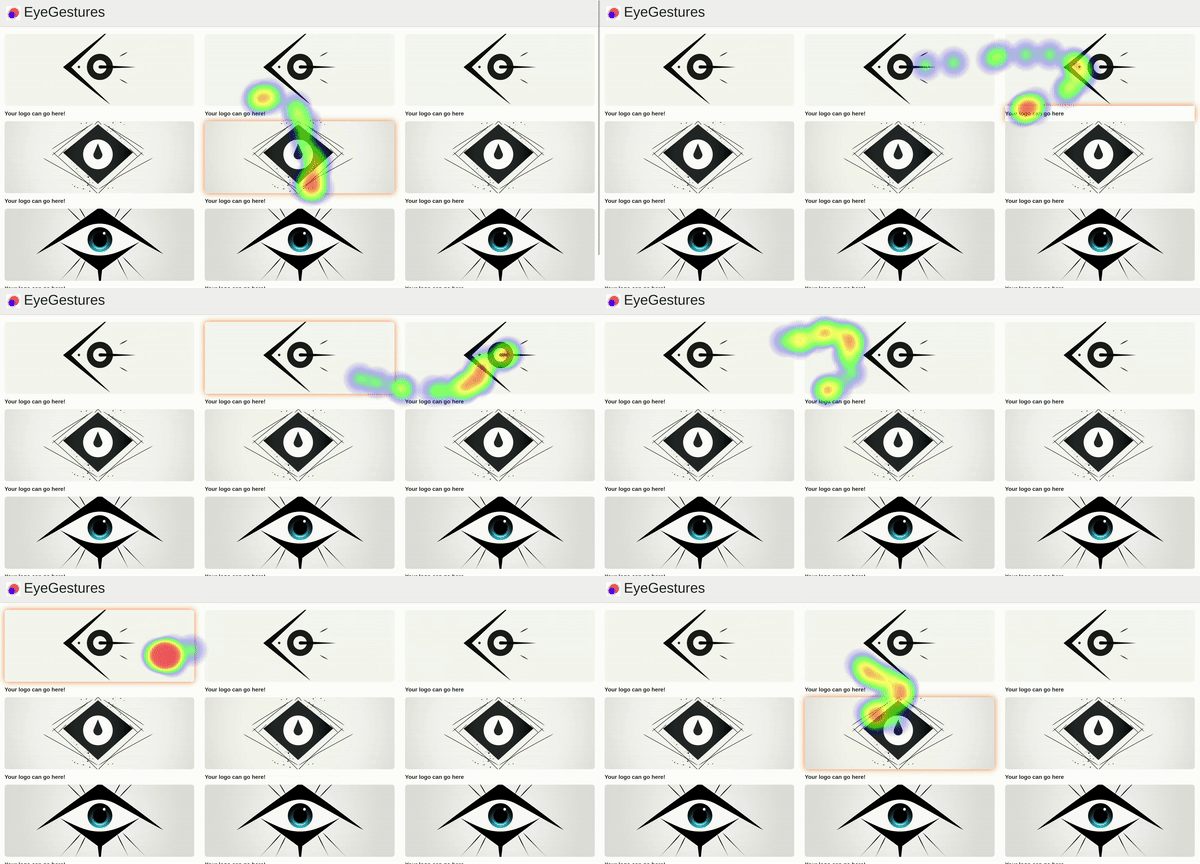
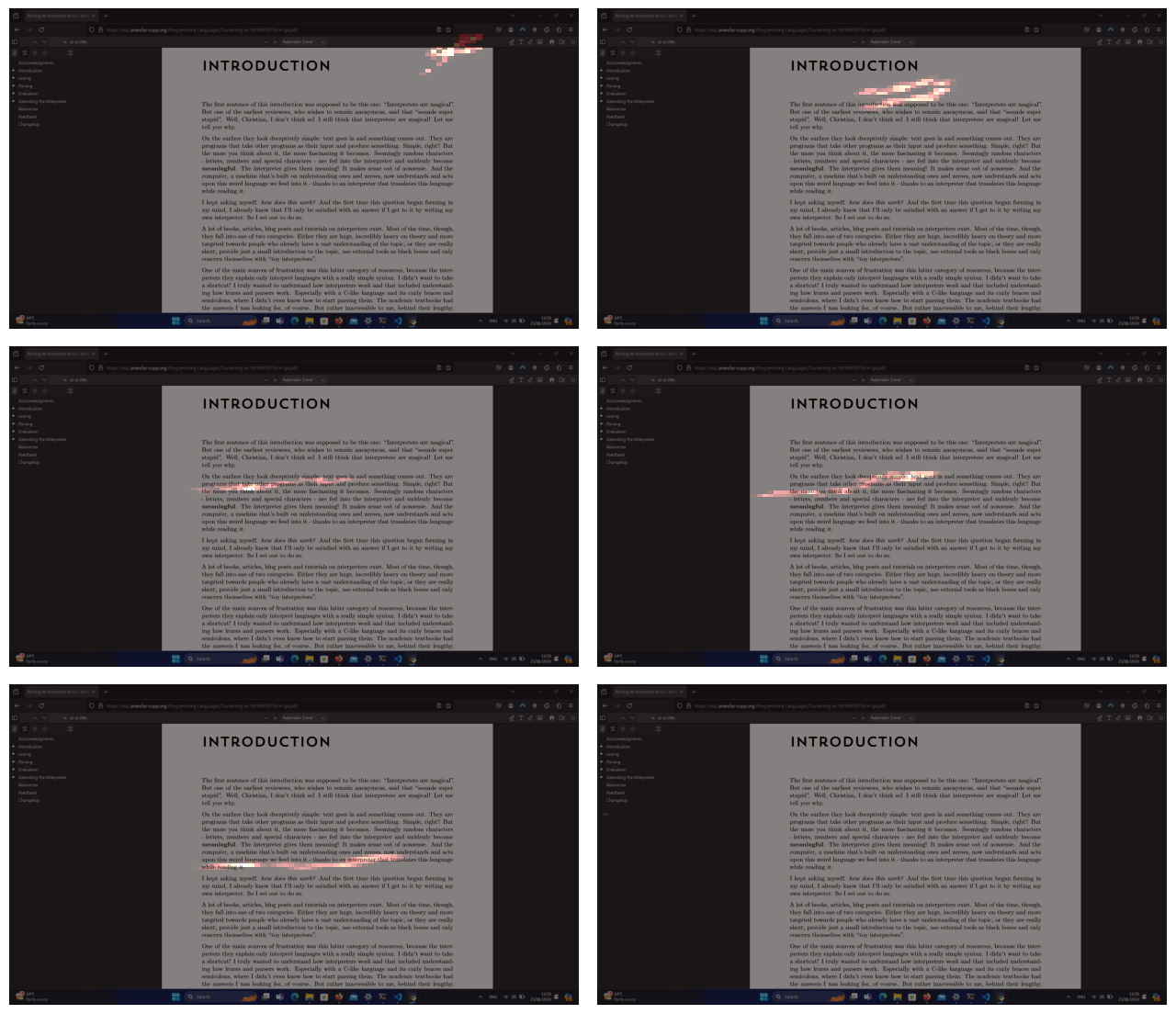
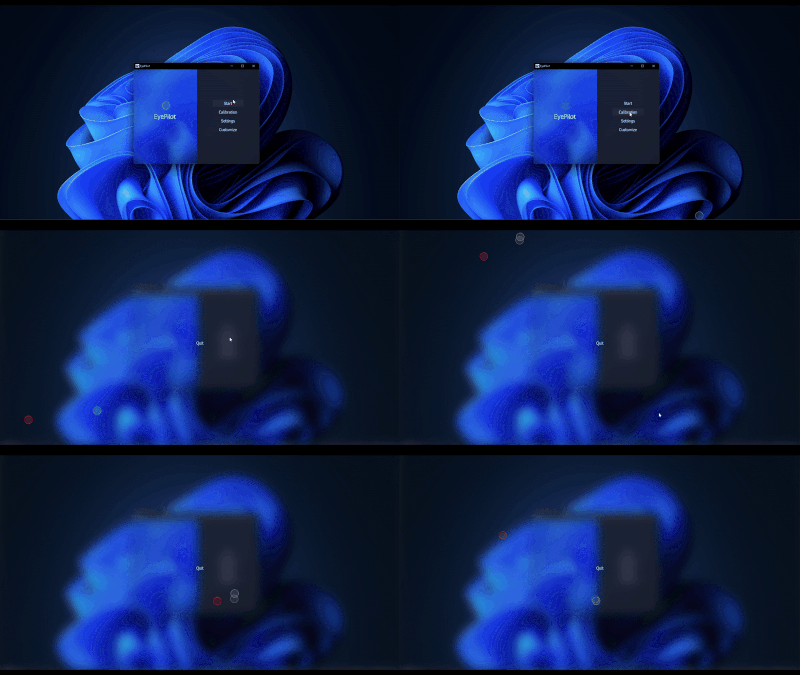

- EyePilot
- EyePather - discontinued
- EyeFocus <- 4th best product on PH!
- Add your project! contact@eyegestures.com or PR
Subscribe and get access to our software:

⚓ Ports:
- JavaScript version: EyeGesturesLite!
💻 Install
python3 -m pip install eyeGestures
[!WARNING] some users report that mediapipe, scikit-learn or opencv is not installing together with eyegestures. To fix it, just install it with pip.
⚙️ Try
Tracker works best when your camera or laptop is at arm's length, similar to how you would typically use it. If you are further away, it may be less responsive for now - currently working on solving this issue.
python3 examples/simple_example_v2.py
python3 examples/simple_example.py [legacy tracker, will become obsolete]
🔧 Build your own:
Using EyeGesture Engine V3 - Faster smaller better:
from eyeGestures.utils import VideoCapture
from eyeGestures import EyeGestures_v3

# Initialize gesture engine and video capture
gestures = EyeGestures_v3()
cap = VideoCapture(0)
calibrate = True
screen_width = 500
screen_height= 500

# Process each frame
while True:
  ret, frame = cap.read()
  event, cevent = gestures.step(frame,
    calibrate,
    screen_width,
    screen_height,
    context="my_context")

  if event:
    cursor_x, cursor_y = event.point[0], event.point[1]
    fixation = event.fixation
    saccades = event.saccadess # saccadess movement detector
    # calibration_radius: radius for data collection during calibration
Using EyeGesture Engine V2 - [Legacy]:
from eyeGestures.utils import VideoCapture
from eyeGestures import EyeGestures_v2

# Initialize gesture engine and video capture
gestures = EyeGestures_v2()
cap = VideoCapture(0)
calibrate = True
screen_width = 500
screen_height= 500

# Process each frame
while True:
  ret, frame = cap.read()
  event, cevent = gestures.step(frame,
    calibrate,
    screen_width,
    screen_height,
    context="my_context")

  if event:
    cursor_x, cursor_y = event.point[0], event.point[1]
    fixation = event.fixation
    # calibration_radius: radius for data collection during calibration
Customize [only V1/V2]:
You can customize your calibration points/map to fit your solutions. Simple copy snippet below, and place your calibration poitns on x,y planes from 0.0 to 1.0. It will be then automatically scaled to your display.
gestures = EyeGestures_v2()
gestures.uploadCalibrationMap([[0,0],[0,1],[1,0],[1,1]])
V2 is two stage tracker. It runs V1 under the hood but then uses it as feature extractor for V2 machine learning component, and combines both outputs to generate new gaze point. It is possible to control how much V1 affects V2 by:
gestures.setClassicImpact(N) # setting N = 2 is working best for my testing
This makes that sample obtained from V2 is averaged with N times sample from V1 (same sample copied that many times). In outcome having V2 impacting output in 1/N+1 and V1 N/N+1.
It is also worth to know that you can enable hidden calibration for V1 (same calibration when using only V1, but now it is invisible to user):
gestures.enableCNCalib()
Using EyeGesture Engine V1 - Model-Based Approach [not recommended]:
from eyeGestures.utils import VideoCapture
from eyeGestures import EyeGestures_v1

# Initialize gesture engine with RoI parameters
gestures = EyeGestures_v1()

cap = VideoCapture(0)
ret, frame = cap.read()
calibrate = True
screen_width = 500
screen_height= 500

# Obtain estimations from camera frames
event, cevent = gestures.estimate(
    frame,
    "main",
    calibrate,  # set calibration - switch to False to stop calibration
    screen_width,
    screen_height,
    0, 0, 0.8, 10
)

if event:
  cursor_x, cursor_y = event.point[0], event.point[1]
  fixation = event.fixation
  # calibration_radius: radius for data collection during calibration
Feel free to copy and paste the relevant code snippets for your project.
🔥 Web Demos:
rules of using
If you are building publicly available product, and have no commercial license, please mention us somewhere in your interface.
📇 Find us:
Troubleshooting:
- some users report that
mediapipe,scikit-learnoropencvis not installing together witheyegestures. To fix it, just install it withpip.
Missing feature or facing a bug?
Create new issue so we can tackle it!
💻 Contributors

💵 Support the project
We will be extremely grateful for your support: it helps to keep server running + fuels my brain with coffee.
Support project on Polar (in exchange we provide access to alphas versions!):
1 maintainer

Metadata
1 maintainer
Release files for eyeGestures 4.0.0
For a detailed explanation of source distributions (sdists) and built distributions (wheels), please see the package formats documentation.
Built distributions (wheels)
| File | Reset | |||
|---|---|---|---|---|
| eyegestures-4.0.0-cp313-cp313-win_amd64.whl | CPython 3.13 | CPython 3.13 | Windows x86-64 | Details |
| eyegestures-4.0.0-cp313-cp313-win32.whl | CPython 3.13 | CPython 3.13 | Windows x86-32 | Details |
| eyegestures-4.0.0-cp313-cp313-manylinux_2_34_x86_64.whl | CPython 3.13 | CPython 3.13 | Linux glibc 2.34+ x86-64 | Details |
| eyegestures-4.0.0-cp312-cp312-win_amd64.whl | CPython 3.12 | CPython 3.12 | Windows x86-64 | Details |
| eyegestures-4.0.0-cp312-cp312-win32.whl | CPython 3.12 | CPython 3.12 | Windows x86-32 | Details |
| eyegestures-4.0.0-cp312-cp312-manylinux_2_34_x86_64.whl | CPython 3.12 | CPython 3.12 | Linux glibc 2.34+ x86-64 | Details |
Total release size: 1.7 MB
Release files / eyegestures-4.0.0-cp313-cp313-win_amd64.whl
| Download URL | eyegestures-4.0.0-cp313-cp313-win_amd64.whl |
|---|---|
| Size | 256.4 kB |
| Tags | CPython 3.13 Windows x86-64 |
|
SHA-256 checksum How to use checksums |
30e0652541829886bf634b03932ea9723643500b865c9ee85da621a98aef2cbe
|
|
BLAKE2b-256 checksum How to use checksums |
ebe93e8c468c52c01e8d71e66ab1cf3ddd876f84971bf2d47d6141f1b1534954
|
| Upload date | |
|
Uploaded using Trusted Publishing? What is trusted publishing? |
No |
| Uploaded via |
twine/5.0.0 CPython/3.10.12
|
Release files / eyegestures-4.0.0-cp313-cp313-win32.whl
| Download URL | eyegestures-4.0.0-cp313-cp313-win32.whl |
|---|---|
| Size | 215.4 kB |
| Tags | CPython 3.13 Windows x86-32 |
|
SHA-256 checksum How to use checksums |
e56968c59b4aba43896b172f5c12ab86ce3677b04c78631605dbf9095bbdd52a
|
|
BLAKE2b-256 checksum How to use checksums |
67cb7e1767516be65796711fa152b5015e052d6d1a221440b45a89f031d546cb
|
| Upload date | |
|
Uploaded using Trusted Publishing? What is trusted publishing? |
No |
| Uploaded via |
twine/5.0.0 CPython/3.10.12
|
Release files / eyegestures-4.0.0-cp313-cp313-manylinux_2_34_x86_64.whl
| Download URL | eyegestures-4.0.0-cp313-cp313-manylinux_2_34_x86_64.whl |
|---|---|
| Size | 380.5 kB |
| Tags | CPython 3.13 Linux glibc 2.34+ x86-64 |
|
SHA-256 checksum How to use checksums |
55a4910a8d0ca152af6634fe8c9dc09926e8e60d7fd0e49fa2d4ab90295c075f
|
|
BLAKE2b-256 checksum How to use checksums |
718d6ac218be7395805e984dd13154694930b0e8d6444ae7e810db4cdb7a9bcd
|
| Upload date | |
|
Uploaded using Trusted Publishing? What is trusted publishing? |
No |
| Uploaded via |
twine/5.0.0 CPython/3.10.12
|
Release files / eyegestures-4.0.0-cp312-cp312-win_amd64.whl
| Download URL | eyegestures-4.0.0-cp312-cp312-win_amd64.whl |
|---|---|
| Size | 232.3 kB |
| Tags | CPython 3.12 Windows x86-64 |
|
SHA-256 checksum How to use checksums |
3101d421fd6a260c226fad85ec5cfd0c02c64b8d236f369ea1bc05207cc7c2de
|
|
BLAKE2b-256 checksum How to use checksums |
bedacbba973648f8ded132aa66d5096934d1c3084aa485cd53c97bdaf994b891
|
| Upload date | |
|
Uploaded using Trusted Publishing? What is trusted publishing? |
No |
| Uploaded via |
twine/5.0.0 CPython/3.10.12
|
Release files / eyegestures-4.0.0-cp312-cp312-win32.whl
| Download URL | eyegestures-4.0.0-cp312-cp312-win32.whl |
|---|---|
| Size | 215.4 kB |
| Tags | CPython 3.12 Windows x86-32 |
|
SHA-256 checksum How to use checksums |
61d5c12e4a33a45808087c7ea1557e4e0d35ed98674cc450f2ad160561228f64
|
|
BLAKE2b-256 checksum How to use checksums |
ee94817778bb1466a6e108bcd7626c395689a5541f01ac08b21c737feb48fe6c
|
| Upload date | |
|
Uploaded using Trusted Publishing? What is trusted publishing? |
No |
| Uploaded via |
twine/5.0.0 CPython/3.10.12
|
Release files / eyegestures-4.0.0-cp312-cp312-manylinux_2_34_x86_64.whl
| Download URL | eyegestures-4.0.0-cp312-cp312-manylinux_2_34_x86_64.whl |
|---|---|
| Size | 380.5 kB |
| Tags | CPython 3.12 Linux glibc 2.34+ x86-64 |
|
SHA-256 checksum How to use checksums |
982391794874944168643f33710fa5f80a66c69ec84a246383c964a36f7828df
|
|
BLAKE2b-256 checksum How to use checksums |
a6fd310302484d540a115caf2ff6f09fbd29b3971e01b4d6d79ad921b0425be0
|
| Upload date | |
|
Uploaded using Trusted Publishing? What is trusted publishing? |
No |
| Uploaded via |
twine/5.0.0 CPython/3.10.12
|














