
Webcam-based eye-tracking

Project description
EyeTrax




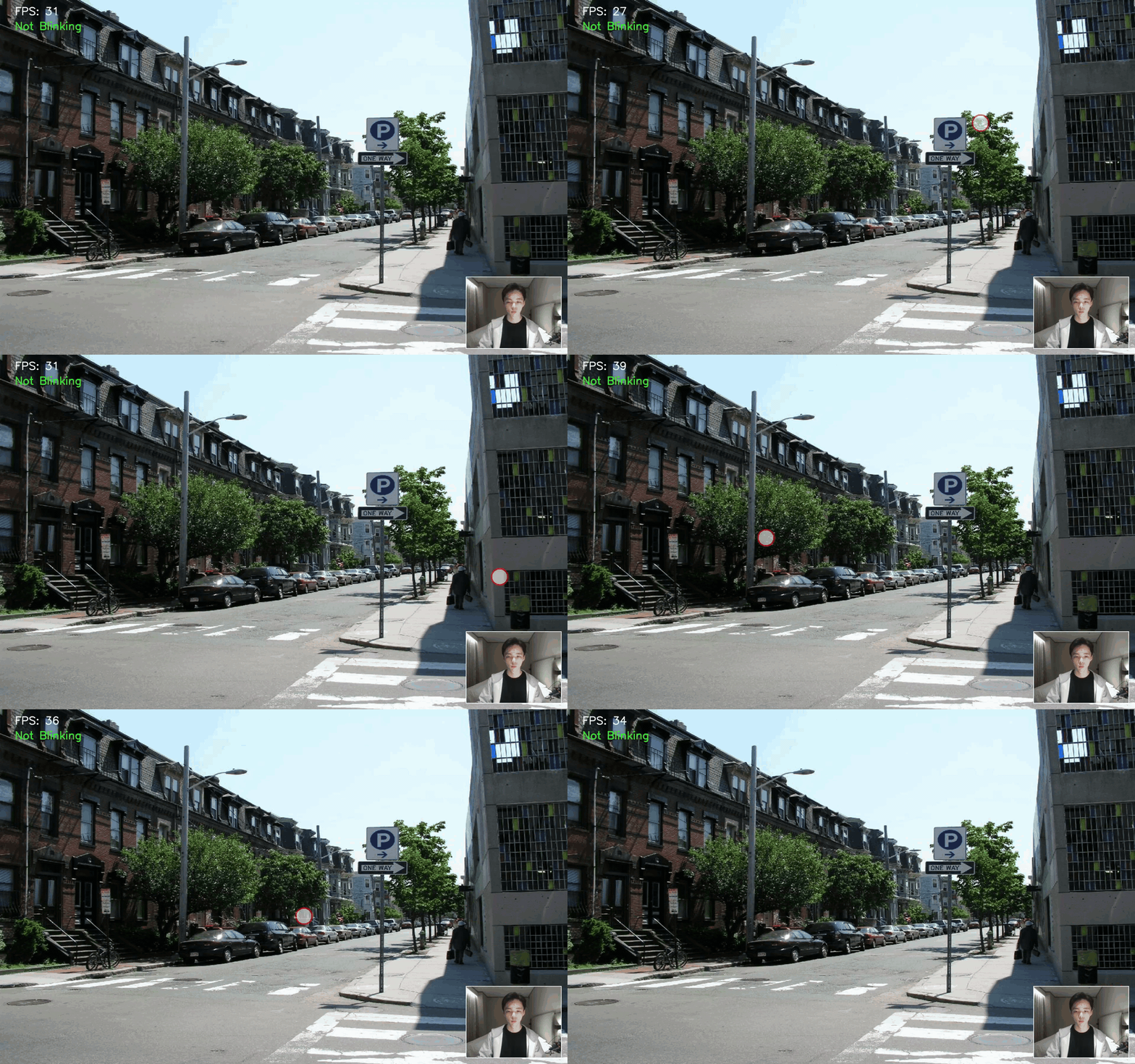
EyeTrax is a Python library that provides webcam-based eye tracking. Extract facial features, train a model and predict gaze with an easy‑to‑use interface.
Features
- Real‑time gaze estimation
- Multiple calibration workflows
- Optional filtering (Kalman / KDE)
- Model persistence – save / load a trained
GazeEstimator - Virtual-camera overlay that integrates with streaming software (e.g., OBS) via the bundled
eyetrax-virtualcamCLI
Installation
From PyPI
pip install eyetrax
From source
git clone https://github.com/ck-zhang/eyetrax && cd eyetrax

# editable install — pick one
python -m pip install -e .
pip install uv && uv sync
Demo
The EyeTrax package provides two command‑line entry points
| Command | Purpose |
|---|---|
eyetrax-demo |
Run an on‑screen gaze overlay demo |
eyetrax-virtualcam |
Stream the overlay to a virtual webcam |
Options
| Flag | Values | Default | Description |
|---|---|---|---|
--filter |
kalman, kde, none |
none |
Smoothing filter |
--camera |
int | 0 |
Physical webcam index |
--calibration |
9p, 5p, lissajous |
9p |
Calibration routine |
--background (demo only) |
path | — | Background image |
--confidence (KDE only) |
0–1 | 0.5 |
Contour probability |
Quick Examples
eyetrax-demo --filter kalman
eyetrax-virtualcam --filter kde --calibration 5p
Virtual camera demo
https://github.com/user-attachments/assets/de4a0b63-8631-4c16-9901-9f83bc0bb766
Library Usage
from eyetrax import GazeEstimator, run_9_point_calibration
import cv2

# Create estimator and calibrate
estimator = GazeEstimator()
run_9_point_calibration(estimator)

# Save model
estimator.save_model("gaze_model.pkl")

# Load model
estimator = GazeEstimator()
estimator.load_model("gaze_model.pkl")

cap = cv2.VideoCapture(0)

while True:
    # Extract features from frame
    ret, frame = cap.read()
    features, blink = estimator.extract_features(frame)

    # Predict screen coordinates
    if features is not None and not blink:
        x, y = estimator.predict([features])[0]
        print(f"Gaze: ({x:.0f}, {y:.0f})")
More
If you find EyeTrax useful, consider starring the repo or contributing. If you use it in your research, please cite it. The project is available under the MIT license.


Download files
Download the file for your platform. If you're not sure which to choose, learn more about installing packages.
Source Distribution
Built Distribution
Filter files by name, interpreter, ABI, and platform.
If you're not sure about the file name format, learn more about wheel file names.
Copy a direct link to the current filters
File details
Details for the file eyetrax-0.3.0.tar.gz.
File metadata
- Download URL: eyetrax-0.3.0.tar.gz
- Upload date:
- Size: 14.3 kB
- Tags: Source
- Uploaded using Trusted Publishing? No
- Uploaded via: uv/0.5.20
File hashes
| Algorithm | Hash digest | |
|---|---|---|
| SHA256 |
2f2b02ce0702889c6b5761597090b762c91e27e73cf63e3051f157f7384d3884
|
|
| MD5 |
8cdee4cf1e77b6671bd00b89926a46d5
|
|
| BLAKE2b-256 |
2d1d2d365fa597aa2db66b6222b4fa7614b3cfdee67d95125bd96d4b110875a9
|
File details
Details for the file eyetrax-0.3.0-py3-none-any.whl.
File metadata
- Download URL: eyetrax-0.3.0-py3-none-any.whl
- Upload date:
- Size: 24.3 kB
- Tags: Python 3
- Uploaded using Trusted Publishing? No
- Uploaded via: uv/0.5.20
File hashes
| Algorithm | Hash digest | |
|---|---|---|
| SHA256 |
cf03a7cf64a15f7215bda3f9d463847135478e9eaf06bcdb3ad7c9644bc68ba3
|
|
| MD5 |
d3441ae67b27ea76d572fd6b55bfdc56
|
|
| BLAKE2b-256 |
cff5af976d317a550d7012975bfcc22c3e9e1eeef3c894d3b62a4dca60dcaa2c
|






