
A dead-simple digital menu board configurator and display.
Verified details
These details have been verified by PyPIProject links
GitHub Statistics
Maintainers

Project description
ezdmb

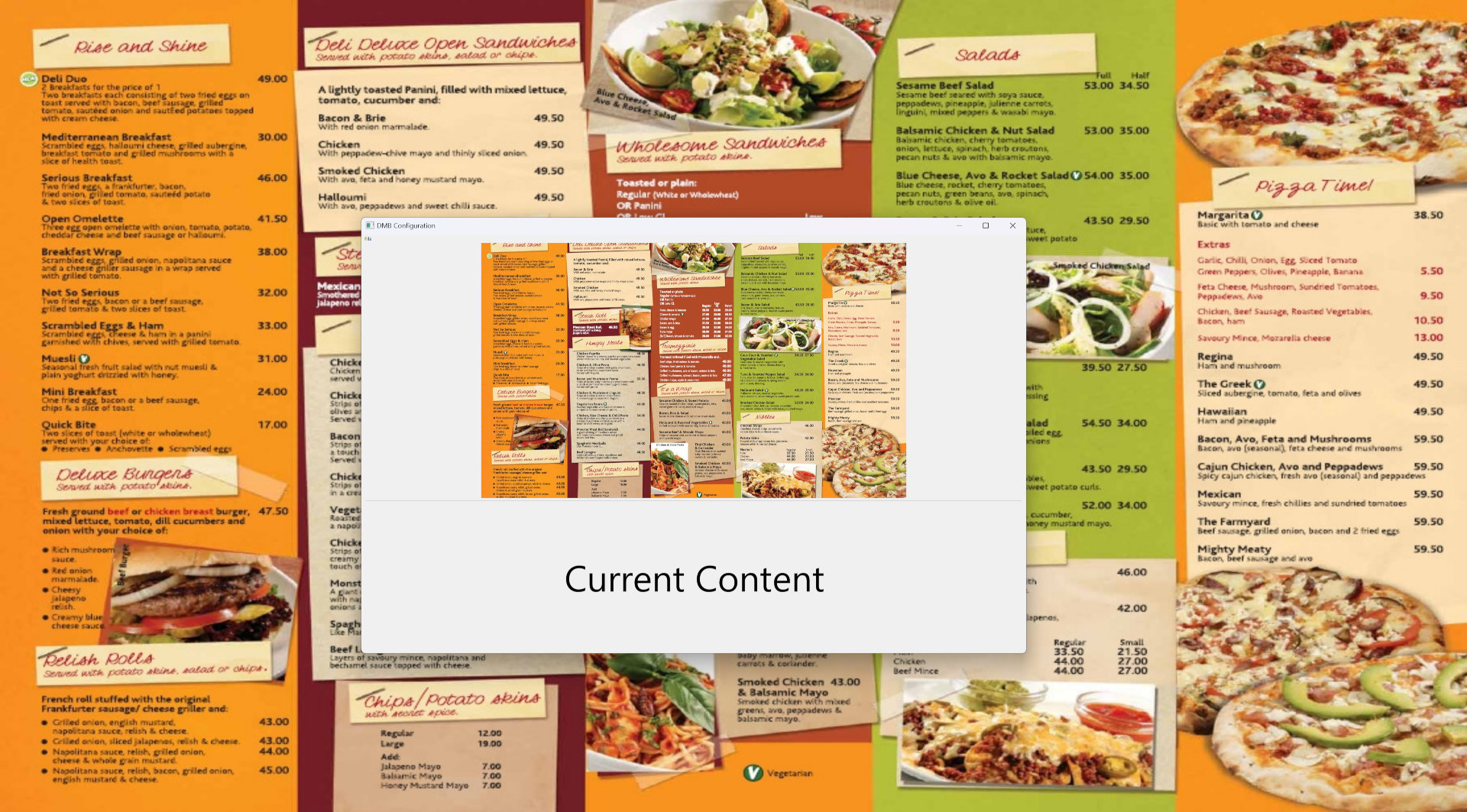
A dead-simple digital menu board display and configuration. Engineered to be the simplest, cheapest, fastest way to get your menu to display on any tablet or computer. Engineered for user-friendliness, with a simple, basic, configuration interface that easily allows rotation of images and quick configuration.
Installing and running ezdmb on Windows
- Download the install zip.
- Extract the entire zip file to any folder.
- Double click install.bat.
- Once the installer completes, you can launch the app using the Start Menu (Start > Run ezdmb)
Basic Operation
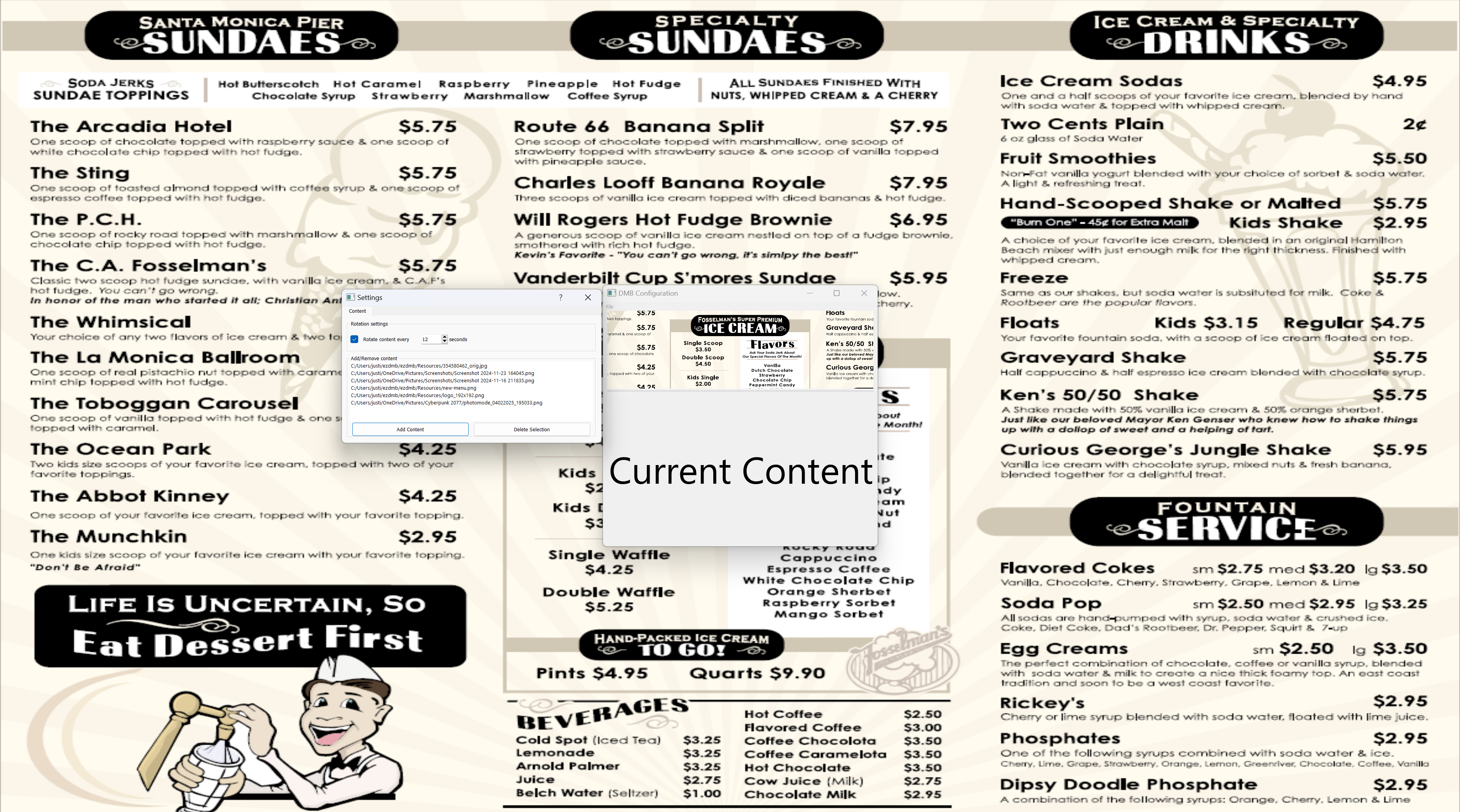
- On app start, both the Main (fullscreen) and Preview/Configuration windows are shown on the desktop.
- The Settings window can be closed with the "X" icon at top right of the window if further settings changes are not currently needed.
- The 'Esc' key is used to exit the application.
- Clicking or tapping the Main window and then pressing the 'o' key will reopen the Preview/Configuration window.
Configuration
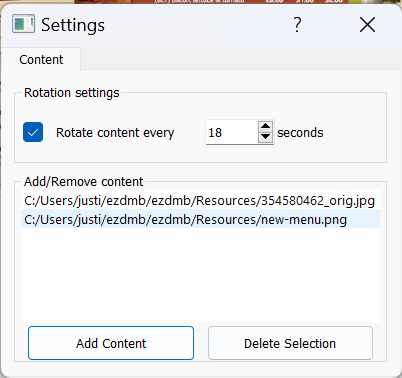
"Edit Display Settings" in the "File" dropdown menu of the Settings window allows access to a settings window, which is used to:
- Add and remove content to display
- Rotation settings, to allow content to be changed in the Menu Board Display
Developer environment setups
Windows and Ubuntu developer install scripts are available (useful if you want to do code updates)
Project details
Verified details
These details have been verified by PyPIProject links
GitHub Statistics
Maintainers
Release history Release notifications | RSS feed


Download files
Download the file for your platform. If you're not sure which to choose, learn more about installing packages.
Source Distribution
Built Distribution
Filter files by name, interpreter, ABI, and platform.
If you're not sure about the file name format, learn more about wheel file names.
Copy a direct link to the current filters
File details
Details for the file ezdmb-0.9.41.tar.gz.
File metadata
- Download URL: ezdmb-0.9.41.tar.gz
- Upload date:
- Size: 18.1 kB
- Tags: Source
- Uploaded using Trusted Publishing? Yes
- Uploaded via: twine/6.1.0 CPython/3.13.7
File hashes
| Algorithm | Hash digest | |
|---|---|---|
| SHA256 |
b619b2d0f5a584ae58ff91ca5b8b989948639f2a510070e3762b1c2c67f5cfaf
|
|
| MD5 |
698de7b18333b7ba2fdc34123de32453
|
|
| BLAKE2b-256 |
b183a5c10375f816dbab7717ba55e4900a281935ebd5f5888d59c321df8f559e
|
Provenance
The following attestation bundles were made for ezdmb-0.9.41.tar.gz:
Publisher:
publish-to-test-pypi.yml on justinmichaelvieira/ezdmb
-
Statement:
-
Statement type:
https://in-toto.io/Statement/v1 -
Predicate type:
https://docs.pypi.org/attestations/publish/v1 -
Subject name:
ezdmb-0.9.41.tar.gz -
Subject digest:
b619b2d0f5a584ae58ff91ca5b8b989948639f2a510070e3762b1c2c67f5cfaf - Sigstore transparency entry: 789147752
- Sigstore integration time:
-
Permalink:
justinmichaelvieira/ezdmb@a947168c6cfad4176efe08993810095c28a9d8c5 -
Branch / Tag:
refs/tags/v0.9.41 - Owner: https://github.com/justinmichaelvieira
-
Access:
public
-
Token Issuer:
https://token.actions.githubusercontent.com -
Runner Environment:
github-hosted -
Publication workflow:
publish-to-test-pypi.yml@a947168c6cfad4176efe08993810095c28a9d8c5 -
Trigger Event:
push
-
Statement type:
File details
Details for the file ezdmb-0.9.41-py3-none-any.whl.
File metadata
- Download URL: ezdmb-0.9.41-py3-none-any.whl
- Upload date:
- Size: 21.3 kB
- Tags: Python 3
- Uploaded using Trusted Publishing? Yes
- Uploaded via: twine/6.1.0 CPython/3.13.7
File hashes
| Algorithm | Hash digest | |
|---|---|---|
| SHA256 |
ed8f53a99bf9403826aff5f47285f5251c2238f0327e69c325eebe034952ab6c
|
|
| MD5 |
4360f49a8c82ca6ef377c2430bd2dff7
|
|
| BLAKE2b-256 |
e349e88a89f145930c541a358eafd807a402a25b7c5fefb0a82c8bdde5bf16bb
|
Provenance
The following attestation bundles were made for ezdmb-0.9.41-py3-none-any.whl:
Publisher:
publish-to-test-pypi.yml on justinmichaelvieira/ezdmb
-
Statement:
-
Statement type:
https://in-toto.io/Statement/v1 -
Predicate type:
https://docs.pypi.org/attestations/publish/v1 -
Subject name:
ezdmb-0.9.41-py3-none-any.whl -
Subject digest:
ed8f53a99bf9403826aff5f47285f5251c2238f0327e69c325eebe034952ab6c - Sigstore transparency entry: 789147755
- Sigstore integration time:
-
Permalink:
justinmichaelvieira/ezdmb@a947168c6cfad4176efe08993810095c28a9d8c5 -
Branch / Tag:
refs/tags/v0.9.41 - Owner: https://github.com/justinmichaelvieira
-
Access:
public
-
Token Issuer:
https://token.actions.githubusercontent.com -
Runner Environment:
github-hosted -
Publication workflow:
publish-to-test-pypi.yml@a947168c6cfad4176efe08993810095c28a9d8c5 -
Trigger Event:
push
-
Statement type:






