
f32nodes




See every wire of your Python dataflow graph live.
Write nodes as plain Python classes, wire them in a YAML file, and f32nodes runs the graph in real time and draws a live gauge, waveform or heatmap for every port. No UI code needed.
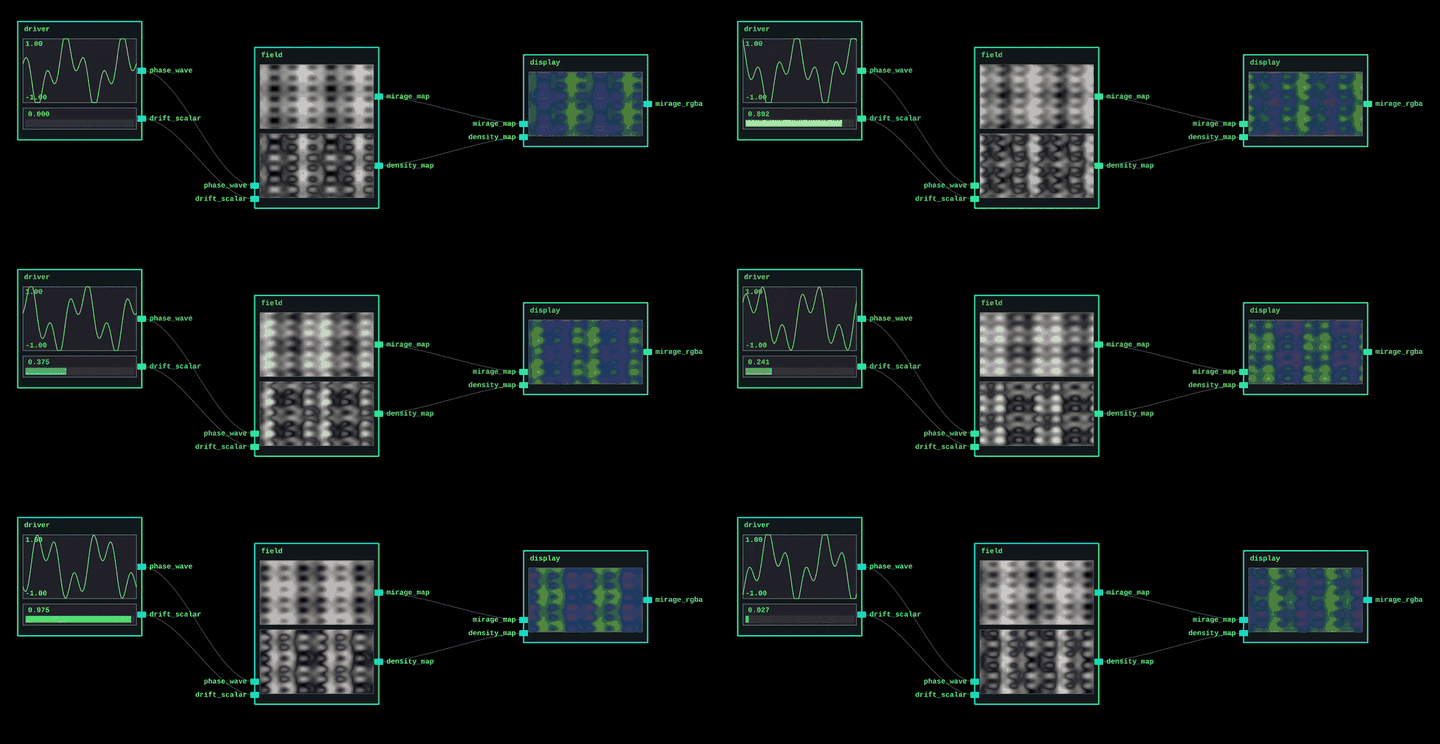
Not a drag-and-drop editor. The graph is defined in code and YAML; the window is a live inspector where you can move nodes around and watch every signal.
Hello world
Two nodes: a sine source and a trace that keeps the last 200 samples. See demos/demo1 for a fully commented version.
nodes.py
import math, time
import numpy as np
from f32nodes.core import Node


class Sine(Node):
    def define_config(self):
        return {"hz": 0.5}

    def setup(self):
        self.t0 = time.perf_counter()

    def define_ports(self):
        self.add_output_port("out", shape=(), min_val=-1.0, max_val=1.0)  # scalar -> gauge

    def compute(self):
        t = time.perf_counter() - self.t0
        self.write_output("out", np.float32(math.sin(math.tau * self.config["hz"] * t)))


class Trace(Node):
    def define_config(self):
        return {}

    def setup(self):
        self.history = np.zeros(200, dtype=np.float32)

    def define_ports(self):
        self.add_input_port("in", shape=(), min_val=-1.0, max_val=1.0)
        self.add_output_port("history", shape=(200,), min_val=-1.0, max_val=1.0)  # 1D -> waveform

    def compute(self):
        self.history = np.roll(self.history, -1)
        self.history[-1] = self.read_input("in")
        self.write_output("history", self.history)
graph.yaml
paths:
  my: "nodes"

nodes:
  sine:
    type: my.Sine
    config: {hz: 0.5}
  trace:
    type: my.Trace

connections:
  - from: [sine, "out"]
    to: [trace, "in"]
main.py
from f32nodes import Runner

Runner("graph.yaml").start_app()
Run pip install f32nodes && python main.py.
Overview
Core Features
- Python-native nodes: each node is a plain Python subclass representing one step of computation. Nodes declare typed ports and exchange
numpy.float32tensors. - YAML graph spec: node instances, configs, and connections sit in a YAML file; the loader resolves import prefixes relative to that file and wires ports automatically.
- Strict graph & port contracts: preflight rejects unconnected nodes plus shape/range/cycle errors, enforces a single connected DAG, and port writes continue to enforce dtype, shape, and limits during execution.
- Automatic visuals: the port contracts select a renderer per output shape (gauge, waveform, heatmap or RGBA texture), so nodes contain no UI code. Normalization happens in the renderer only.
- Low-overhead UI: the PyQt graph view avoids per-frame allocations so rendering stays light next to the runtime.
- Runtime instrumentation: the runner targets a configurable FPS, records backend/GUI/frame timings, samples per-node costs, and flags when the schedule drifts.
- Persistent layout: the PyQt6 view stores node positions and viewport state per graph file so the workspace survives restarts.
Visualization Semantics
Renderer-only normalization: visual widgets resample or scale data for display, but the numpy buffers on ports stay untouched.
- Scalar ports (
shape == ()) render as bar gauges between declared bounds. - 1D ports (
shape == (N,)) render as waveforms after resampling to viewport width. - 2D ports (
shape == (H, W)) appear as grayscale heatmaps. - RGBA ports (
shape == (H, W, 4)) display as color textures.
Scope Boundaries
- No bundled node library; domain-specific nodes live alongside each project.
- Graph execution is single-threaded within one Python process. Nodes may spawn their own threads, but the runtime does not orchestrate multi-threaded or distributed scheduling.
- Ports standardize on
numpy.float32scalars and tensors for consistent interoperability; other dtypes require conversion at graph edges. - The runner provides best-effort real-time: it reports drift and timings but cannot enforce hard deadlines, and overall throughput is ultimately limited by Python/PyQt rather than native C++ speeds.
Getting Started
Install
Requirements: Python >=3.12, pip 23+, and a working Qt/OpenGL stack (installed automatically through PyQt6 on most platforms).
Install from PyPI:
pip install f32nodes
Demo Gallery
Every demo uses the same setup workflow; from the repo root:
cd demos/<demo_name>
python3 -m venv .venv; source .venv/bin/activate
pip install -r requirements.txt
python3 main.py
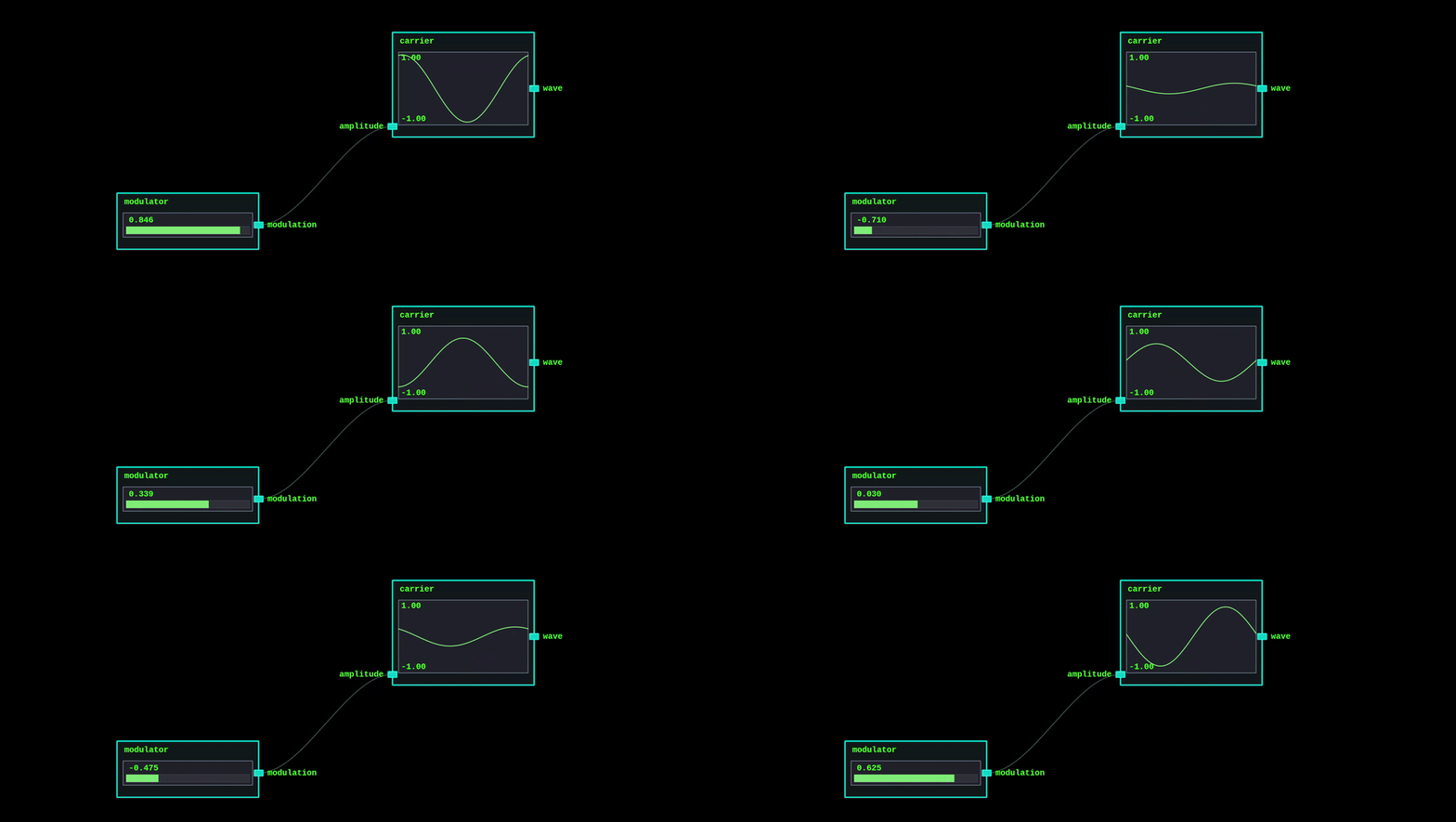
Demo 1 – Amplitude Modulation
A low-frequency scalar modulates a waveform generator. The entry point for learning the node API. All files in this demo are heavily commented to illustrate the full flow.
nodes.py– defines the modulator and carrier nodes.graph.yaml– initializes & configures nodes, then connects the graph.main.py– loads and runs the graph.
Demo 2 – Wavefields
Coupled oscillators drive a drifting 2D height map, while the display node remixes the field into density, height, and a stylized RGBA texture.
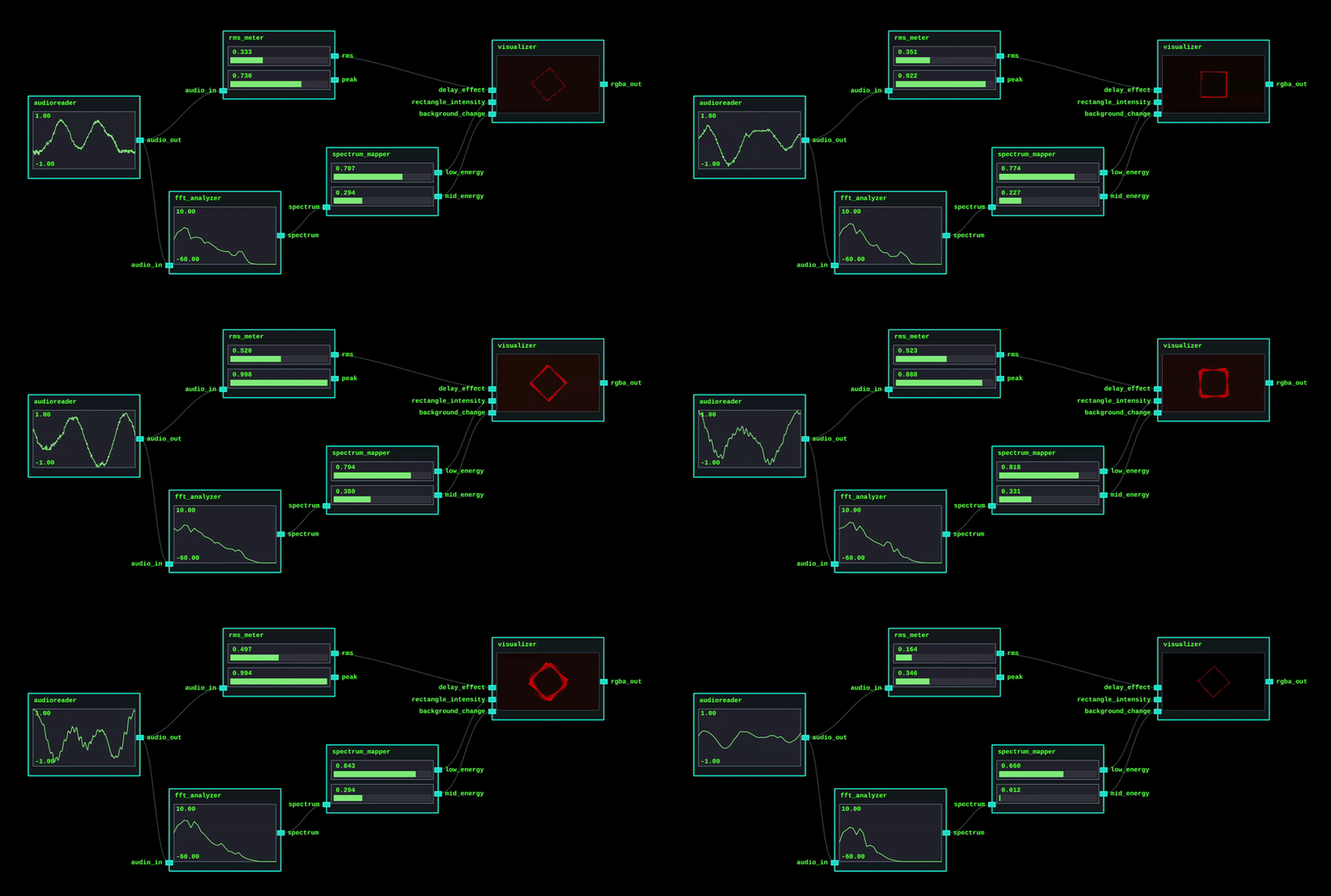
Demo 3 – Audio Nodes
Streams the bundled spectral_fx.wav, computes octave-band energy plus RMS, and drives an AudioVisualizer node whose three abstract controls (“background change”, “rectangle intensity”, “delay effect”) accept any scalar signal you patch into them. soundfile is required for decoding; sounddevice enables optional playback (toggle via enable_playback).
Development
-
Tests: run
pytest. -
Linting: run
ruff check .. -
Packaging: the project ships with a Poetry
pyproject.toml; usepoetry installif you prefer Poetry over raw pip. -
Editable install:
python3 -m venv .venv
source .venv/bin/activate
pip install -U pip
pip install -e .
License & Support
Licensed under the Apache License 2.0. Support is best effort; please open an issue on GitHub and I’ll respond as time allows.
Related Python Node Frameworks
- Ryven — visual scripting environment for Python that emphasises interactive, dynamically typed nodes within a Qt interface.
- PyFlow — general-purpose visual scripting system modelled after Unreal’s Blueprints, featuring a plug-in architecture and broad node catalog.
- Nodezator — node-based Pygame application that streamlines prototyping workflows for games and creative coding projects.
1 maintainer

Metadata
1 maintainer
Release files for f32nodes 0.1.4
For a detailed explanation of source distributions (sdists) and built distributions (wheels), please see the package formats documentation.
Source distribution (sdist)
| File | Size | Uploaded | |
|---|---|---|---|
| f32nodes-0.1.4.tar.gz | 24.3 kB | Details |
Built distribution (wheel)
| File | Interpreter | ABI | Platform | Reset |
|---|---|---|---|---|
| f32nodes-0.1.4-py3-none-any.whl | Python 3 | none | any | Details |
Total release size: 47.1 kB
Release files / f32nodes-0.1.4.tar.gz
| Download URL | f32nodes-0.1.4.tar.gz |
|---|---|
| Size | 24.3 kB |
| Tags | Source |
|
SHA-256 checksum How to use checksums |
2595062138c6c79c322d2d83df86c3218eb2c5ad492bf47329051eecdc6d2dd4
|
|
BLAKE2b-256 checksum How to use checksums |
25a39e62841d314db1d2d844e5ff66fc1b67e98060c9d2605181f15c643cf8db
|
| Upload date | |
|
Uploaded using Trusted Publishing? What is trusted publishing? |
Yes |
| Uploaded via |
twine/7.0.0 CPython/3.13.14
|
Provenance
Provenance describes where a file came from. On PyPI, provenance is shared via attestations, which provide a verifiable record of the build or publishing details. View details, limitations and caveats.


PyPI Publish Attestation
PyPI verified that this artifact, at this checksum, originated from the publisher listed below.
Signed by GitHub Actions, verified by PyPI on Oct 7, 2026.
Transparency logRelease files / f32nodes-0.1.4-py3-none-any.whl
| Download URL | f32nodes-0.1.4-py3-none-any.whl |
|---|---|
| Size | 22.8 kB |
| Tags | Python 3 |
|
SHA-256 checksum How to use checksums |
fb40046c1553856ef140697b4168569c376f77d2564bee56d0e0d96d1a52b422
|
|
BLAKE2b-256 checksum How to use checksums |
e4477683a1f67eb860c6af9f6f13a4dcc63df7f4295ee8921ade01cbe5cd8ba5
|
| Upload date | |
|
Uploaded using Trusted Publishing? What is trusted publishing? |
Yes |
| Uploaded via |
twine/7.0.0 CPython/3.13.14
|
Provenance
Provenance describes where a file came from. On PyPI, provenance is shared via attestations, which provide a verifiable record of the build or publishing details. View details, limitations and caveats.
PyPI Publish Attestation
PyPI verified that this artifact, at this checksum, originated from the publisher listed below.
Signed by GitHub Actions, verified by PyPI on Oct 7, 2026.
Transparency log













