
Face Library





Patch 1.1.3
BlazeFace model used in face detection now instead of Haar Cascade, decreasing the inference time x10 times and detect frontal and profile face more accurate
Please Upgrade to latest version if you already have Face Library.
Table of contents
Installation
pip install face-library
Upgrade
pip install face-library -U
Usage
Importing
from face_lib import face_lib
FL = face_lib()
The model is built over OpenCV, so it expects cv2 input (i.e. BGR image), it will support PIL in the next version for RGB inputs. At the end there is a piece of code to make PIL image like cv2 image.
Face detection
import cv2

img = cv2.imread(path_to_image)
faces = FL.get_faces(img) #return list of RGB faces image
If you want to get faces locations (coordinates) instead of the faces from the image you can use
no_of_faces, faces_coors = FL.faces_locations(face_img)
You can change the maximum number of faces could be detcted as follows
no_of_faces, faces_coors = FL.faces_locations(face_img, max_no_faces = 10) #default number of max_no_faces is 2
You can change face detection thresholds (score threshold, iou threshold) -if needed-, by using the following function
FL.set_detection_params(scoreThreshold=0.82, iouThreshold=0.24) # default paramters are scoreThreshold=0.7, iouThreshold=0.3
Face verfication
The verfication process is compossed of two models, a face detection model detect faces in the image and a verfication model verfiy those face.
img_to_verfiy = cv2.imread(path_to_image_to_verify) #image that contain face you want verify
gt_img = cv2.imread(path_to_image_to_compare) #image of the face to compare with

face_exist, no_faces_detected = FL.recognition_pipeline(img_to_verfiy, gt_image)
You can change the threshold of verfication with the best for your usage or dataset like this :
face_exist, no_faces_detected = FL.recognition_pipeline(img_to_verfiy, gt_image, threshold = 1.1) #default number is 0.92
also if you know that gt_img has only one face and the image is zoomed to that face (minimum 65%-75% of image is face) like this :
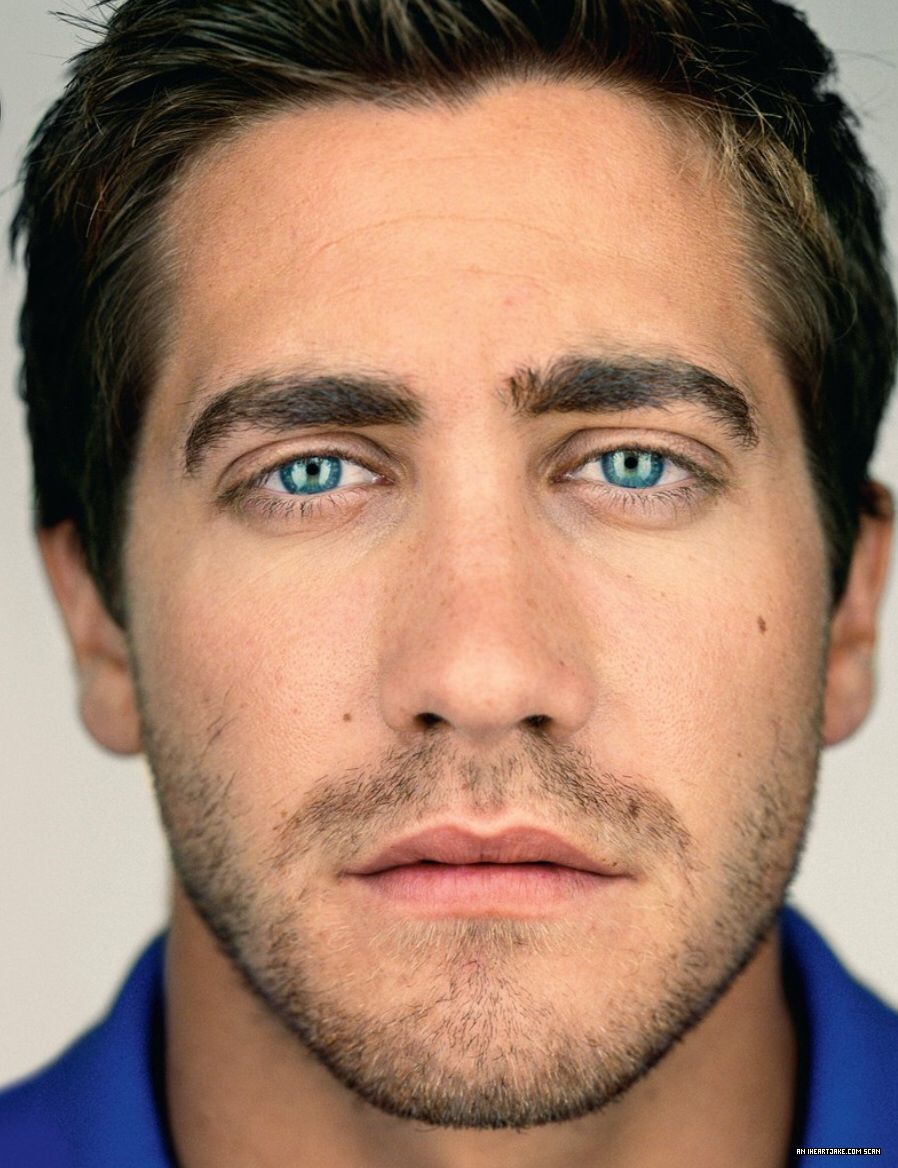
You can save computing time and the make the model more faster by using
face_exist, no_faces_detected = FL.recognition_pipeline(img_to_verfiy, gt_image, only_face_gt = True)
Note: if you needed to change detection parameters before the recognition pipeline you can call set_detection_params function as mentioned in Face detection section.
Extracting face embeddings
I you want represent the face with vector from face only image, you can use
face_embeddings = FL.face_embeddings(face_only_image)
For PIL images
import cv2
import numpy
from PIL import Image

PIL_img = Image.open(path_to_image)

cv2_img = cv2.cvtColor(numpy.array(PIL_img), cv2.COLOR_RGB2BGR) #now you can use this to be input for face_lib functions
Contributing
Pull requests are welcome. For major changes, please open an issue first to discuss what you would like to change.
Support
There are many ways to support a project - starring⭐️ the GitHub repo is just one.
Licence
Face library is licensed under the MIT License
1 maintainer

Metadata
1 maintainer
Release files for face-library 1.1.3
For a detailed explanation of source distributions (sdists) and built distributions (wheels), please see the package formats documentation.
Source distribution (sdist)
| File | Size | Uploaded | |
|---|---|---|---|
| face-library-1.1.3.tar.gz | 601.0 kB | Details |
Built distribution (wheel)
| File | Interpreter | ABI | Platform | Reset |
|---|---|---|---|---|
| face_library-1.1.3-py3-none-any.whl | Python 3 | none | any | Details |
Total release size: 1.2 MB
Release files / face-library-1.1.3.tar.gz
| Download URL | face-library-1.1.3.tar.gz |
|---|---|
| Size | 601.0 kB |
| Tags | Source |
|
SHA-256 checksum How to use checksums |
c6e6d03ccd3e7b96311832945e2f1d2f2b3900b9c812bc7d7af67f20c669e1b0
|
|
BLAKE2b-256 checksum How to use checksums |
a8acf7126f3000ad3c892eb3fece6113cd9a347d8ab43c1b95326db0820a7347
|
| Upload date | |
|
Uploaded using Trusted Publishing? What is trusted publishing? |
No |
| Uploaded via |
twine/3.4.2 importlib_metadata/4.8.1 pkginfo/1.7.1 requests/2.26.0 requests-toolbelt/0.9.1 tqdm/4.62.3 CPython/3.9.7
|
Release files / face_library-1.1.3-py3-none-any.whl
| Download URL | face_library-1.1.3-py3-none-any.whl |
|---|---|
| Size | 604.4 kB |
| Tags | Python 3 |
|
SHA-256 checksum How to use checksums |
2cce4f27039ddc7202ea8f2ab31b6f719c403881ddceb1a1431f40ef4a0a11d4
|
|
BLAKE2b-256 checksum How to use checksums |
fb69d21a14c99c6d56c445768207eb004dbfb2e1a8ad067c5d7304ed7bda505a
|
| Upload date | |
|
Uploaded using Trusted Publishing? What is trusted publishing? |
No |
| Uploaded via |
twine/3.4.2 importlib_metadata/4.8.1 pkginfo/1.7.1 requests/2.26.0 requests-toolbelt/0.9.1 tqdm/4.62.3 CPython/3.9.7
|














