
Factoriax
"The Factory must grow!"
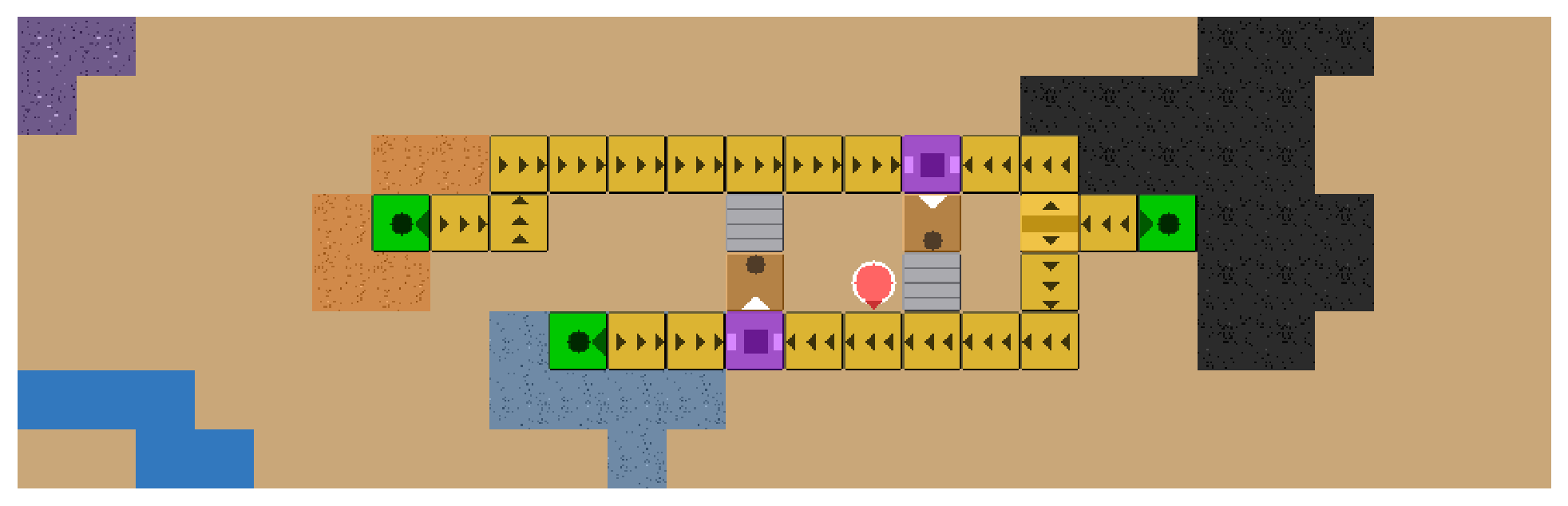
Factoriax is a GPU accelerated factory building simulator for reinforcement learning research in the style of the game Factorio, written in JAX.
Read the documentation
for the tutorial, the API reference, and the design notes. To build the
documentation as HTML, run cd docs && make html.
Why Factoriax?
Factorio is quite a cool game with an enormous amount of emergent gameplay complexity, and it is interesting to use it as a benchmark to evaluate AI systems. However, even though the game is famous for being carefully optimized, training Reinforcement Learning agents on the base game is very slow. Factoriax is basically a simplified version of the core Factorio game mechanics that can run millions of game ticks per second on higher end GPUs (as of writing), while also running quickly enough to train models on local laptop GPUs. This allows researchers to test their RL ideas in Factoriax at scale, while allowing students to get familiar with RL concepts without the need for enormous GPU clusters.
And honestly, Factorio is just a lot of fun. Even though the Factoriax implementation of the original game mechanics is quite minimal, I hope it does some justice to the original game.
Installation
To install the most recent release from PyPi, run this command:
pip install factoriax
To install it with uv, run this command instead:
uv add factoriax
GPU Support
Factoriax installs the CPU version of JAX by default. Read the JAX documentation to find the version of JAX for your hardware. If your system supports CUDA13, run this command after you install Factoriax:
pip install "jax[cuda13]"
To do the same with uv, run this command:
uv pip install "jax[cuda13]"
Most Recent Build For Research
Install an editable build if you want the most recent commit on main. Install an editable build also if you want to change the source code of Factoriax while you work on your own project.
git clone https://github.com/mickeybeurskens/factoriax.git
pip install -e ./factoriax
To do the same with uv, run these commands:
git clone https://github.com/mickeybeurskens/factoriax.git
uv add --editable ./factoriax
Development Build
The development build keeps the development packages in sync. Do not use it if you include Factoriax as a dependency of your own project.
git clone https://github.com/mickeybeurskens/factoriax.git
uv sync
uv sync removes the GPU version of JAX. To keep the GPU version, run this
command instead:
uv sync --extra cuda
Play The Game
Factoriax has a human playable interface, called the playground. It contains a human playable version of Factoriax and a level editor.
To open the playground, run this command:
python -m factoriax.playground
More information is available in the documentation.
Build An Environment
import jax

from factoriax.make import env_from_name

env, params = env_from_name("EasyRocket-v1")
obs, state = env.reset_env(jax.random.PRNGKey(0), params)
Three scenarios have an id: MinerBootstrap-v1, EasyRocket-v1, and
Rocket-v1. The function factoriax.engine.envs.registry.list_scenarios
returns each id with its specification.
Development
To run the tests, the linter, and the documentation build, run these commands:
uv run pytest
uv run ruff check factoriax tests
Citation
Factoriax was initially submitted in a workshop paper at the 19th European Workshop on Reinforcement Learning (EWRL 2026). If you use Factoriax in your research then please cite:
@inproceedings{beurskens2026factoriax,
  title     = {{Factoriax - A GPU-Accelerated Factory Building Simulator In The Style Of Factorio}},
  author    = {Beurskens, Mickey and Tomilin, Tristan and Sim{\~a}o, Thiago D.},
  booktitle = {19th European Workshop on Reinforcement Learning (EWRL)},
  year      = {2026},
  address   = {Lille, France},
  url       = {https://ewrl-org.github.io/ewrl-2026/poster_148.html}
}
1 maintainer

Metadata
1 maintainer
Release files for factoriax 0.1.0
For a detailed explanation of source distributions (sdists) and built distributions (wheels), please see the package formats documentation.
Source distribution (sdist)
| File | Size | Uploaded | Provenance | Actions |
|---|---|---|---|---|
| factoriax-0.1.0.tar.gz | 306.0 kB | Without provenance | Details for factoriax-0.1.0.tar.gz |
Built distribution (wheel)
| File | Interpreter | ABI | Platform | Actions Reset |
|---|---|---|---|---|
| factoriax-0.1.0-py3-none-any.whl | Python 3 | none | any | Details for factoriax-0.1.0-py3-none-any.whl |
Total release size: 656.5 kB
Release files / factoriax-0.1.0.tar.gz
| Download URL | factoriax-0.1.0.tar.gz |
|---|---|
| Size | 306.0 kB |
| Tags | Source |
|
SHA-256 checksum How to use checksums |
a939b277251421de812f12c5e46895f28a015b3054b1d6a0b71fbb66074a42a1
|
|
BLAKE2b-256 checksum How to use checksums |
9053643f4339a6c54a99977b6a6d5ae29b7163e9a19531baae921f0cf5079d86
|
| Upload date | |
|
Uploaded using Trusted Publishing? What is trusted publishing? |
No |
| Uploaded via |
uv/0.12.3 {"installer":{"name":"uv","version":"0.12.3","subcommand":["publish"]},"python":null,"implementation":{"name":null,"version":null},"distro":{"name":"Ubuntu","version":"24.04","id":"noble","libc":null},"system":{"name":null,"release":null},"cpu":null,"openssl_version":null,"setuptools_version":null,"rustc_version":null,"ci":null}
|
Release files / factoriax-0.1.0-py3-none-any.whl
| Download URL | factoriax-0.1.0-py3-none-any.whl |
|---|---|
| Size | 350.5 kB |
| Tags | Python 3 |
|
SHA-256 checksum How to use checksums |
454a0ad22c234cbc7114ce2614ac92861a74f56b43b2bab483891908e71c3aaf
|
|
BLAKE2b-256 checksum How to use checksums |
9294e22add5a9d83d736e5f6213fa358eb8f5a22a0cd4baafdd5831b43d51be7
|
| Upload date | |
|
Uploaded using Trusted Publishing? What is trusted publishing? |
No |
| Uploaded via |
uv/0.12.3 {"installer":{"name":"uv","version":"0.12.3","subcommand":["publish"]},"python":null,"implementation":{"name":null,"version":null},"distro":{"name":"Ubuntu","version":"24.04","id":"noble","libc":null},"system":{"name":null,"release":null},"cpu":null,"openssl_version":null,"setuptools_version":null,"rustc_version":null,"ci":null}
|
Security for factoriax 0.1.0
Provenance
Provenance describes where a file came from. On PyPI, provenance is shared via attestations, which provide a verifiable record of the build or publishing details. View details, limitations and caveats.
No provenance found
None of the files in this release were uploaded with provenance metadata.
A note on package security
PyPI is a repository for distributing packages, not a service for auditing them. While third-party security researchers and our staff do their best to detect and remove malicious packages, PyPI cannot guarantee the quality, security or suitability of any given package.
To learn more about protecting yourself from malicious actors, visit our package security documentation.













