
AI media generation from the terminal — powered by fal.ai

Project description
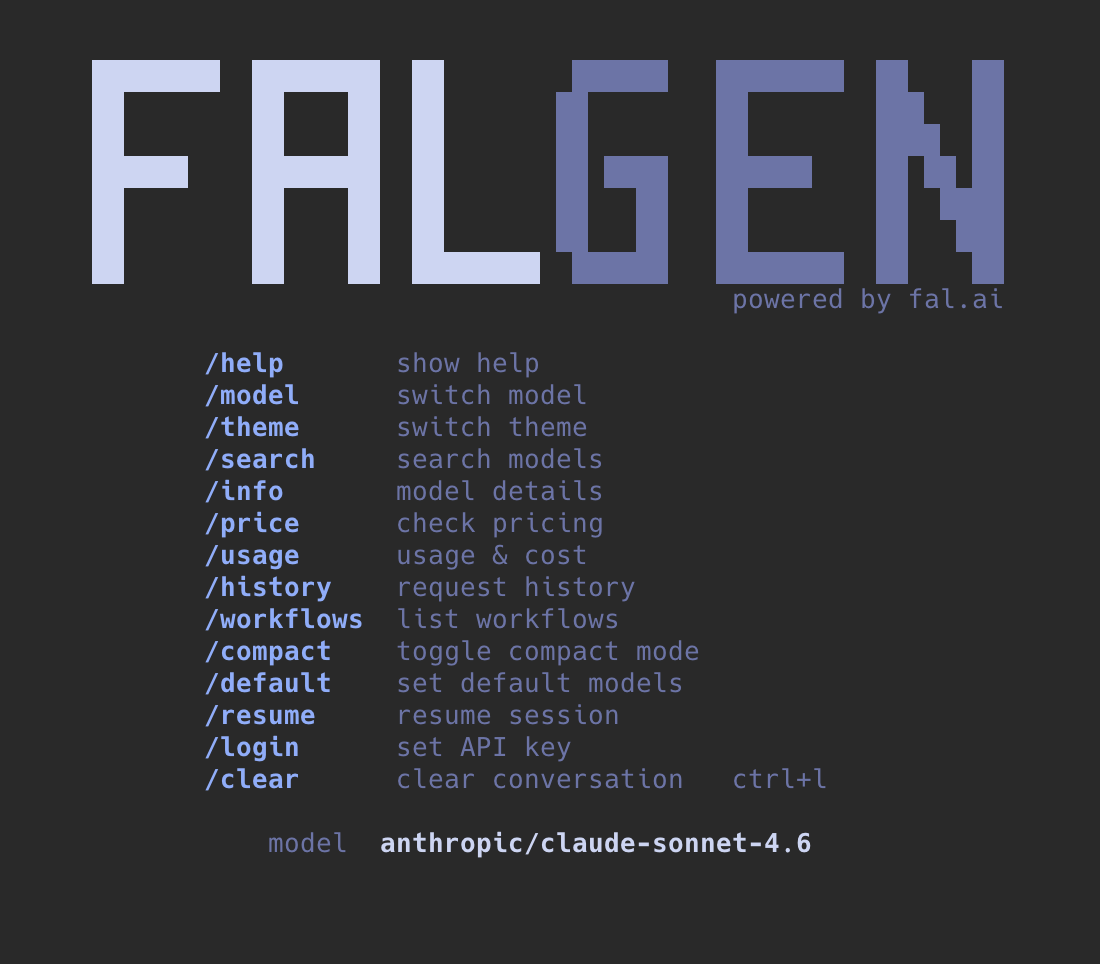
falgen




Open source AI media generation from the terminal.
Install · Usage · Features · Commands · Contributing
Generate images, videos, audio, and more — just describe what you want. falgen picks the best model using Artificial Analysis quality rankings, handles the queue, and renders results inline in your terminal.
Install
# Quick install (auto-detects pipx/uv/pip)
curl -fsSL https://raw.githubusercontent.com/fal-ai/falgen/main/install.sh | bash

# pip / pipx
pip install falgen
pipx install falgen

# uv
uv tool install falgen

# npx (no install needed)
npx falgen
Auth
# Option 1: falgen prompts for your key on first launch
falgen

# Option 2: environment variable
export FAL_KEY="your-key-here"
falgen
Get your API key at fal.ai/dashboard/keys.
Usage
falgen                  # start a new session
falgen -s last          # resume last session
falgen -m openai/gpt-5.4  # use a specific LLM
Then just type what you want:
> a cyberpunk city at sunset, neon reflections on wet streets
> generate a 10s video of ocean waves crashing
> create lofi hip-hop background music, chill vibes
> upscale my photo to 4K
Features
Smart model selection — Ranks models by quality using Artificial Analysis arena ELO ratings. Supports style-specific rankings (portraits, anime, photorealistic, etc.) so you always get the best model for your task.
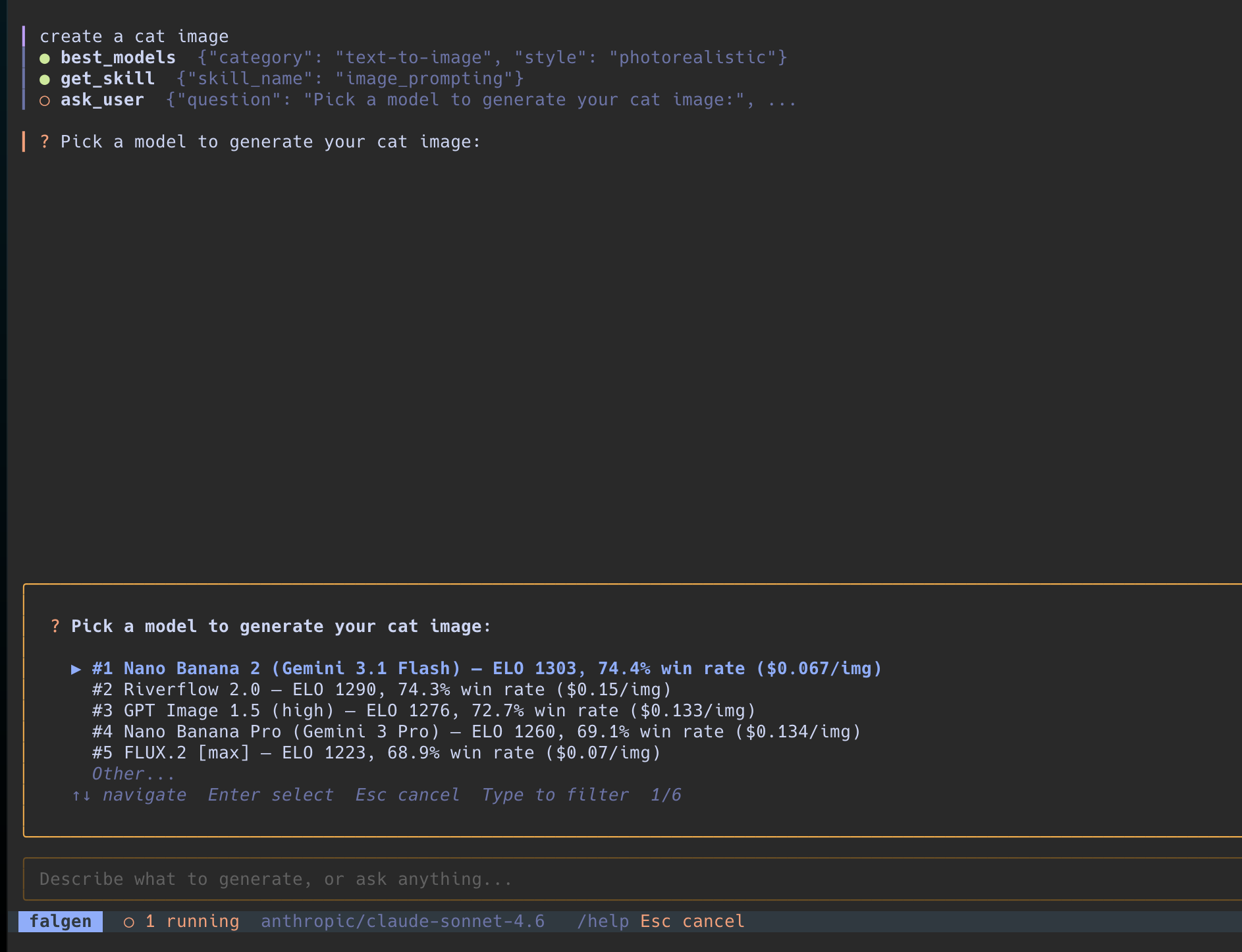
The agent asks which model to use, ranked by Artificial Analysis ELO ratings, and proceeds based on your choice.
AI tools — The LLM agent has access to:
| Tool | Description |
|---|---|
best_models |
Quality rankings from Artificial Analysis arena |
search_models |
Search fal.ai's 600+ model catalog |
model_info |
Input schema, parameters, valid values |
generate |
Submit jobs, poll status, stream results |
ask_user |
Interactive choice picker for decisions |
get_skill |
Domain knowledge (cinematography, prompting, etc.) |
get_pricing |
Cost per image/minute/character |
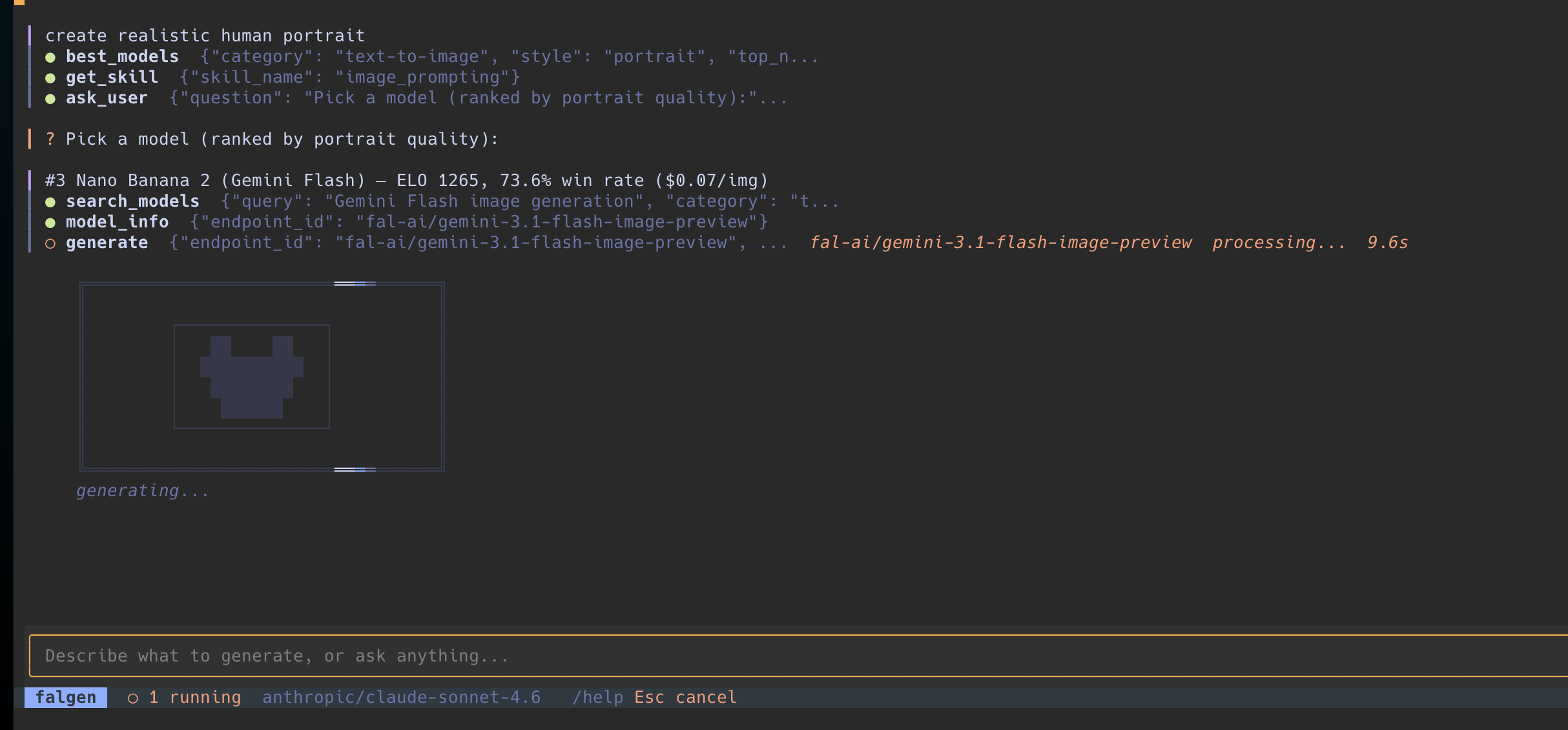
Tool calls in action — the agent searches models, checks schemas, and submits a generation job with a live loading skeleton.
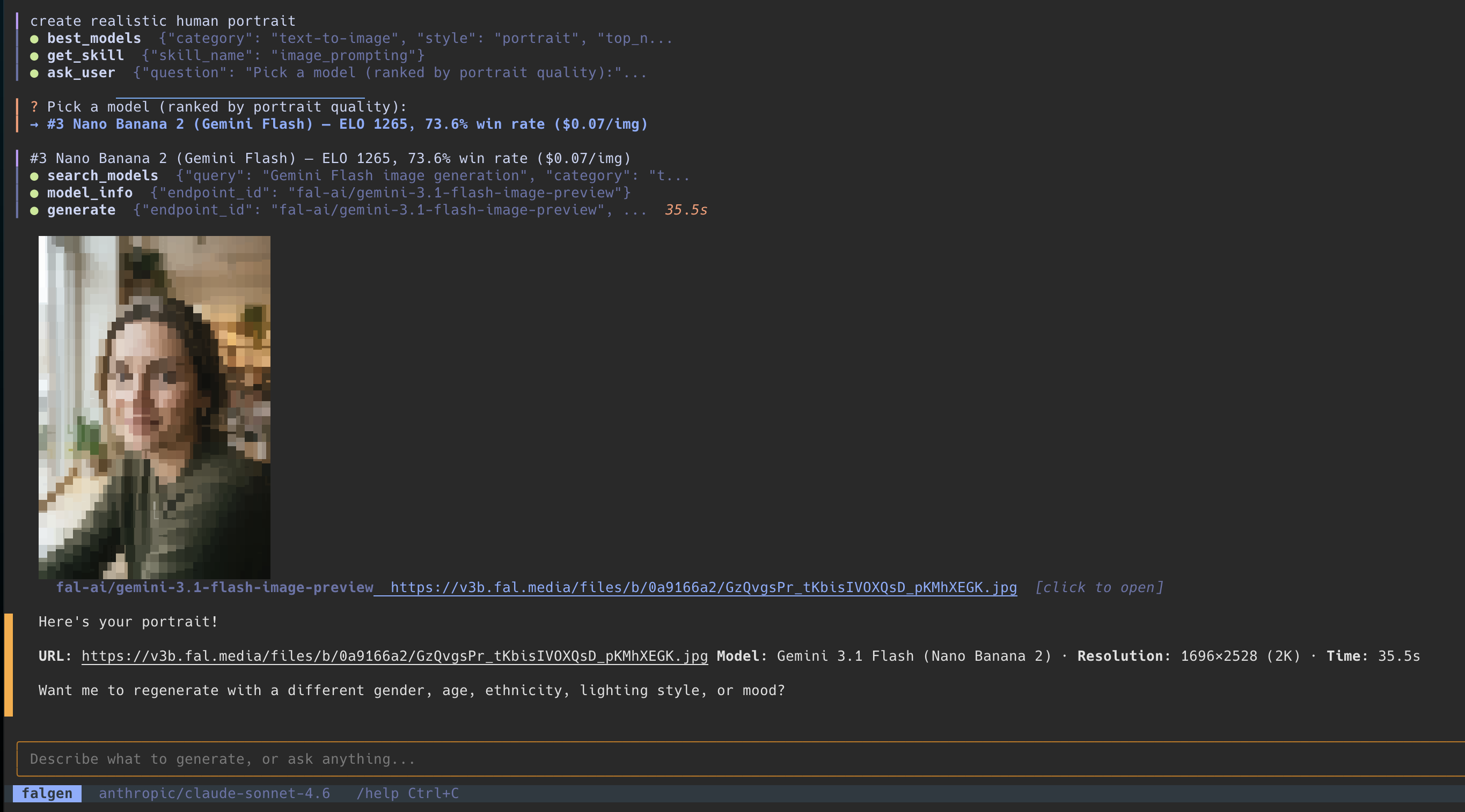
Generated image rendered inline via chafa. Click to open in your system viewer.
Terminal UI — Built with Textual. Inline media preview via chafa. Five themes: Tokyo Night, Catppuccin, Nord, Gruvbox, Everforest.
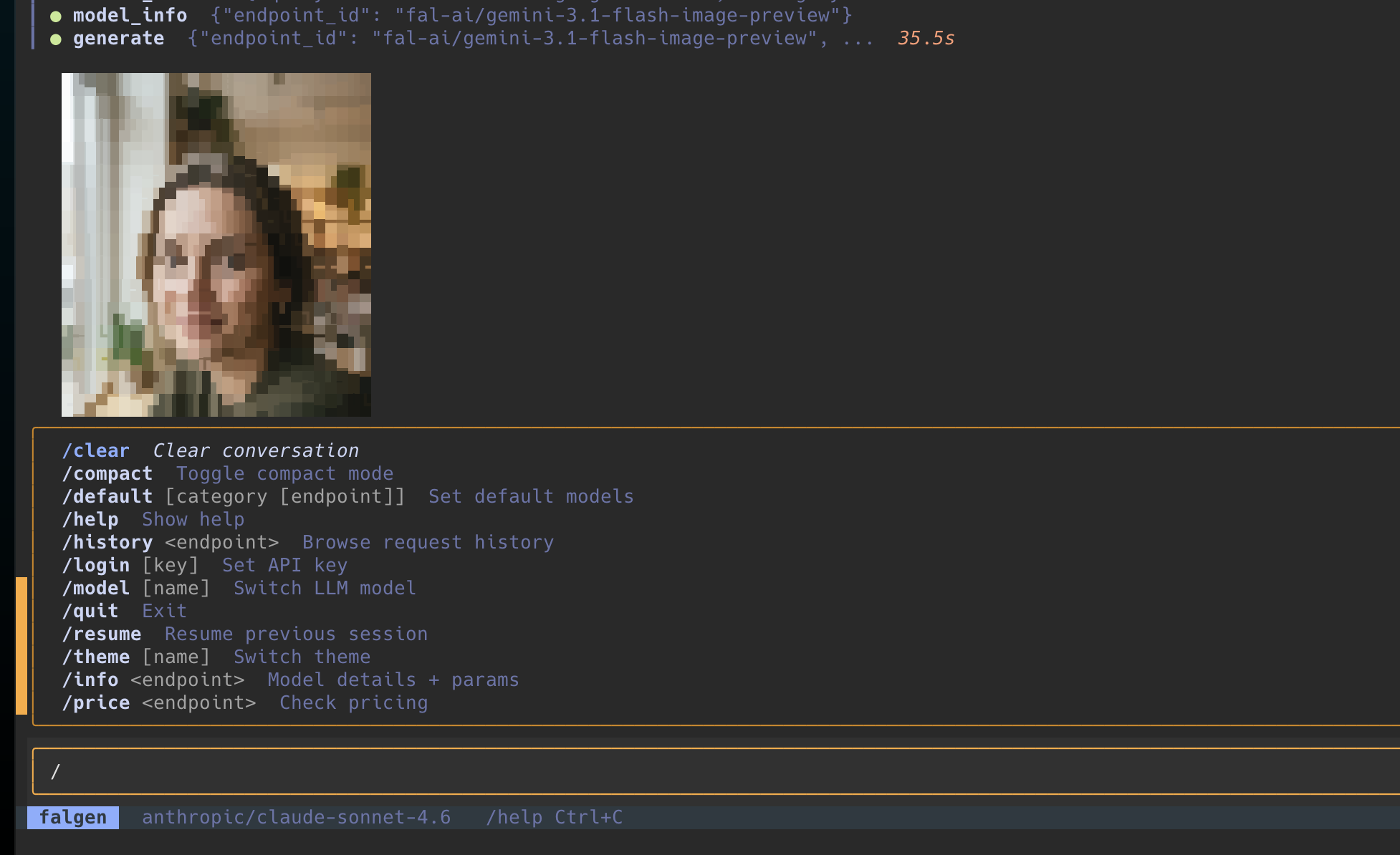
Slash commands with autocomplete for quick access to all features.
Input — Multi-line input (Shift+Enter), image paste from clipboard (Ctrl+V), local file path detection and upload, fuzzy-filtered choice menus.
Session management — SQLite persistence, resume previous sessions (/resume), media URLs tracked per session.
Context management — Automatic conversation summarization when approaching context limits.
Commands
| Command | Description |
|---|---|
/model |
Switch LLM |
/theme |
Switch color theme |
/search |
Search fal.ai models |
/info |
Model schema and details |
/price |
Check pricing |
/default |
Set default models per category |
/resume |
Resume a previous session |
/compact |
Toggle compact mode (hide tool calls) |
/usage |
Usage and cost |
/login |
Set API key |
/clear |
Clear conversation |
Keyboard: Shift+Enter new line · Esc cancel generation · Ctrl+L clear · Ctrl+V paste image · Ctrl+C quit
Preview Dependencies
- chafa — inline image/video/audio previews
- ffmpeg — video thumbnails and audio waveforms
- Optional: pngpaste — clipboard image paste on macOS
The app runs without these, but previews will be unavailable.
Contributing
Open source side project. Contributions, issues, and ideas are welcome.
git clone https://github.com/fal-ai/falgen
cd falgen
pip install -e .
falgen
Acknowledgements
Model quality rankings powered by Artificial Analysis — independent benchmarks through crowd-sourced blind comparisons.
License
MIT
Release history Release notifications | RSS feed


Download files
Download the file for your platform. If you're not sure which to choose, learn more about installing packages.
Source Distribution
Built Distribution
Filter files by name, interpreter, ABI, and platform.
If you're not sure about the file name format, learn more about wheel file names.
Copy a direct link to the current filters
File details
Details for the file falgen-0.1.0.tar.gz.
File metadata
- Download URL: falgen-0.1.0.tar.gz
- Upload date:
- Size: 261.1 kB
- Tags: Source
- Uploaded using Trusted Publishing? No
- Uploaded via: twine/6.2.0 CPython/3.14.0
File hashes
| Algorithm | Hash digest | |
|---|---|---|
| SHA256 |
eebbf2017c02a0c7e51f3ad0685cc9007d99ff7a4546f976aecd8b8f79e0ab79
|
|
| MD5 |
cdb8528c76d5c6c8005ffd5494fa9fbc
|
|
| BLAKE2b-256 |
80edfae9f1f46dbe2b424e580aa7ef8927526fa89015c7d06faa807bfeef4802
|
File details
Details for the file falgen-0.1.0-py3-none-any.whl.
File metadata
- Download URL: falgen-0.1.0-py3-none-any.whl
- Upload date:
- Size: 267.6 kB
- Tags: Python 3
- Uploaded using Trusted Publishing? No
- Uploaded via: twine/6.2.0 CPython/3.14.0
File hashes
| Algorithm | Hash digest | |
|---|---|---|
| SHA256 |
826296a5612342fb3aee327bb3de104072b9188bf8c78b26083545d5e7abf5f7
|
|
| MD5 |
bfbf3f15fbd082c5be9cc972eea7ac54
|
|
| BLAKE2b-256 |
f0f0529c09ae1565dc6a5924f795ab4b50643ccd28efe04cac98952676a29f08
|






